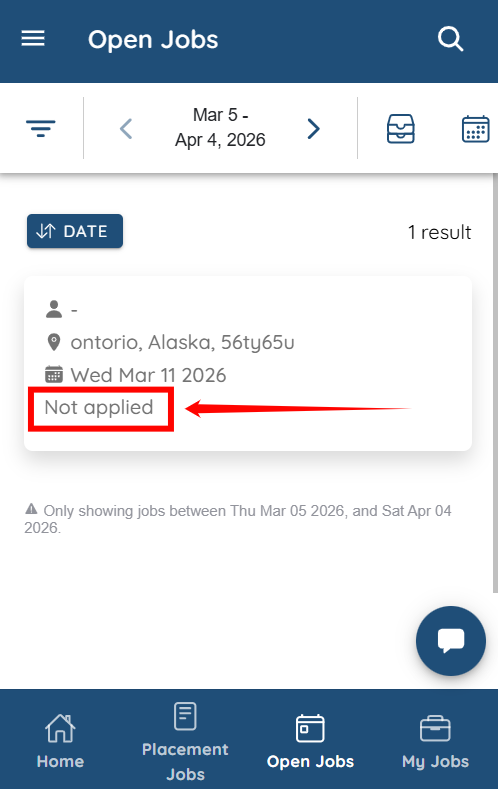
Let’s get started 🚀
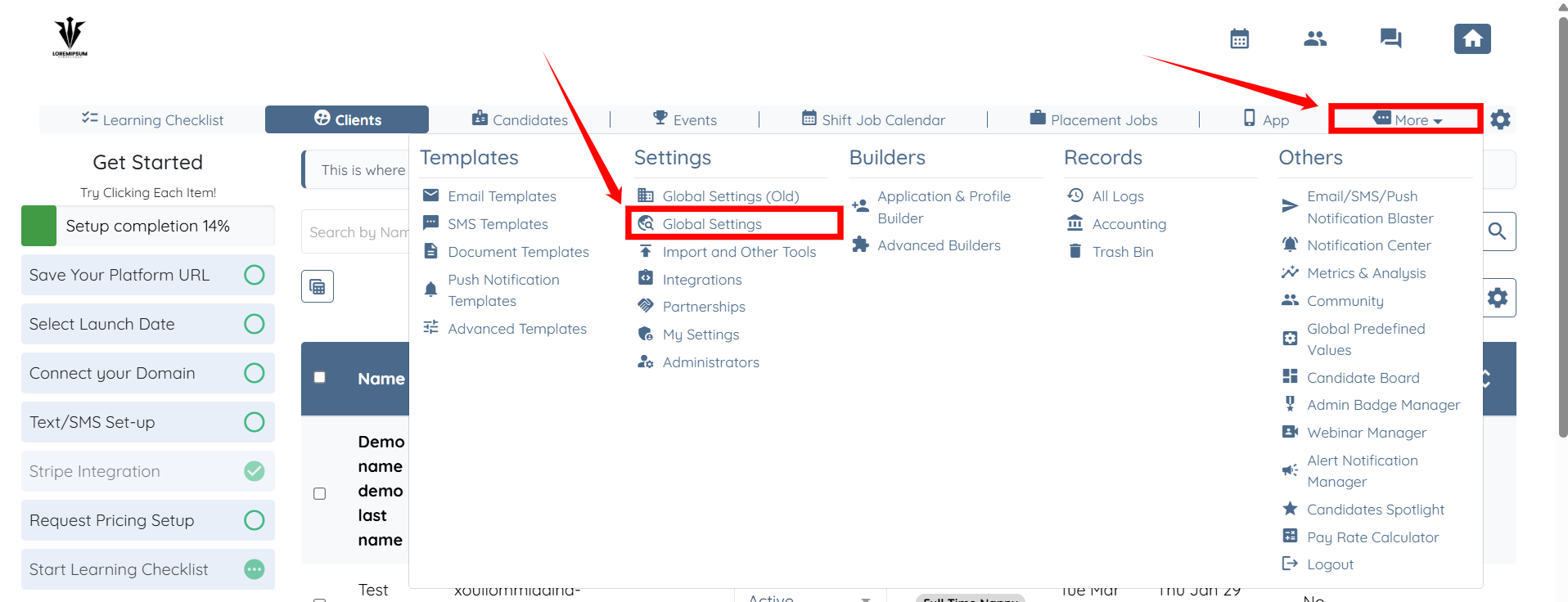
Step 1: Log in to your agent dashboard and click on More > Global Settings as shown in the screenshot below.
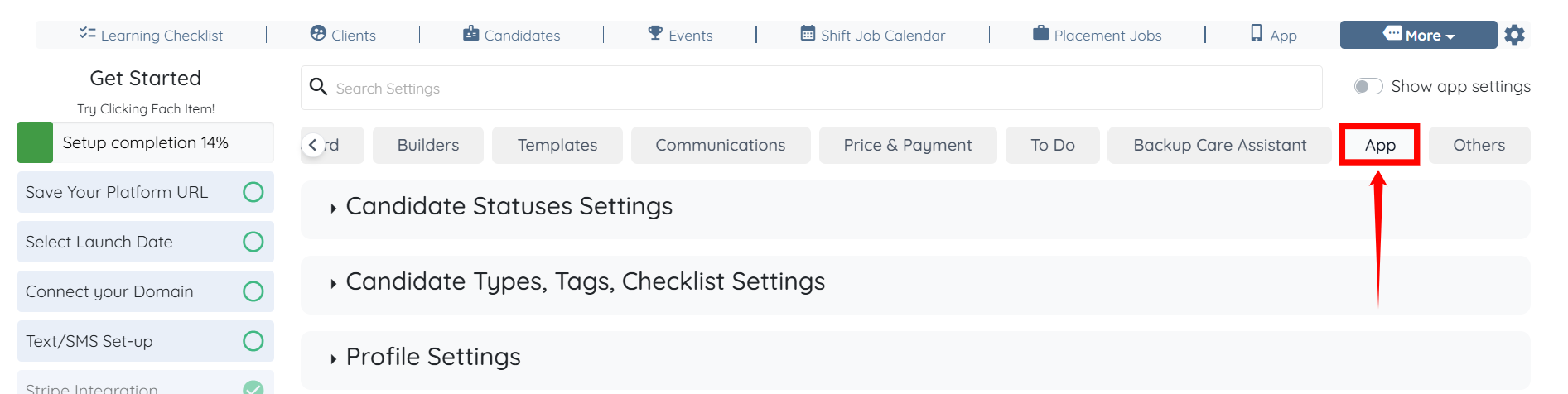
Step 2: Scroll to the left and click the App tab from the available tabs.
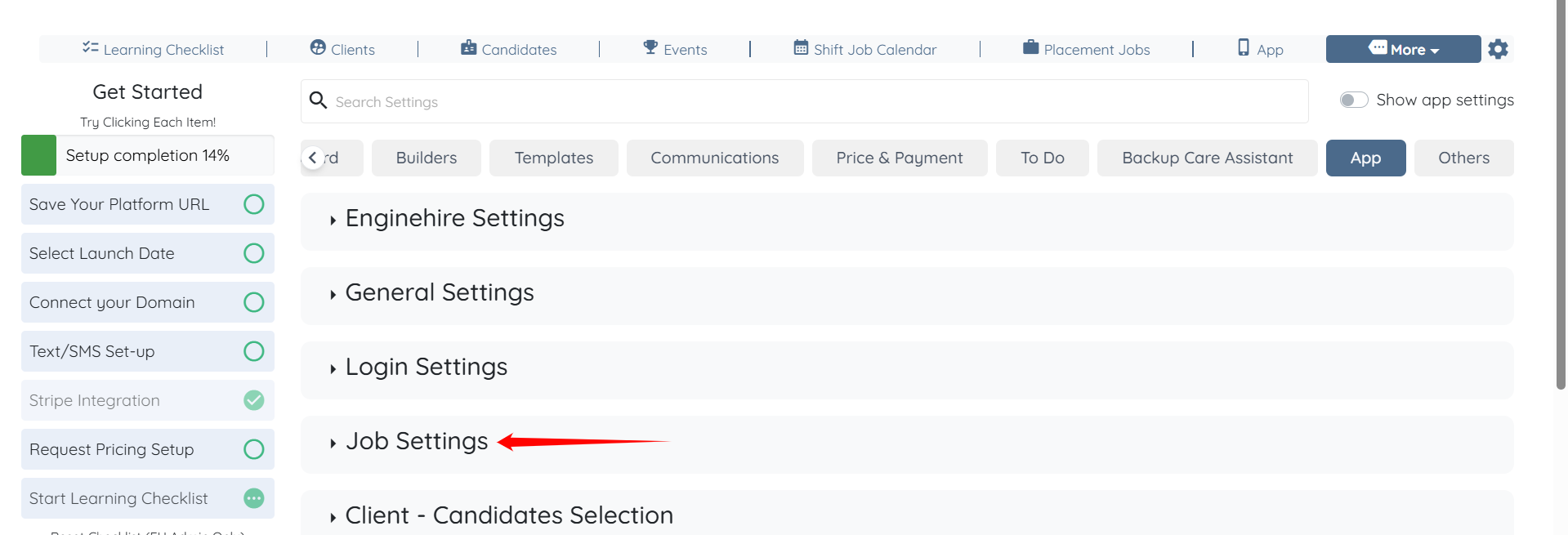
Step 3: Click the Job Settings option to expand it and view its details.
Step 4: Scroll down to the “Candidate Available Jobs Preview” heading and add the [[application_status]] tag, as shown in the screenshot below.
The settings will be saved automatically.
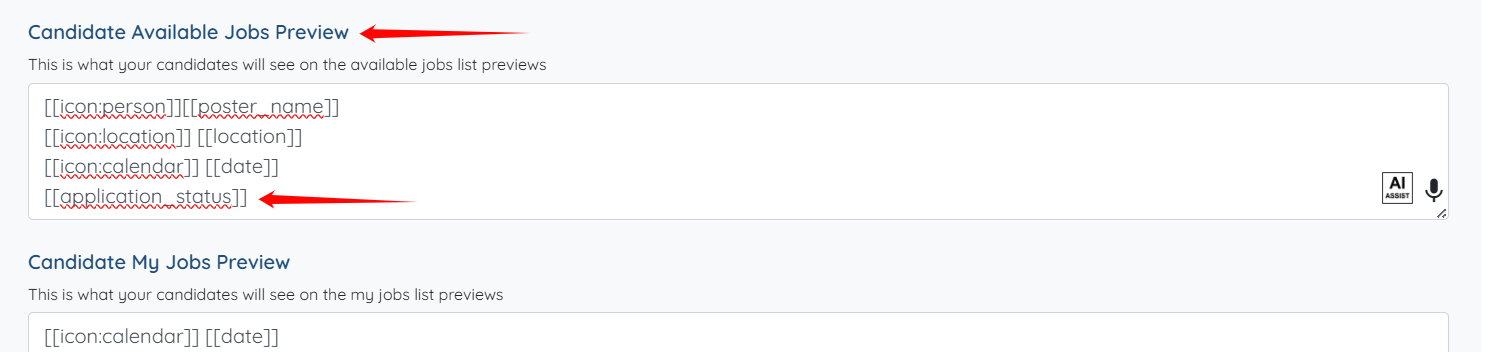
Now, when a candidate marks a shift job as interested, the current application status will appear in the job preview without requiring the candidate to reopen the job details.