Let’s get started 🚀
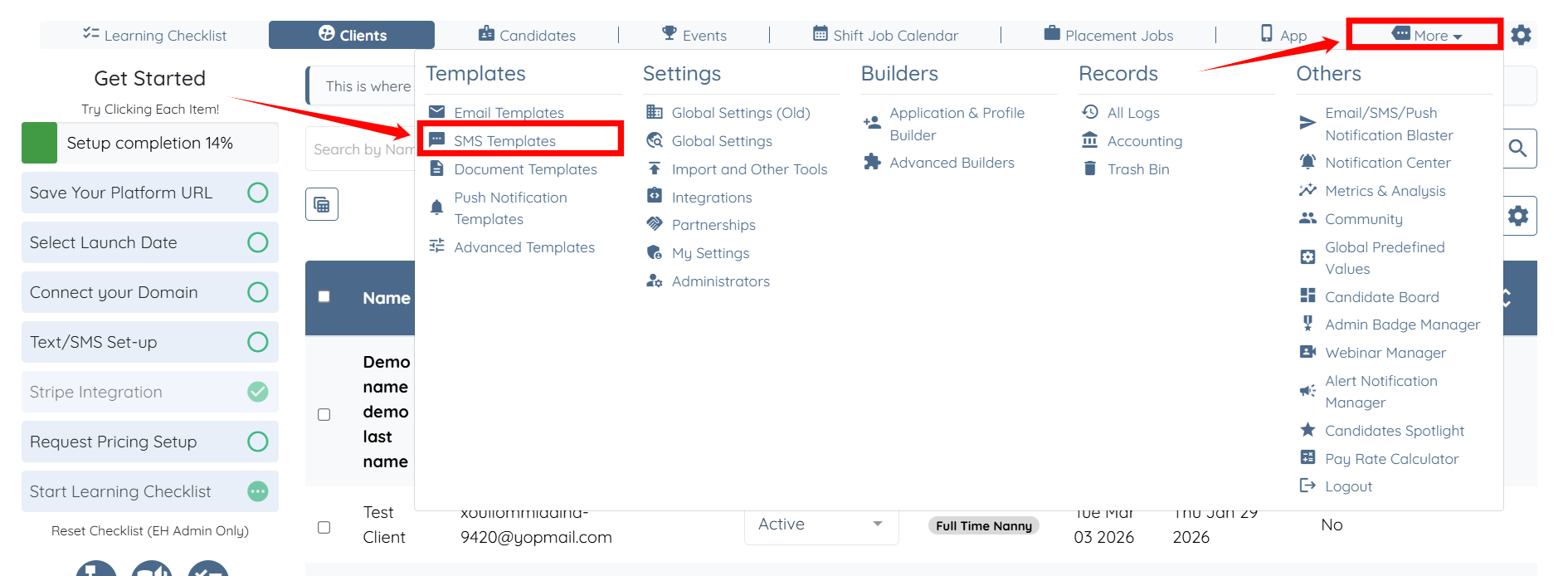
Step 1: Log in to your agent dashboard and click More > SMS Templates, as shown in the screenshot below.
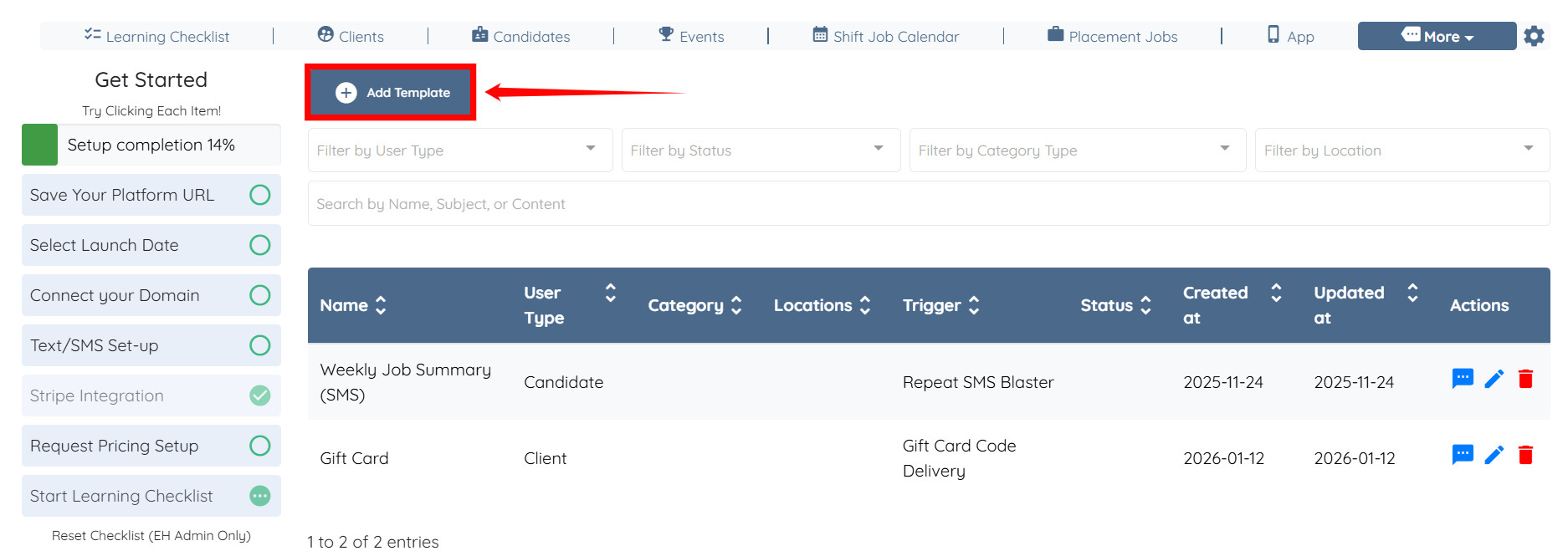
Step 2: Click the Add Template button.
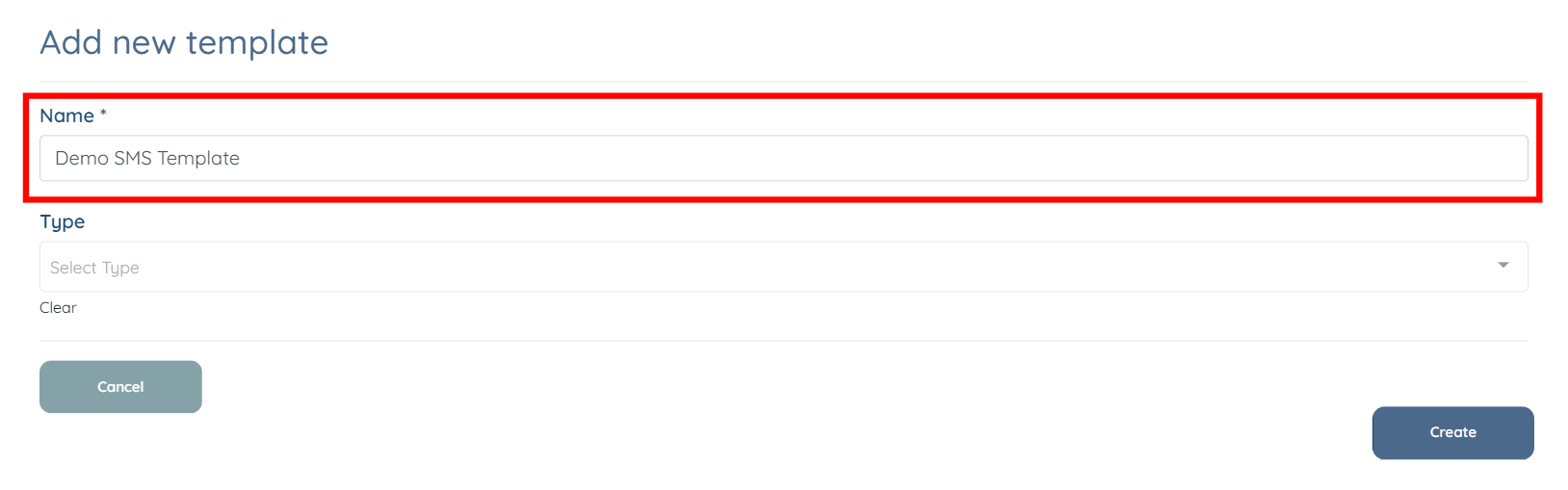
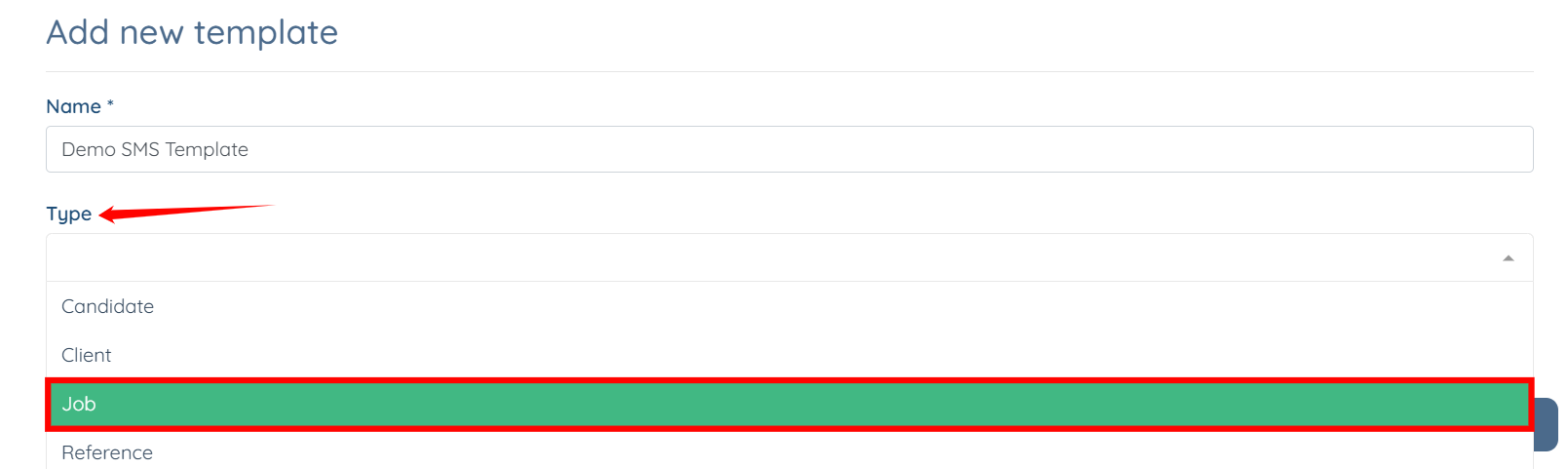
Step 3: Enter the Name for your SMS template.
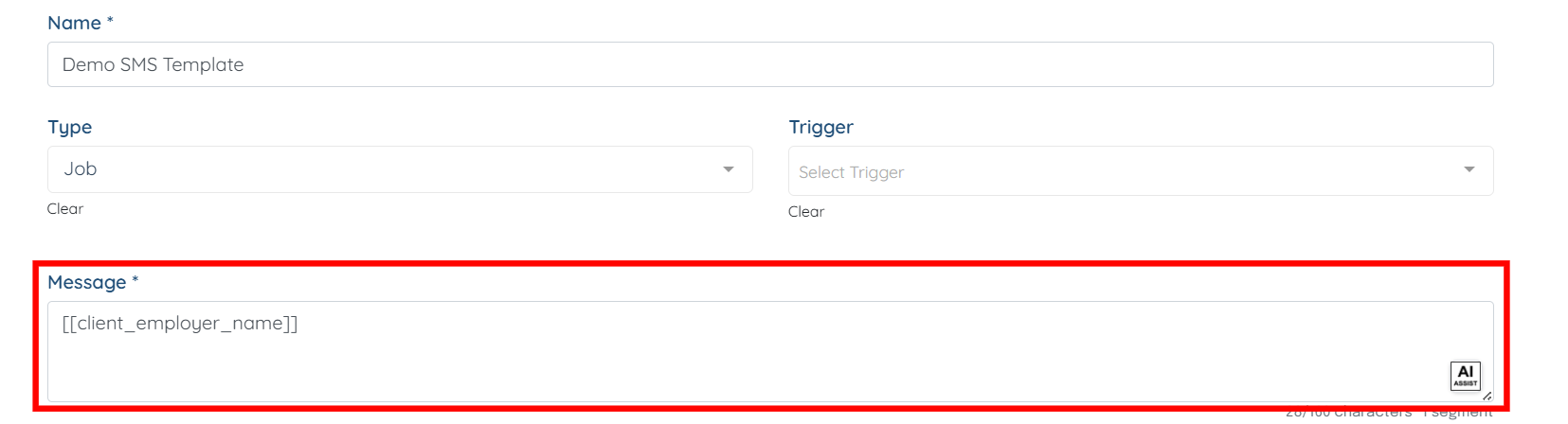
Step 4: Select Job as the type for your template.
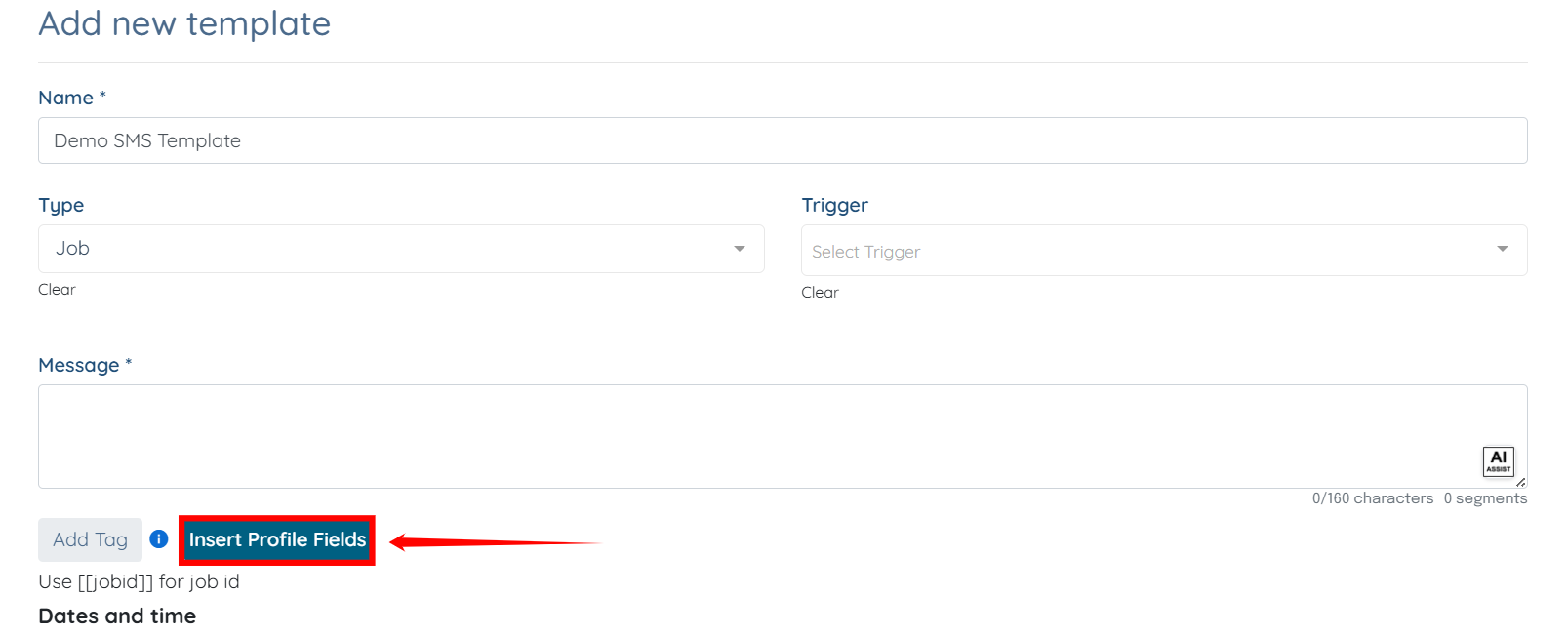
Step 5: Click the Insert Profile Fields button.
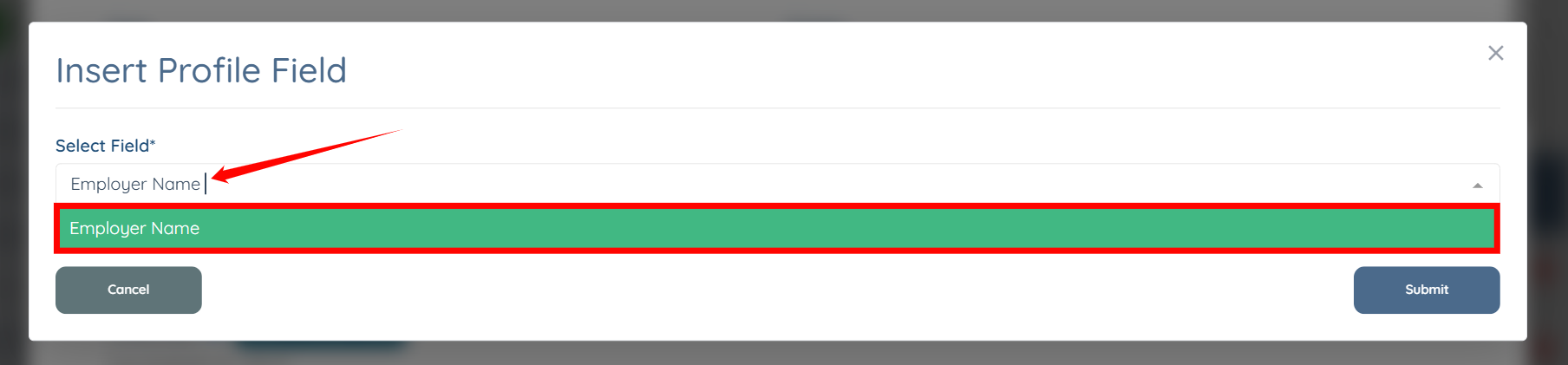
Step 6: Search for the Employer Name field and select it.
Step 7: Click the Submit button to continue.
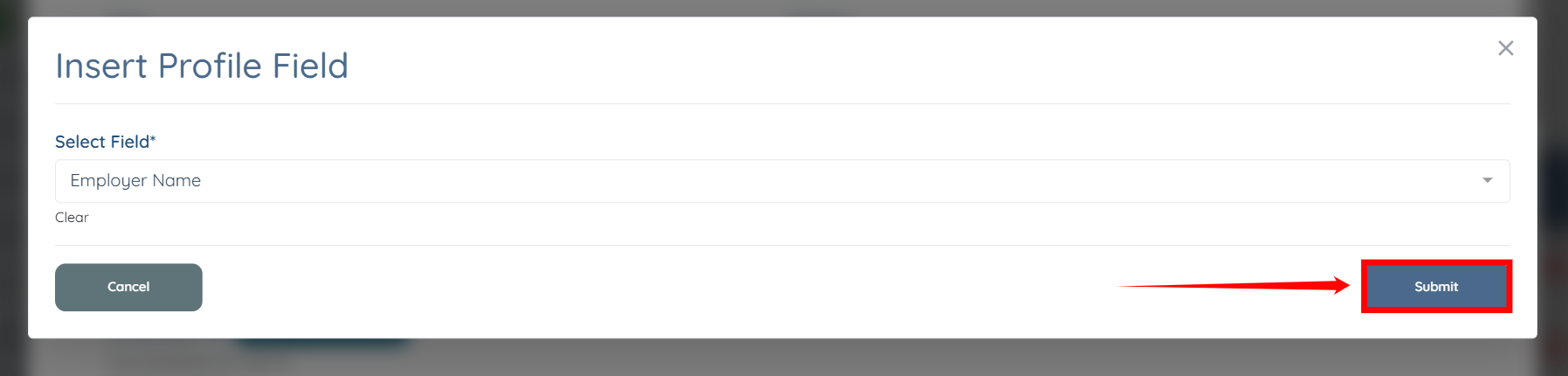
The [[client_employer_name]] tag will be successfully added to the SMS template message.