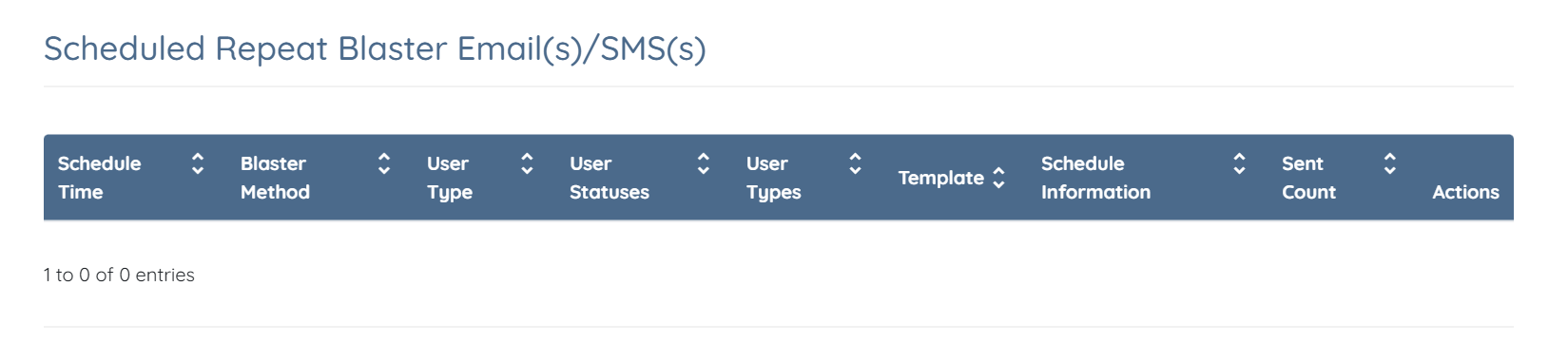
Let’s get started 🚀
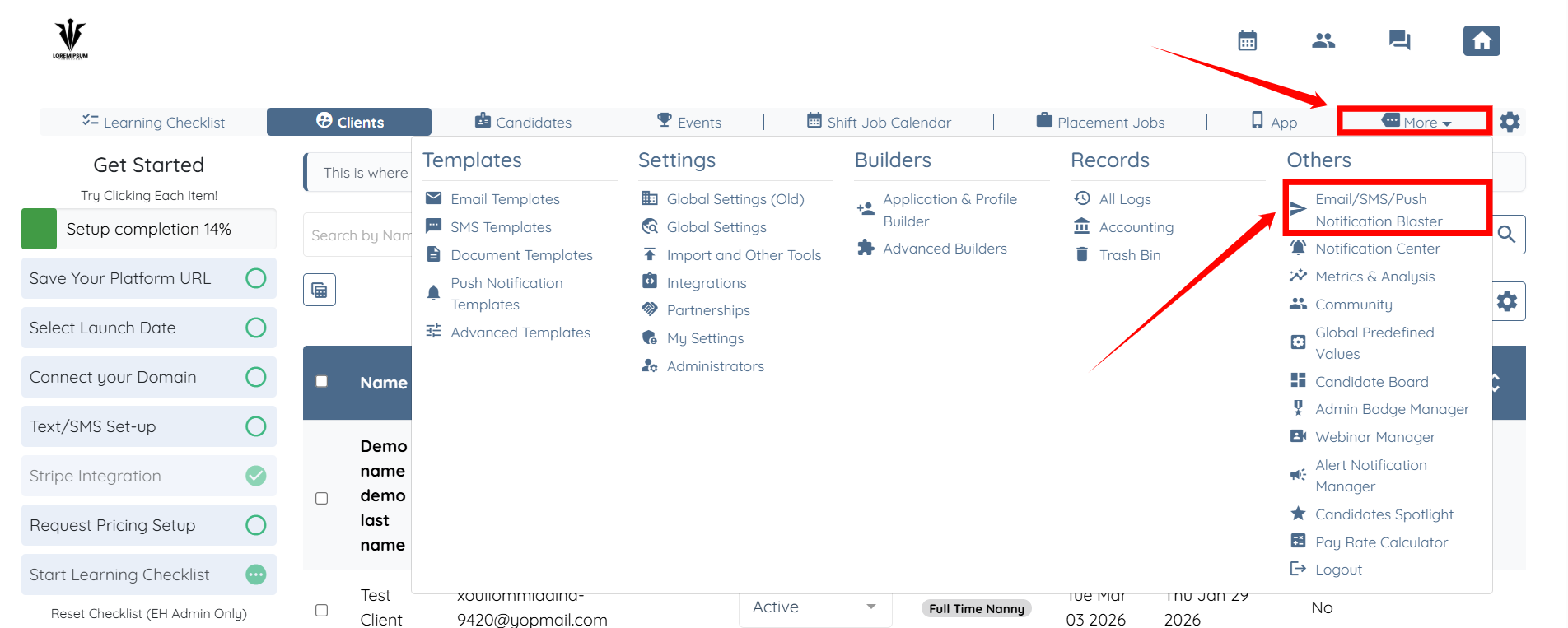
Step 1: Log in to your agent dashboard and click More > Email/SMS/Push Notification Blaster as shown in the screenshot below.
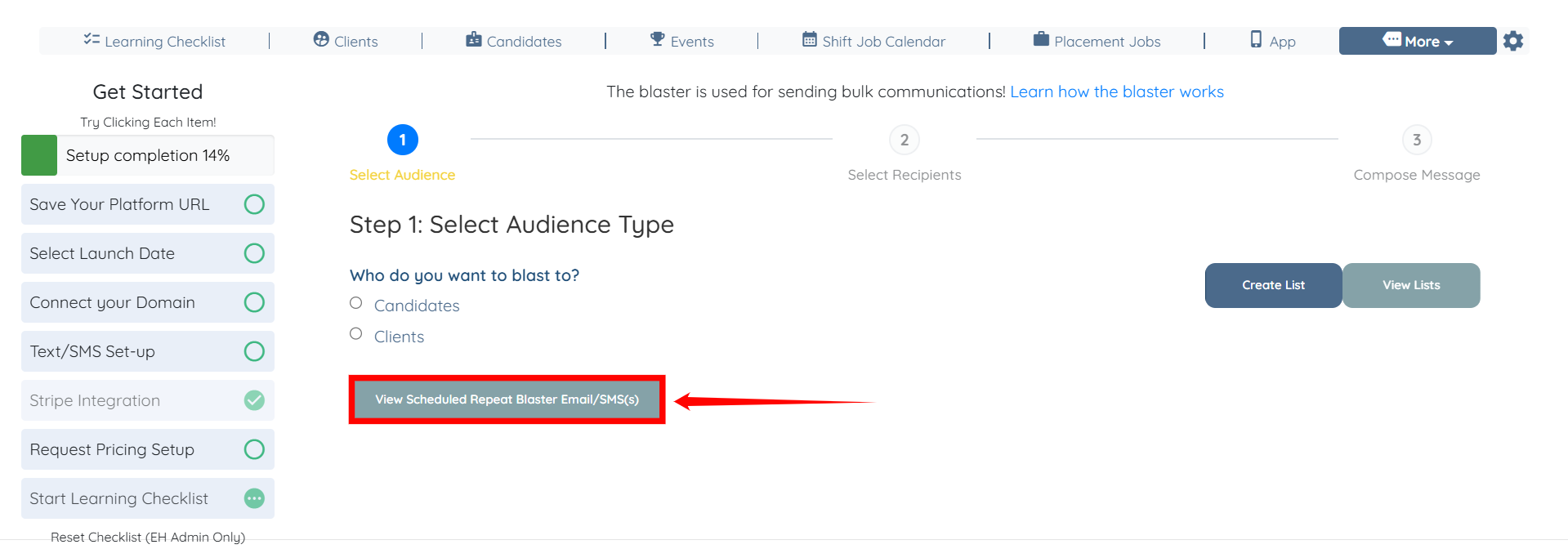
Step 2: Click the View Scheduled Repeat Blaster Email/SMS(s) button.
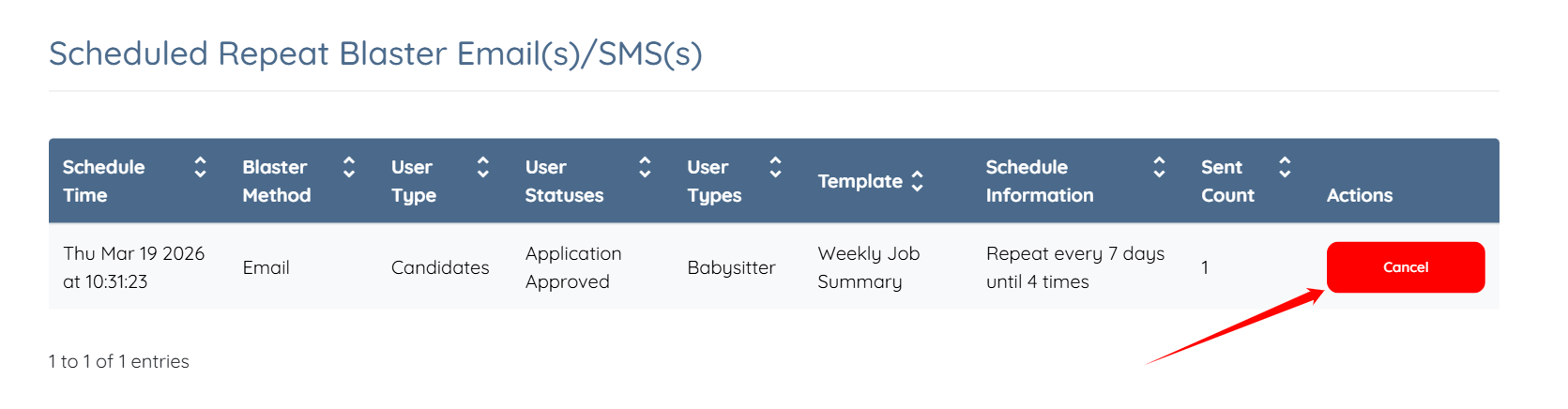
Step 3: Locate the scheduled repeat blaster you want to stop and click the corresponding Cancel button.
Step 4: Click the Yes button to proceed.
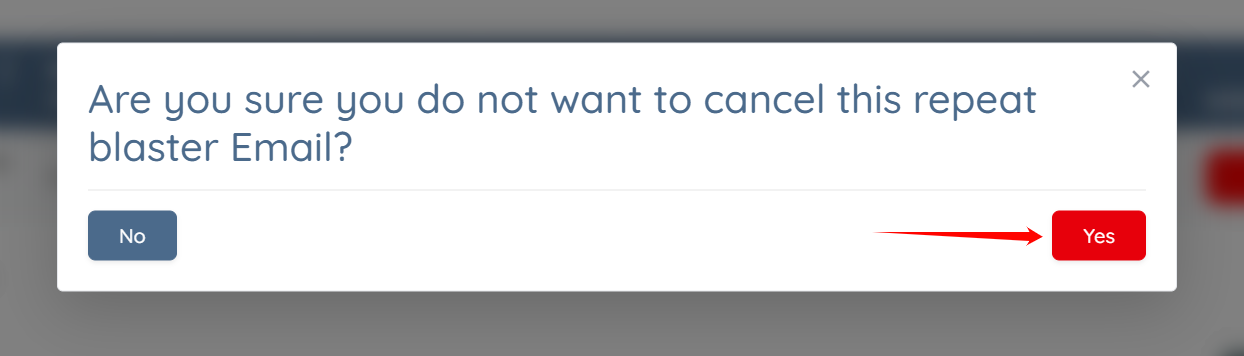
The selected repeat email blaster will be successfully canceled and no further emails will be sent.