Let’s get started 🚀
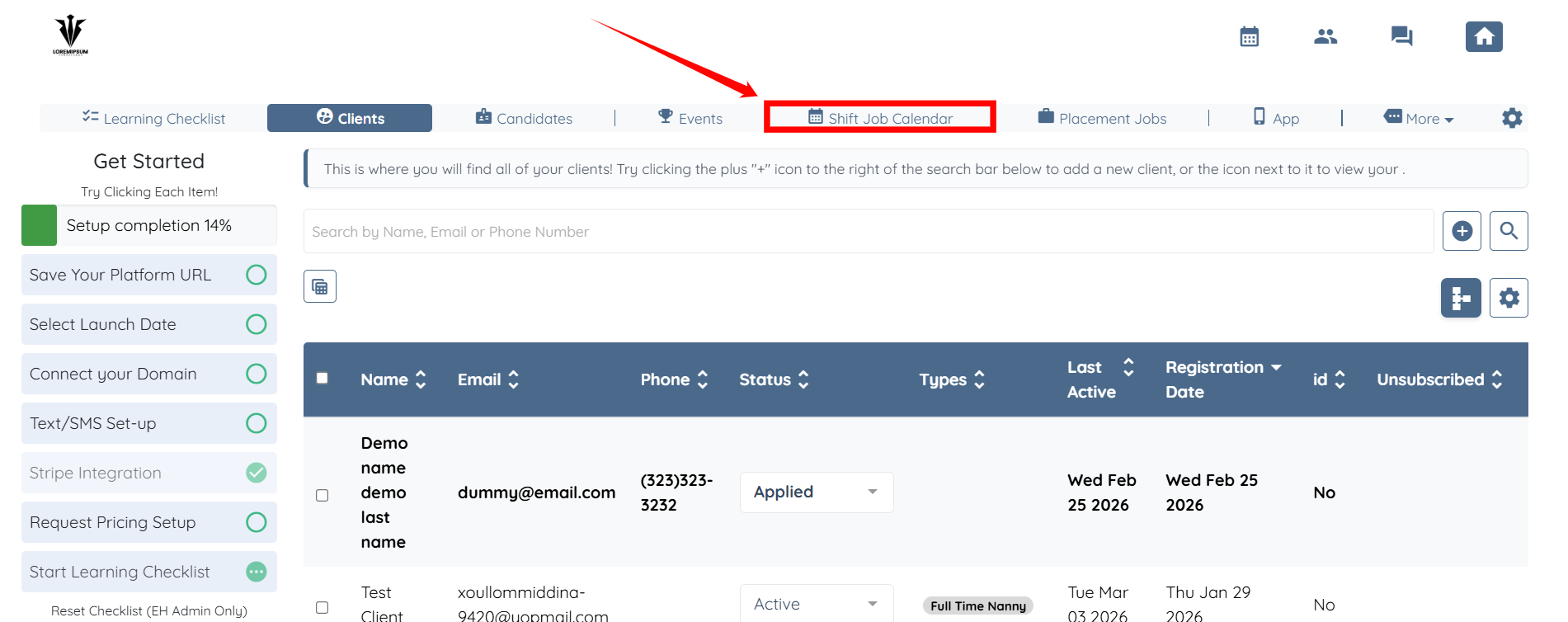
Step 1: Log in to your agent dashboard, then click Shift Job Calendar in the navigation bar.
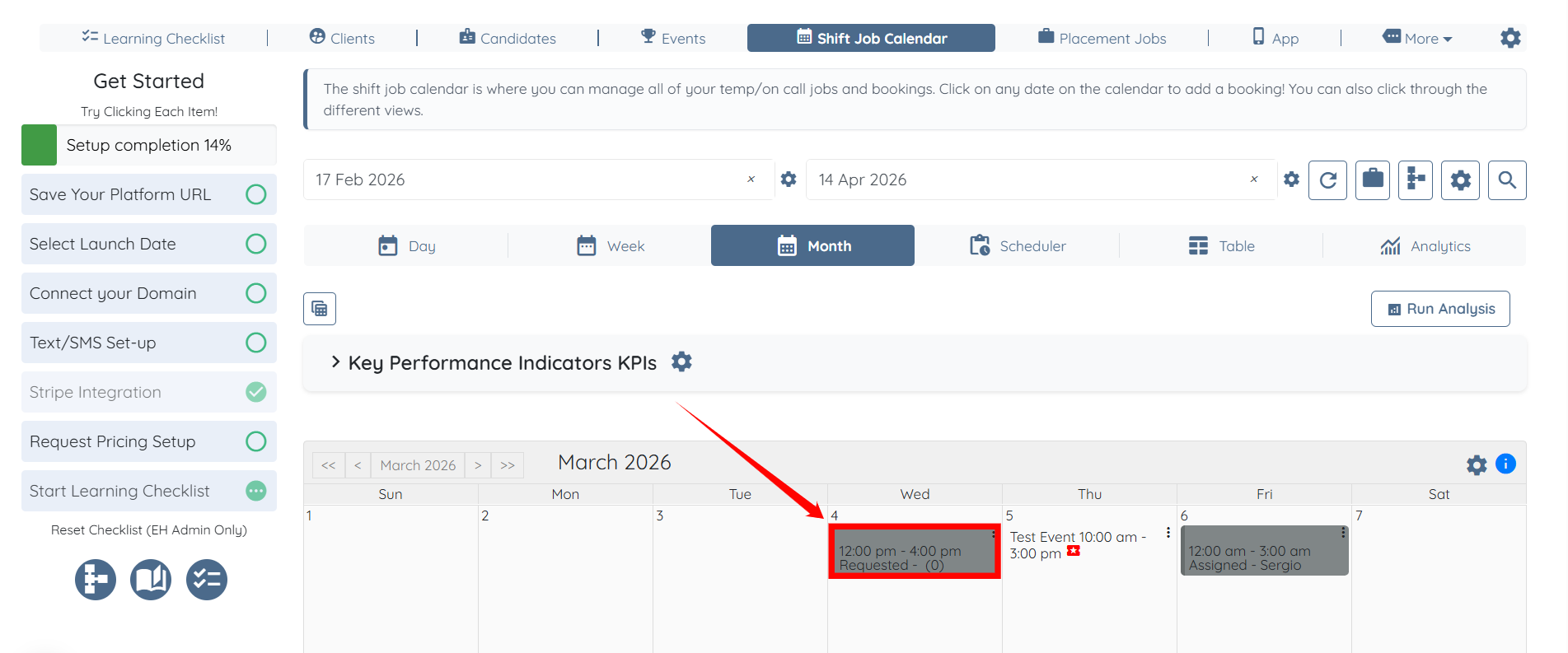
Step 2: Click on any shift job from the calendar.
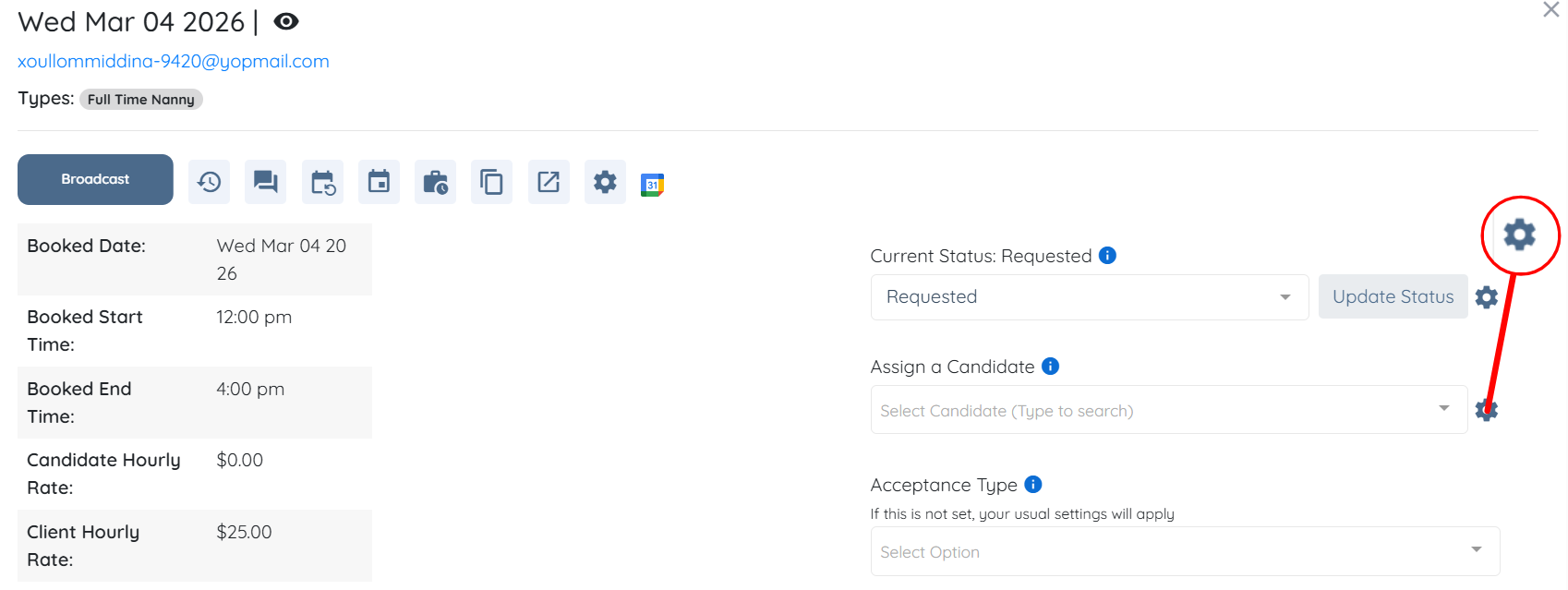
Step 3: Click the Gear icon as shown in the screenshot below.
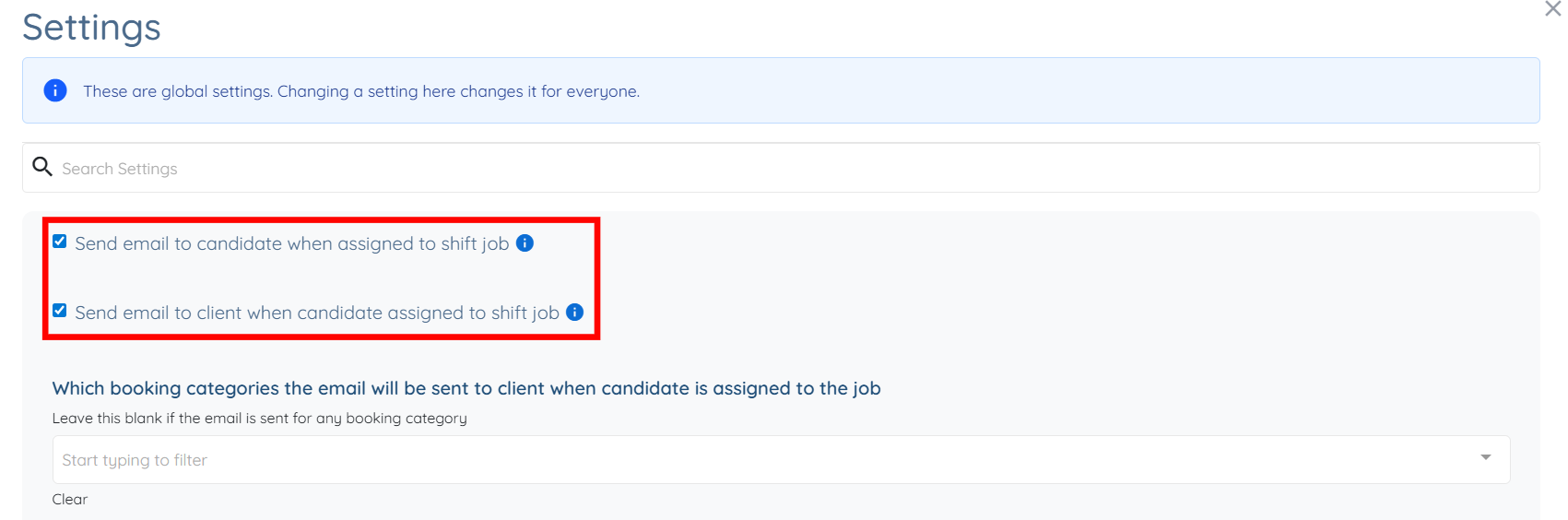
Step 4: Uncheck the Send email to candidate when assigned to shift job and Send email to client when candidate assigned to shift job checkboxes.
The settings will be saved automatically.