
Settings
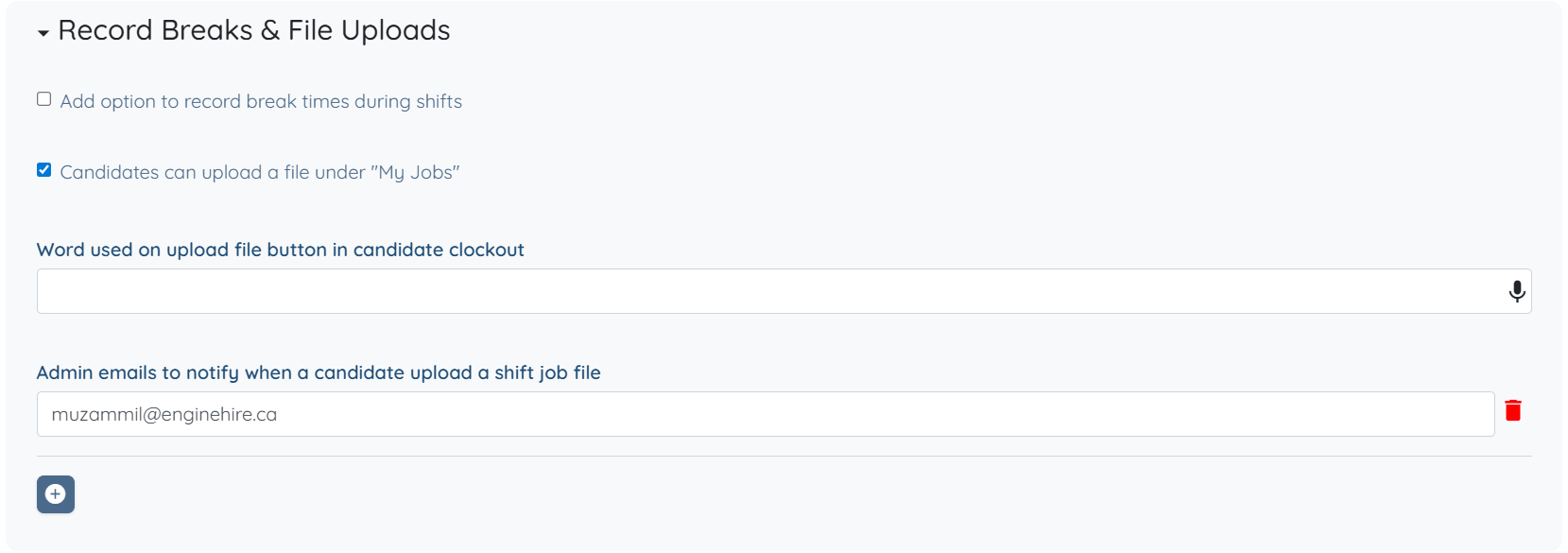
The following settings are available under the Record Breaks & File Uploads option and can be configured based on your requirements.
Add option to record break times during shifts
Allows candidates to record break start and end times while working on a shift job.Candidates can upload a file under "My Jobs"
Enables candidates to upload files related to their assigned jobs from the My Jobs tab.Word used on upload file button in candidate clockout
Defines the label displayed on the file upload button during the clock-out process.Admin emails to notify when a candidate upload a shift job file
Specifies which admin email notifications are triggered when a candidate uploads a file.

This article covers settings for the Record Breaks & File Uploads option in the My Jobs tab. To explore all available options and settings, refer to the Configure the My Jobs Tab for Candidates article.