Settings
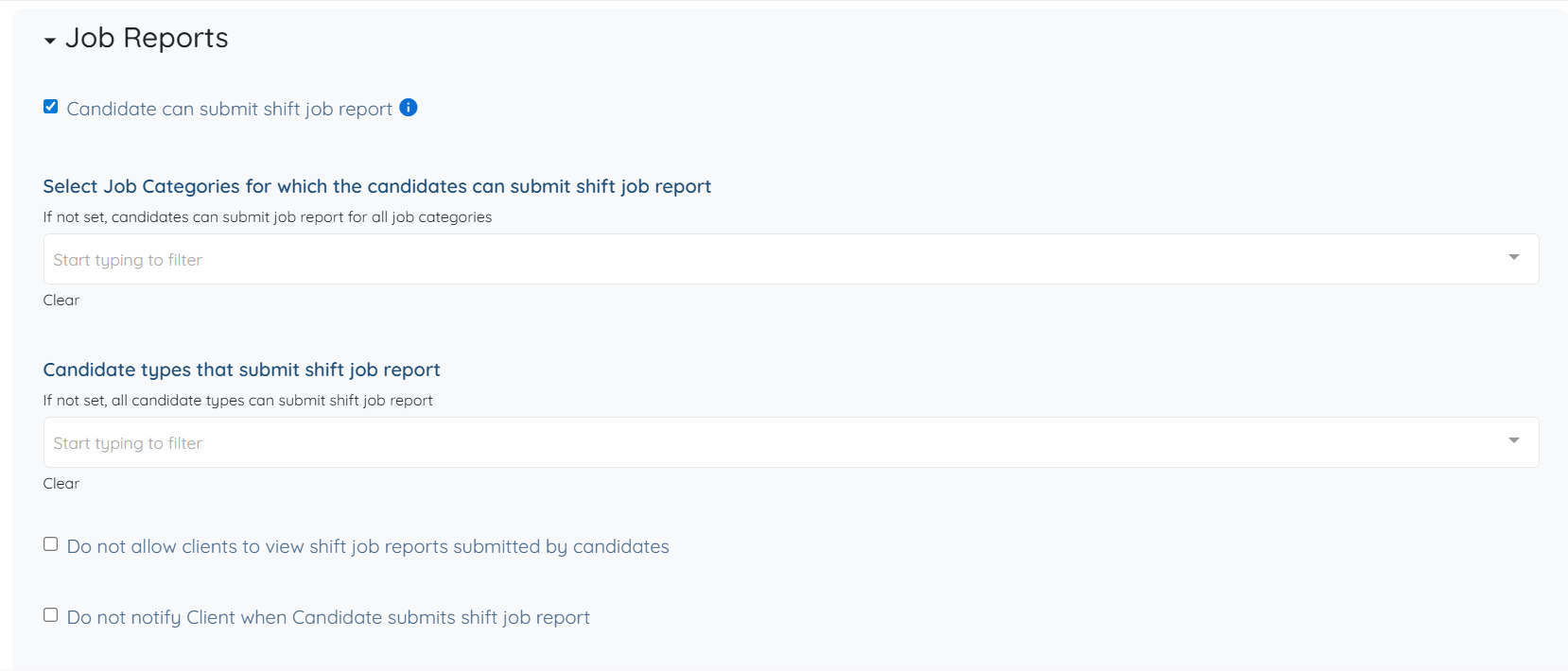
The following settings are available under the Job Reports option and can be configured based on your requirements.
Candidate can submit shift job report
Allows candidates to submit reports for their assigned shift jobs.Select Job Categories for which the candidates can submit shift job report
Defines the job categories where report submission is enabled.Candidate types that submit shift job report
Specifies which candidate types are allowed to submit shift job reports.Do not allow clients to view shift job reports submitted by candidates
Prevents clients from accessing reports submitted by candidates.Do not notify Client when Candidate submits shift job report
Disables notifications sent to clients when a report is submitted.Shift job report is mandatory BEFORE clock-out
Requires candidates to submit a report before they can clock out of a shift job.Shift job report button is only visible after clock-in
Ensures the report submission option appears only after the candidate has clocked in.Candidate can see their submitted shift job reports
Allows candidates to view reports they have submitted.Candidate can see all previous shift job reports for their client, including those submitted by other candidates
Allows candidates to view historical reports associated with the same client.Customize "Submit Report" button label
Defines the label displayed on the submit report button.Admin emails notified when shift job report submitted
Specifies which admin email notifications are triggered when a report is submitted.Update status of shift job to when shift job report submitted
Defines the job status after a report is submitted.