This article uses candidates for demonstration purposes. The same steps apply when managing tasks for clients.
Let’s get started 🚀
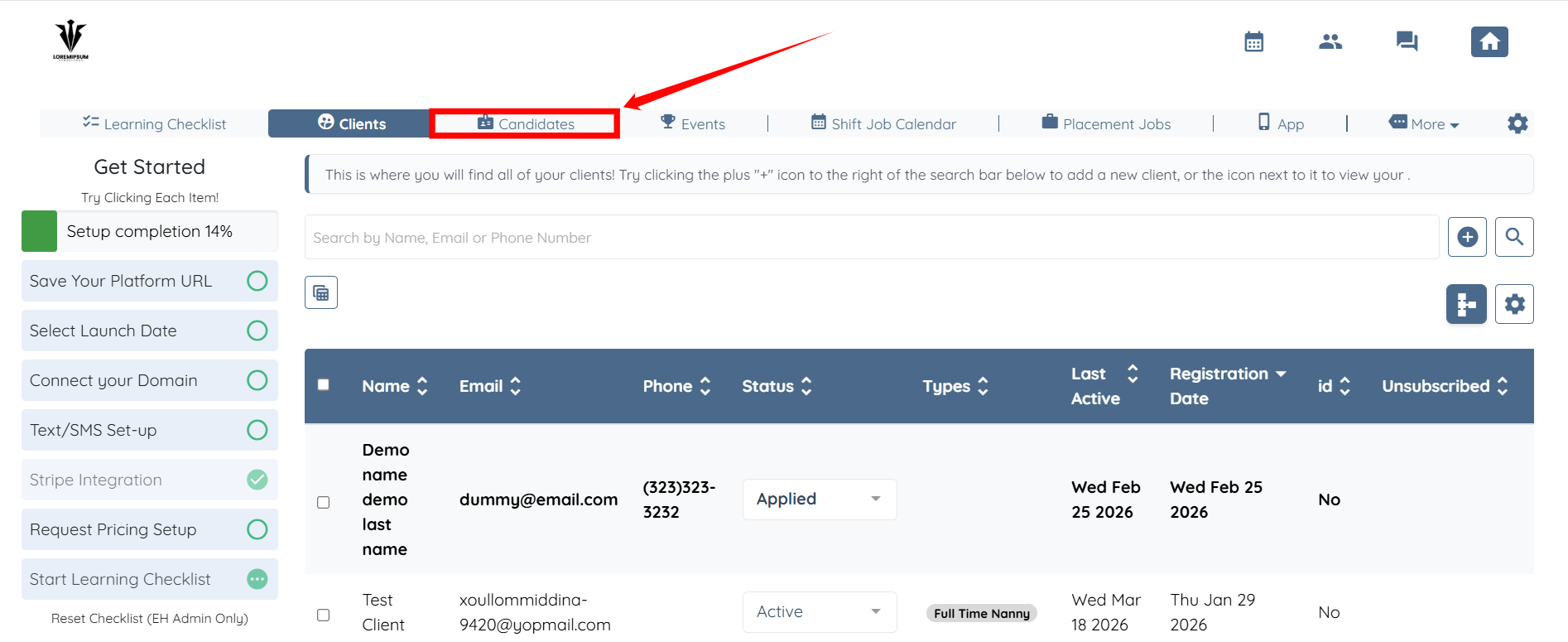
Step 1: Log in to your agent dashboard and click Candidates in the navigation bar.
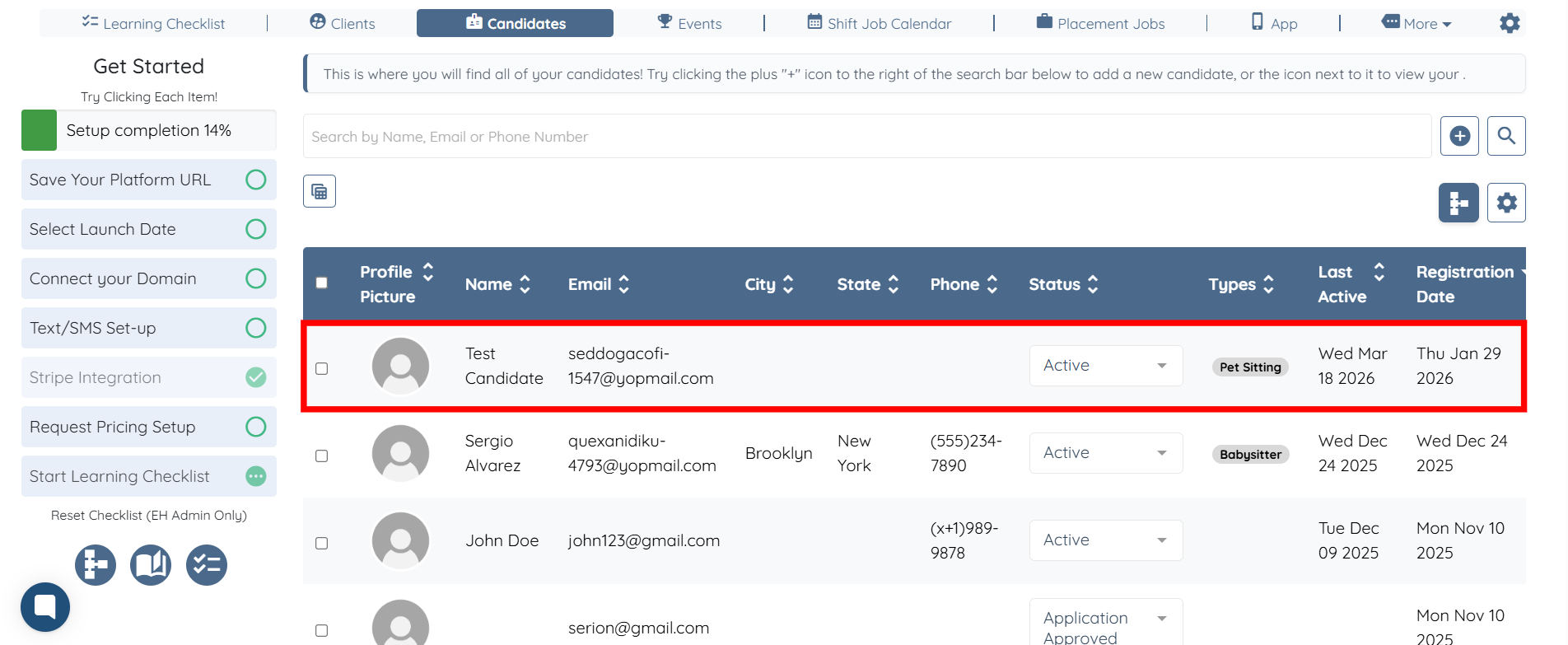
Step 2: Click the candidate in the list for whom you previously created the tasks.
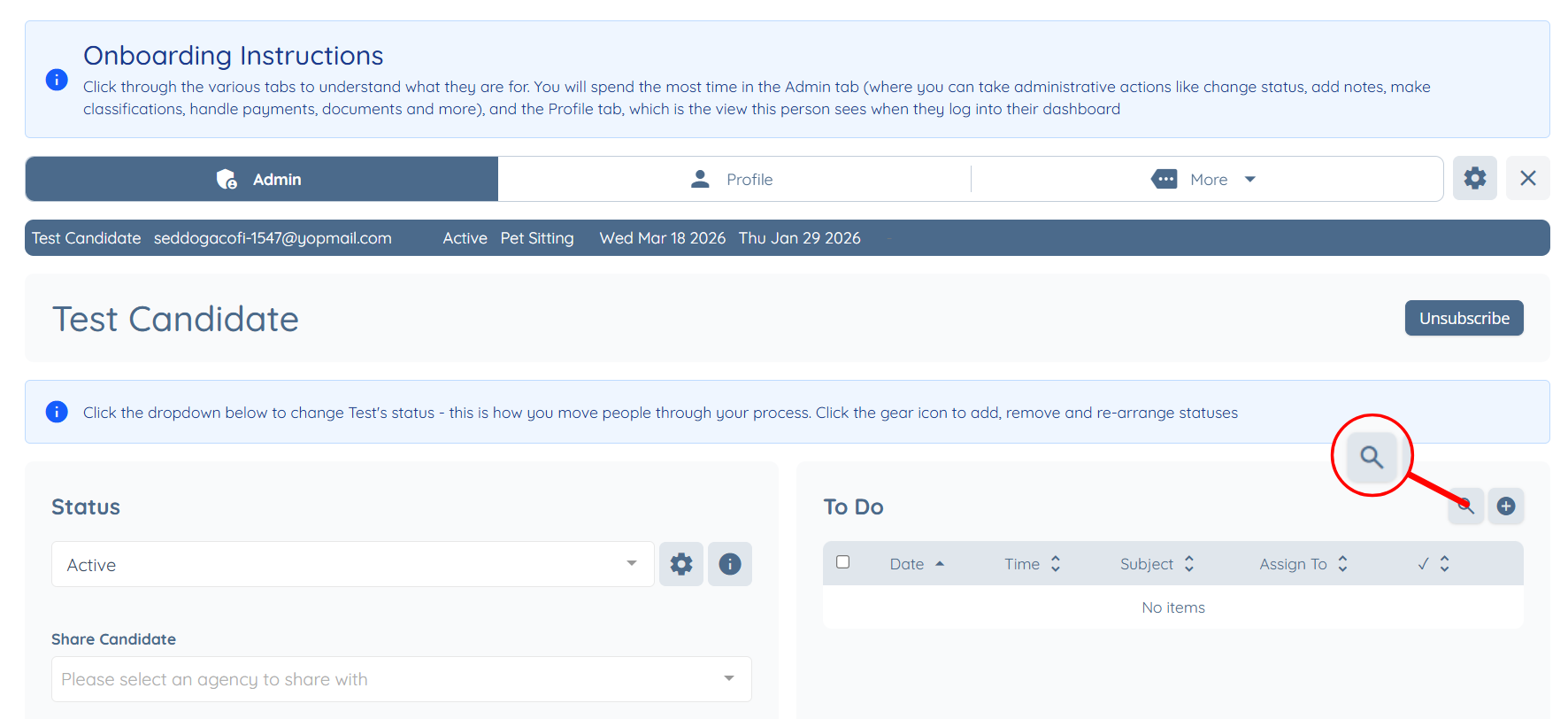
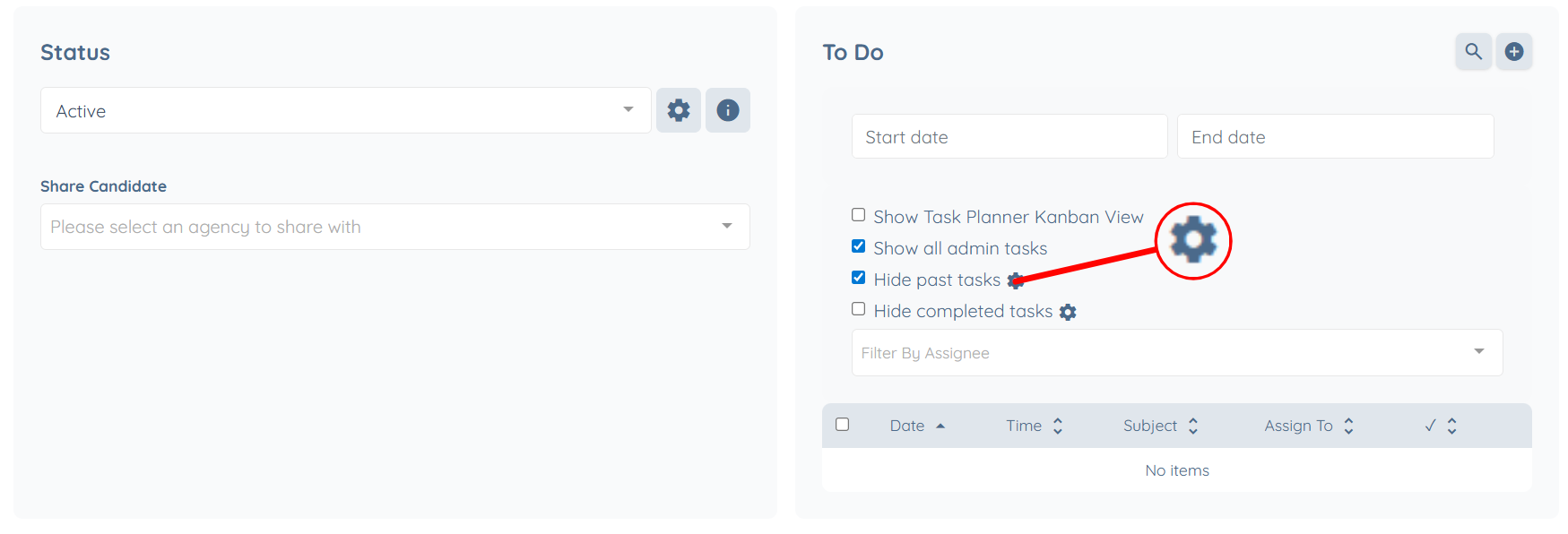
Step 3: Click the icon next to the To Do heading as shown in the screenshot below.
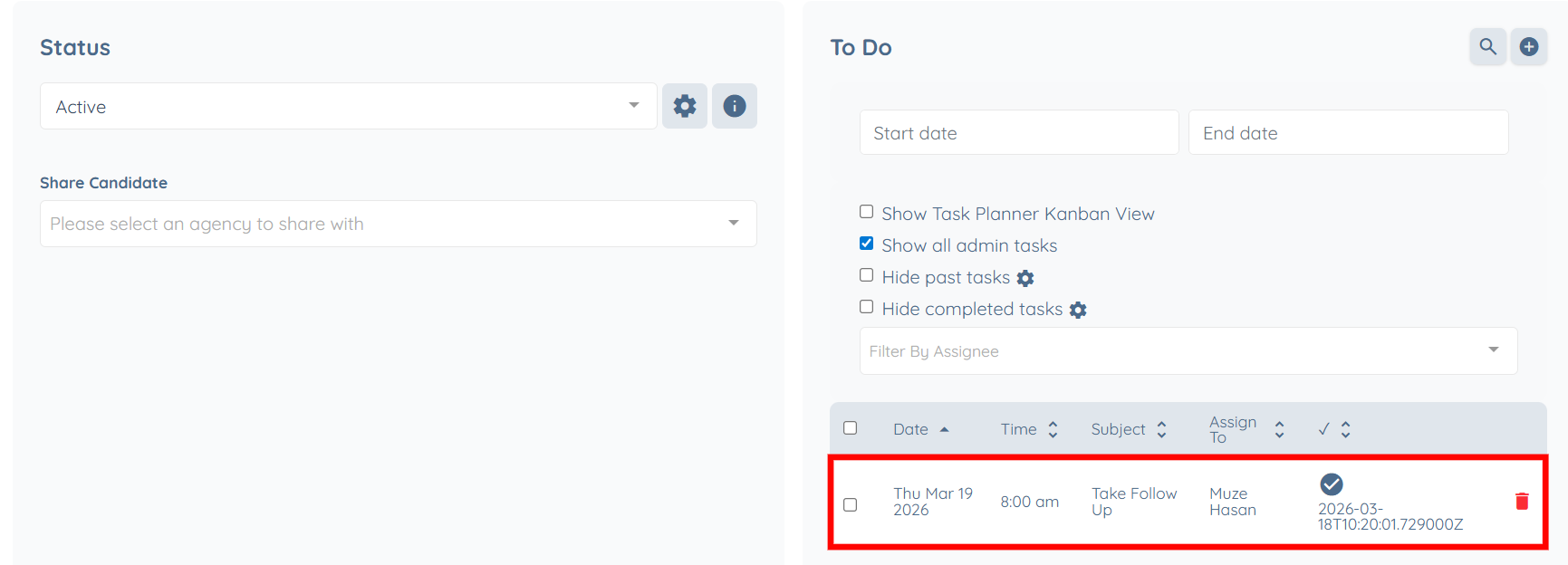
Step 4: Click the gear icon next to the Hide past tasks checkbox.
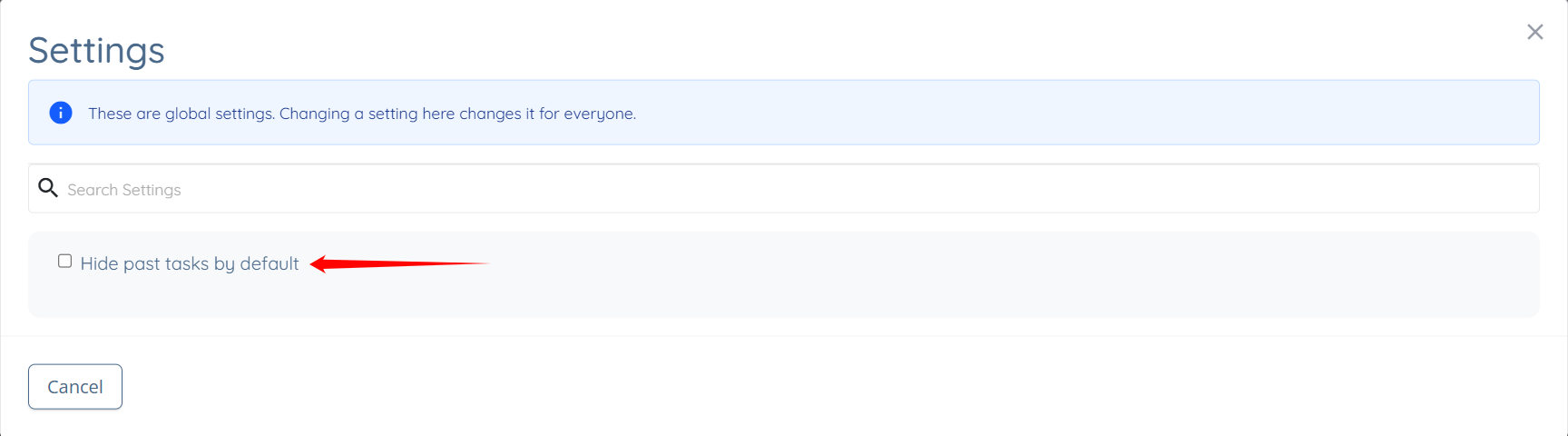
Step 5: Check the Hide past tasks by default checkbox. The settings will be saved automatically, and past tasks will be hidden by default.
Step 6: To view past tasks, uncheck the Hide past tasks checkbox.
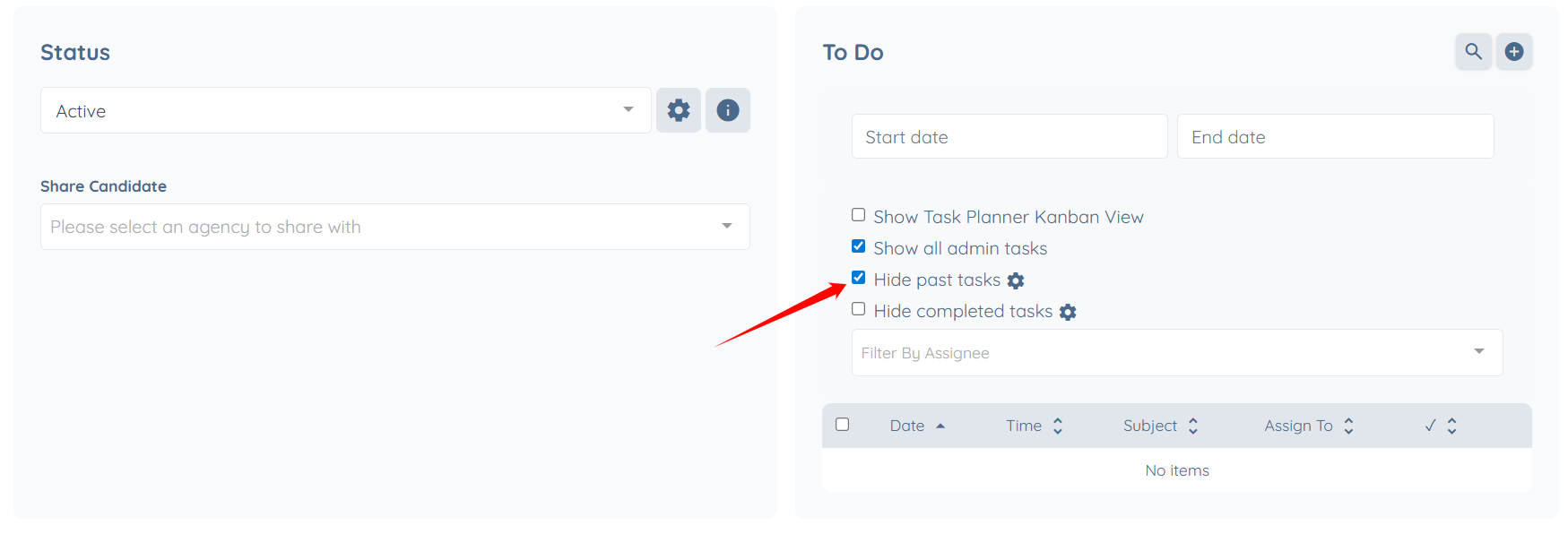
All the past tasks will be displayed successfully.