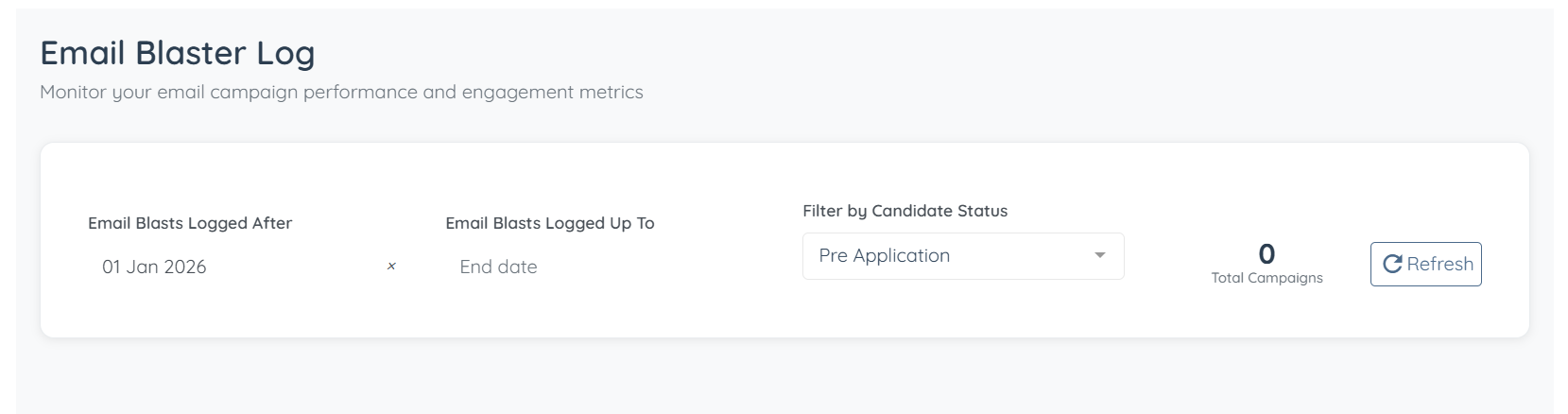
Let’s get started 🚀
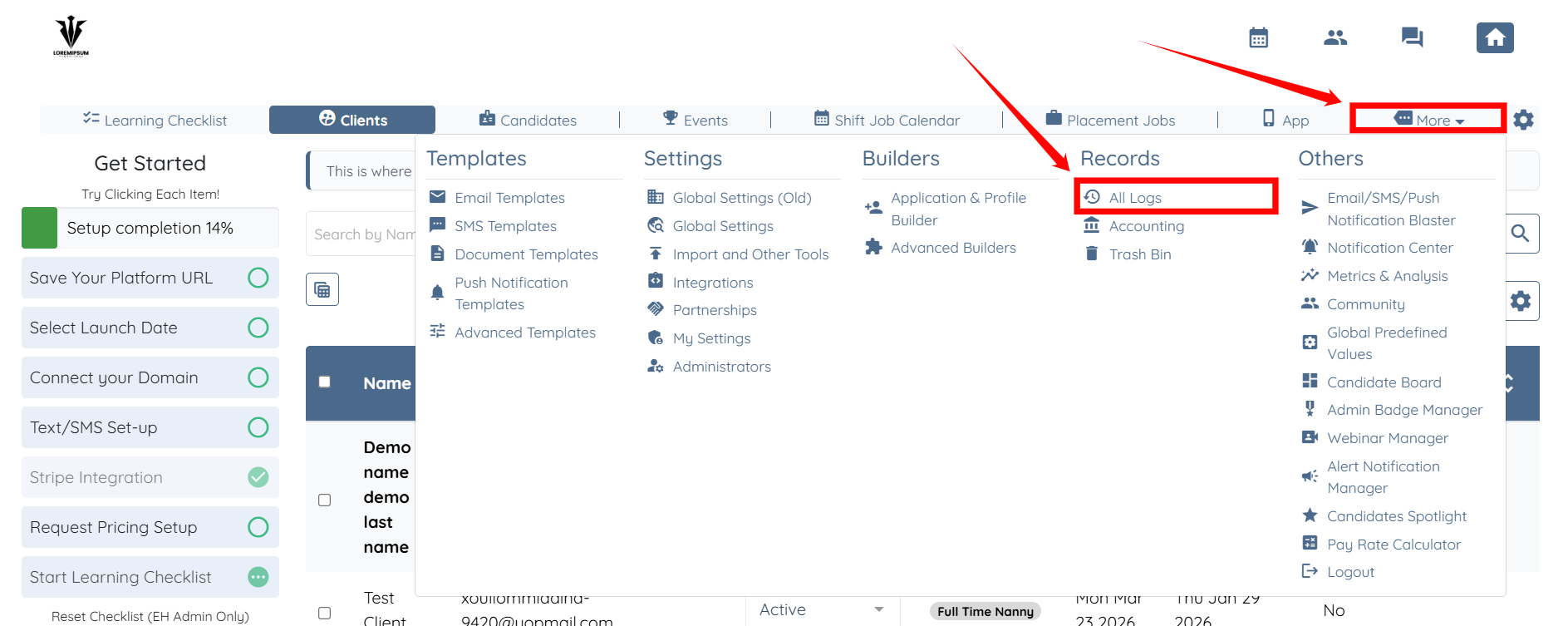
Step 1: Log in to your agent dashboard and click More > All Logs, as shown in the screenshot below.
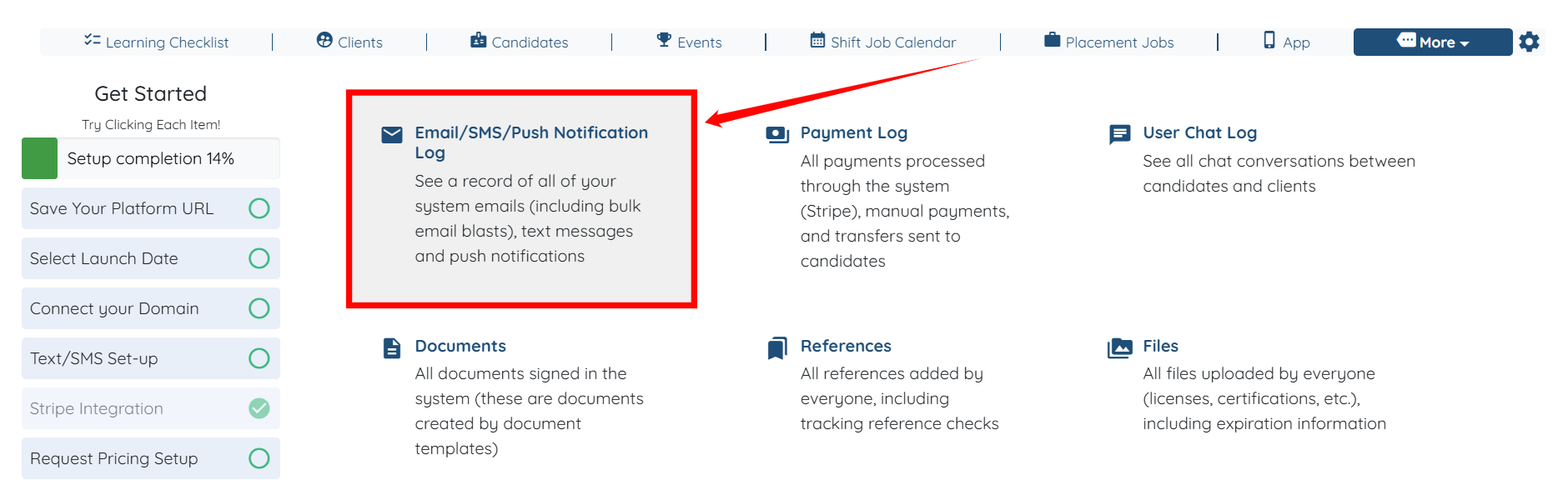
Step 2: Click the Email/SMS/Push Notification Log option to view the system emails, including bulk email blasts.
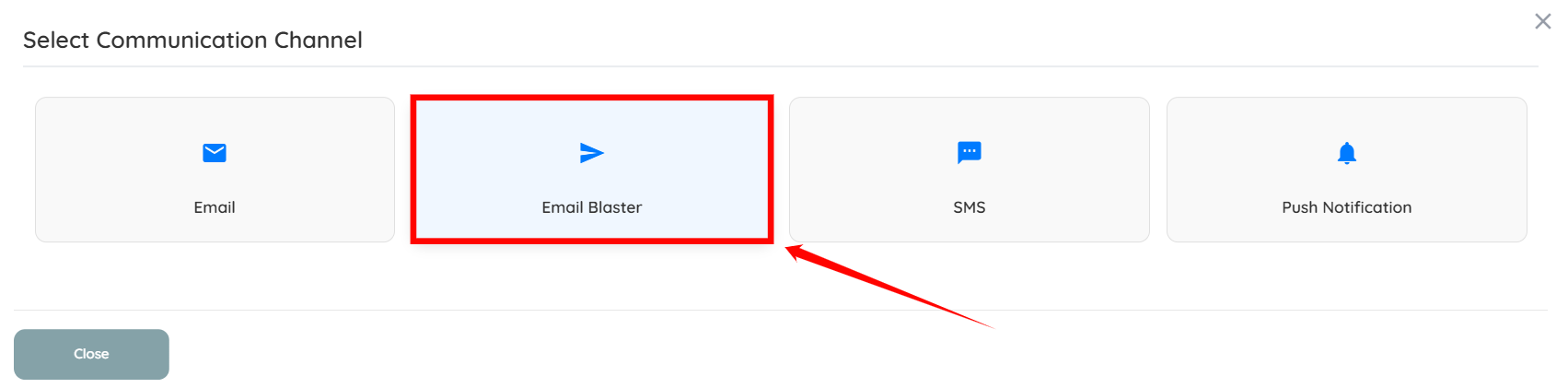
Step 3: Select Email Blaster as the Communication Channel.
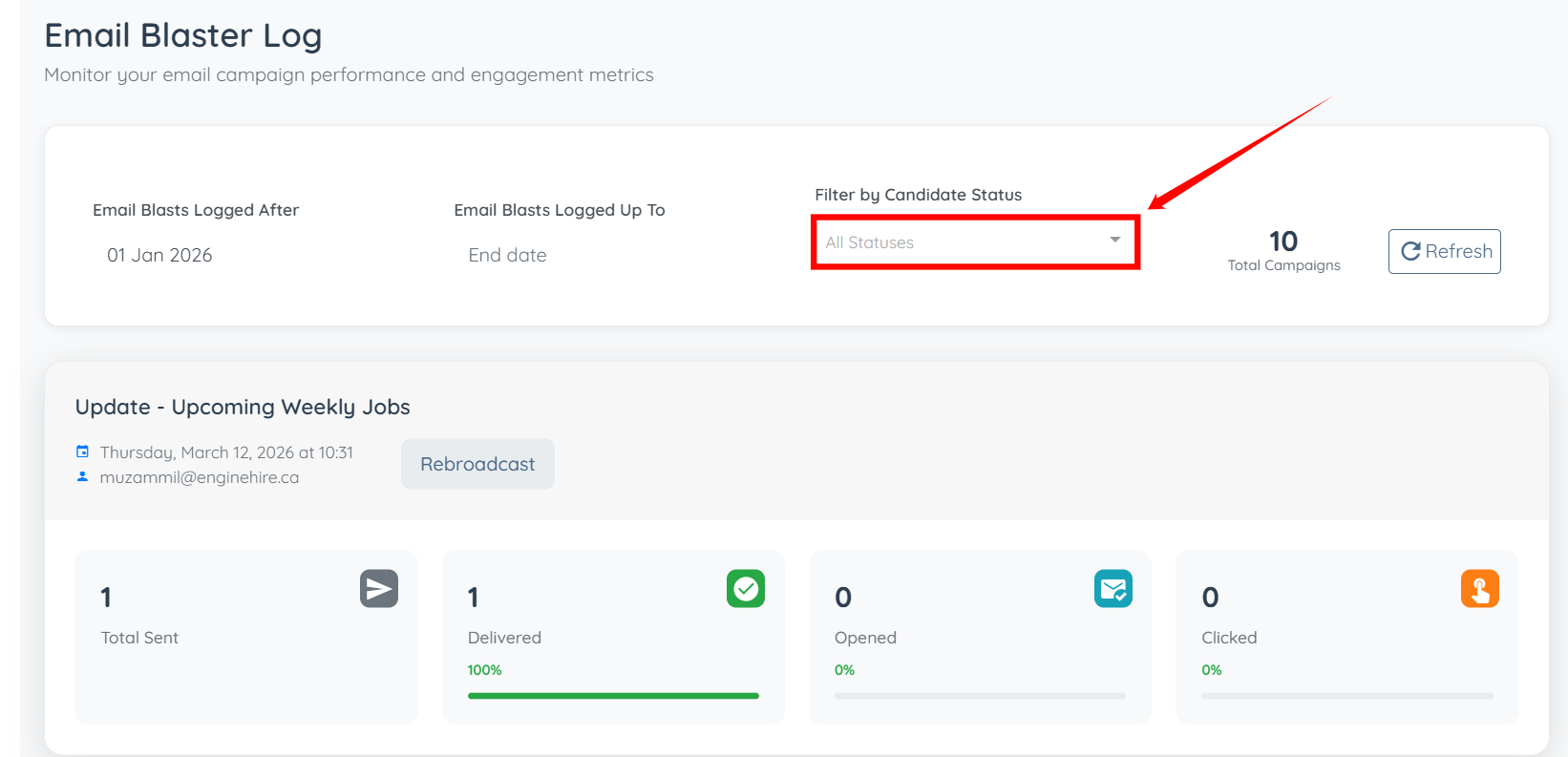
Step 4: Click the box under the Filter by Candidate Status heading.
Step 5: Select the candidate status from the dropdown list to filter the email blast logs accordingly.
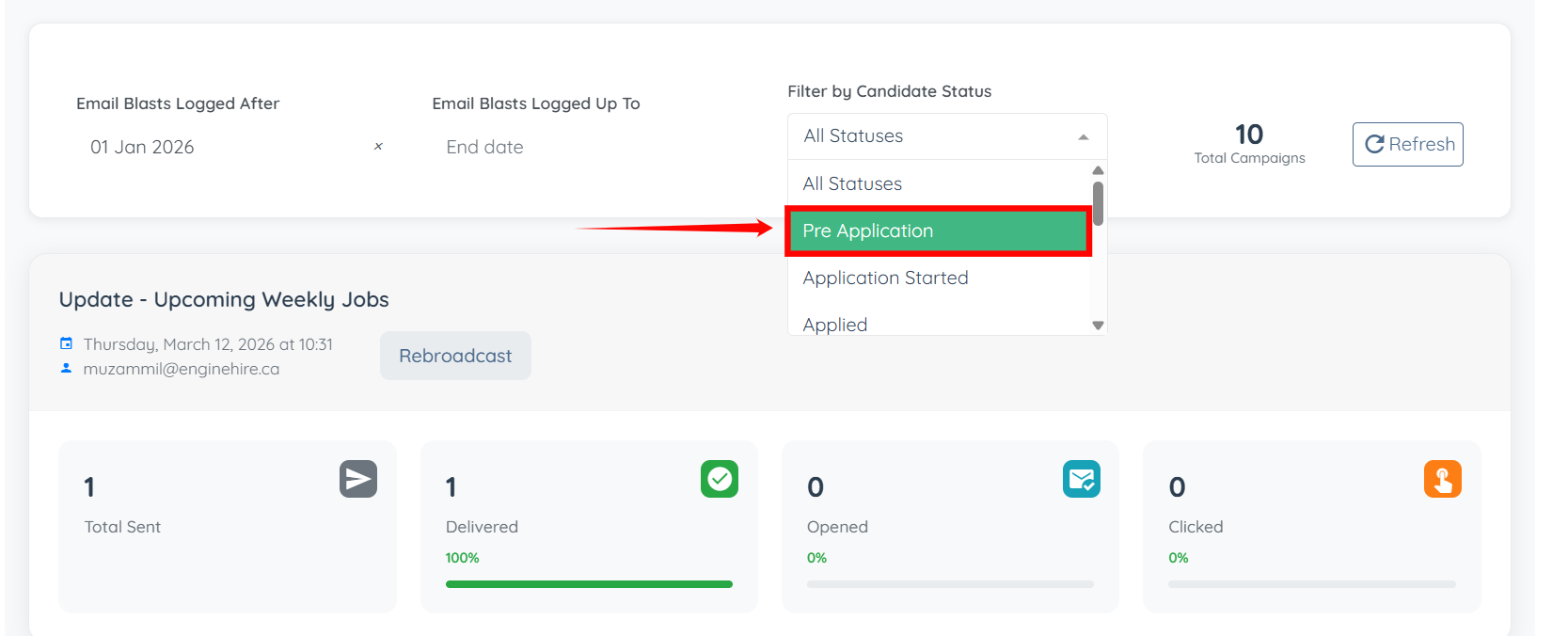
The email blast logs (if any) will be successfully filtered according to the selected candidate status.