Let’s get started 🚀
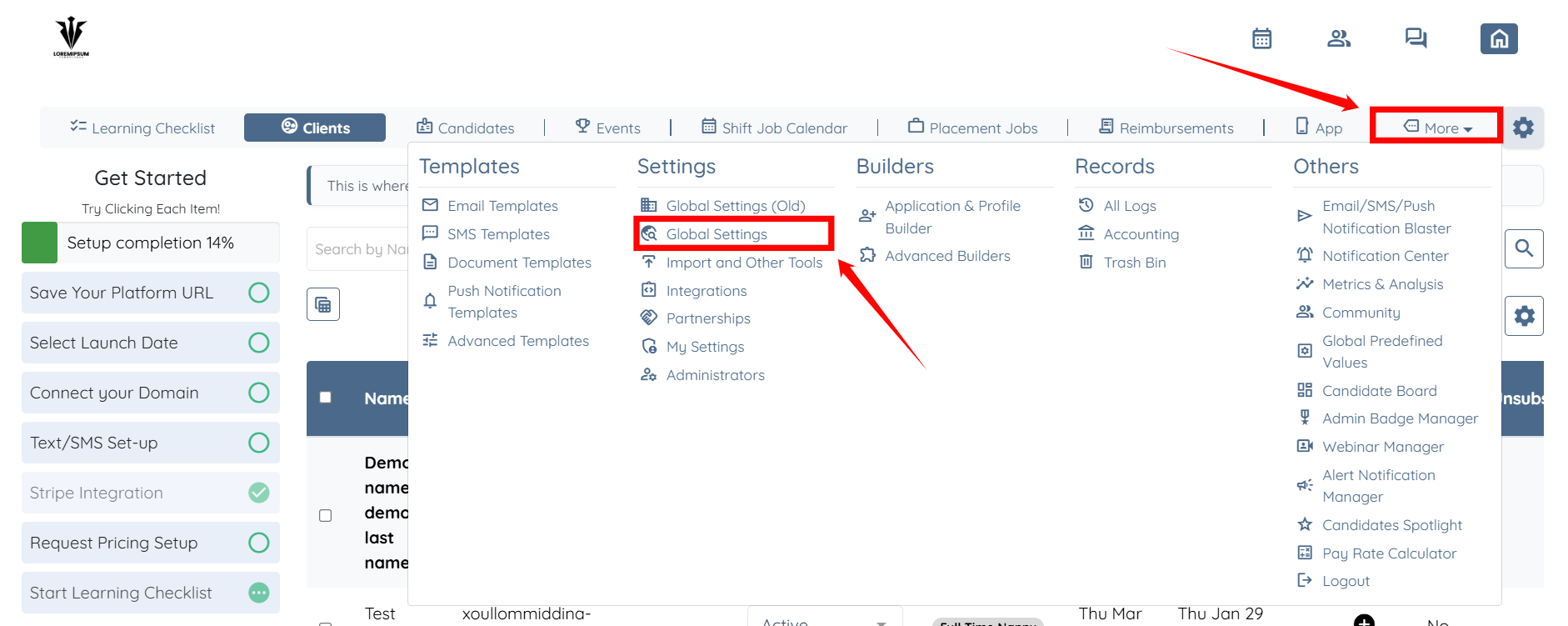
Step 1: Log in to your agent dashboard and click More > Global Settings as shown in the screenshot below.
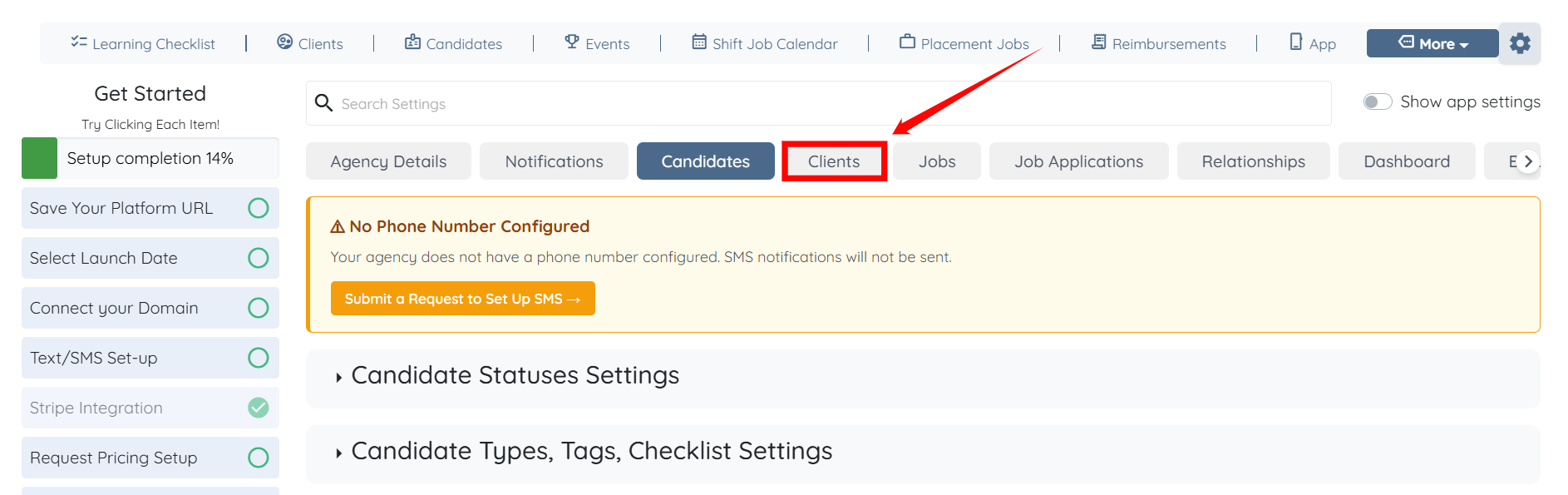
Step 2: Click the Clients tab from the available tabs.
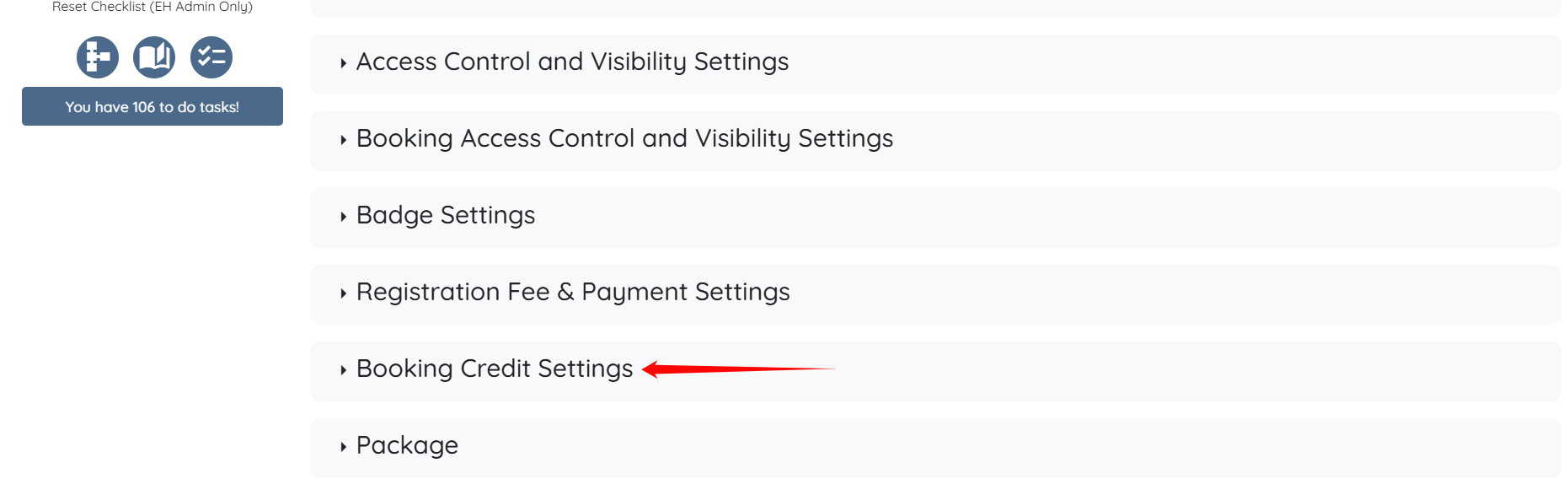
Step 3: Click the Booking Credit Settings option to expand and view its details.
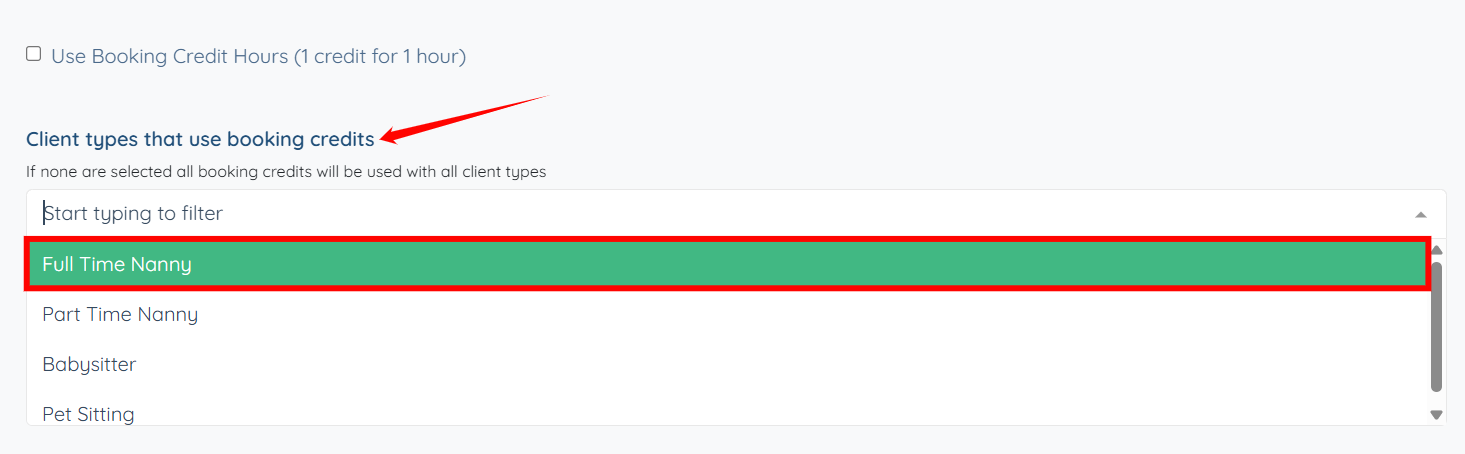
Step 4: In the Client types that use booking credits field, select the client type(s) you want to enable booking credits for. For demonstration purposes we are selecting Full Time Nanny type.
The settings will be saved automatically.

If no client types are selected, booking credits will apply to all client types.
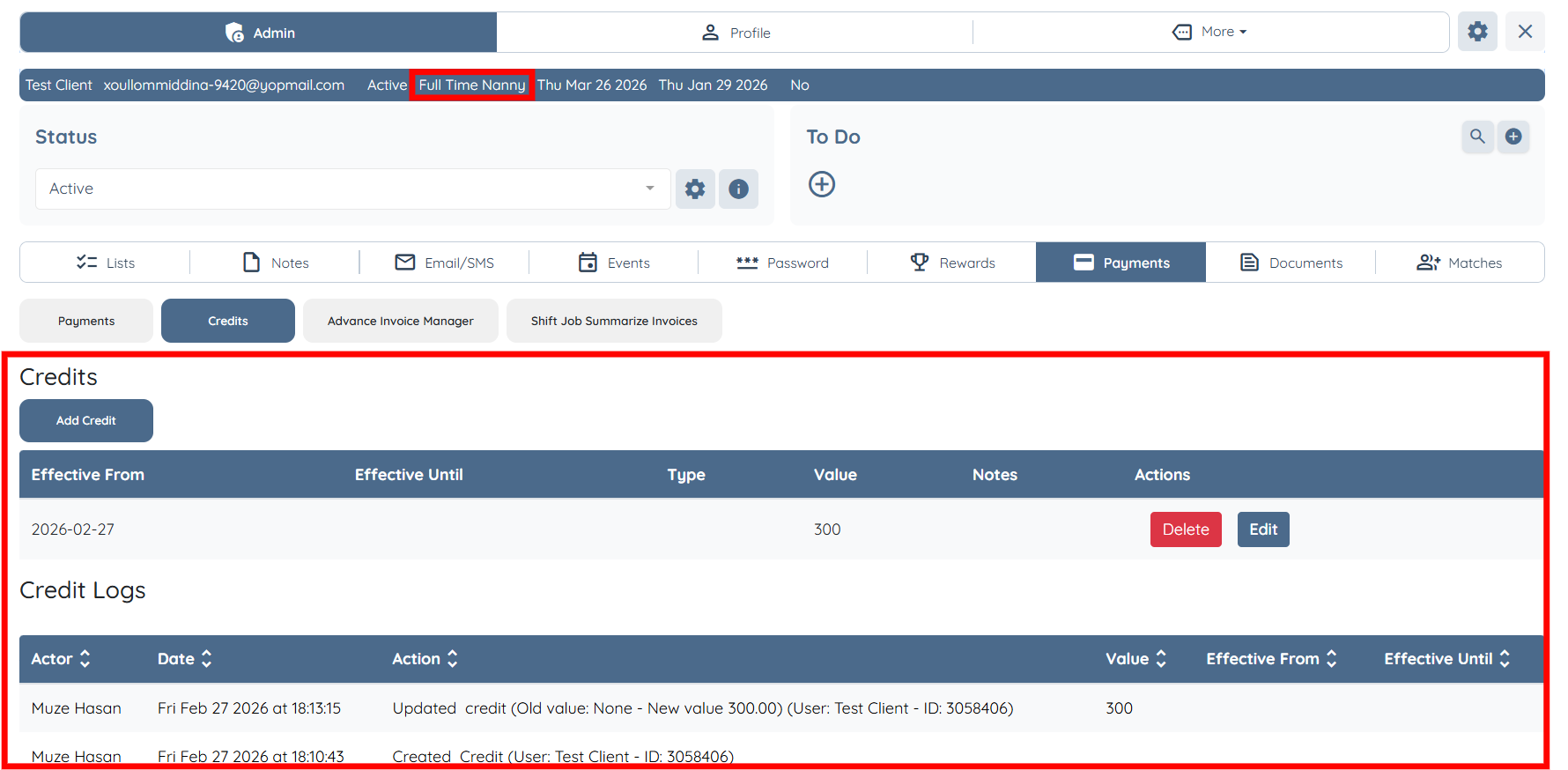
Clients with the selected type (e.g., Full Time Nanny) will be able to view the credit table along with the credit logs.