
1. In your Mission Control, select the Clients Tab.

2. Select the Client that should receive and invoice.
3. From the Admin screen.

In the second row, select Payment/Credit.

4. Scroll to Credit Log and Select Manually Send Stripe Invoices Here.
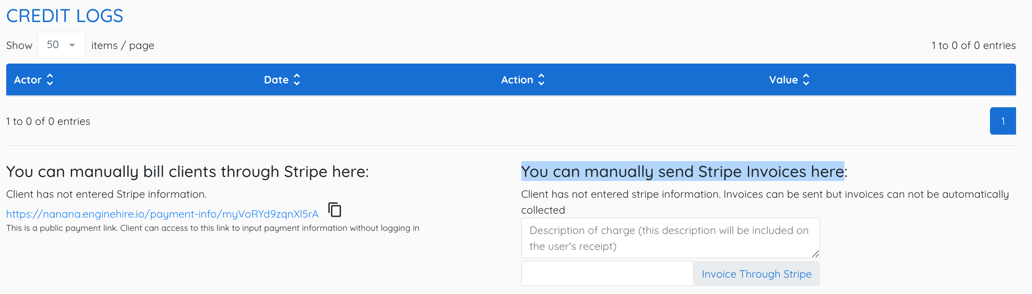
You can also bill clients through stripe on the left, if the client has put in their payment information.
Important Note: If the Client has not entered stripe information, invoices can be sent but can not be automatically collected.
Learn how to set up Stripe payouts for candidates.
Tracking Client Payments of Invoices you Manually Sent & Add a Payment History for Transparency
If this video doesn't answer your questions you can always contact us by clicking here