Let’s get started 🚀
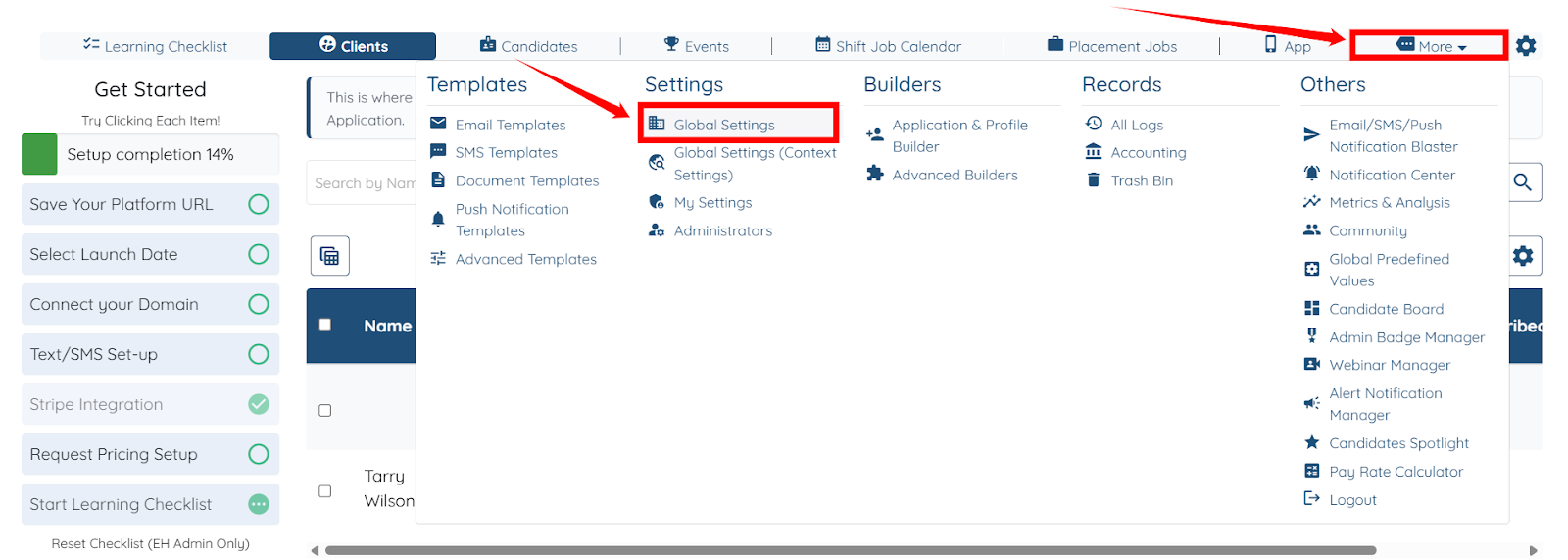
Step 1: Log in to your agent dashboard, click More > Global Settings as shown in the screenshot below.
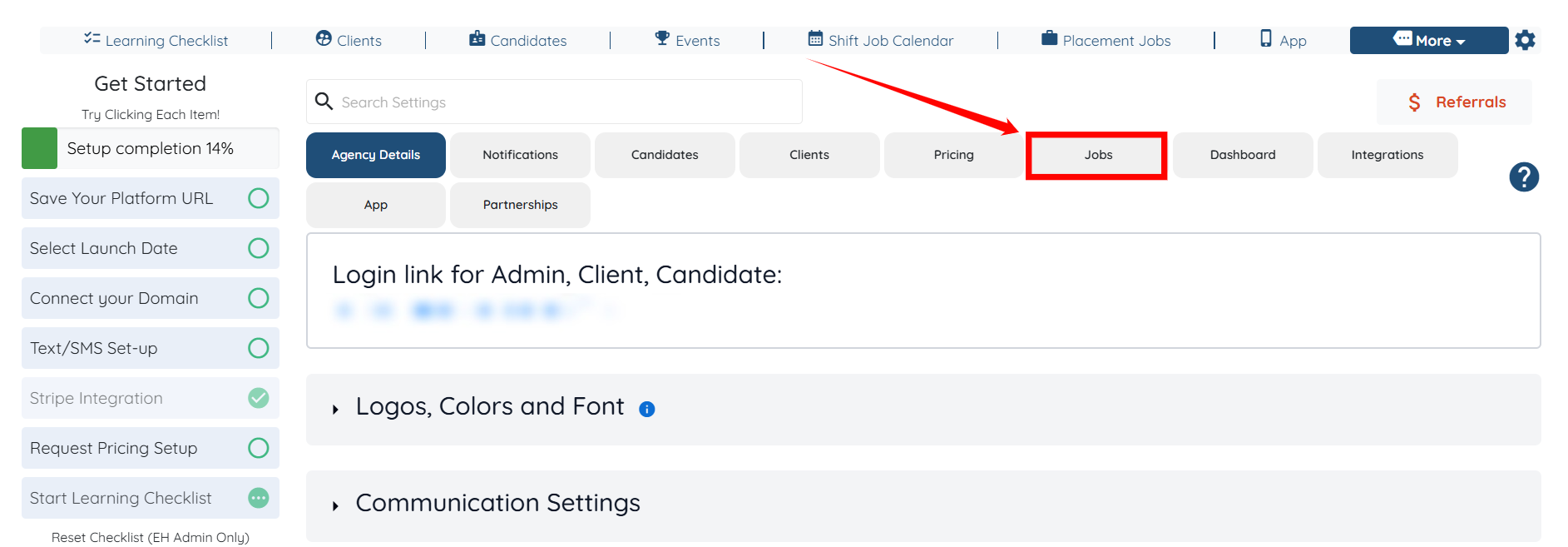
Step 2: Click the Jobs tab from the list of all the available tabs.
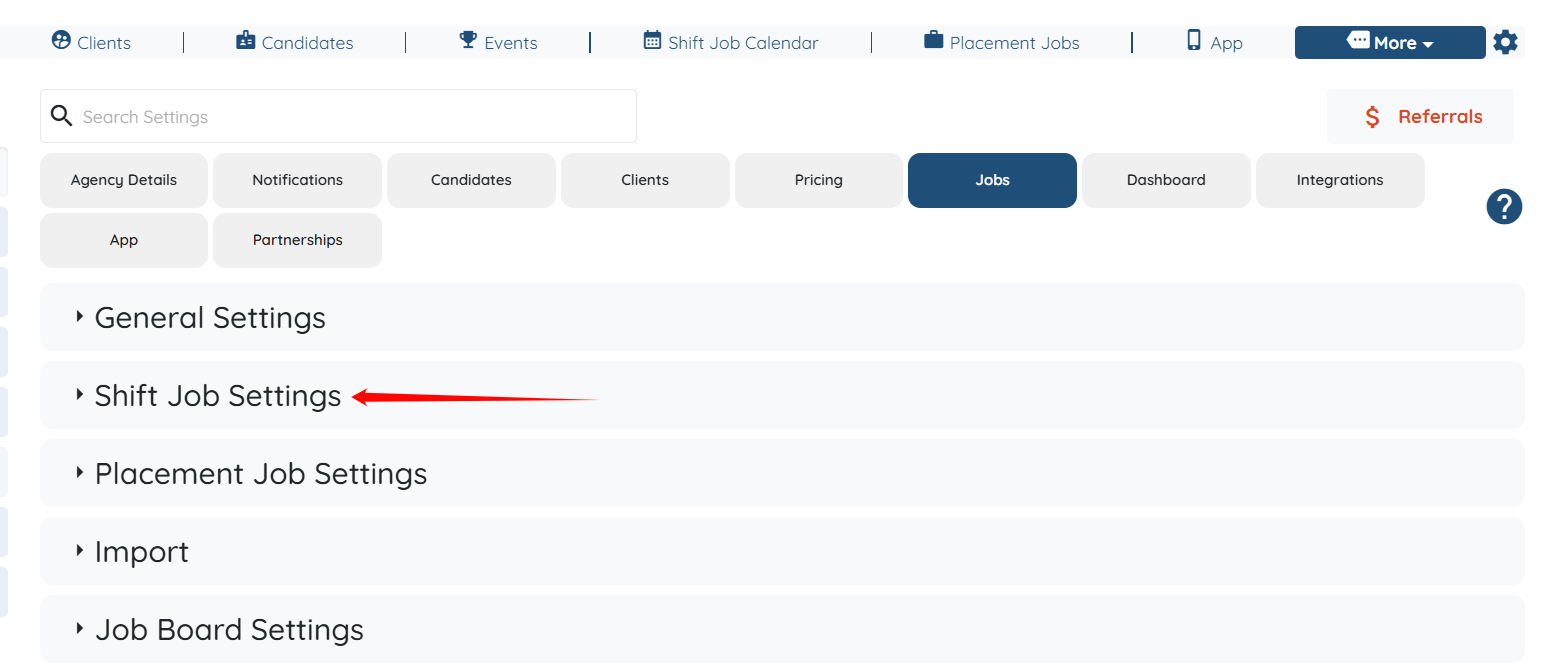
Step 3: Click the Shift Job Settings option to expand its details.
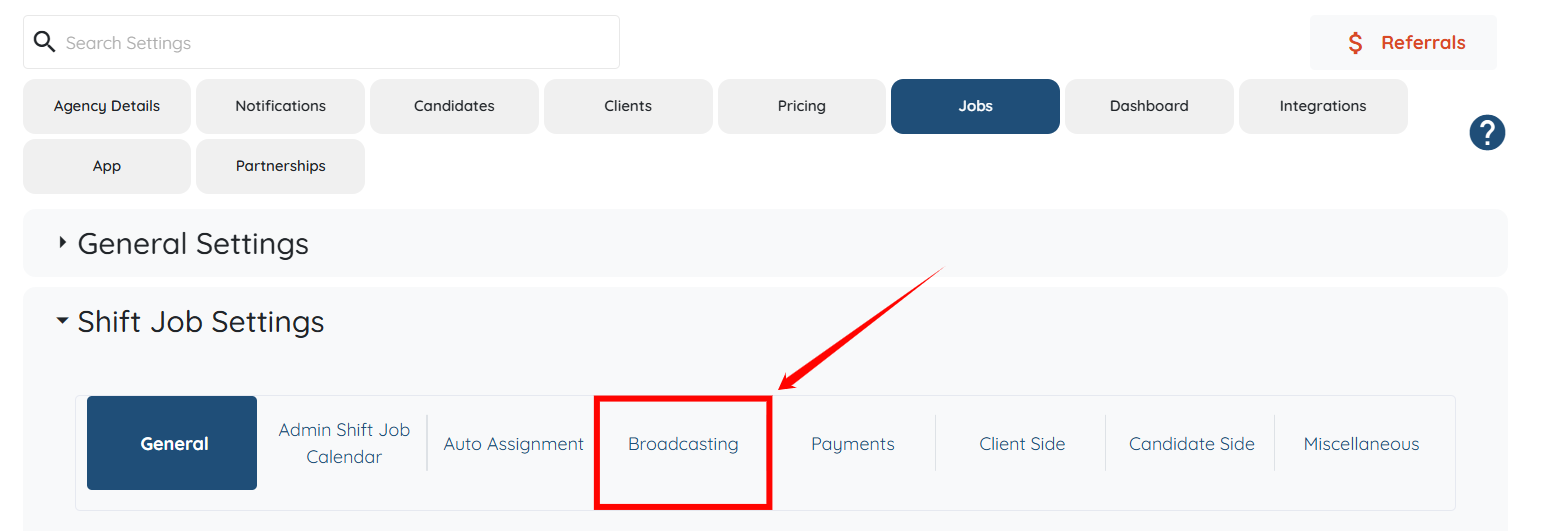
Step 4: Click on the Broadcasting option under the Shift Job Settings.
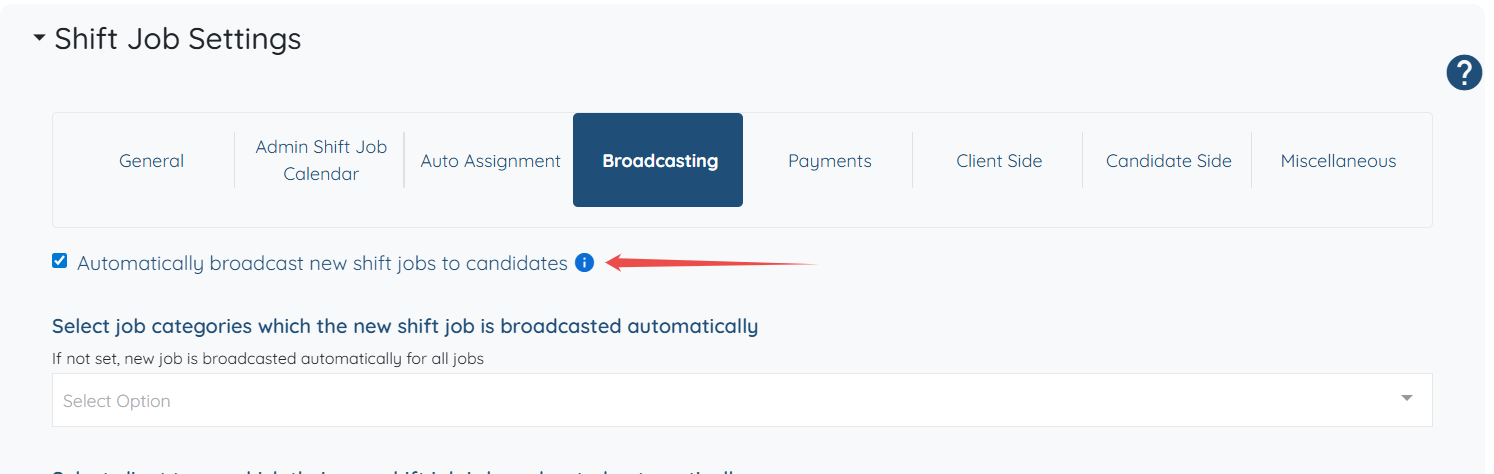
Step 5: Check the Automatically broadcast new shift jobs to candidates checkbox as shown in the screenshot below.
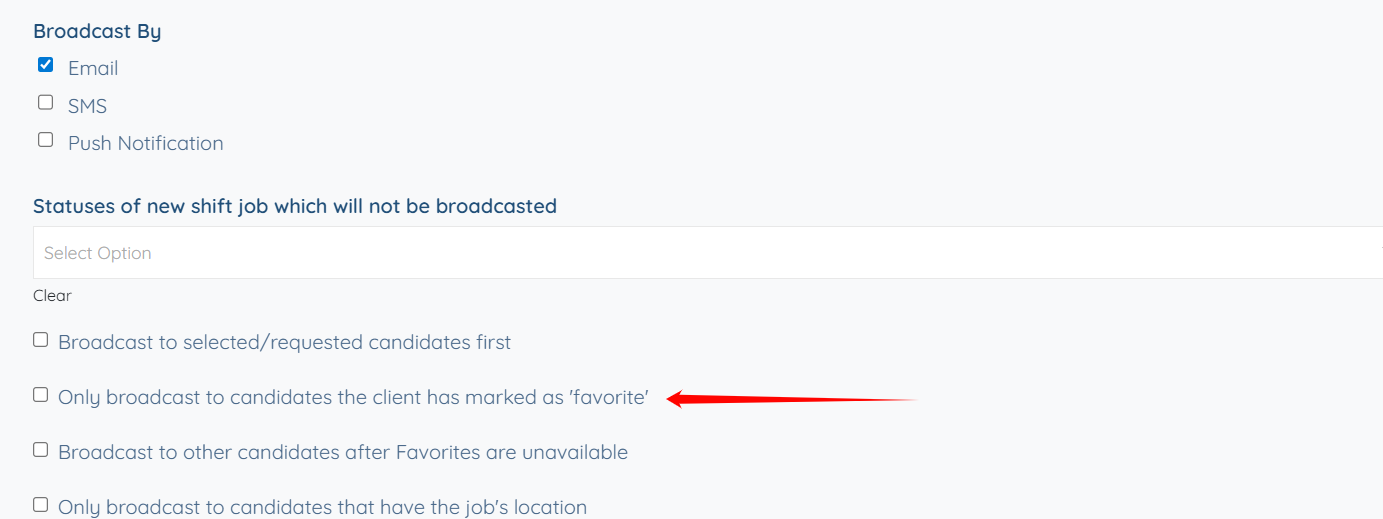
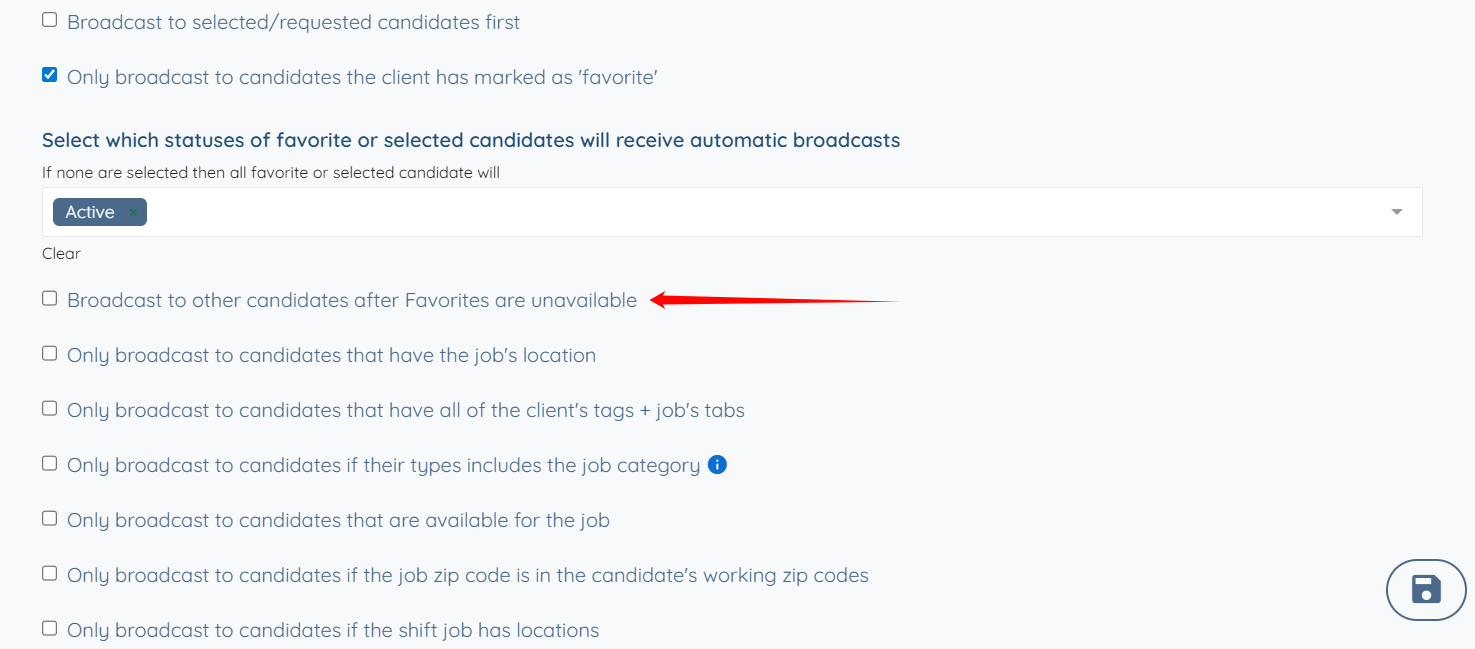
Step 6: Scroll down and check the Only broadcast to candidates the client has marked as ‘favorite’ checkbox to automatically broadcast new bookings only to the candidates the client has marked as favorites.
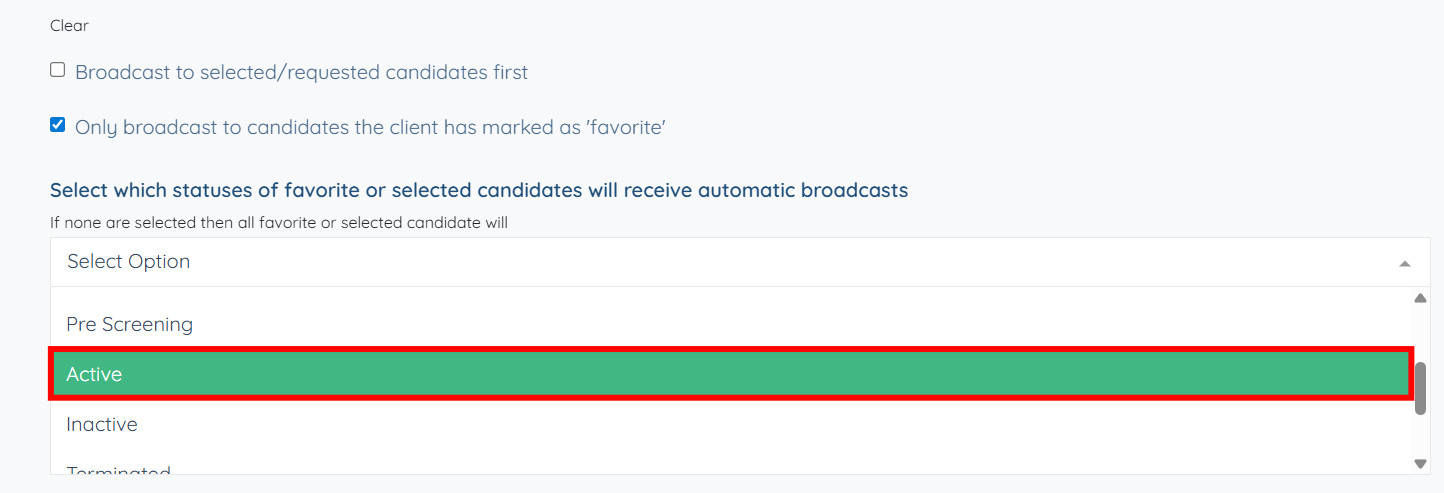
Step 7: Select the status of favorite candidates from the dropdown to receive the automatic broadcasts.
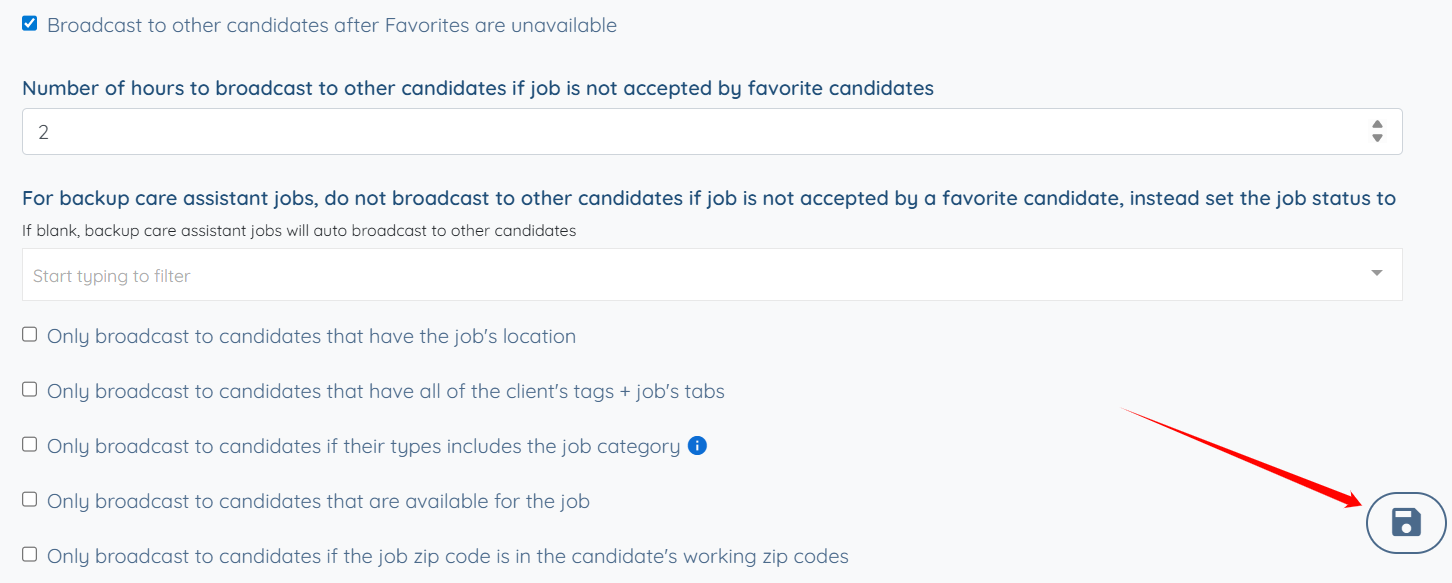
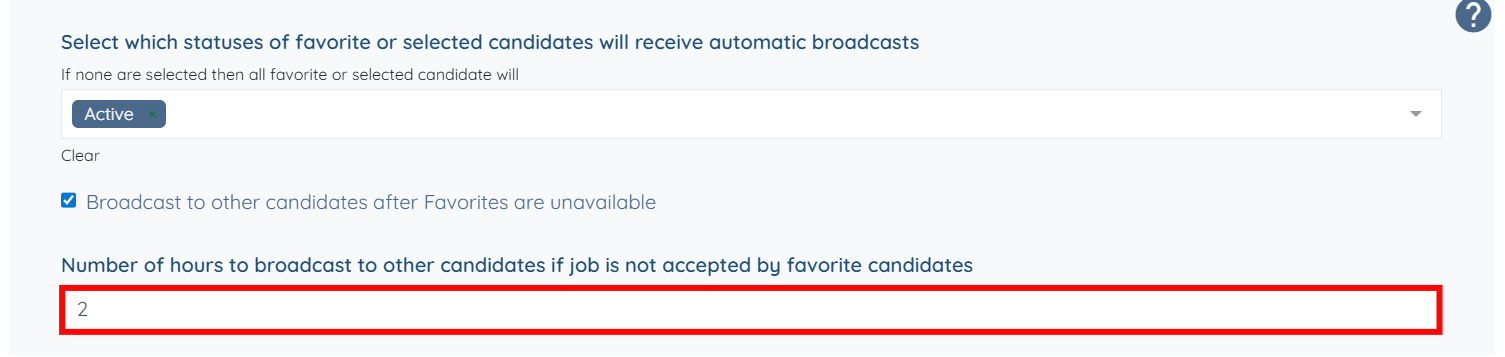
Step 8: Check the Broadcast to other candidates after Favorites are unavailable checkbox to automatically expand the broadcast to include all other eligible candidates when no favorites are available.
Step 9: Enter the number of hours after which the job will be broadcast to other candidates if the favorite candidates do not accept the job.
Step 10: Click the Save icon to confirm the changes.