
Step 1:
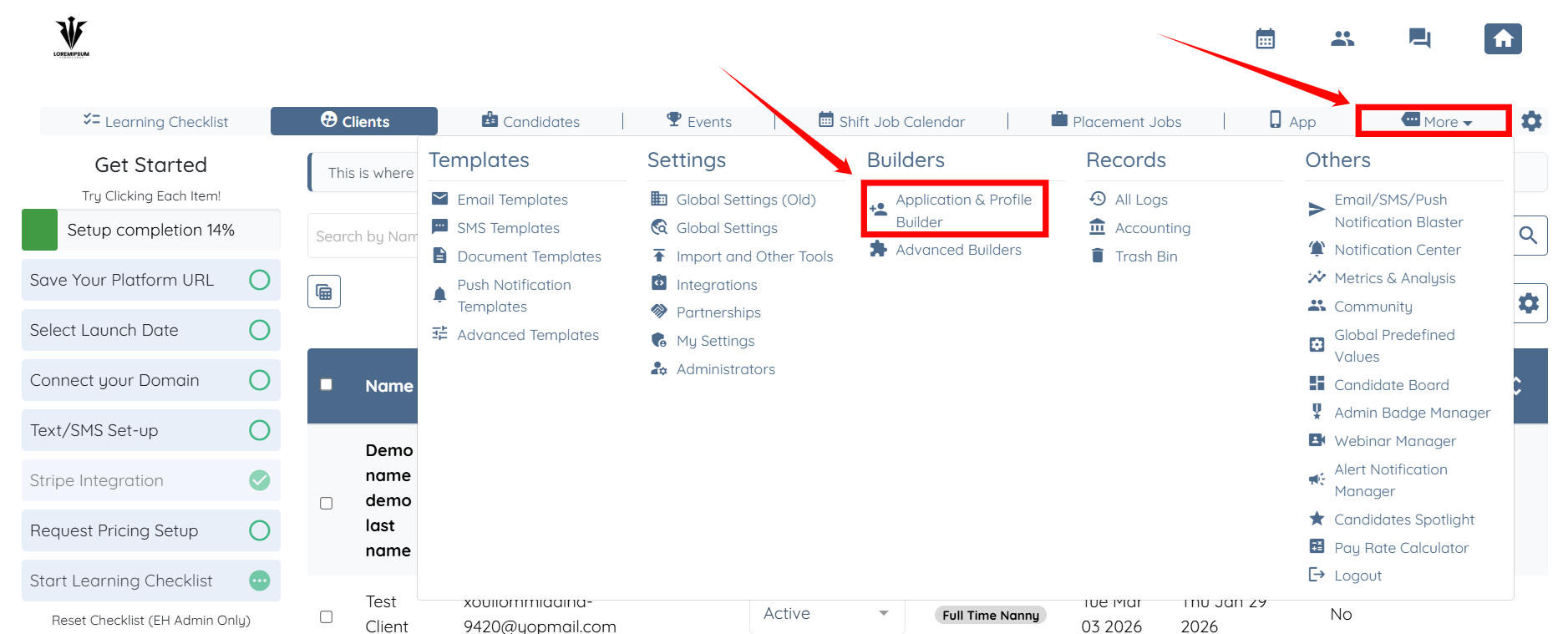
Go to MORE-> Application & Profile Builder
Step 2:
Once there, look for the placement job form and click the gear / settings icon

Step 3:
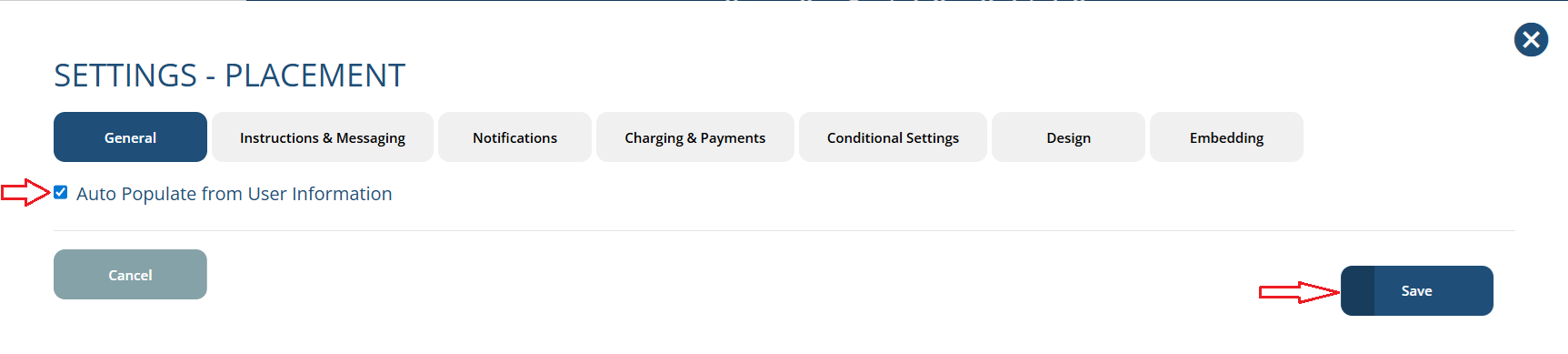
In setting -> General Tab -> Select the checkbox of "Auto Populate from User Information"
Step 4:
Look for the placement job form and click the edit / pencil icon

Step 5:
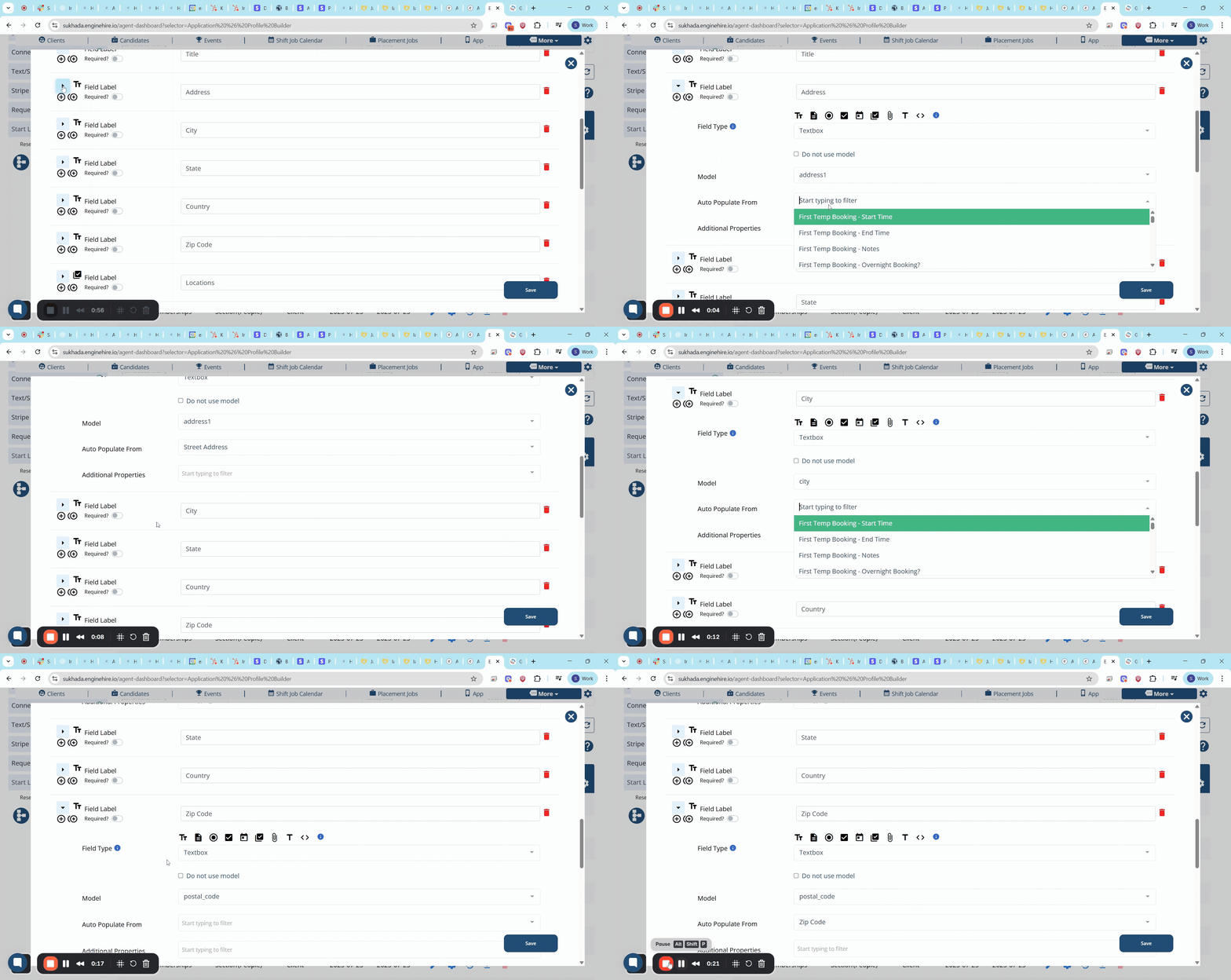
Go to field one by one and select the "Auto Populate From" field from profile you would like to automatically populate when creating a new placement job. Refer the GIF image.
Result:
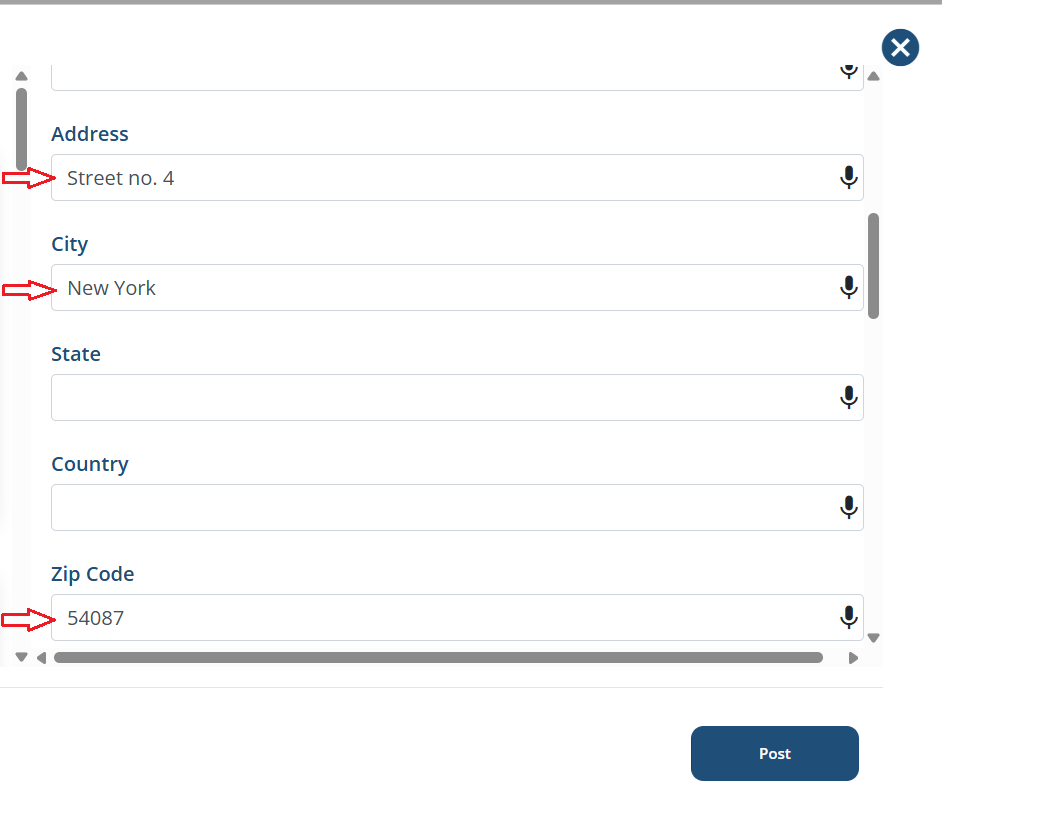
When creating a placement job all auto populated fields will appear inially from profile. Refer the screenshot.
The following video is from a previous interface but the information is still accurate.
If these videos don't answer your questions you can always contact us by clicking here.