Let’s get started. 🚀
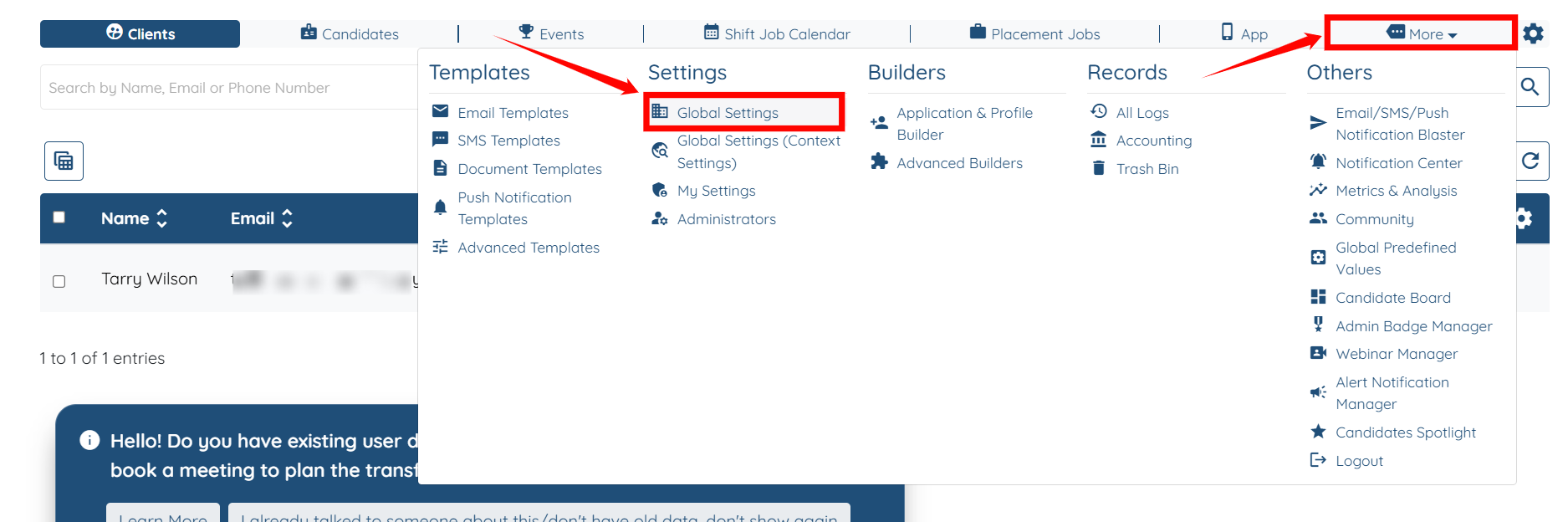
Step 1: Log in to your agent dashboard, then navigate to More > Global Settings, as shown in the screenshot below.
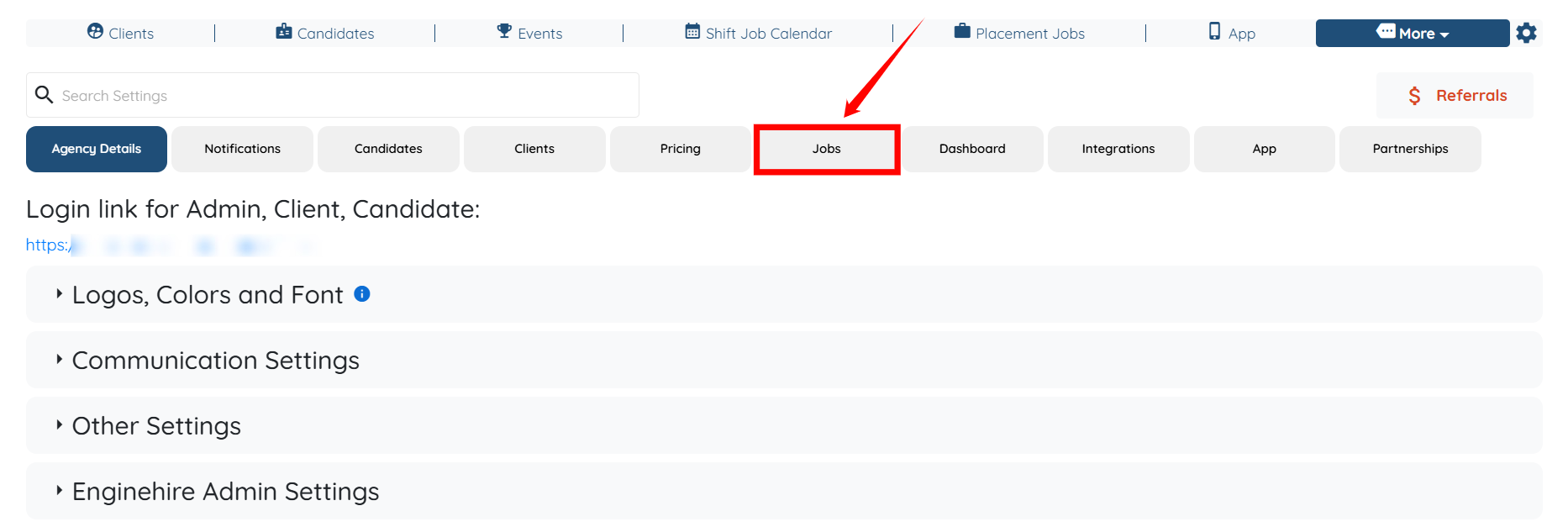
Step 2: Click on the Jobs tab from the list of all available tabs.
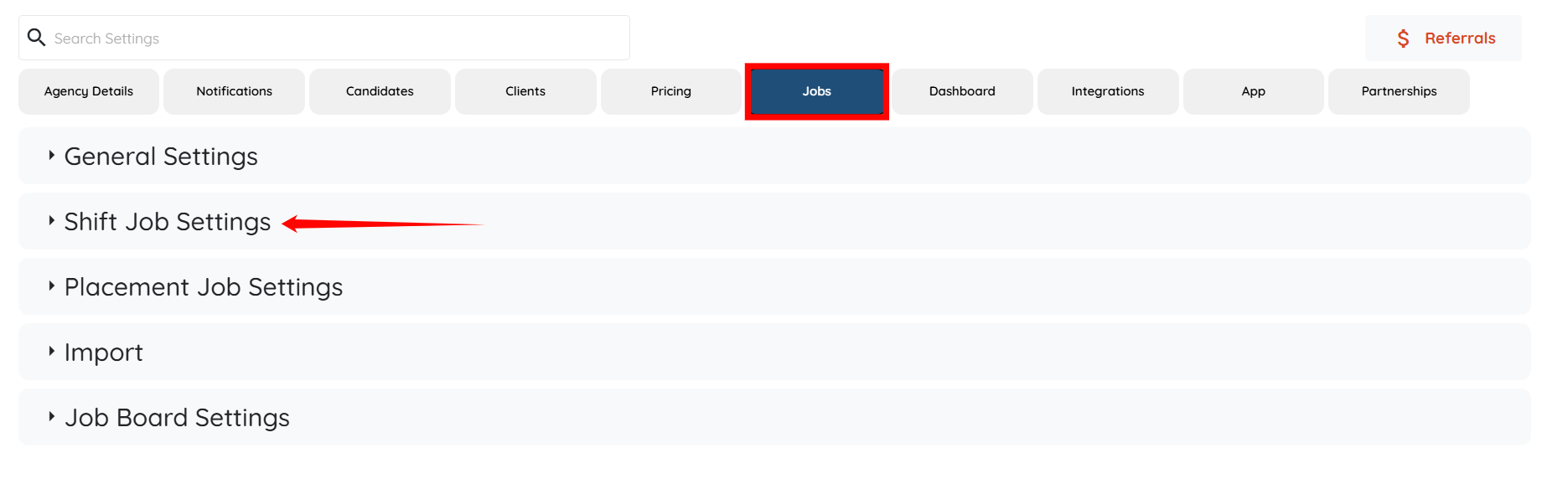
Step 3: Under the Jobs tab, expand the Shift Job Settings option.
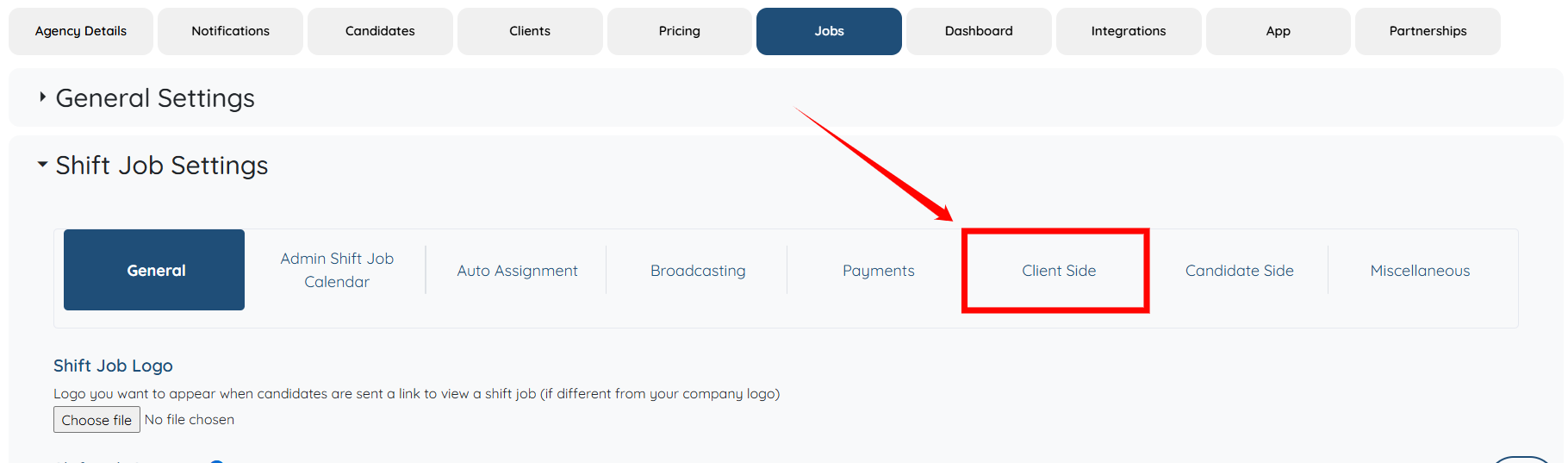
Step 4: Select the Client Side option to proceed.
Step 5: Scroll down to the “Disclaimer text when adding a booking” option, and modify the disclaimer text according to your requirements. Once you have made the necessary changes, click the Save icon to continue.

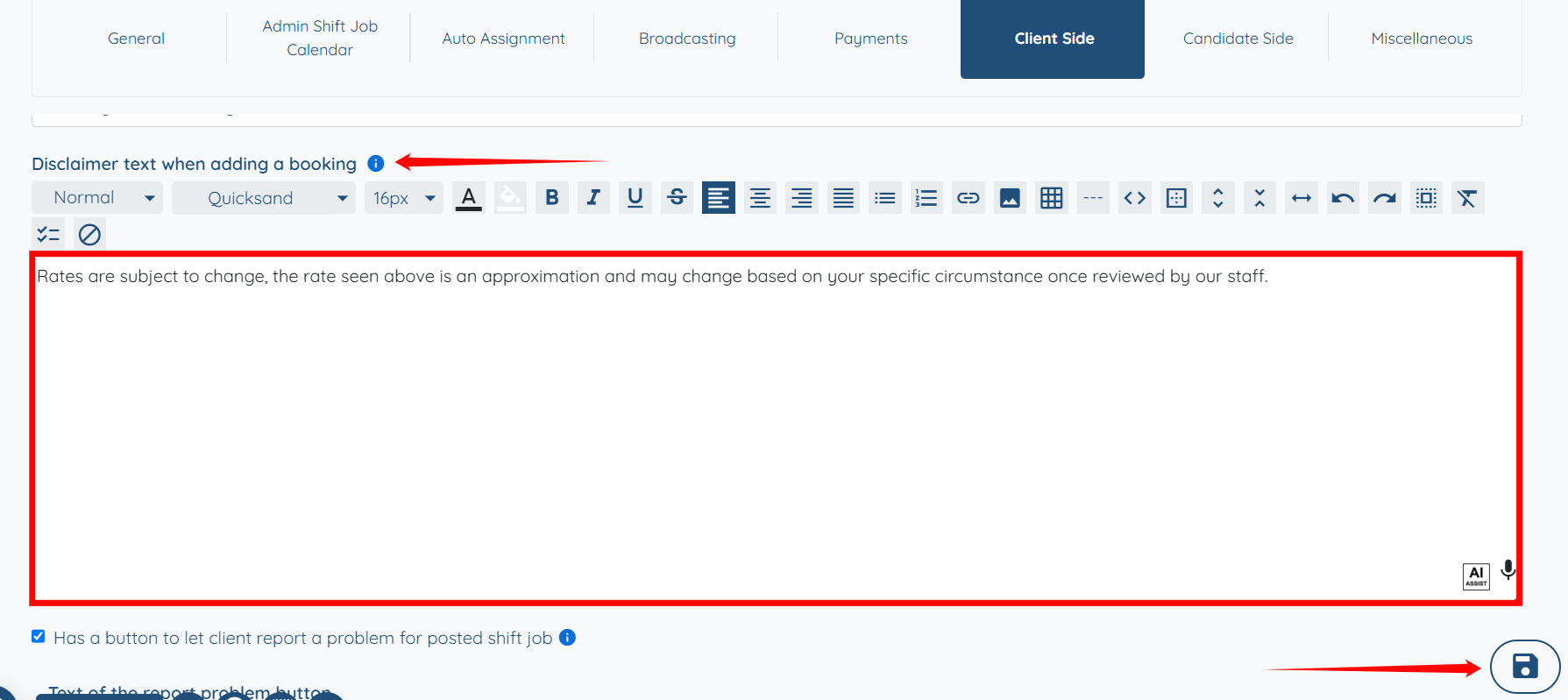
The custom disclaimer text will be updated successfully.
The following video is from a previous interface but the information is still accurate.
If this video doesn't answer your questions you can always contact us by clicking here
