
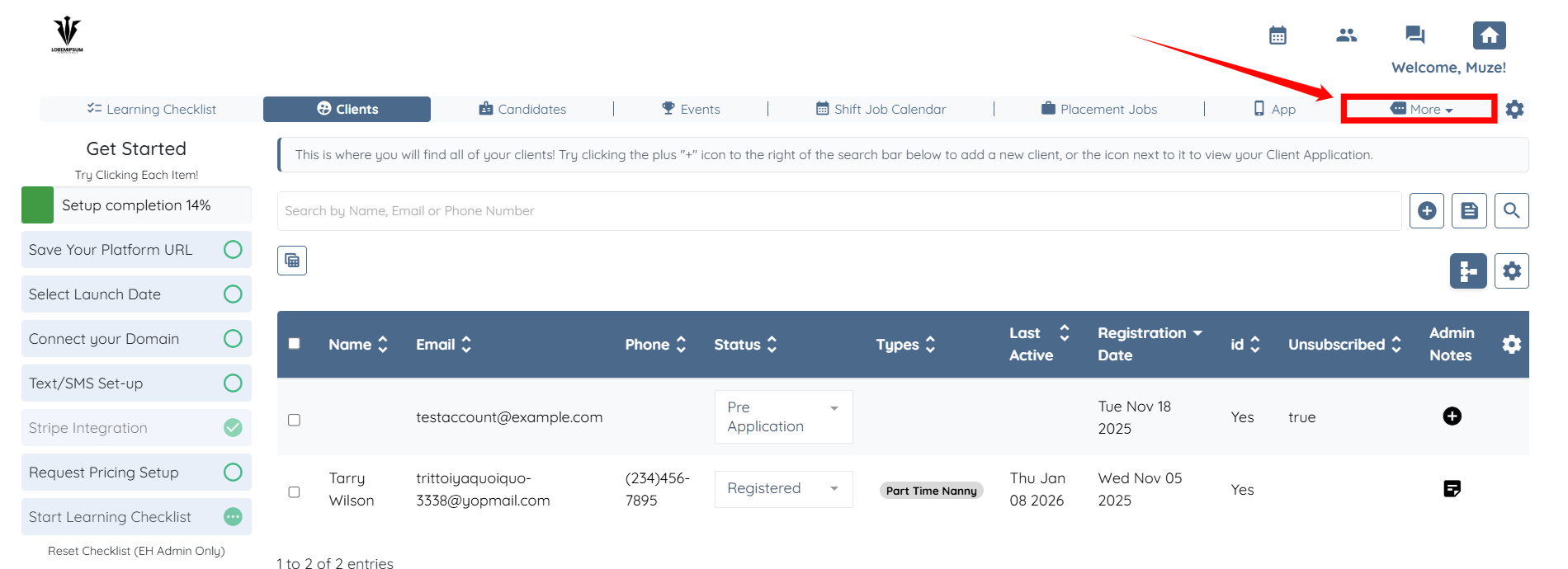
1. From Mission control select More.
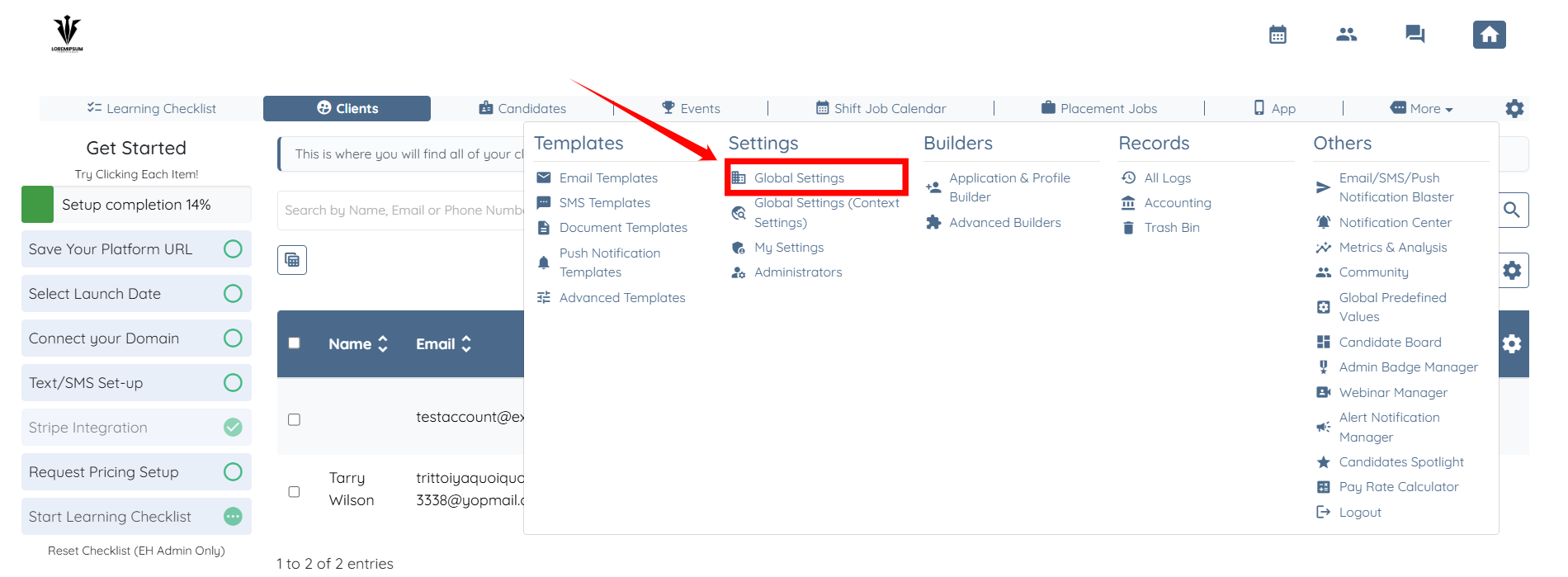
2. Select Global Settings.
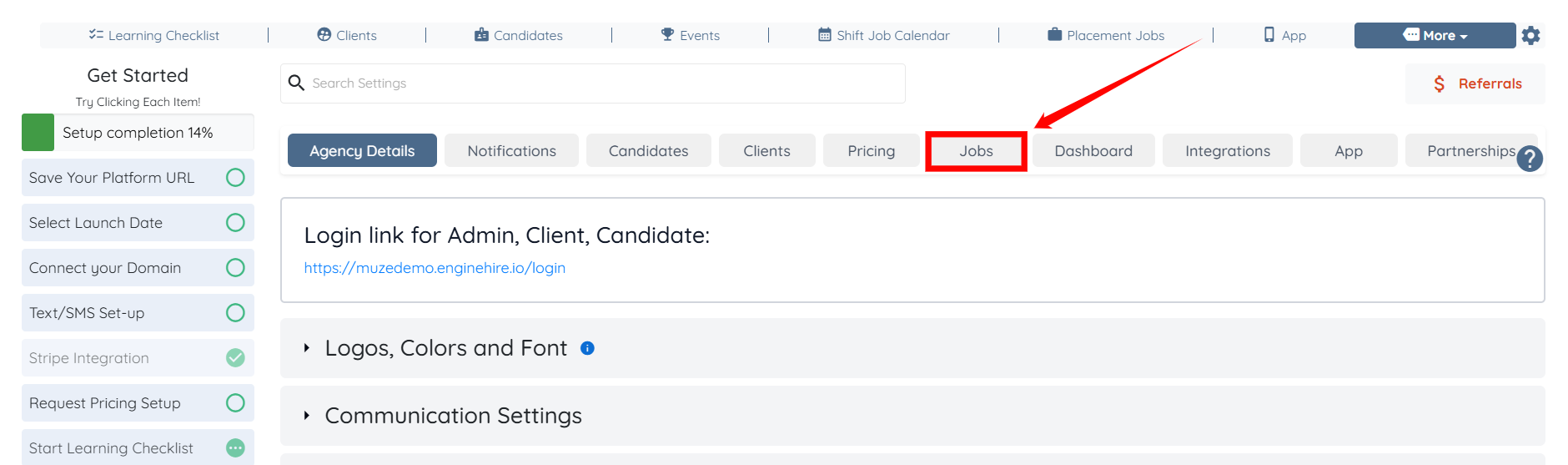
3. Select Jobs.
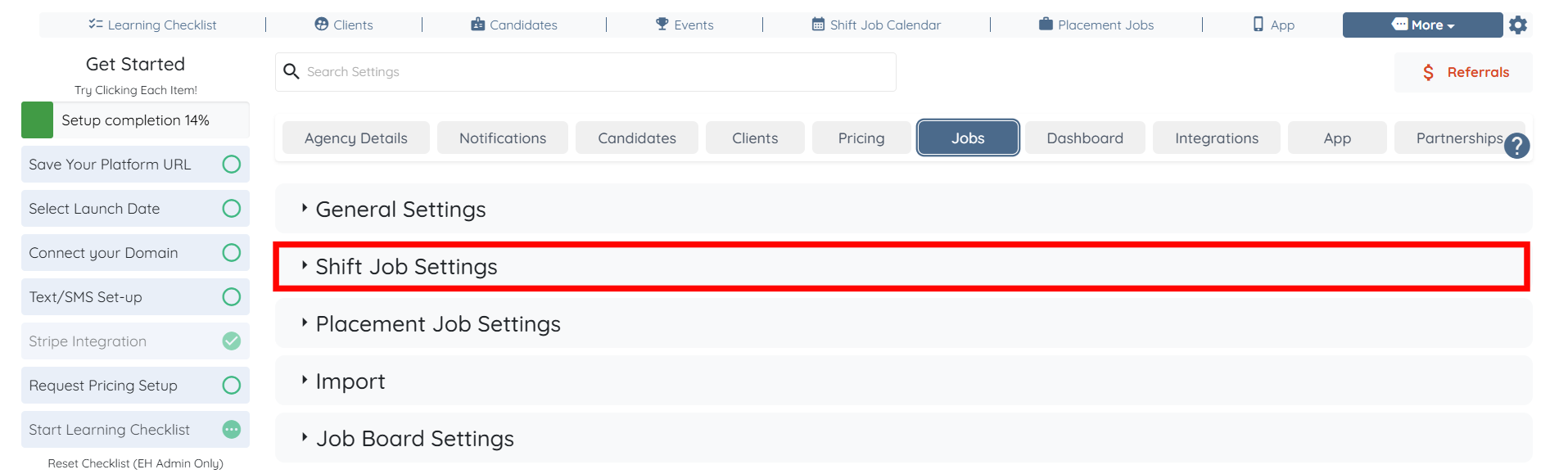
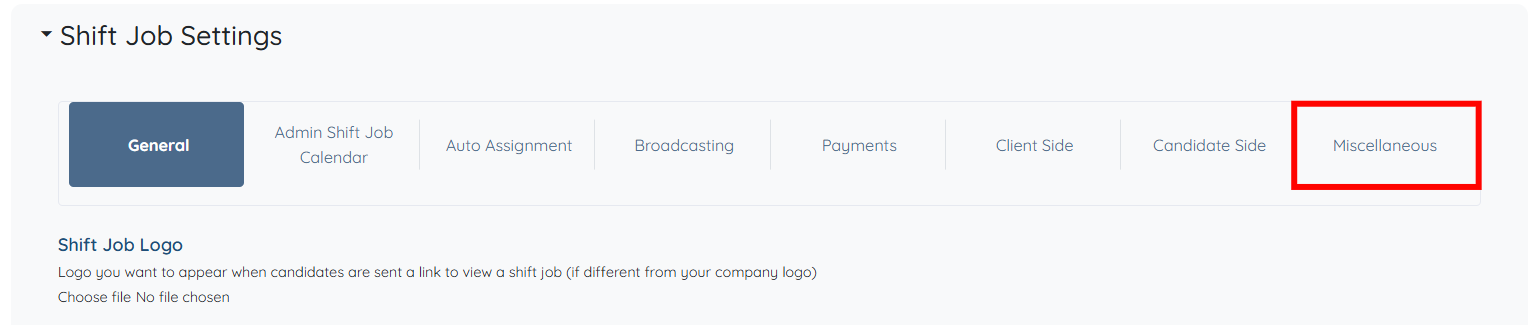
4. Select Shift Job Settings.
5. Select Miscellaneous.
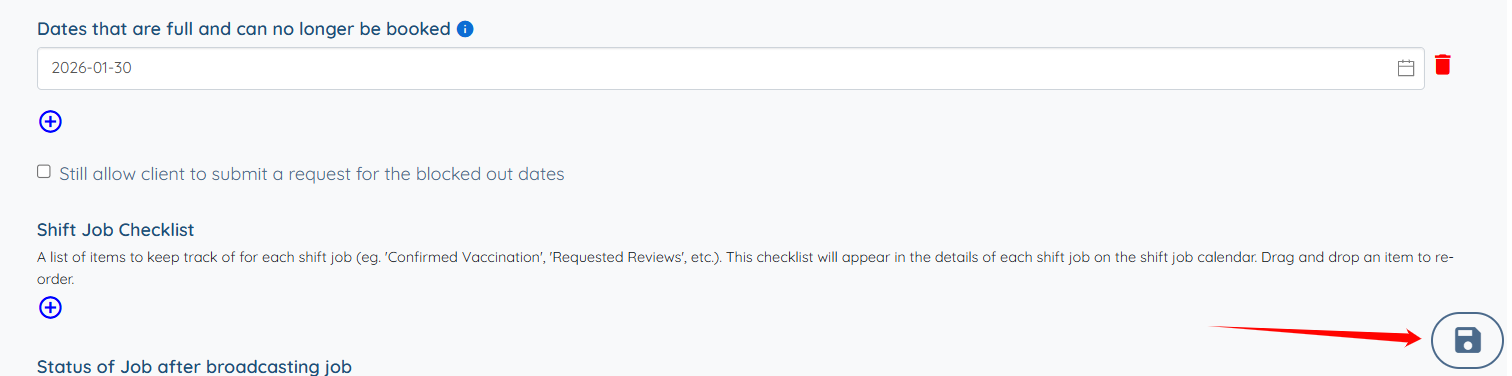
6. Scroll to "Dates that are full and can no longer be booked" and Select the add a field button.

7. Add or select the date to be blocked.


Each day must be selected.
8. Select the Floppy Disk Icon on the right side of the screen to save the update.
If this content doesn't answer your questions you can always contact us by clicking here