
Let’s get started 🚀
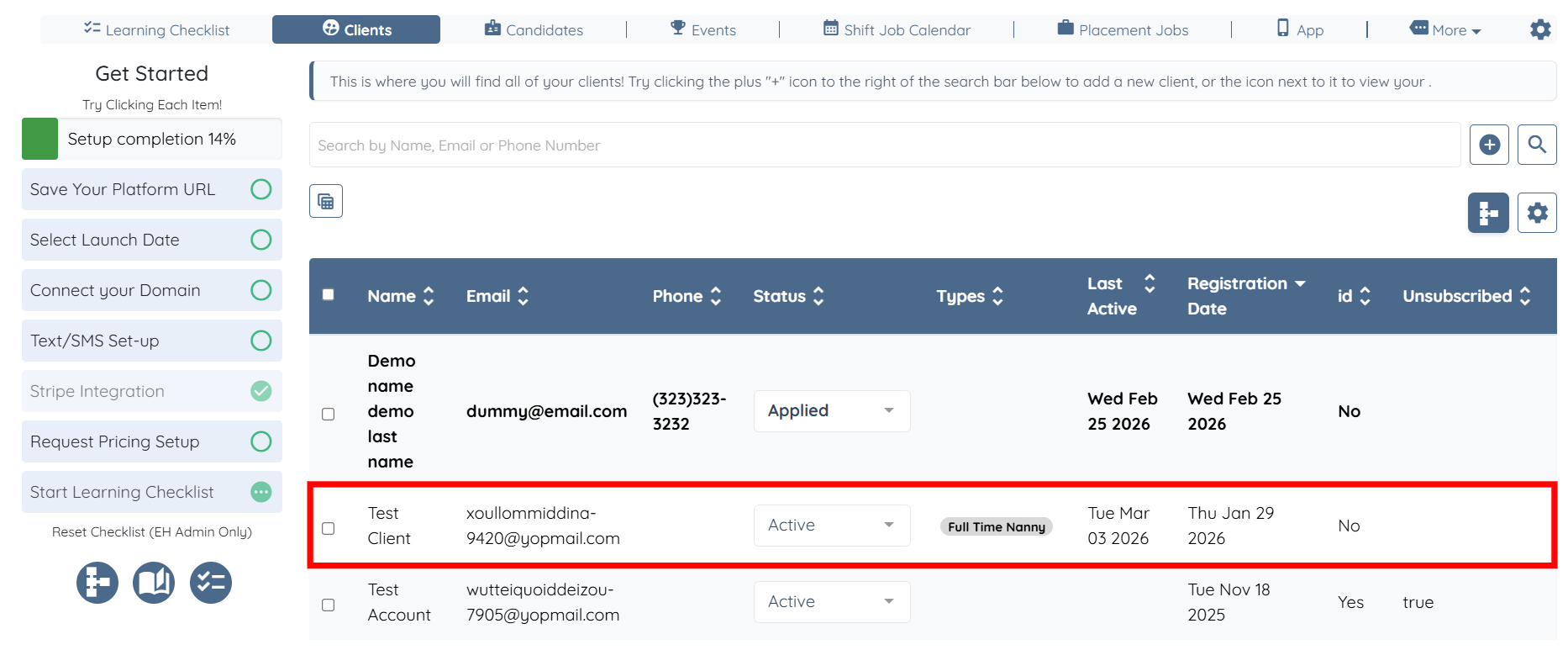
Step 1: Log in to your agent dashboard and click on any client from the list.
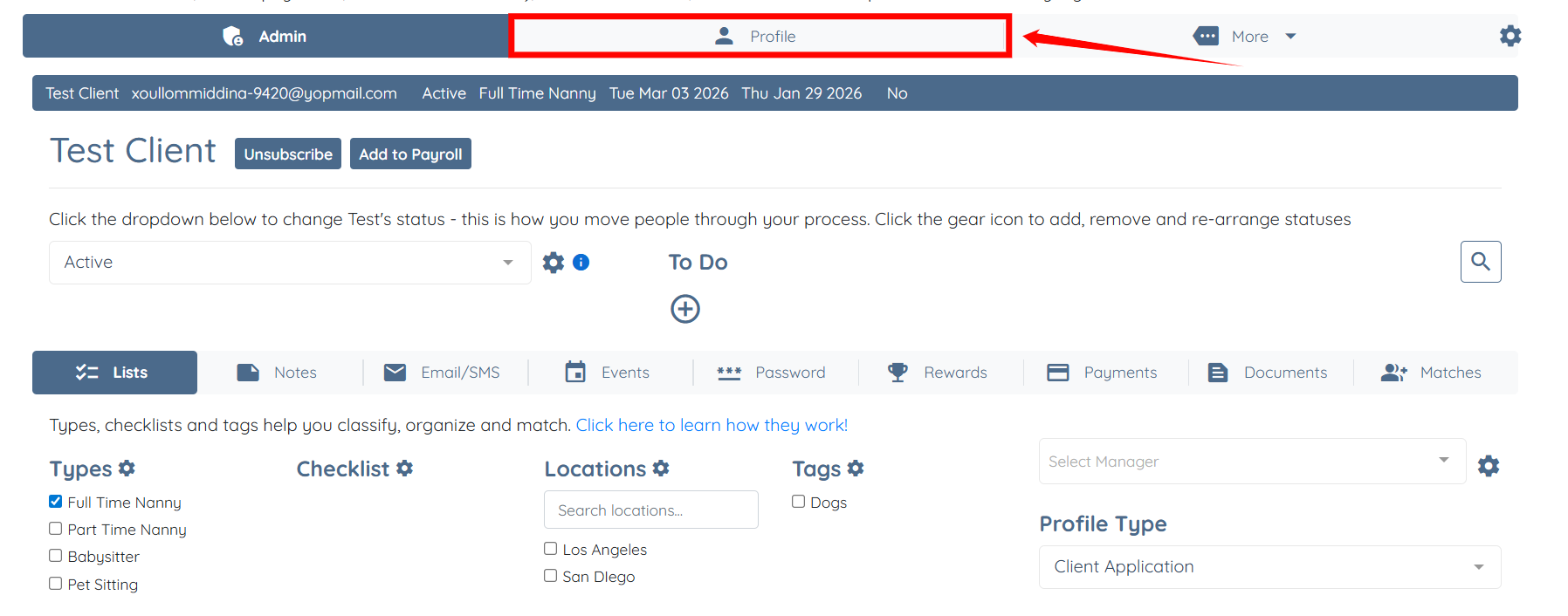
Step 2: Click the Profile tab to go to the client profile.
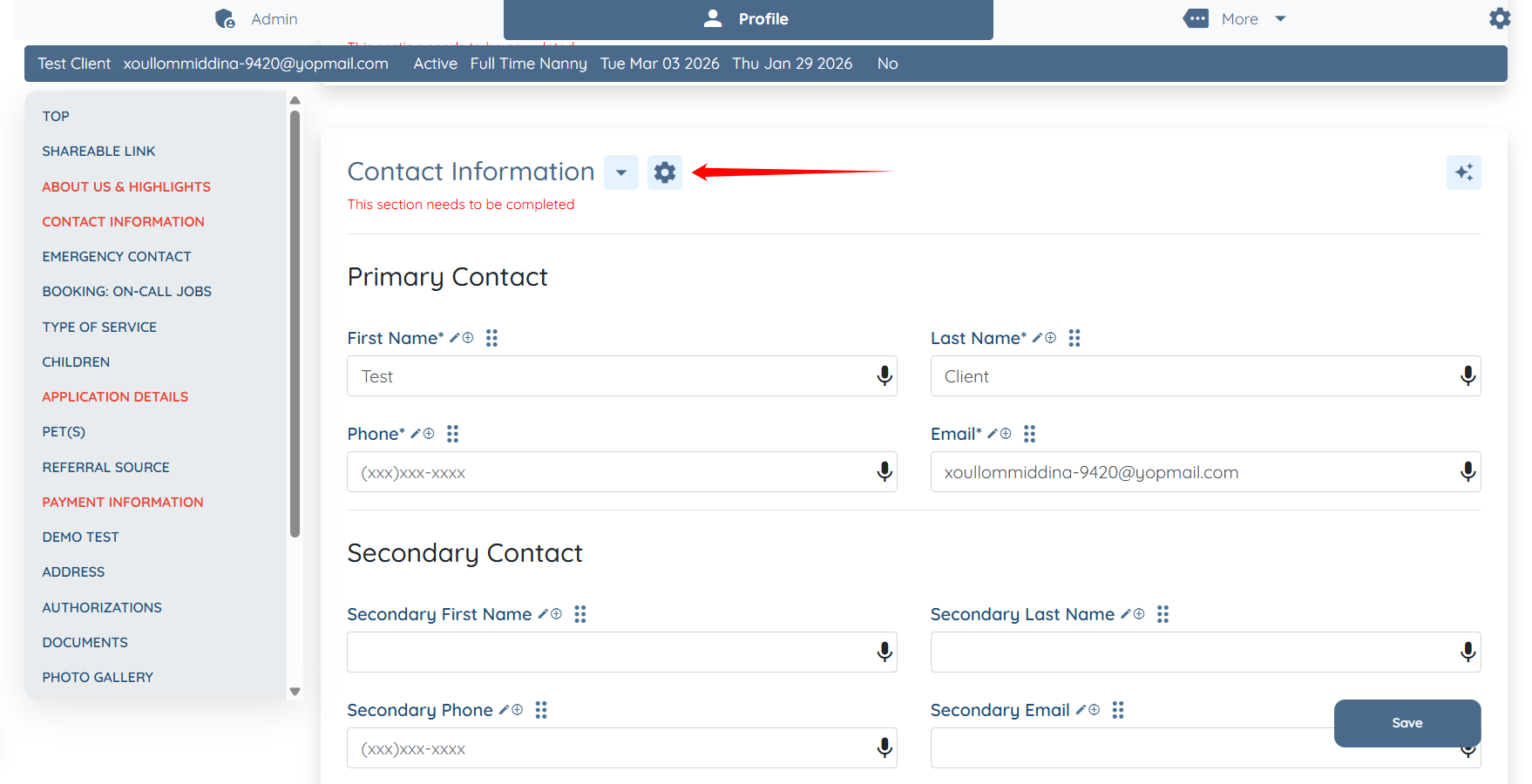
Step 3: Scroll down and click the Gear icon located next to the Contact Information heading.
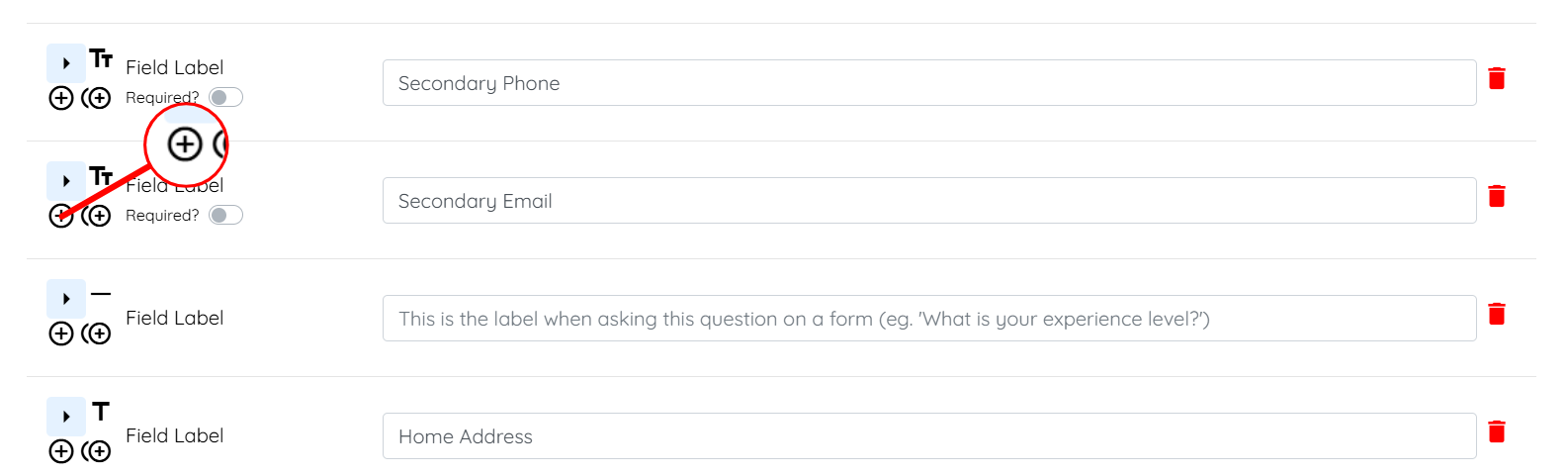
Step 4: Scroll down to the Secondary Email field and click the + icon to add a new field.
Step 5: Enter the Field Label and Profile Label for your field.
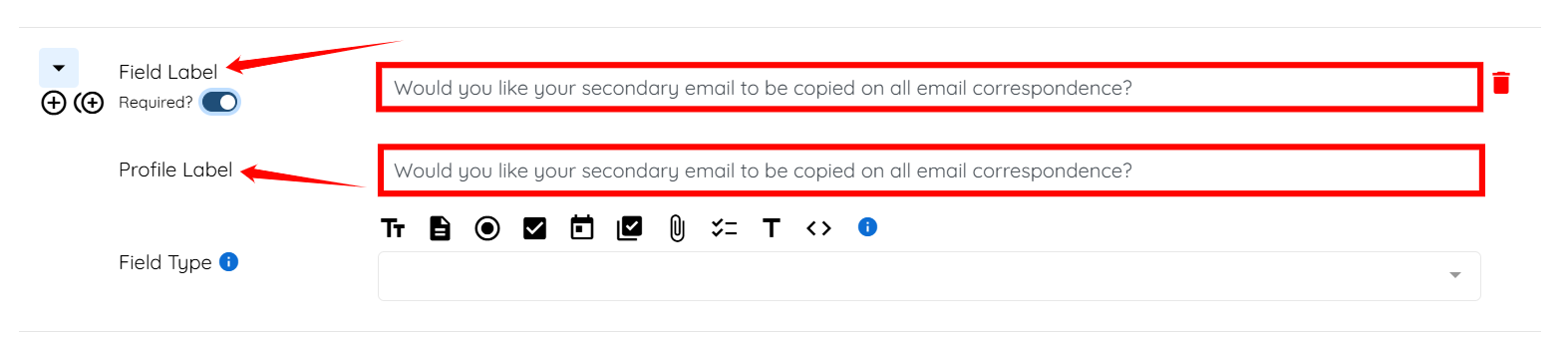
Step 6: Set the Required? toggle to Off.

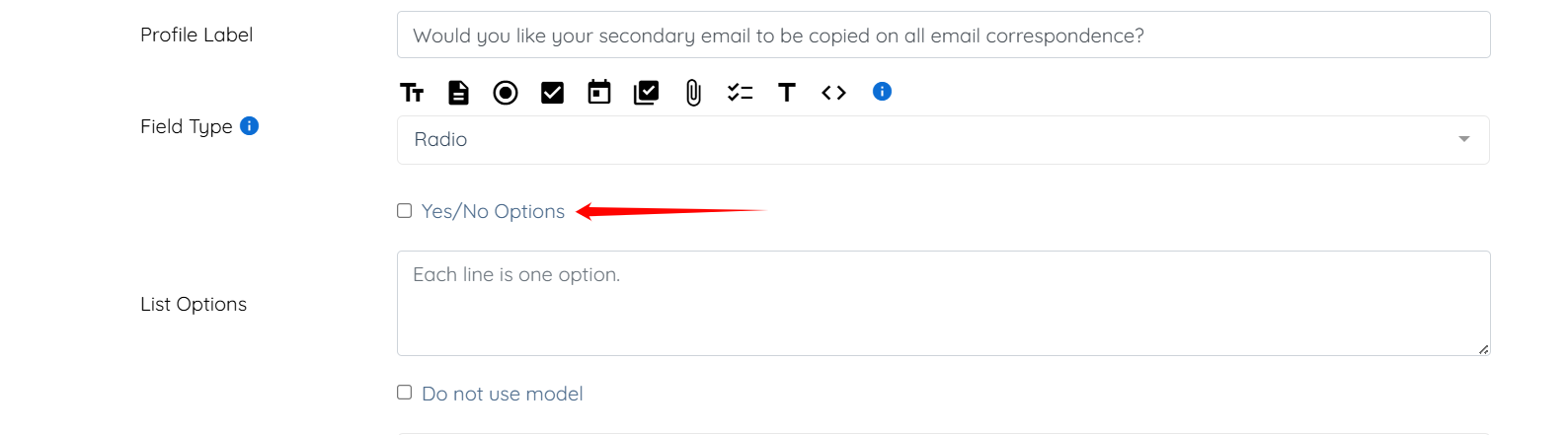
Step 7: Select the radio button as the Field Type.

Step 8: Check the Yes/No Options checkbox.
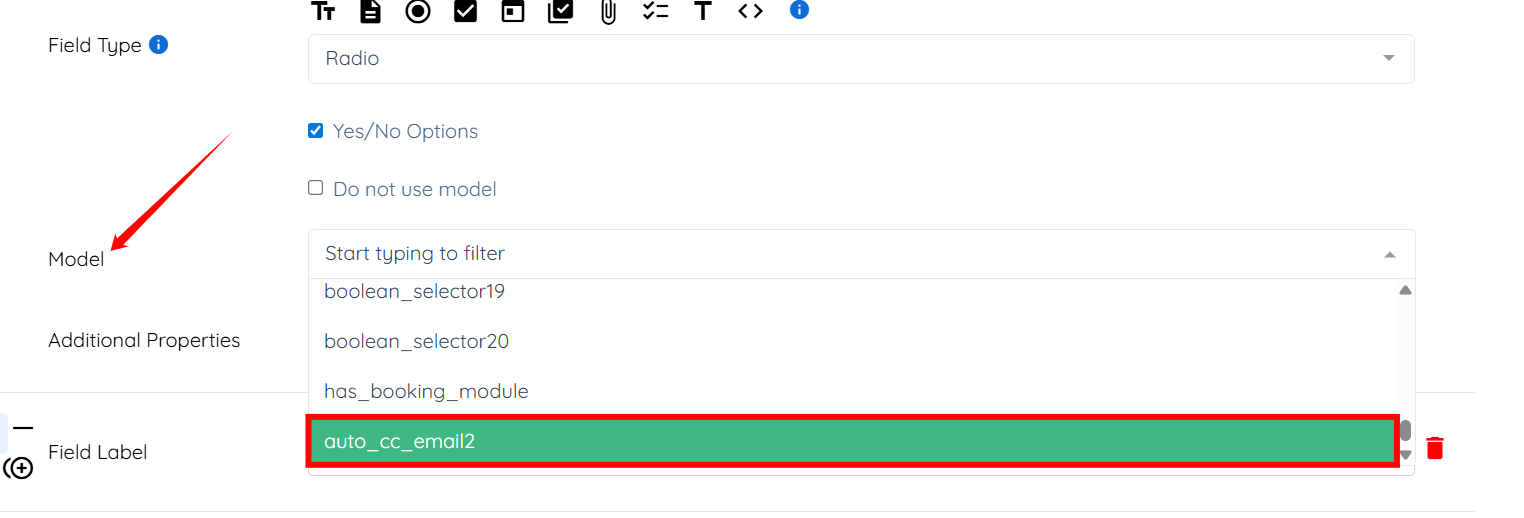
Step 9: Select the auto_cc_email2 option as the model from the dropdown list.
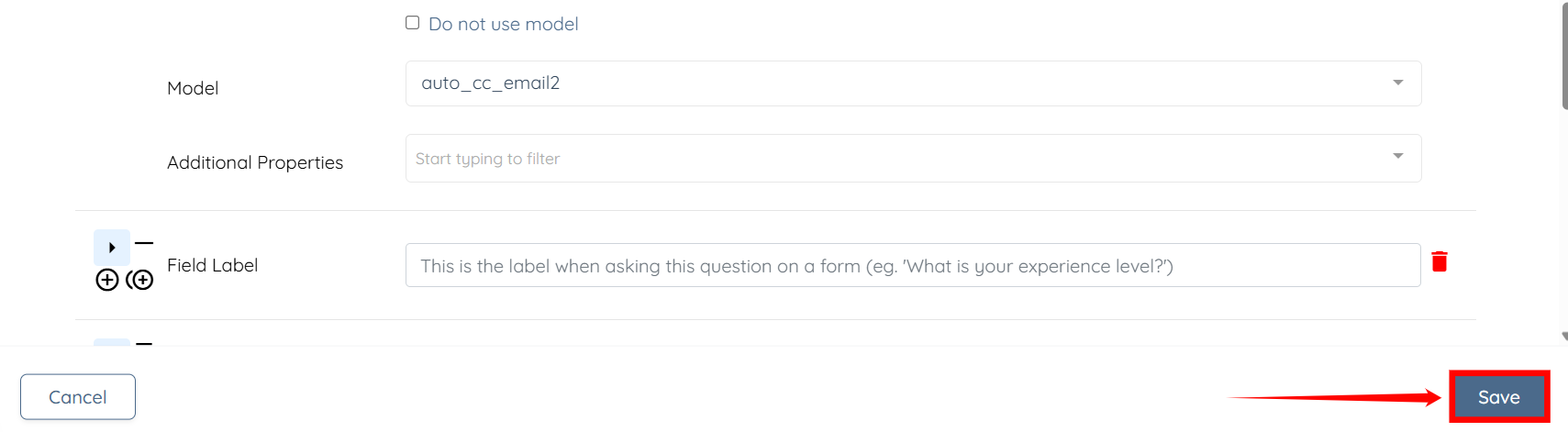
Step 10: Click the Save button to confirm the changes.
If this doesn't answer your questions you can always contact us by clicking here