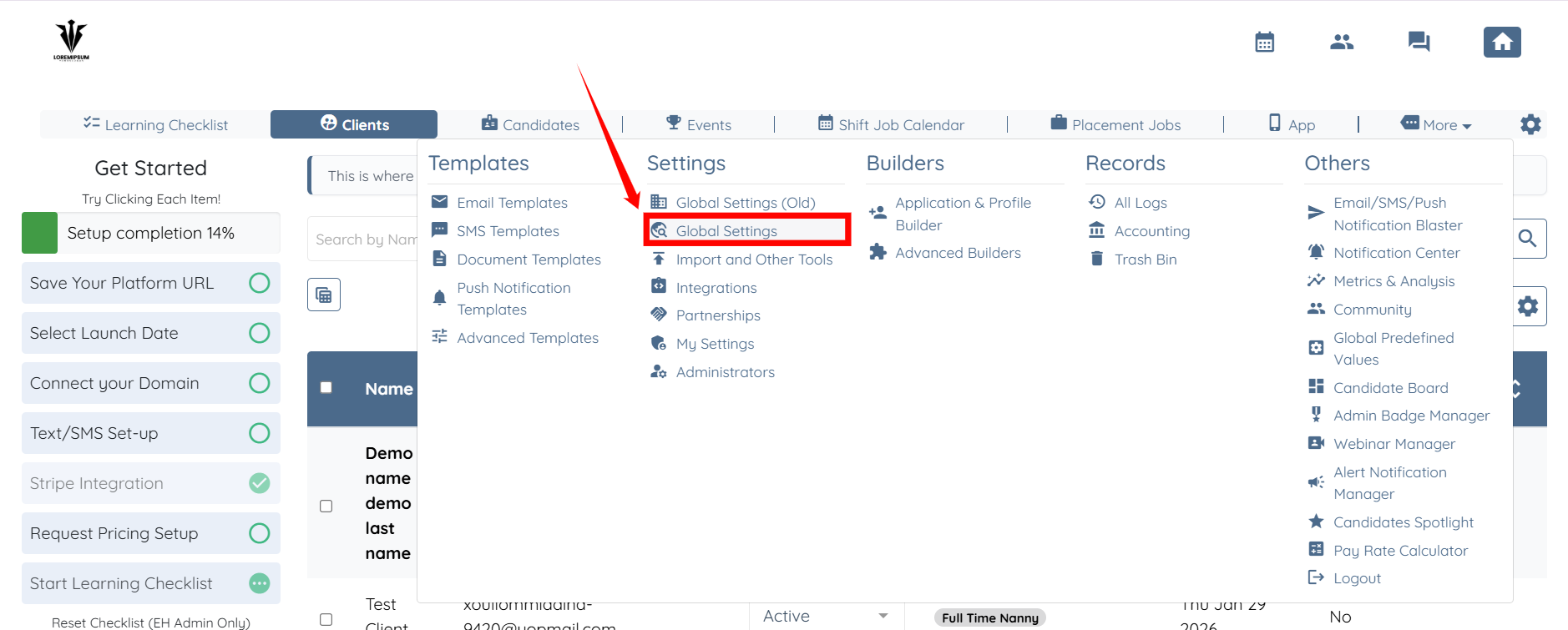
1. Make sure the setting to allow Booking Credits is turned on. Go to Global settings.
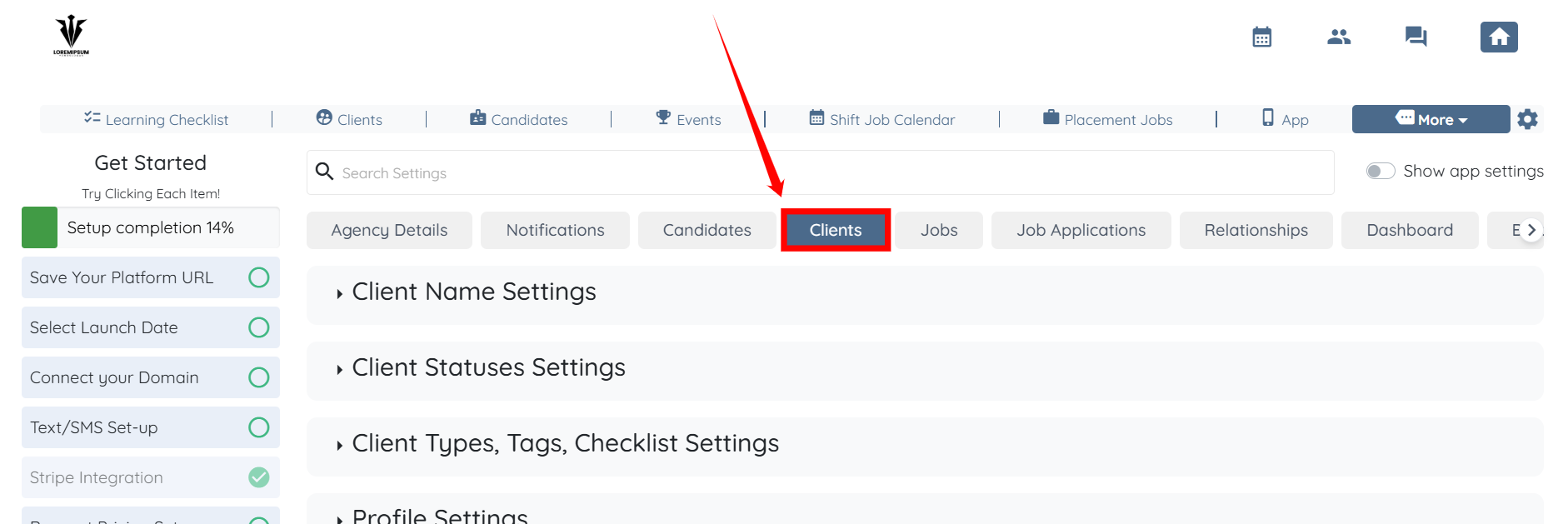
2. Select Clients tab.
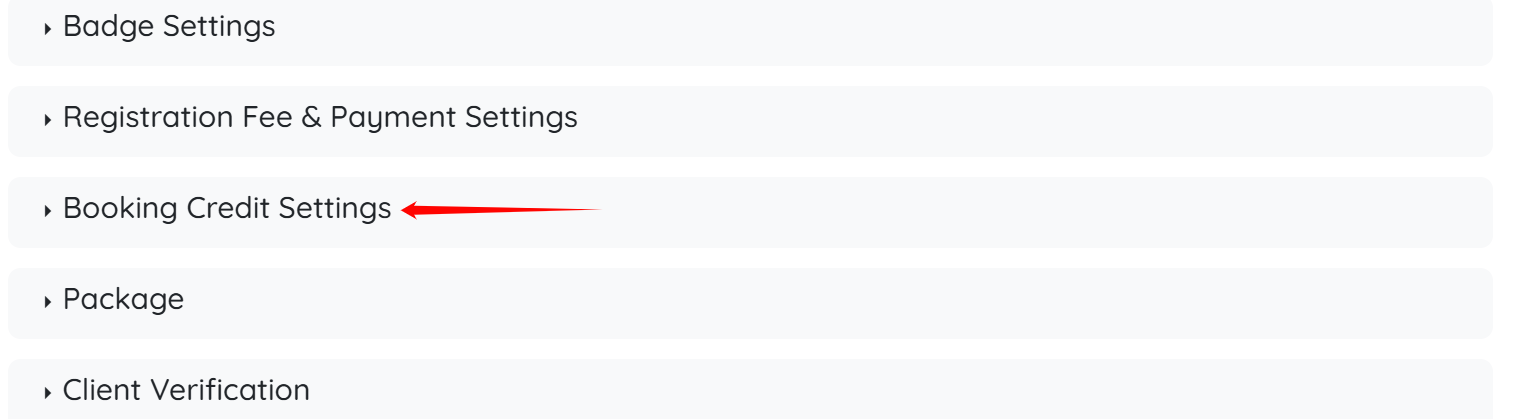
3. Click Booking Credit Settings option.
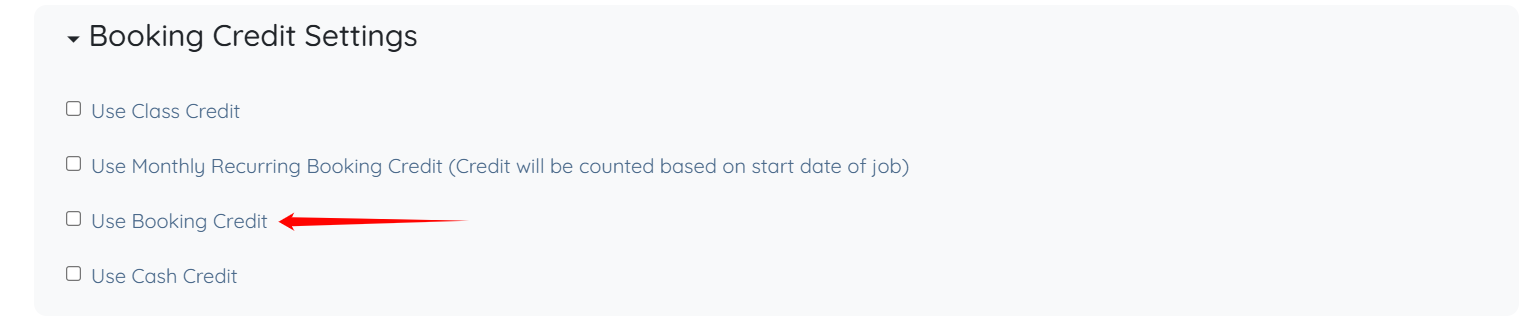
4. Check Use Booking Credit checkbox.
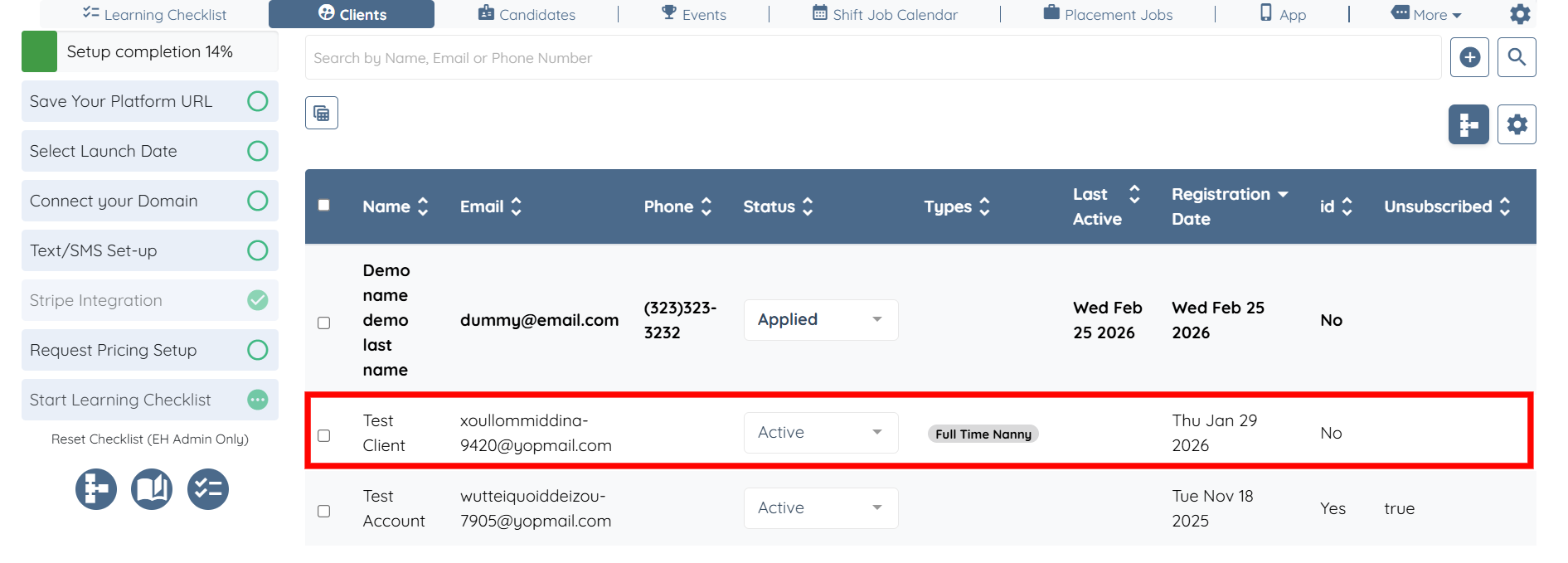
5. Then, Select a Client.
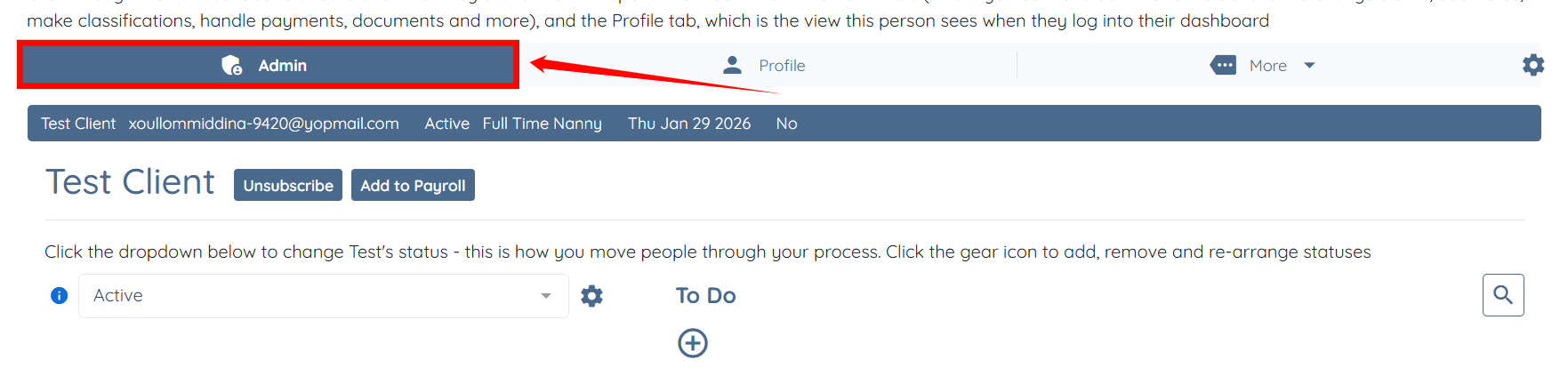
6. Select Admin view.
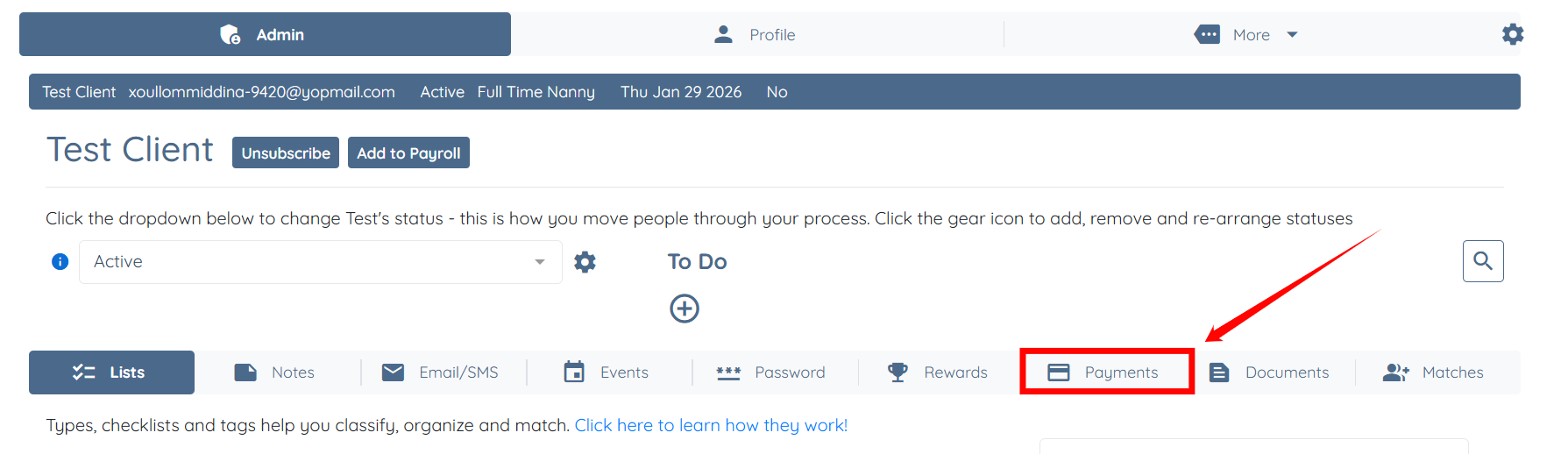
7. Select Payments tab.
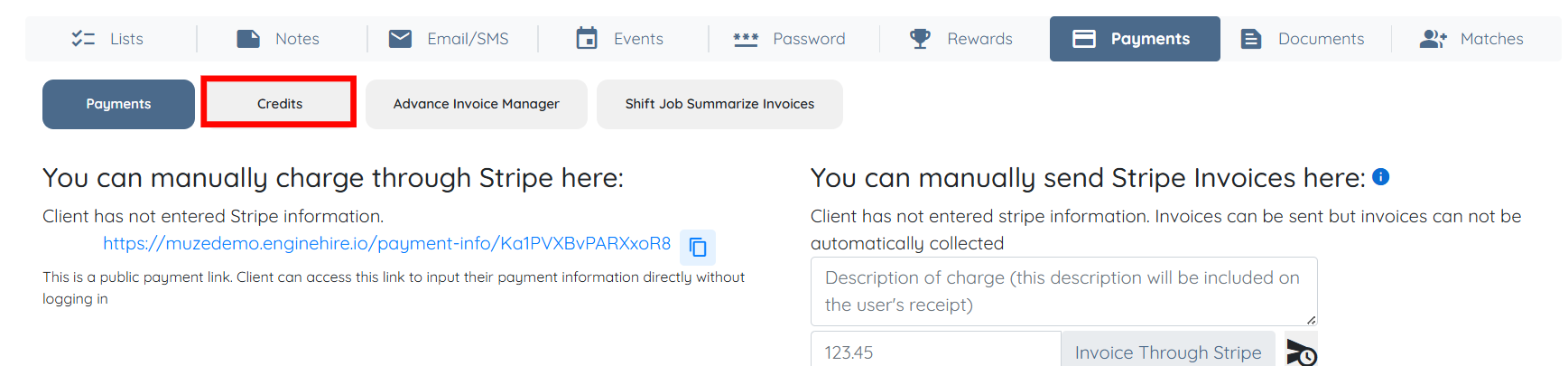
8. Select Credits tab.
9. Select Add Credit button.
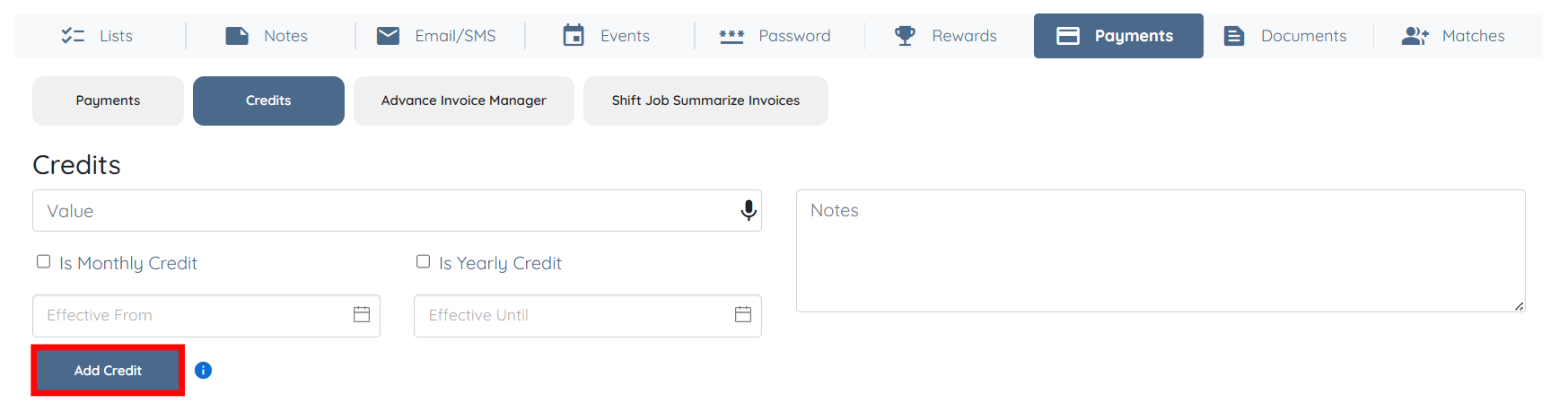
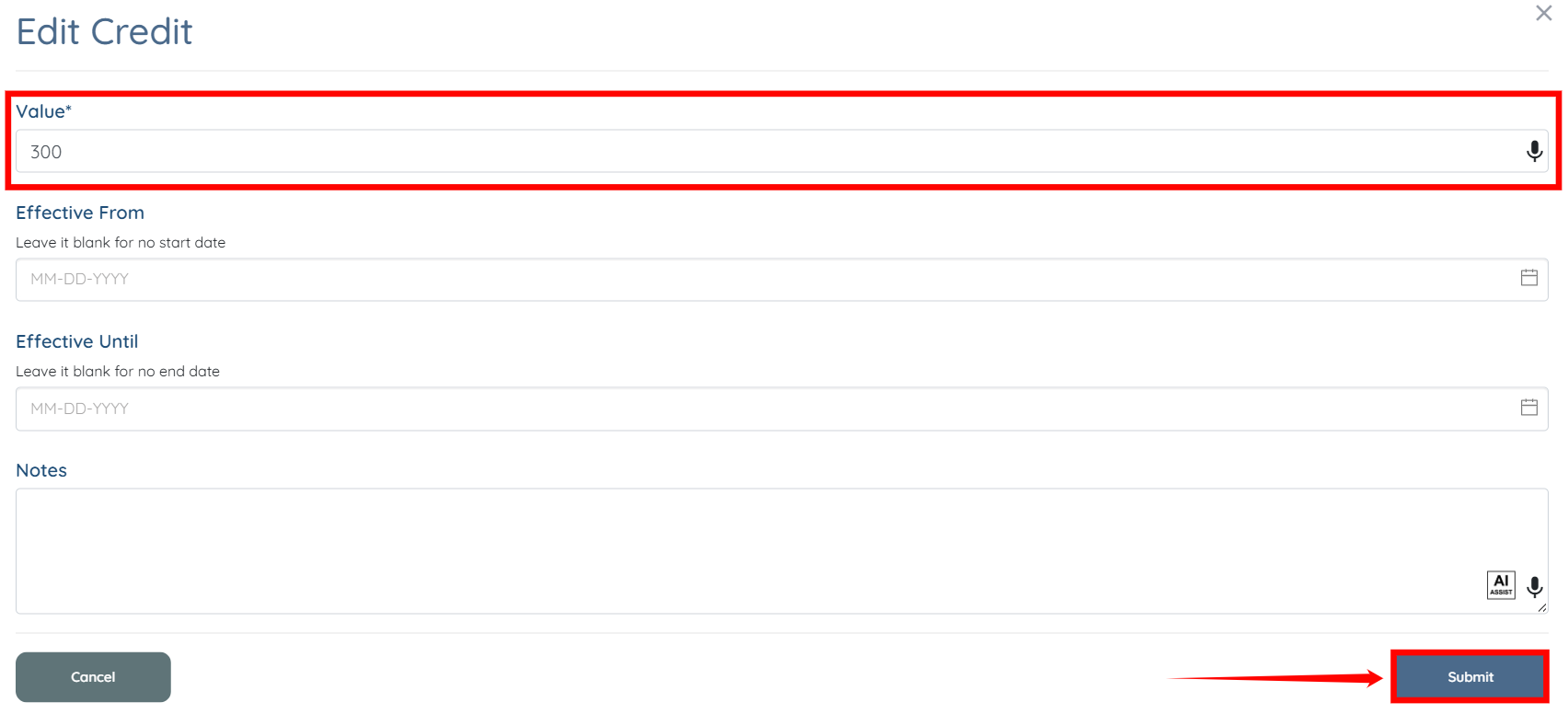
10. Select Edit button.

A. Add the Value.
B. Add the effective Start Date. Not Required.
C. Add the effective End Date. Not Required.
D. Add Notes. Not Required.
11. Select Submit.
If this doesn't answer your questions you can always contact us by clicking here.
