
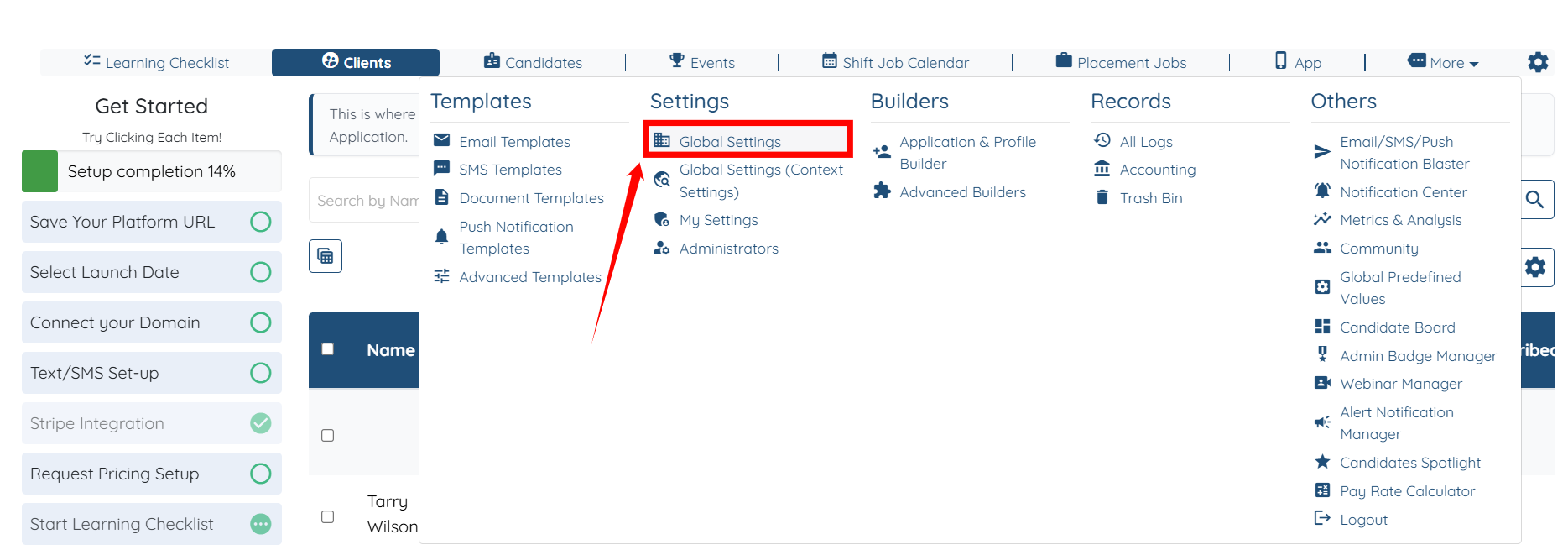
Go to Global Settings.
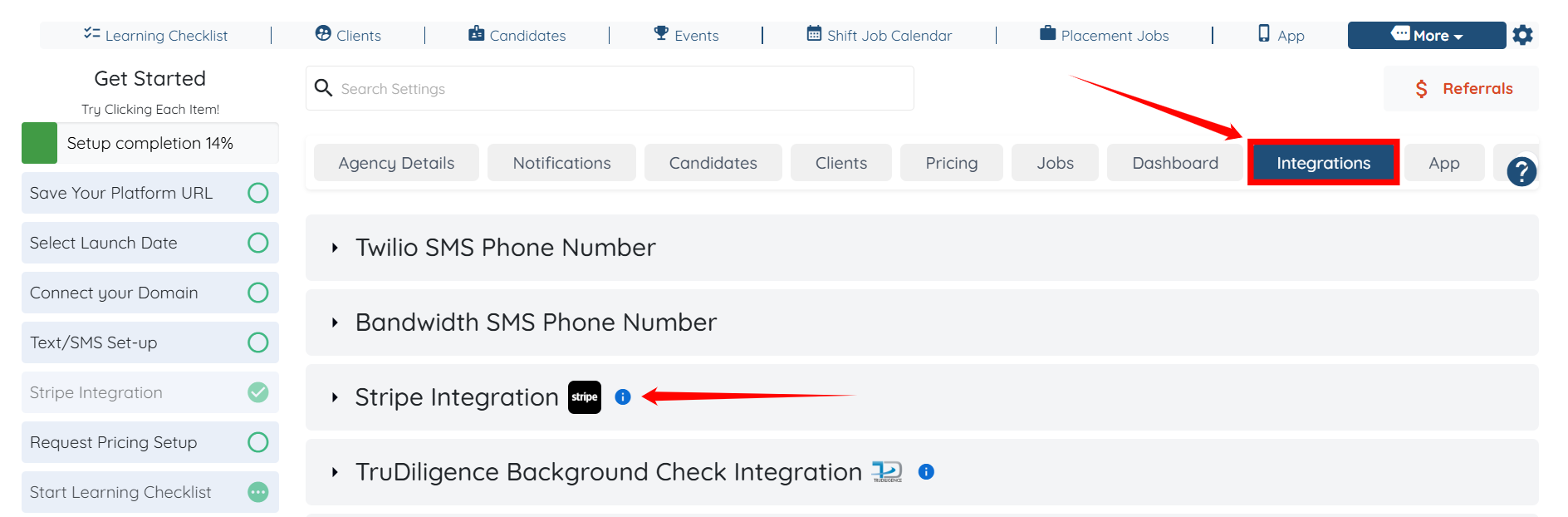
Go to Integrations and then click on Stripe Integration.
Checked the box and clicked on update settings.
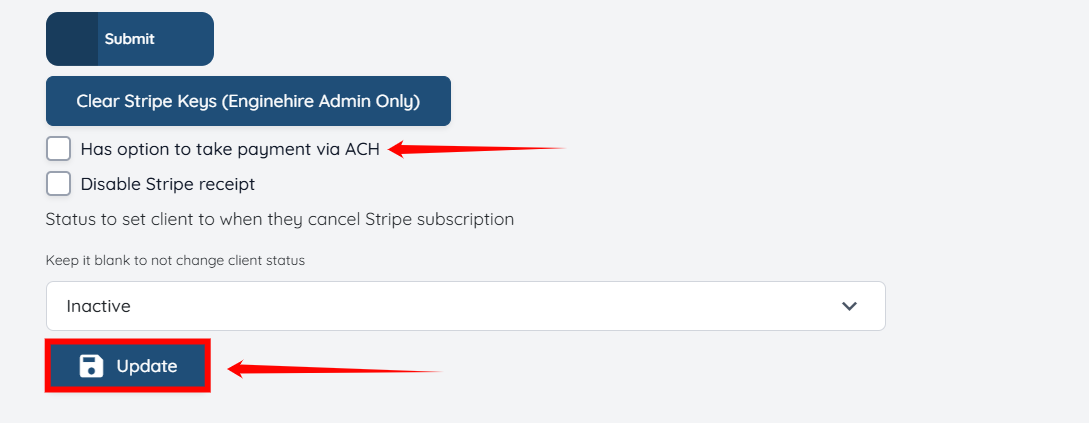
The ACH payment option is now active for your agency! Just make a small verification deposit, and once it’s confirmed, you’ll be all set to use ACH payments.
If this doesn't answer your questions you can always contact us by clicking here