

For demonstration purposes, this article uses candidates to show how to add documents; however, the same steps apply to clients.
Let’s get started 🚀
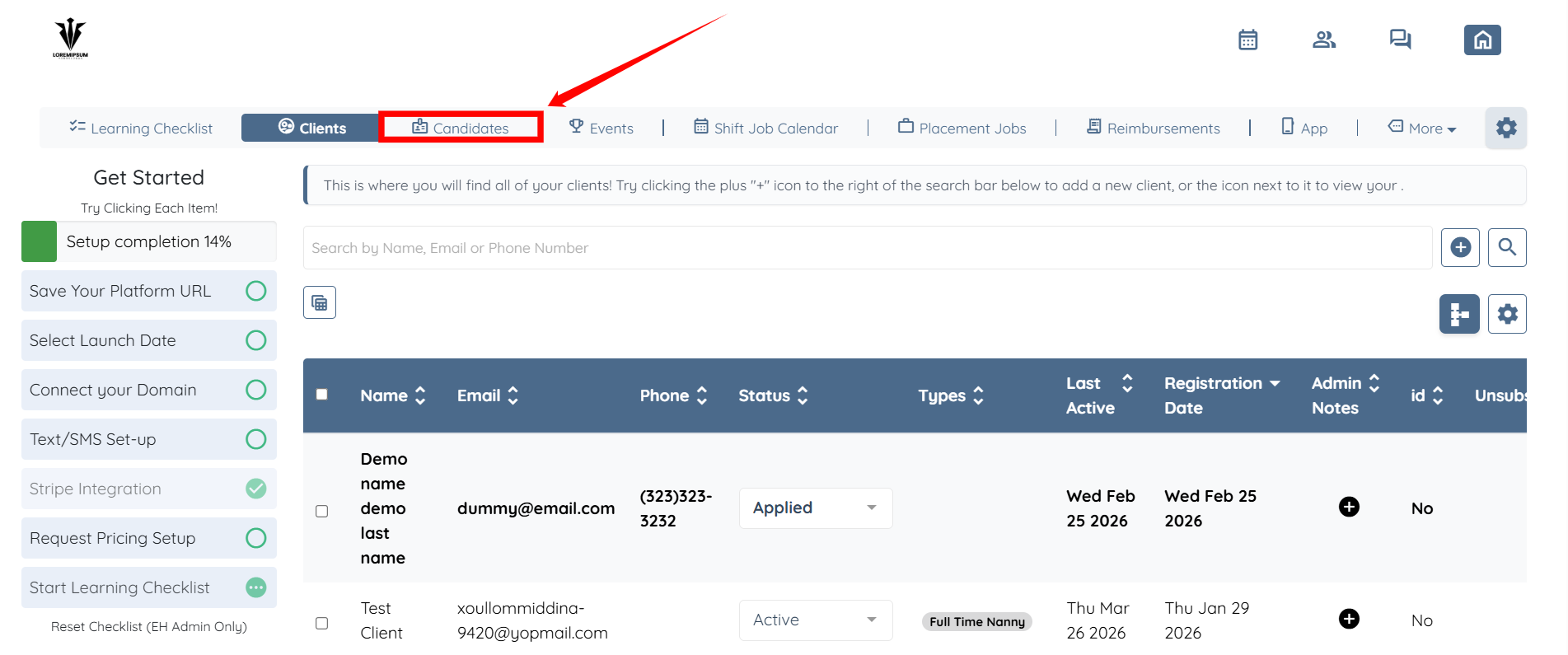
Step 1: Log in to your agent dashboard, then click Candidates in the navigation bar.
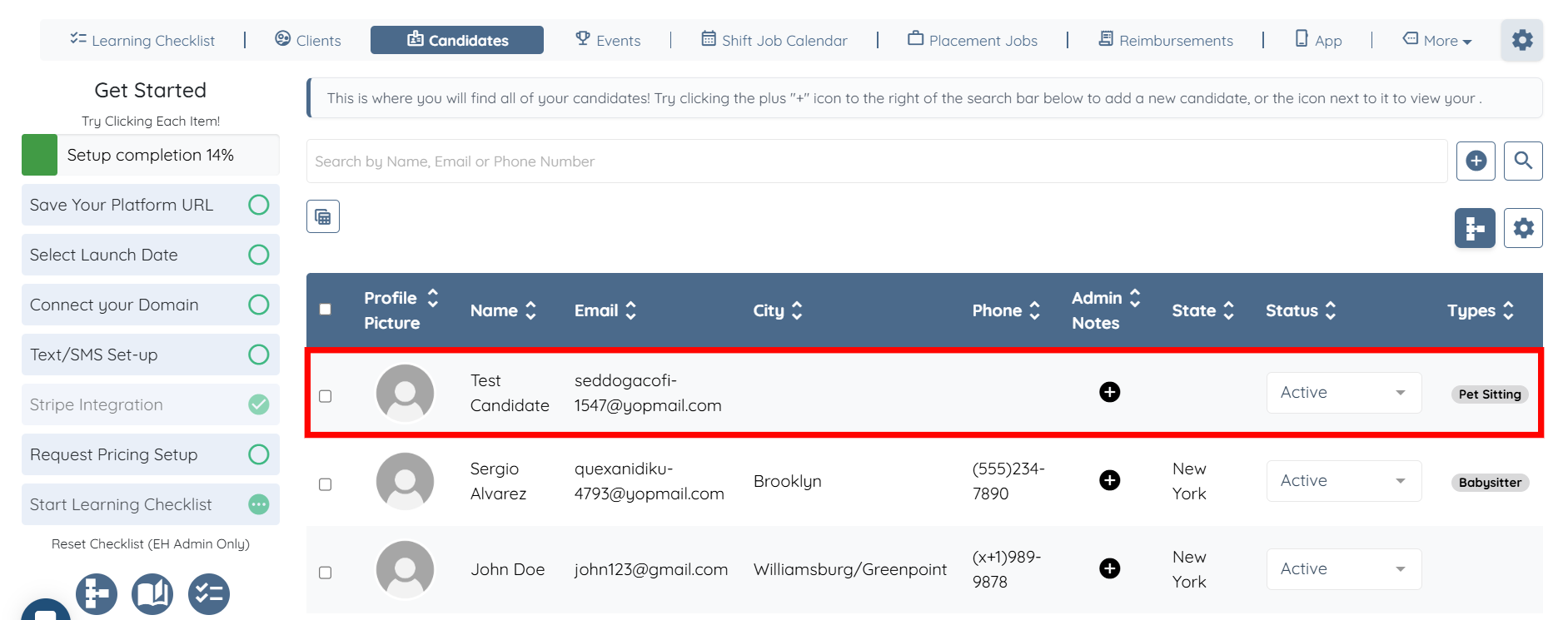
Step 2: Click the candidate in the list to which you want to add the document.
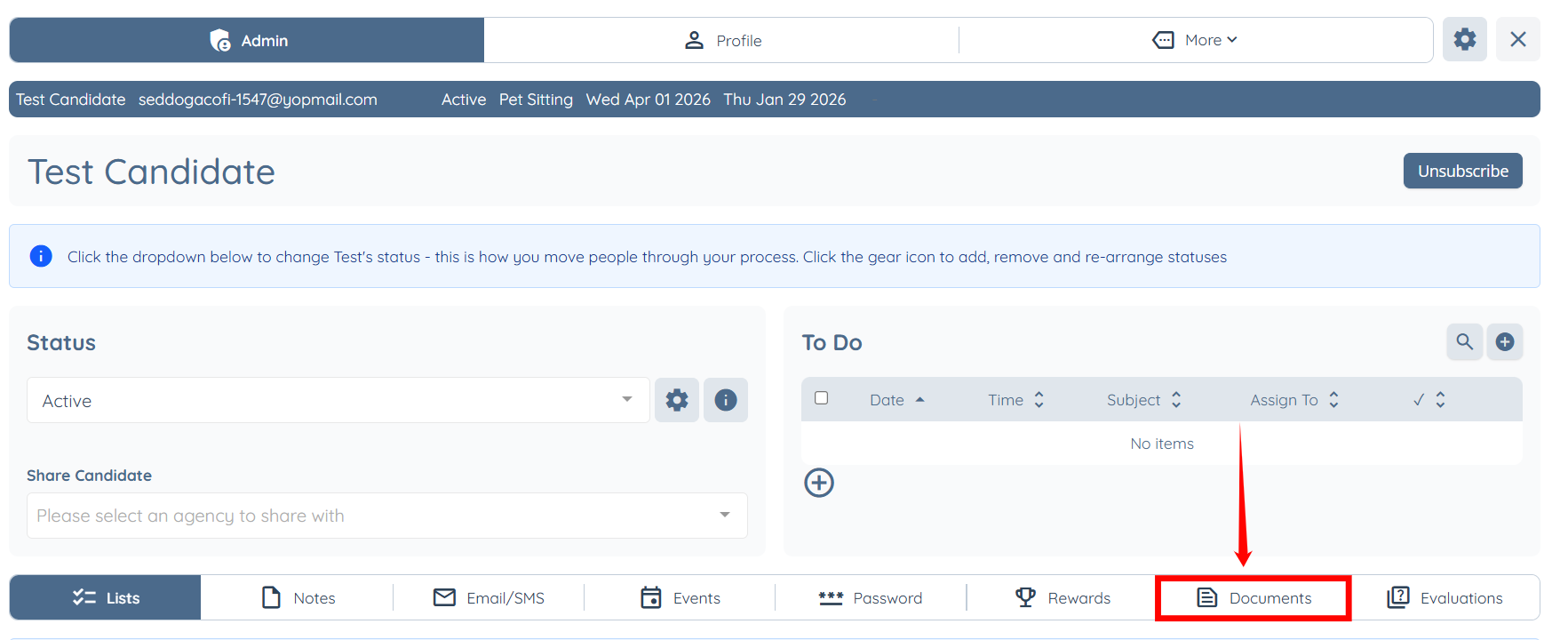
Step 3: Click the Documents tab.
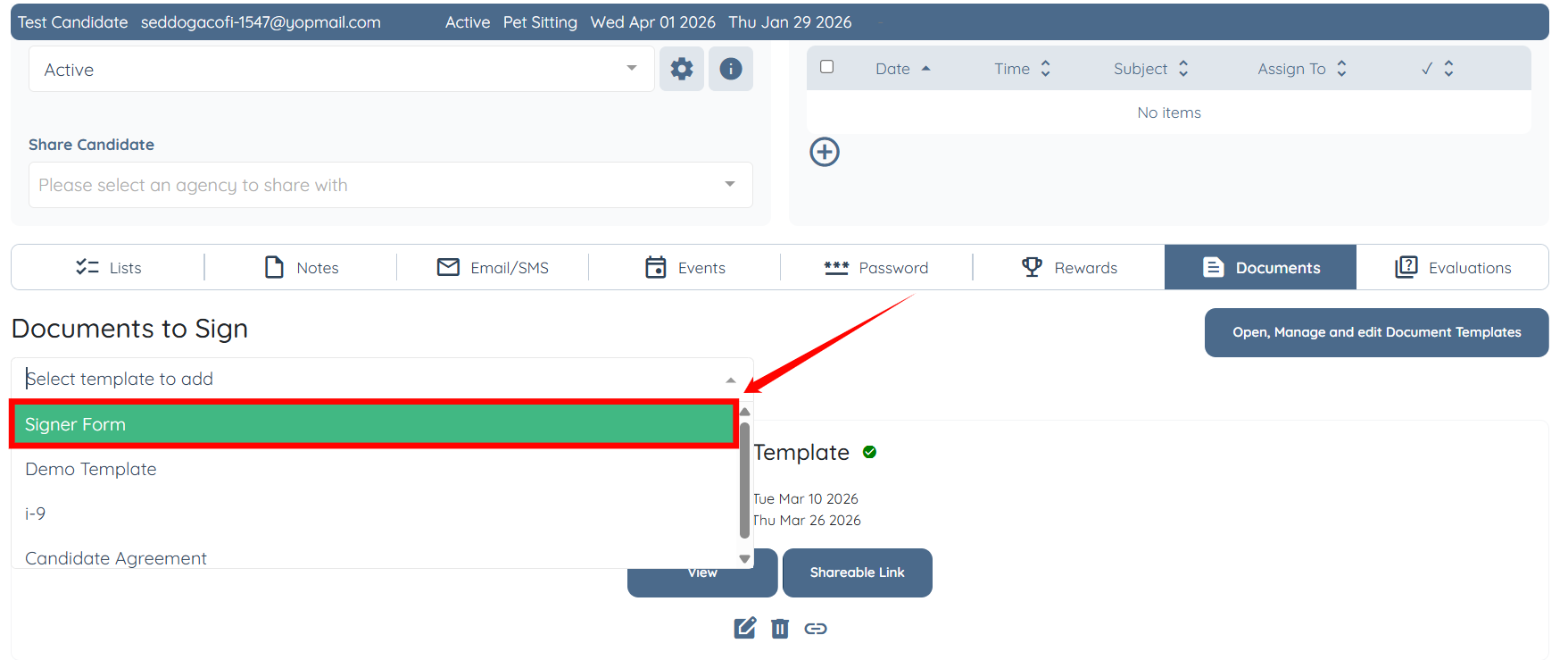
Step 4: Click the box under the Documents to Sign heading, as shown in the screenshot below.
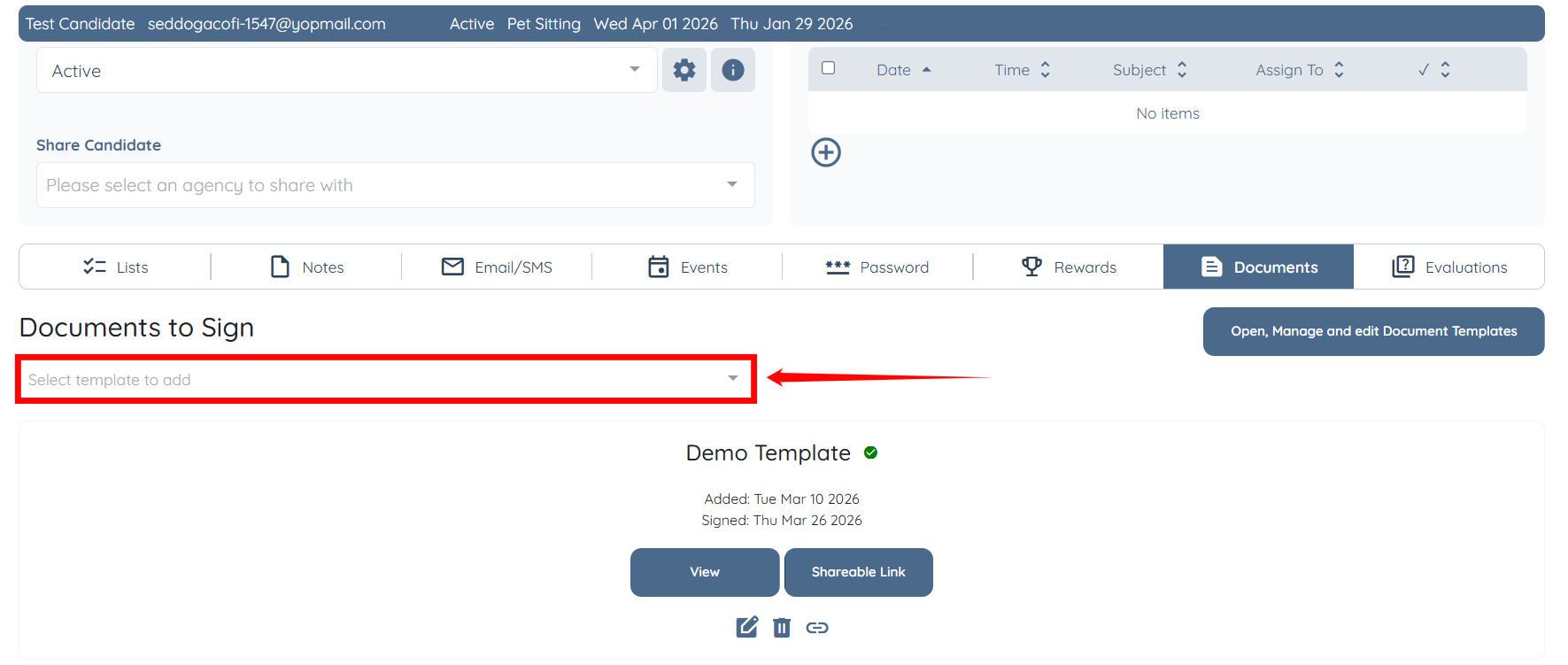
Step 5: Select the document you want to add from the list.
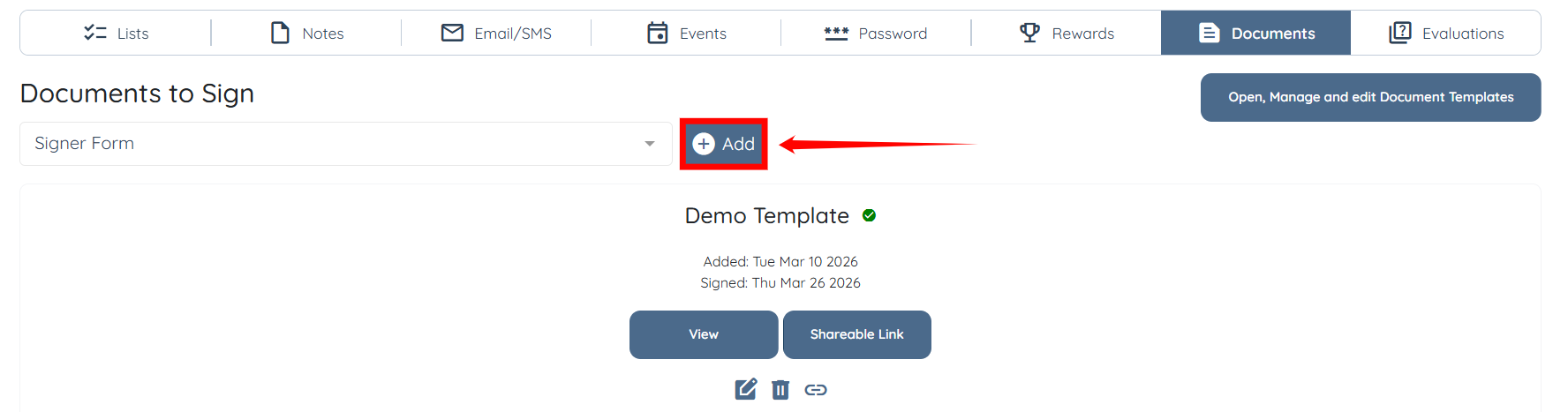
Step 6: Click the Add button to proceed.
The selected document will be added to the candidate successfully.
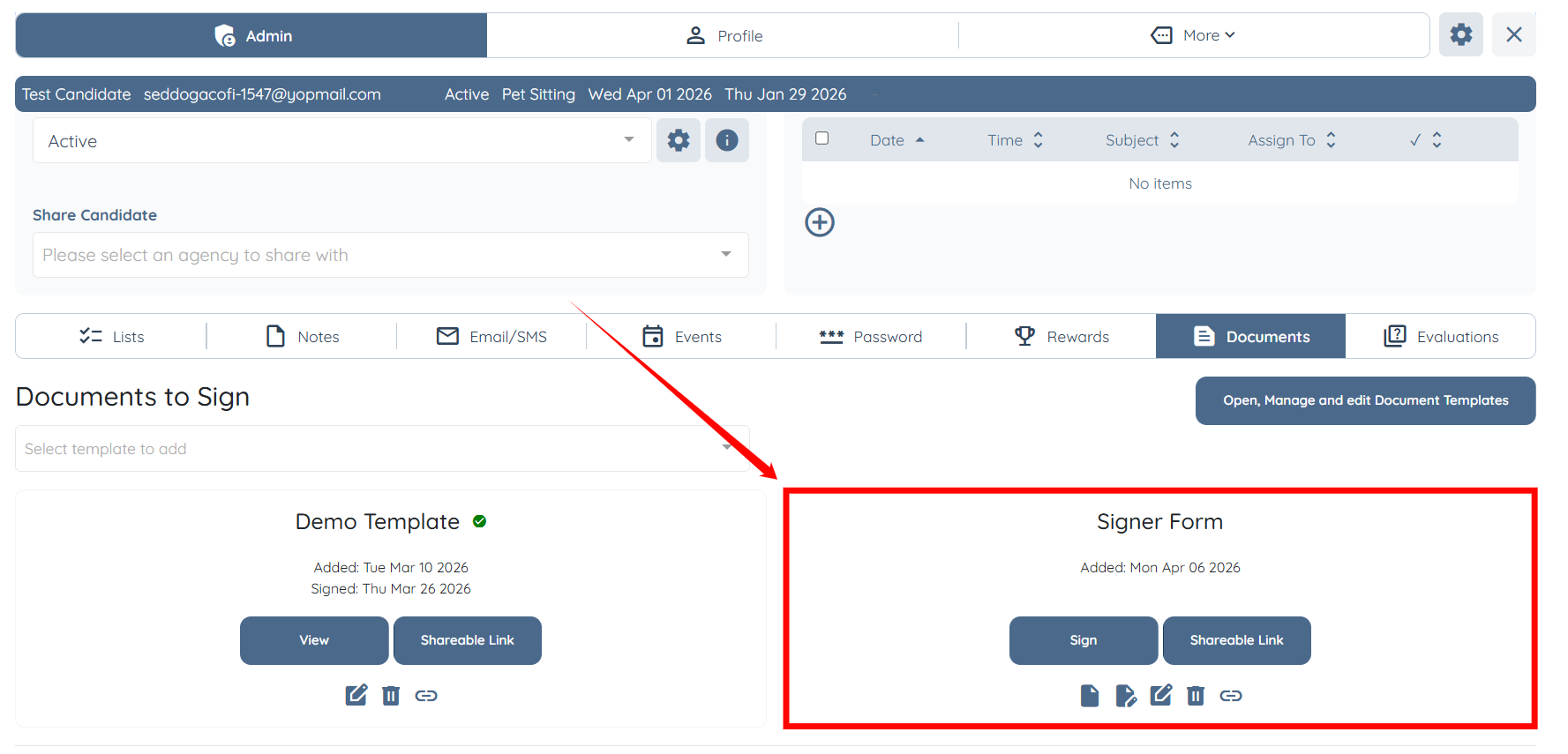
Admin can never sign a document on a client or candidate's behalf.
If this doesn't answer your questions you can always contact us by clicking here