Let’s get started 🚀
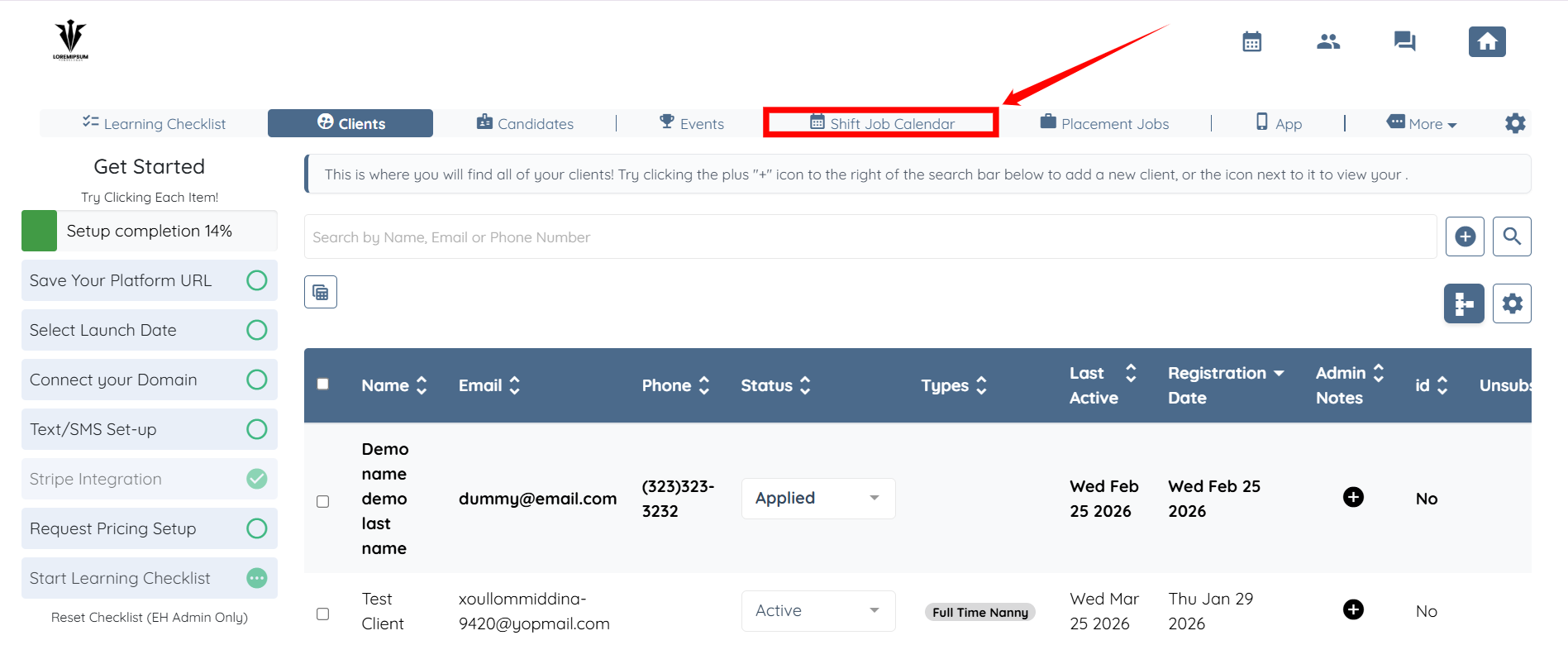
Step 1: Log in to your agent dashboard and click on Shift Job Calendar from the navigation bar.
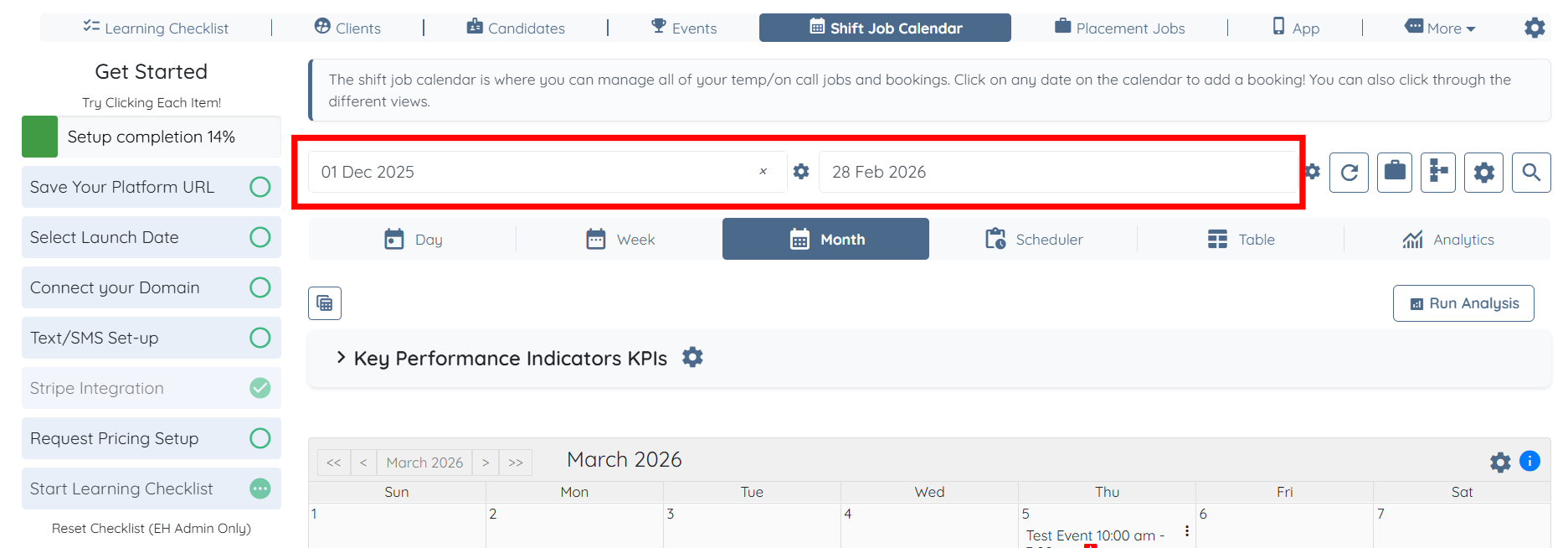
Step 2: Select the required date range to filter the shift job summaries.
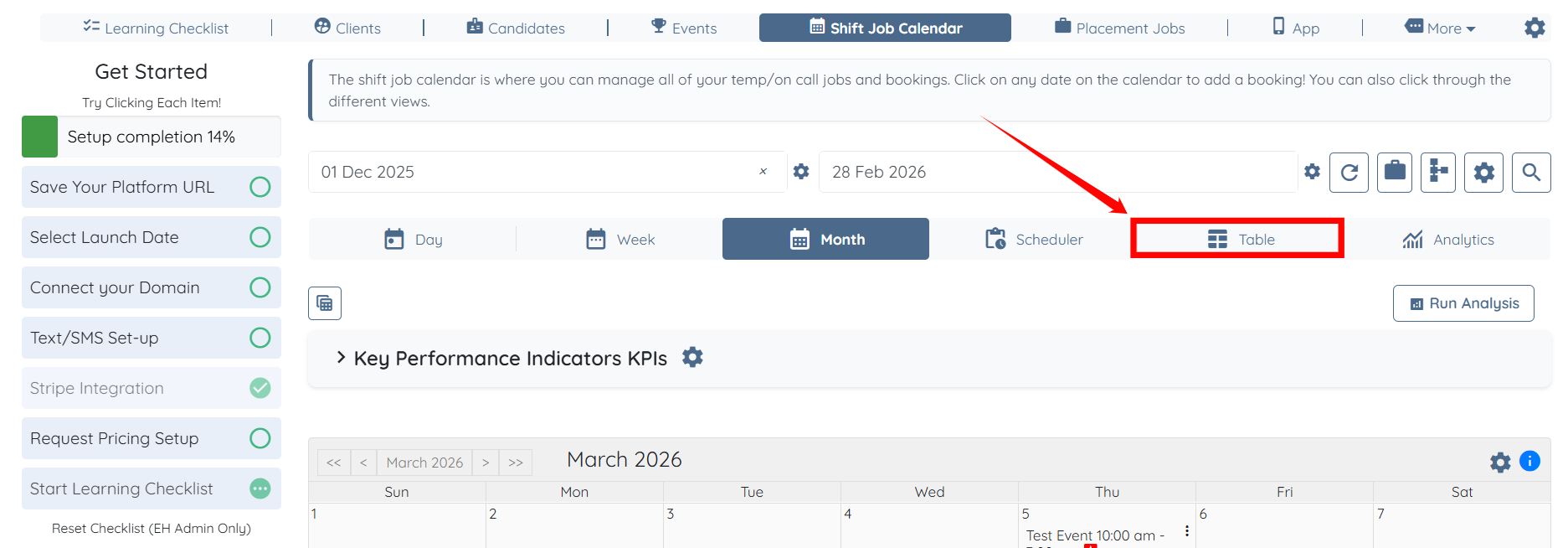
Step 3: Click the Table tab to switch to the table view.
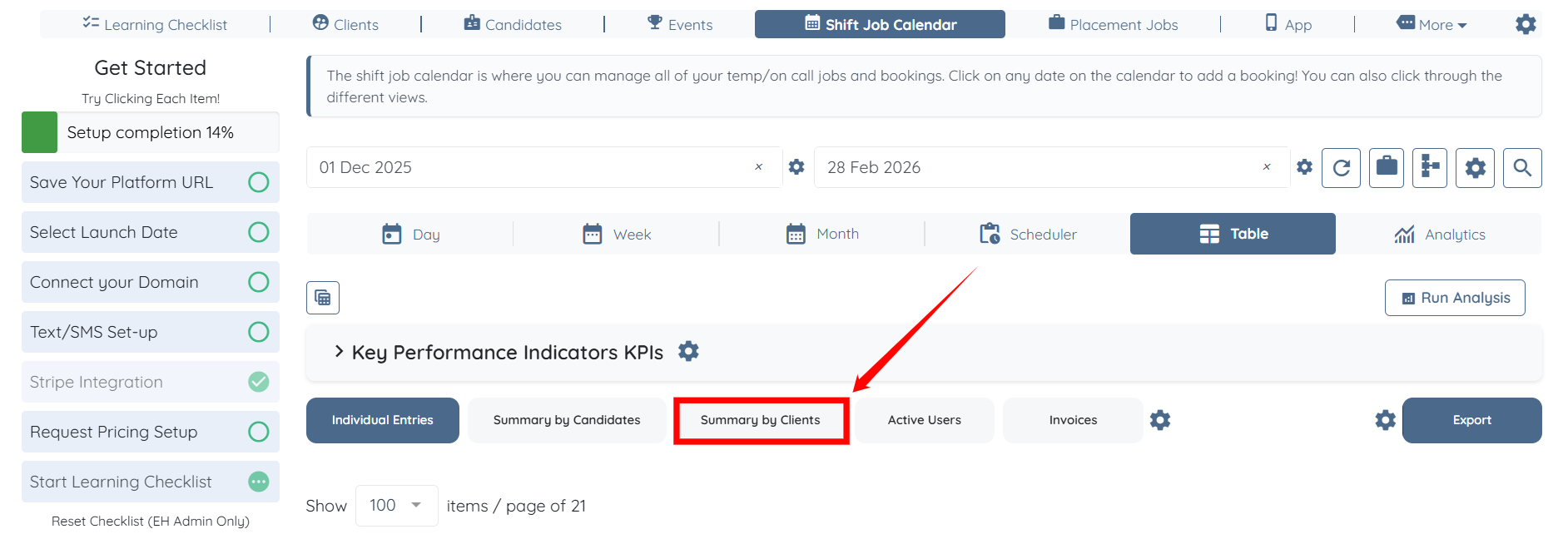
Step 4: Click the Summary by Clients button.
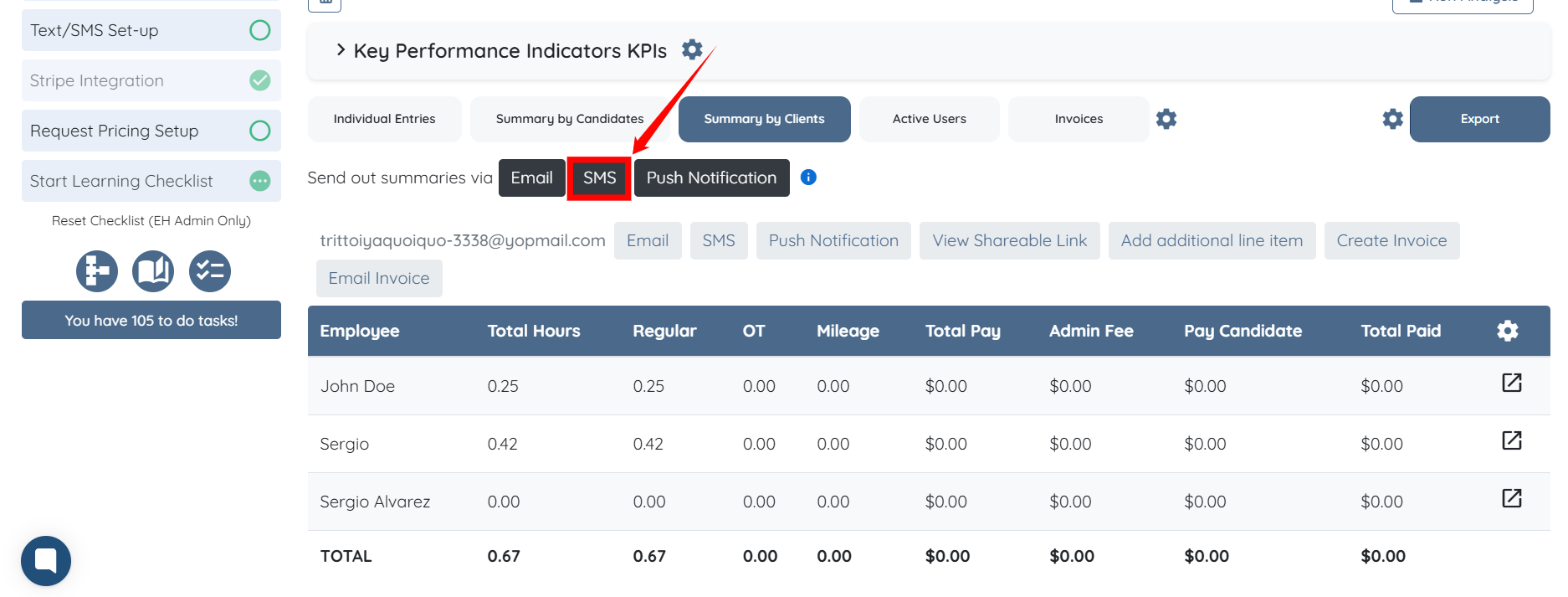
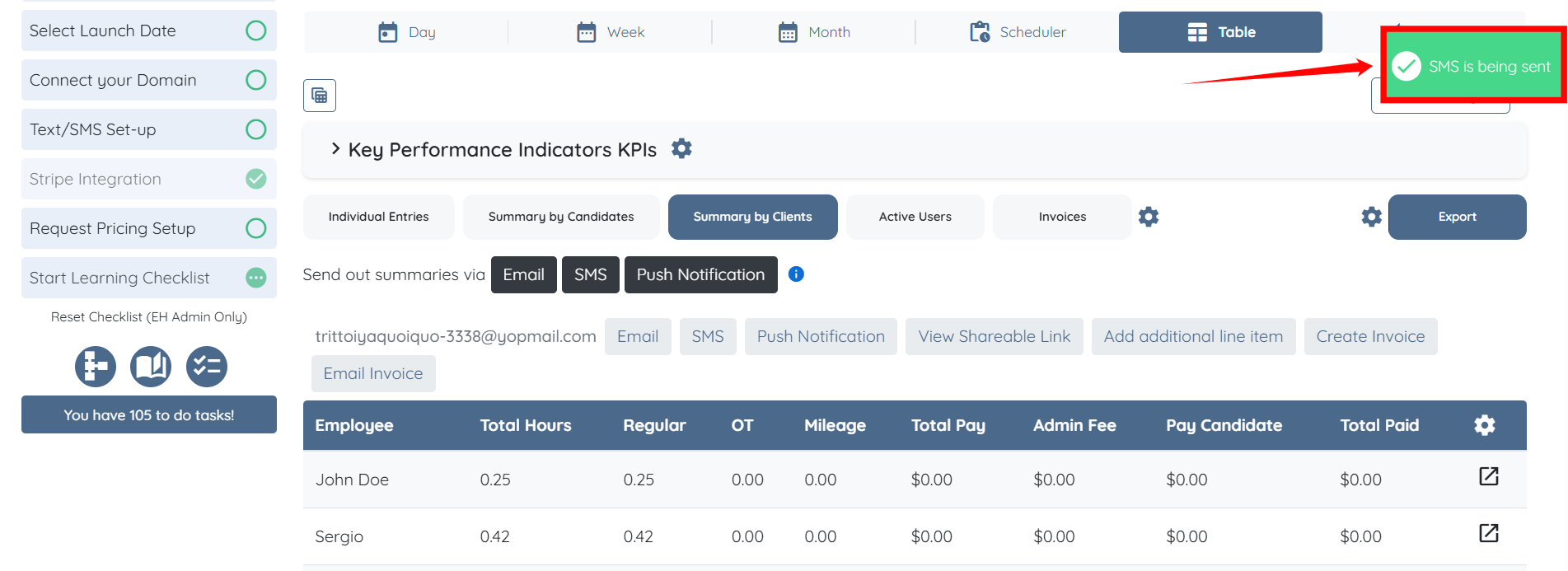
Step 5: You will now see three buttons that allow you to send summaries via Email, SMS, and Push Notification. For demonstration purposes, we will use the SMS option.
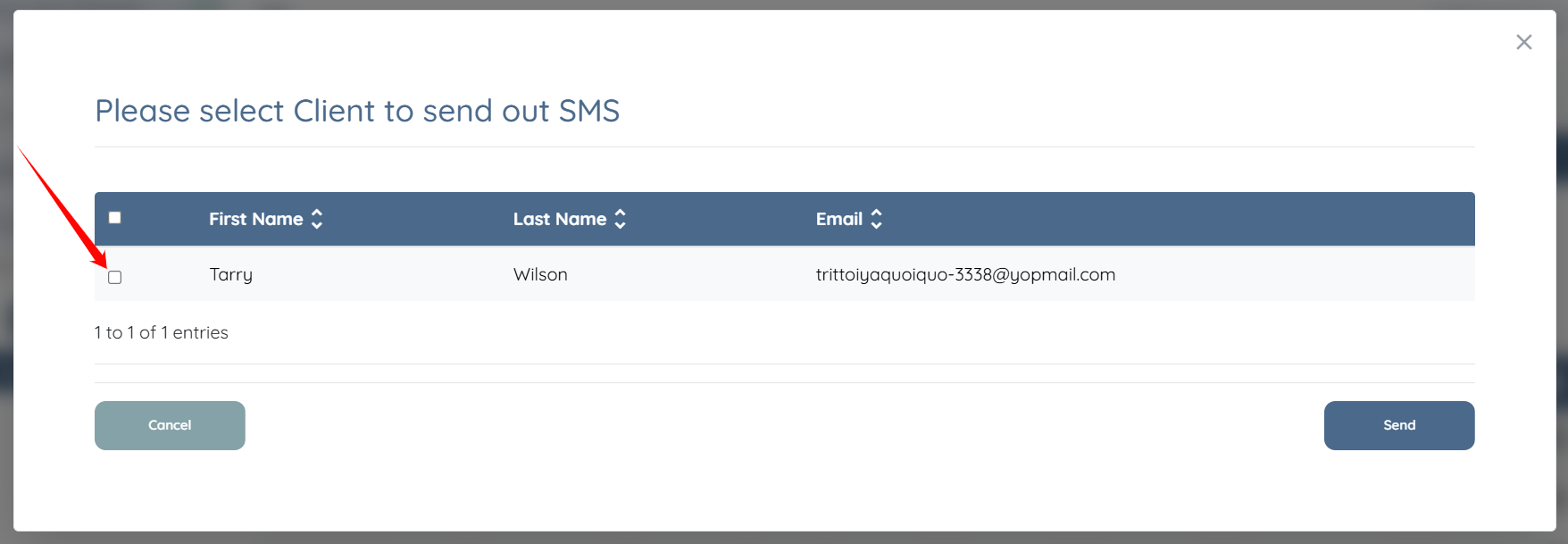
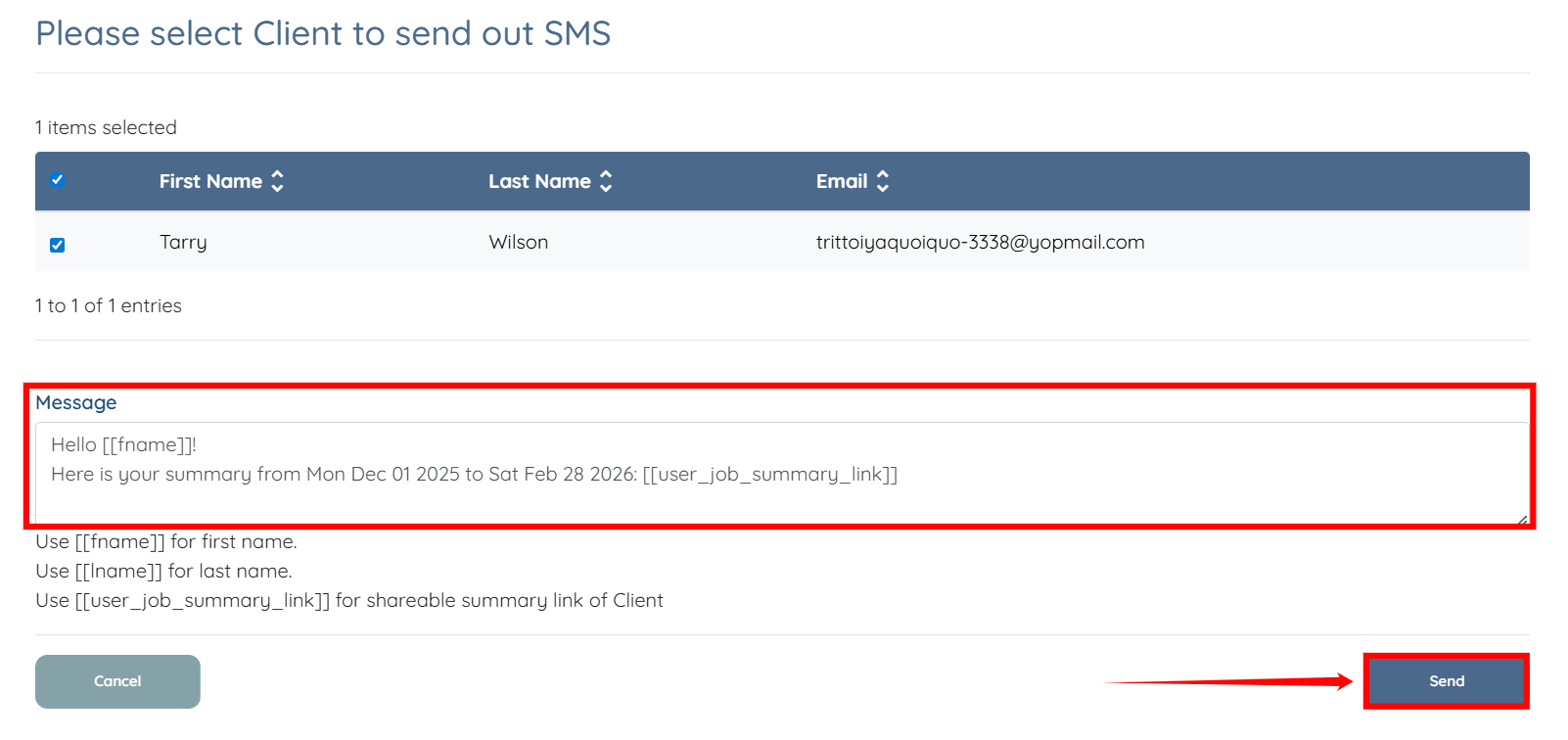
Step 6: Select the client(s) you want to send the summary to by checking the checkbox before their name, as shown in the screenshot below.
Step 7: Edit or customize the message if needed, then click Send to send the SMS to the selected client(s).
The SMS will be sent successfully.
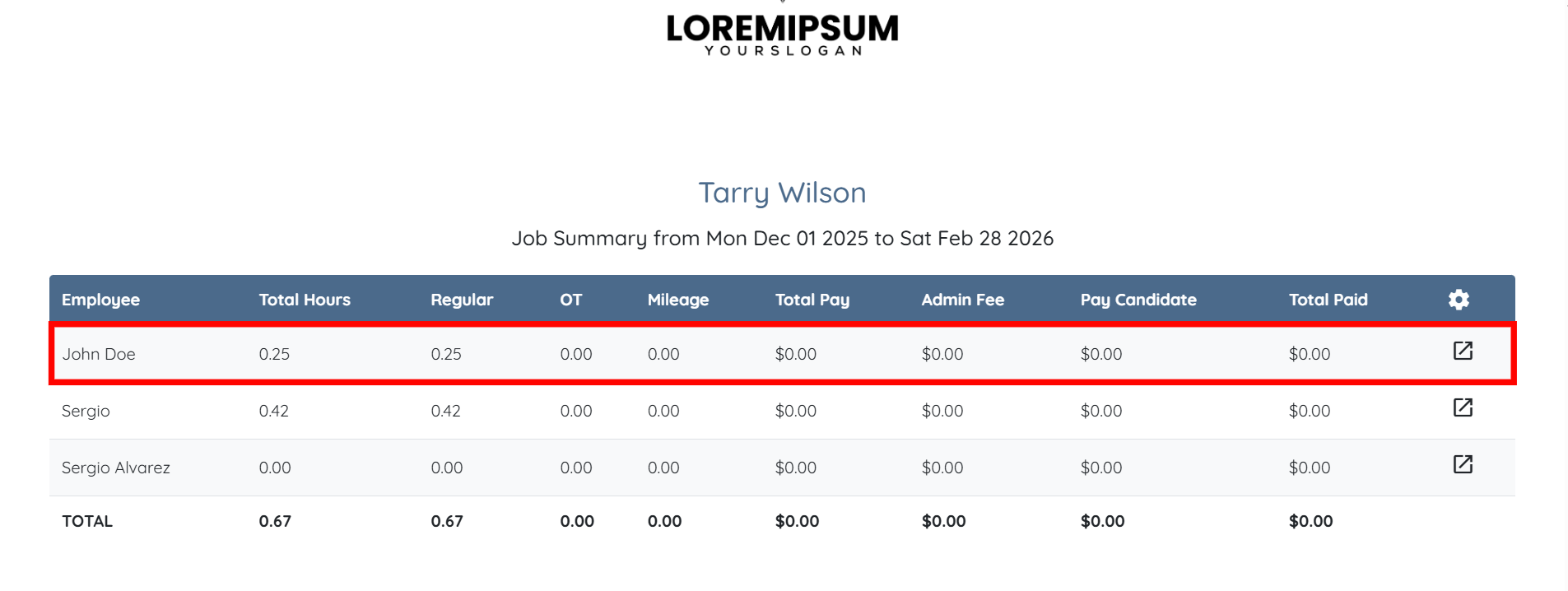
The [[user_job_summary_link]] tag inserts a unique link for each client.
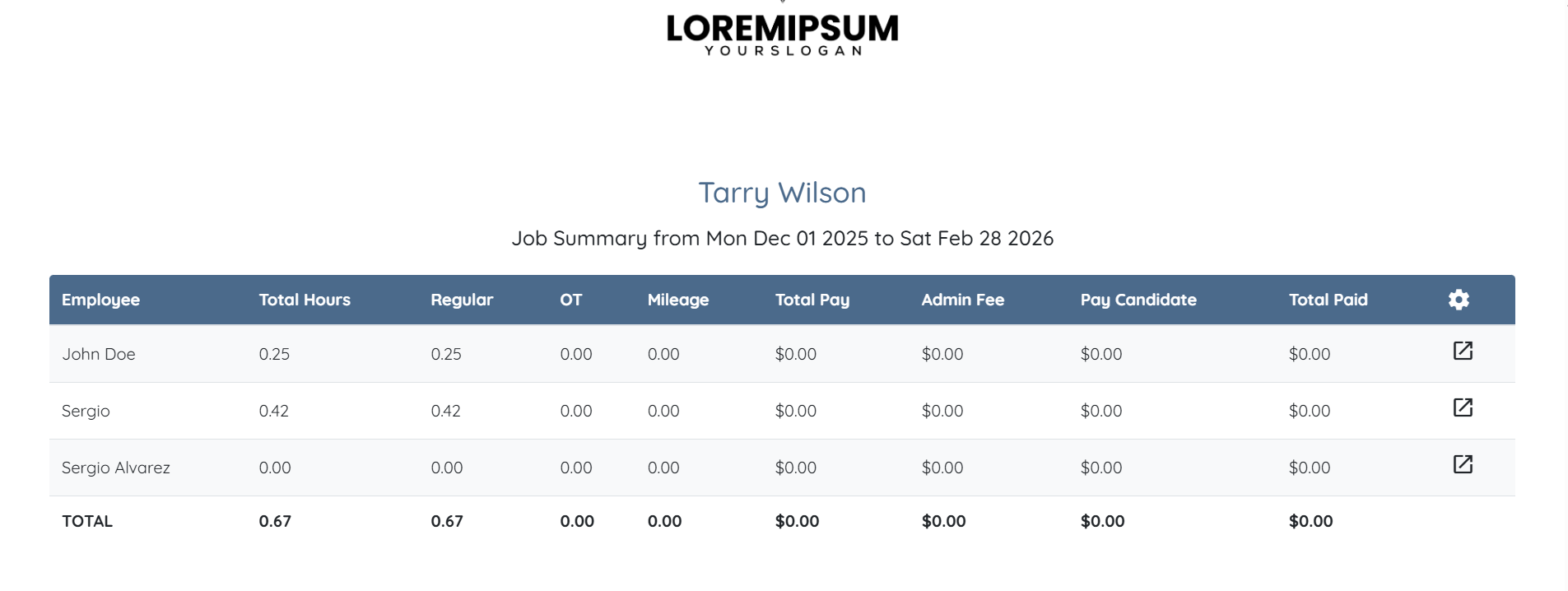
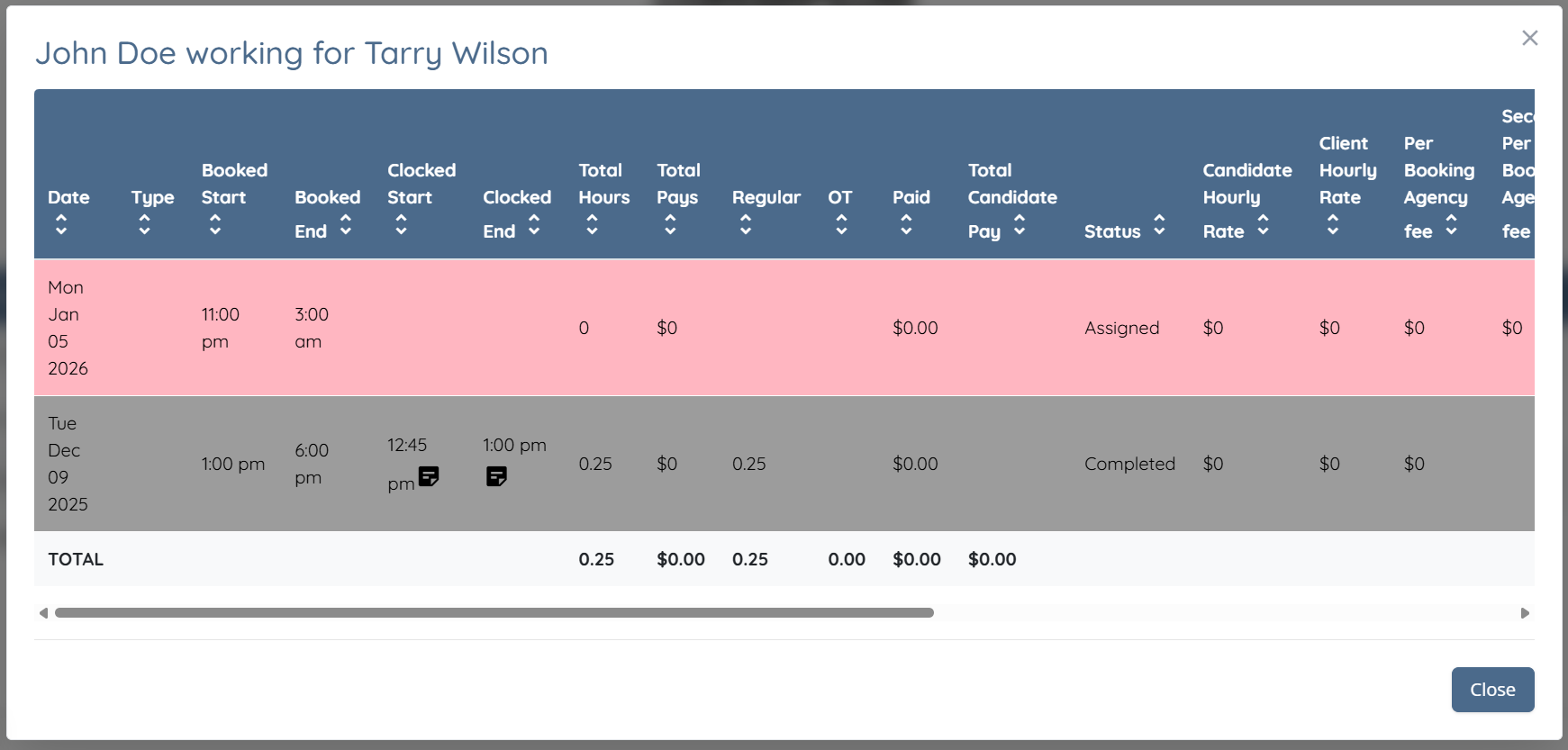
Client(s) can click on any row to view more details, including a breakdown of shift jobs by date.