Let’s get started 🚀
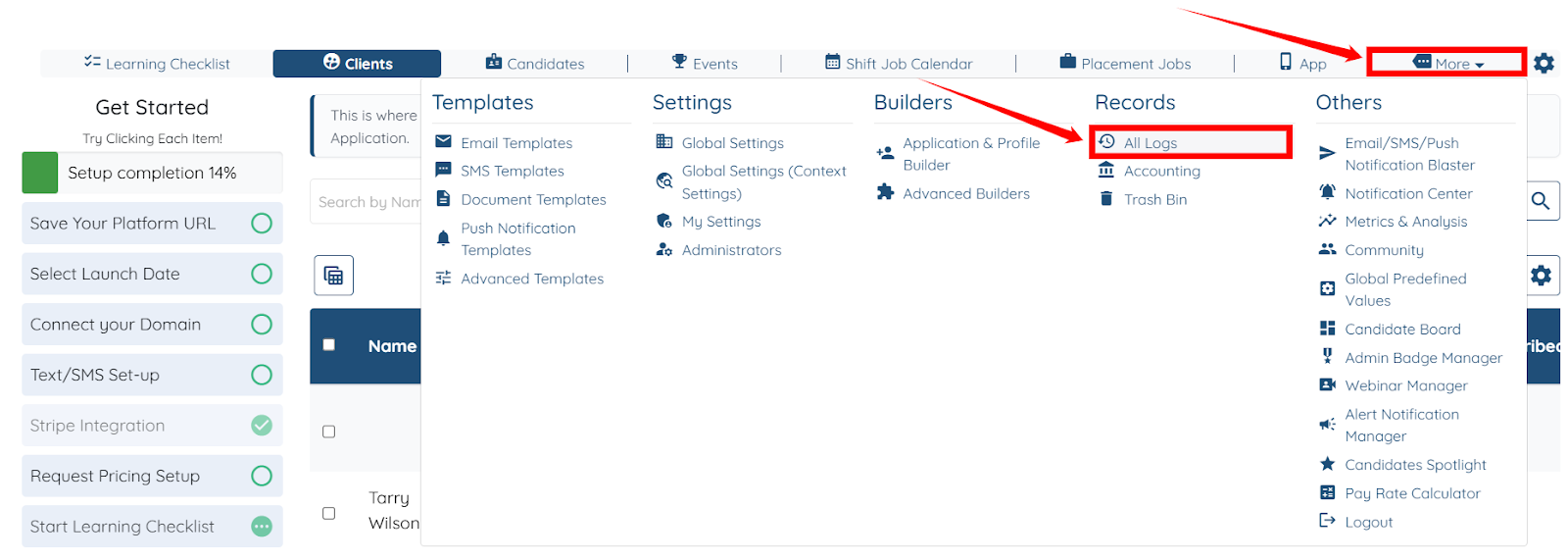
Step 1: Log in to your agent dashboard and click More > All Logs, as shown in the screenshot below.
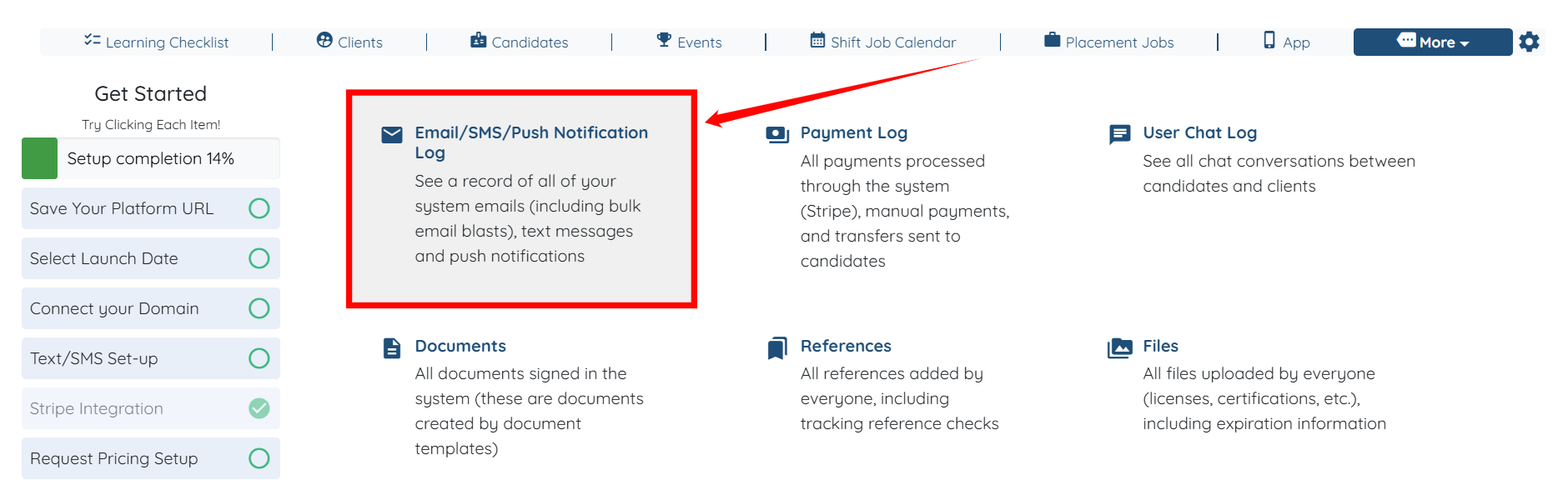
Step 2: Click the Email/SMS/Push Notification Log option to view the system emails, including bulk email blasts.
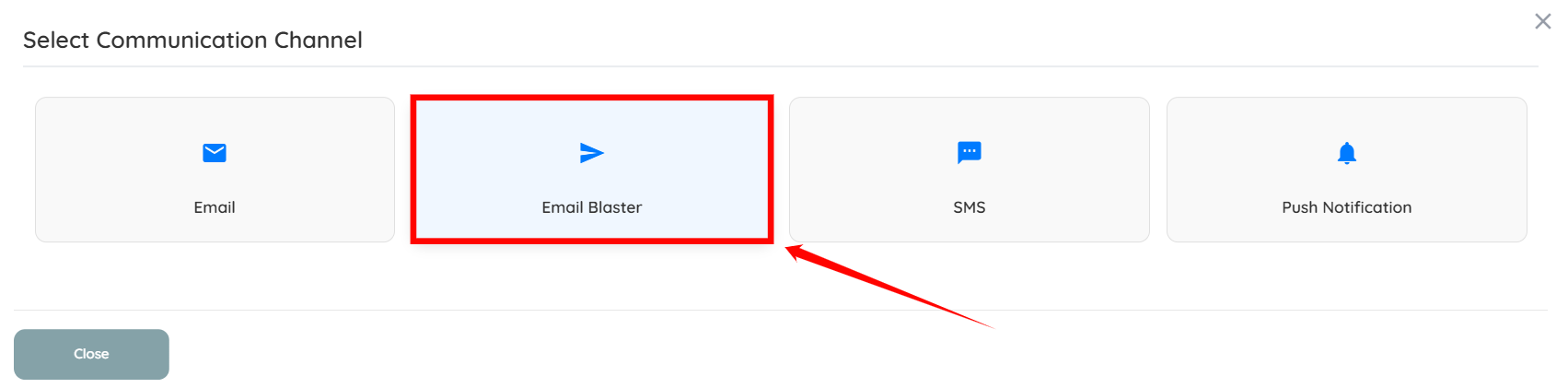
Step 3: Select Email Blaster as the Communication Channel.
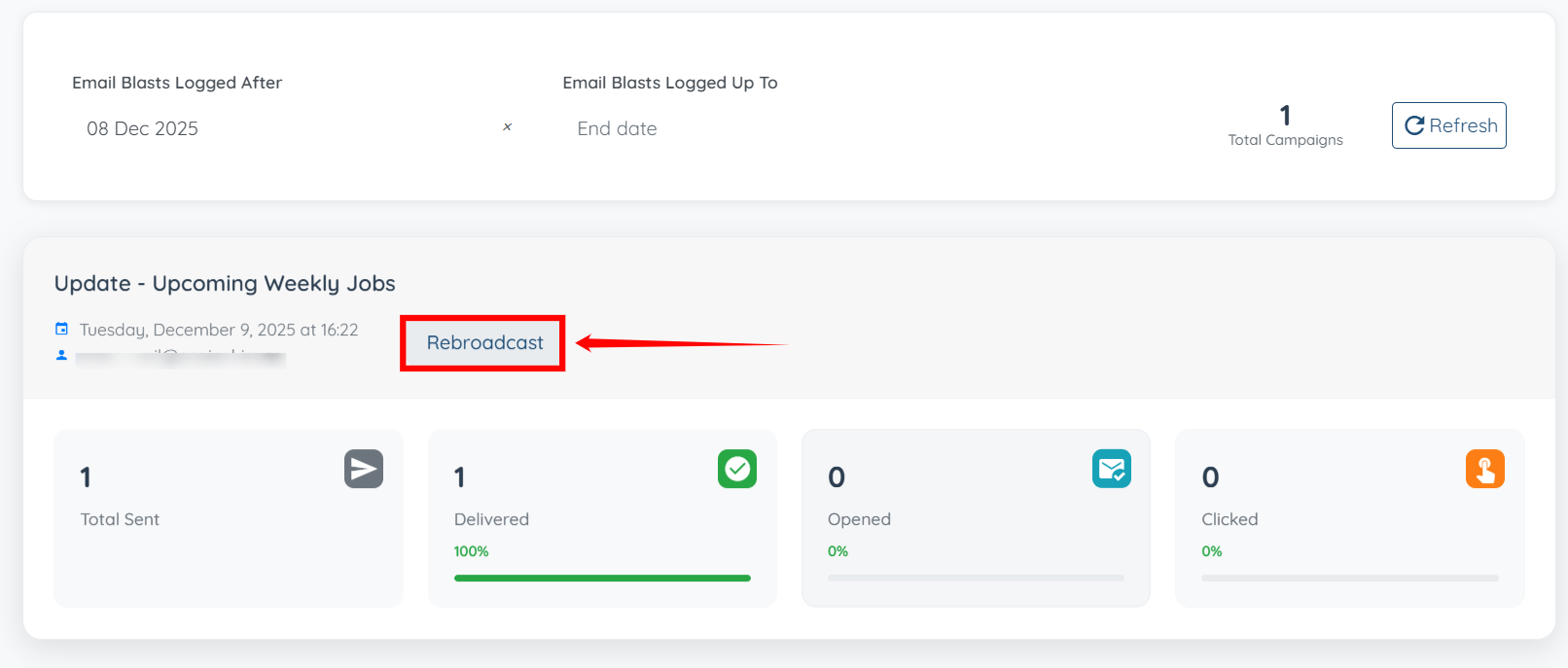
Step 4: Scroll down to review the metrics for previously sent email blasts. Use these metrics to evaluate the performance and engagement of your emails.
S.no | Metric | Description |
1 | Total | The total number of email addresses the email blast was sent to. |
2 | Delivered | The number of emails that successfully reached recipients’ inboxes. |
3 | Opened | The number of emails that were opened by recipients. |
4 | Clicked | The number of times a link within the email was clicked. |
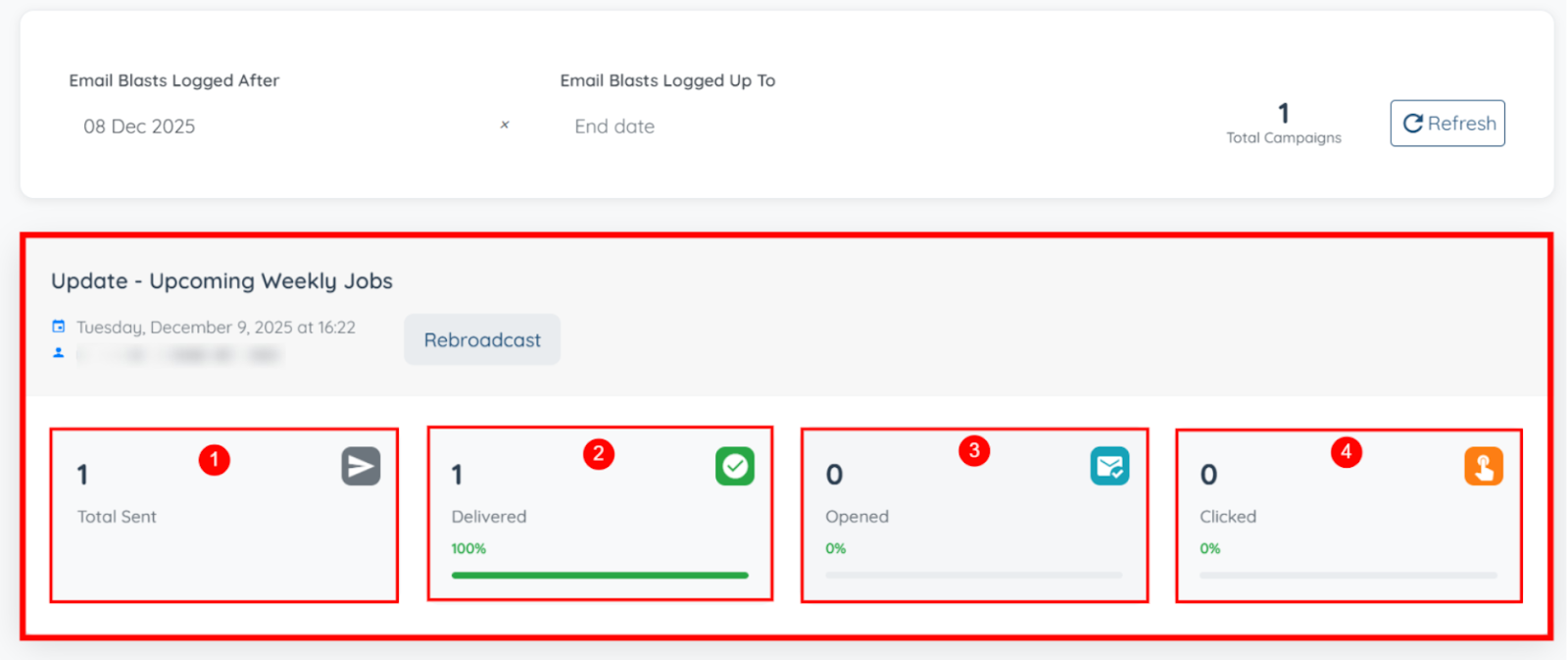
Step 5: You can also click the Rebroadcast button to rebroadcast the same email again.
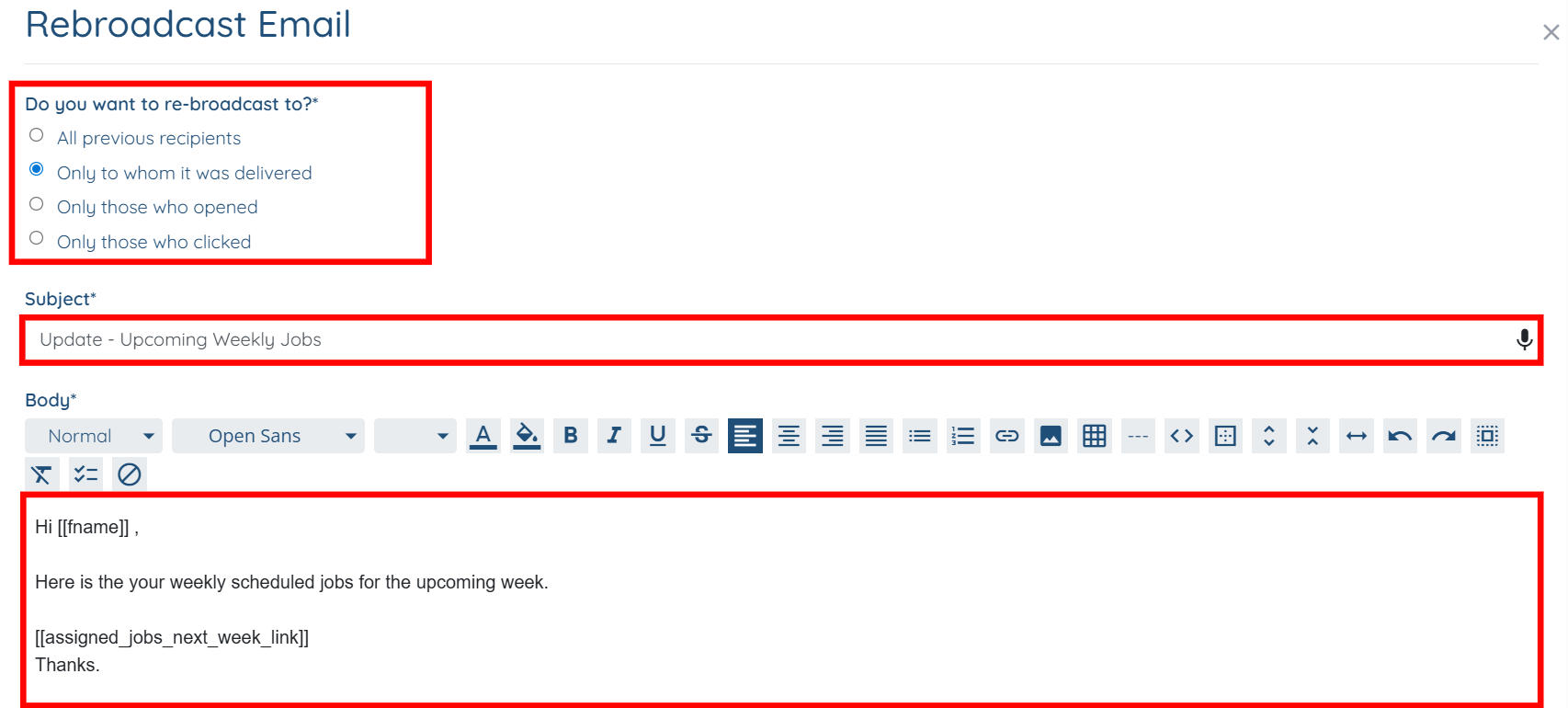
Step 6: Select the recipients to whom you want to rebroadcast the email, and you may also modify the email’s Subject and Body if you choose to do so.
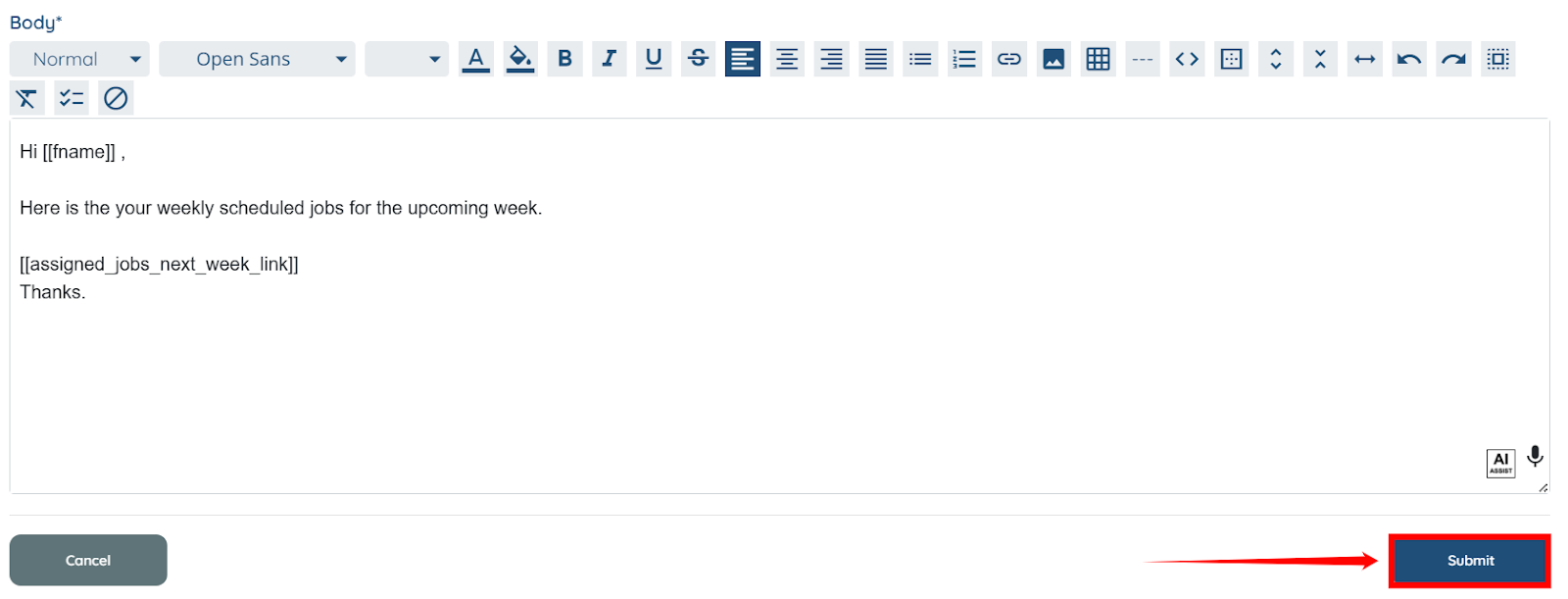
Step 7: Scroll down and click the Submit button to rebroadcast the email.
If this doesn't answer your questions you can always contact us by clicking here
