
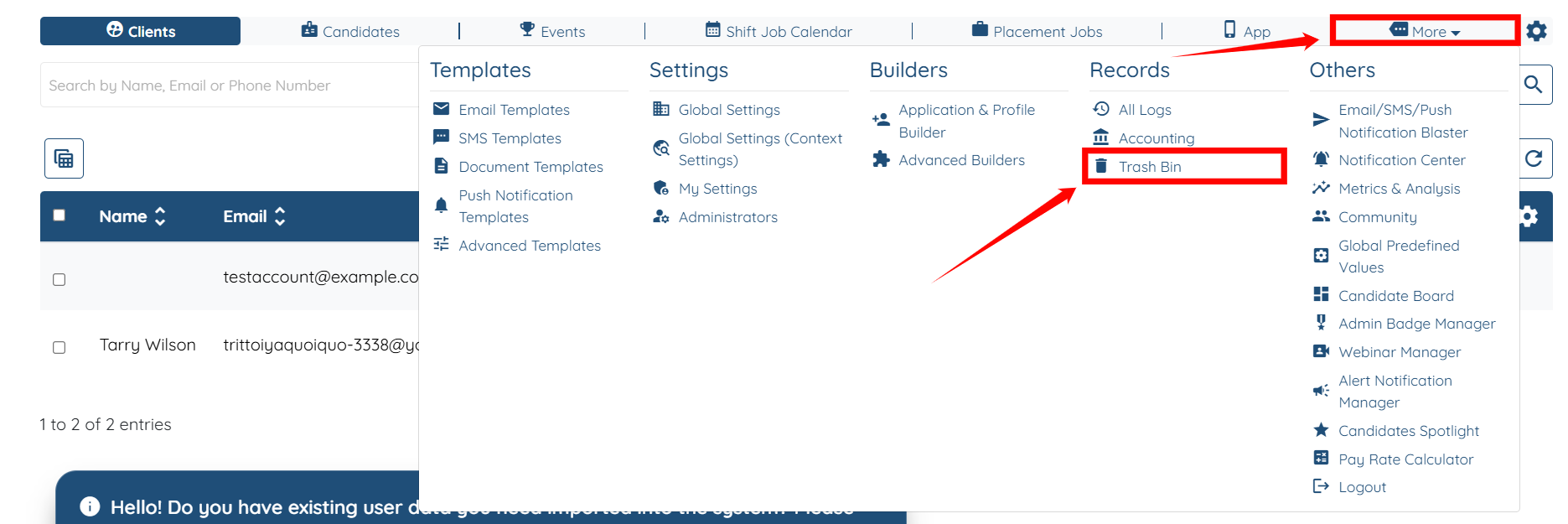
1. Log in to your agent dashboard, then navigate to More > Trash Bin, as shown in the screenshot below.
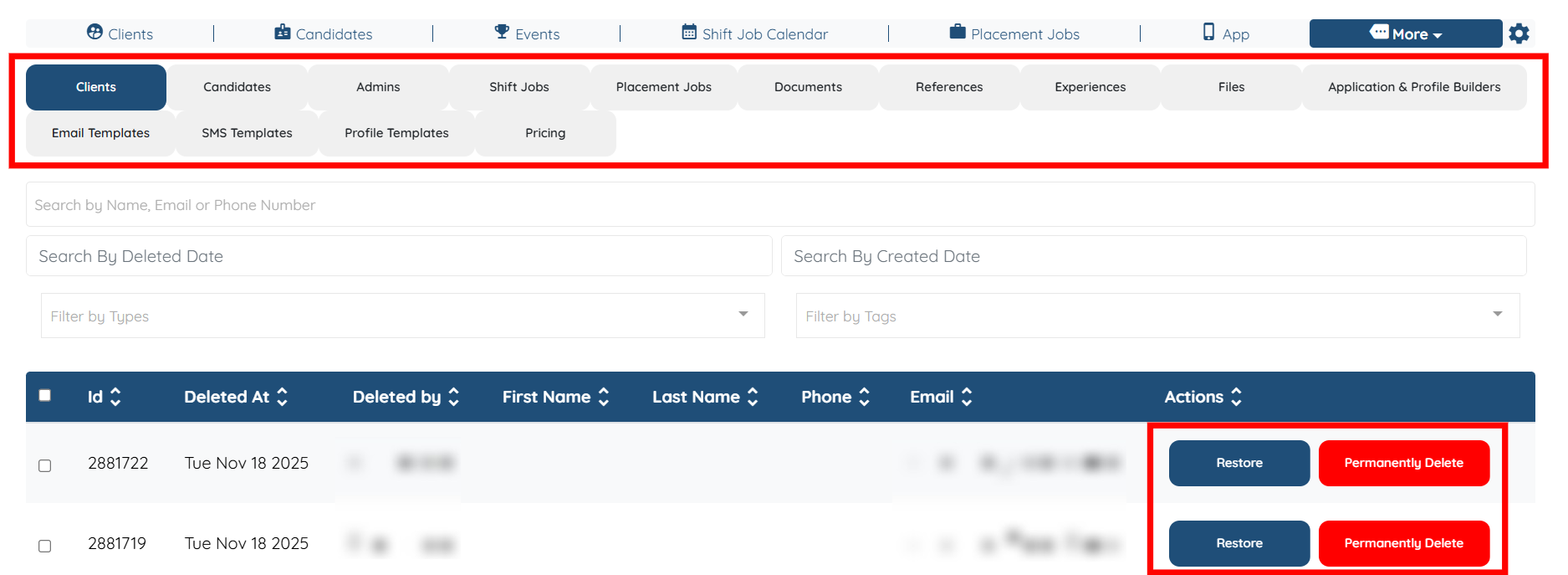
2. View any deleted information from the categories of Clients, Candidates, Admins, Shift Jobs, Placement Jobs, Documents, Files, or Applications and Profile Builders.
You can also restore or permanently delete the information in the Trash Bin by clicking the Restore or Permanently Delete button.
If this doesn't answer your questions you can always contact us by clicking here