
Let’s get started 🚀
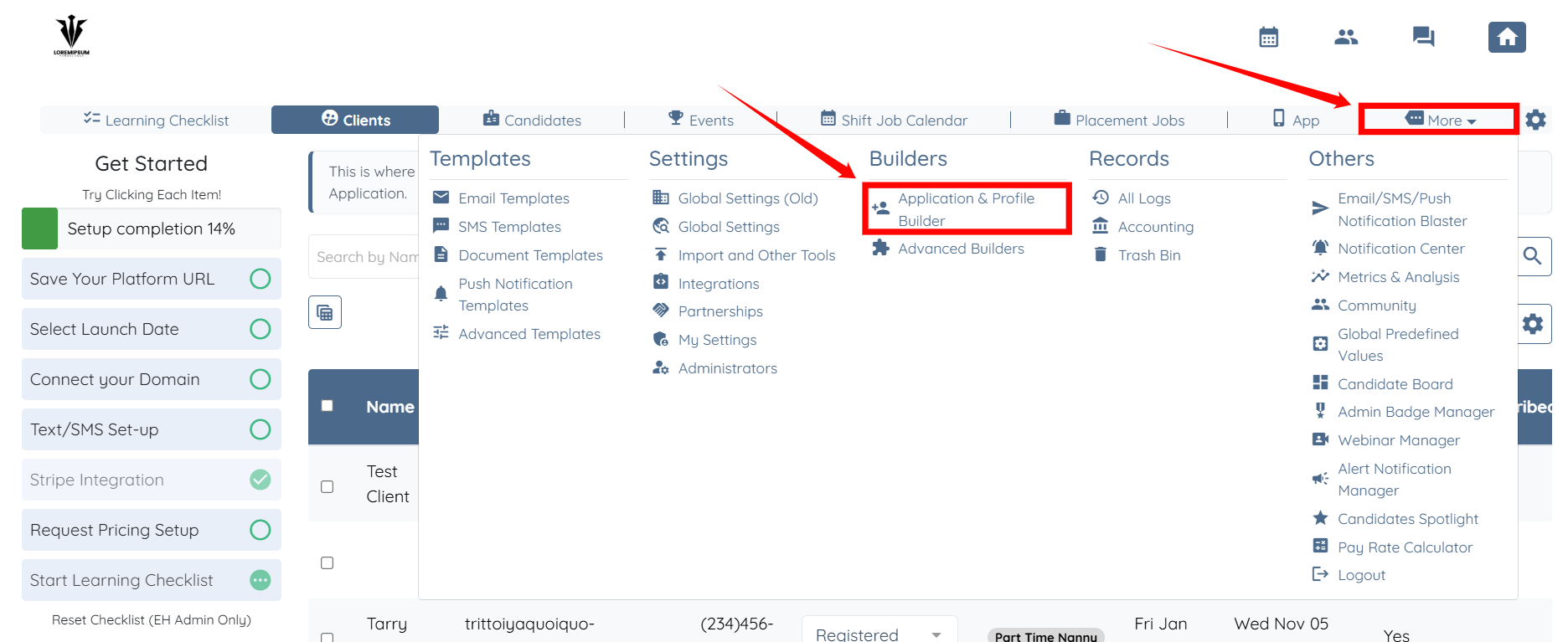
Step 1: Log in to your agent dashboard, and click on More > Application & Profile Builder as shown in the screenshot below.
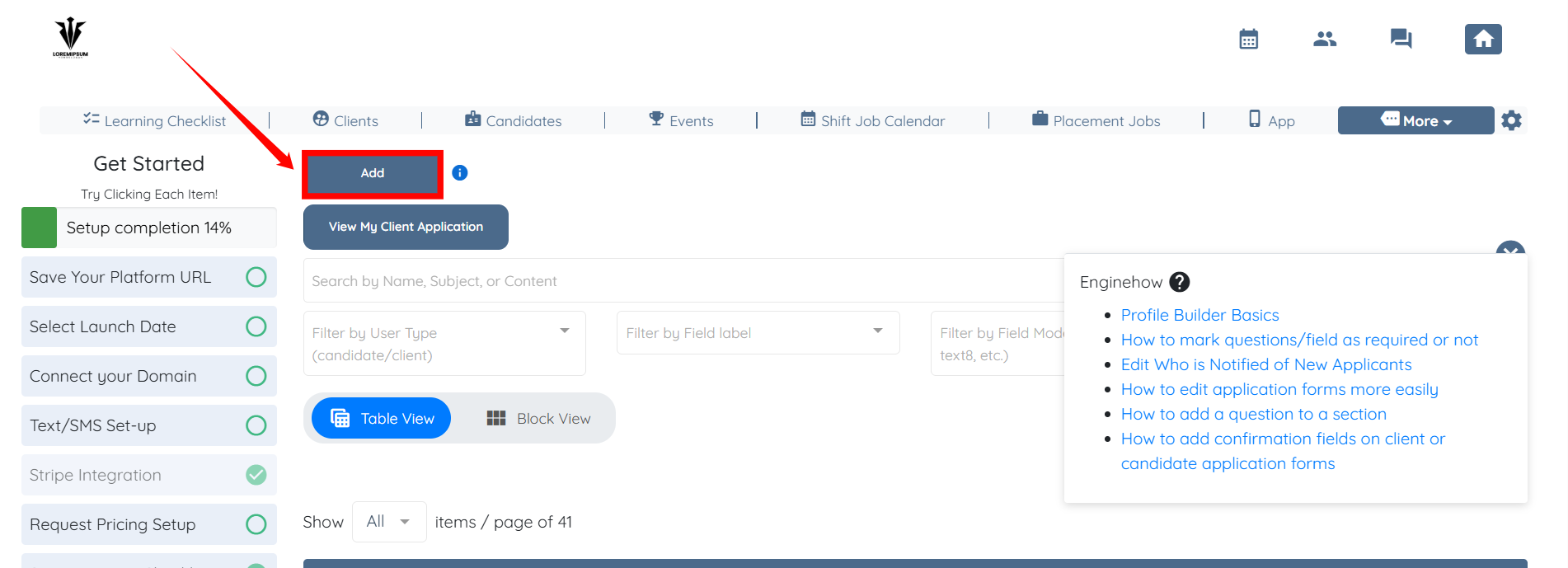
Step 2: Click the Add button.
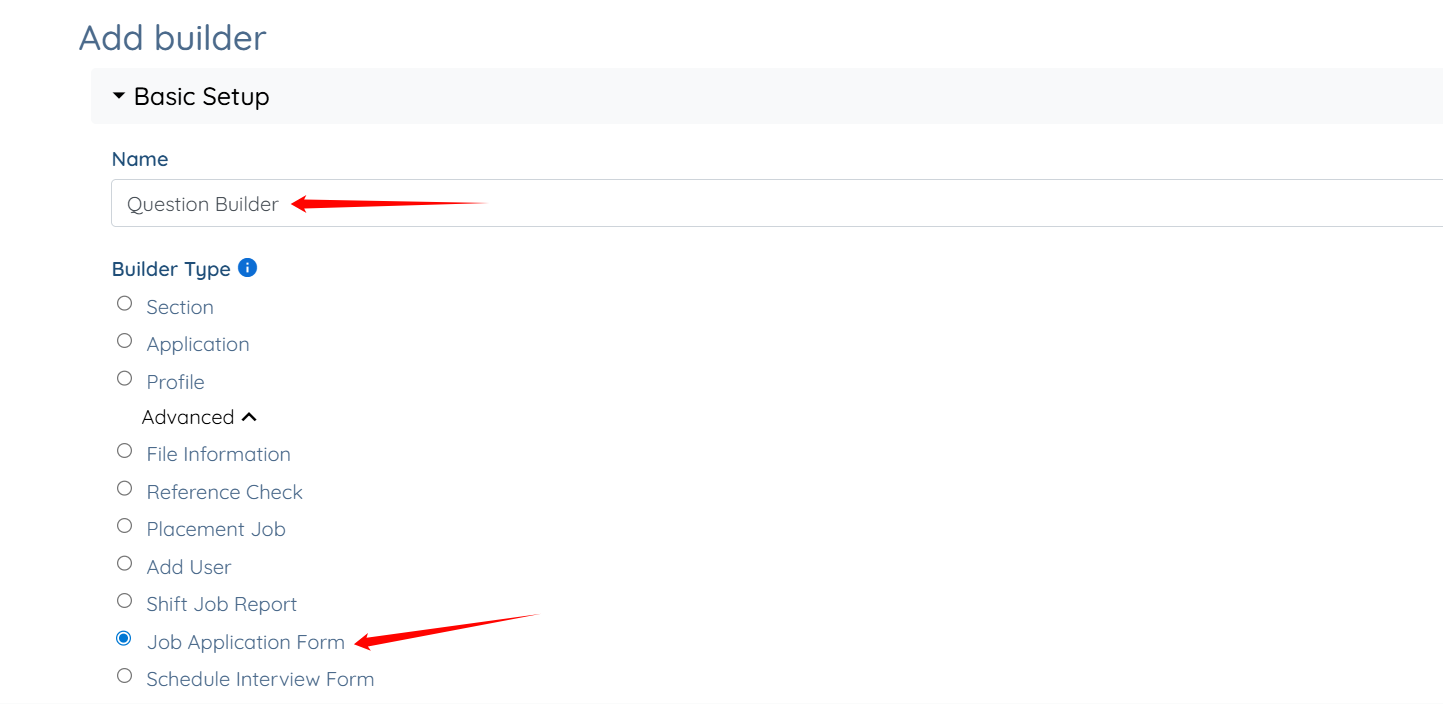
Step 3: Enter a name for your builder, and then select the Job Application Form option as the Builder Type.
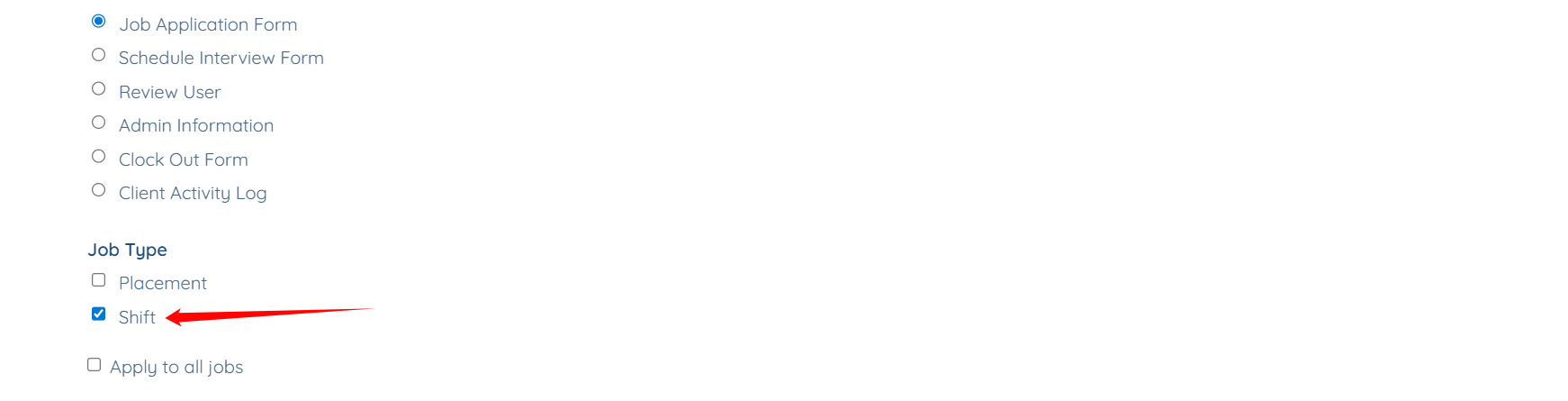
Step 4: Select Shift option as the Job Type.
Step 5: Select the option from the dropdown for which you want to customize the questions.
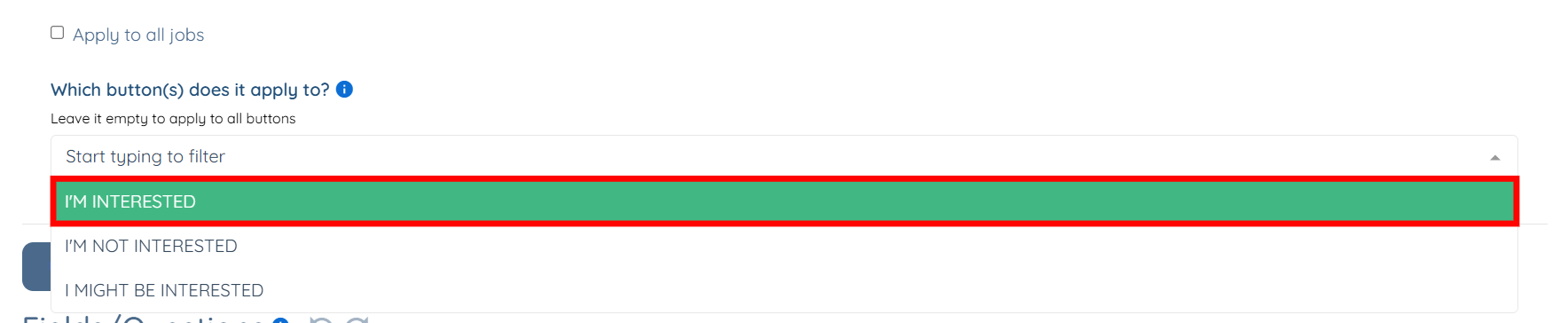
Step 6: Scroll down to view a set of questions that the system automatically adds based on the option you selected in the previous step.
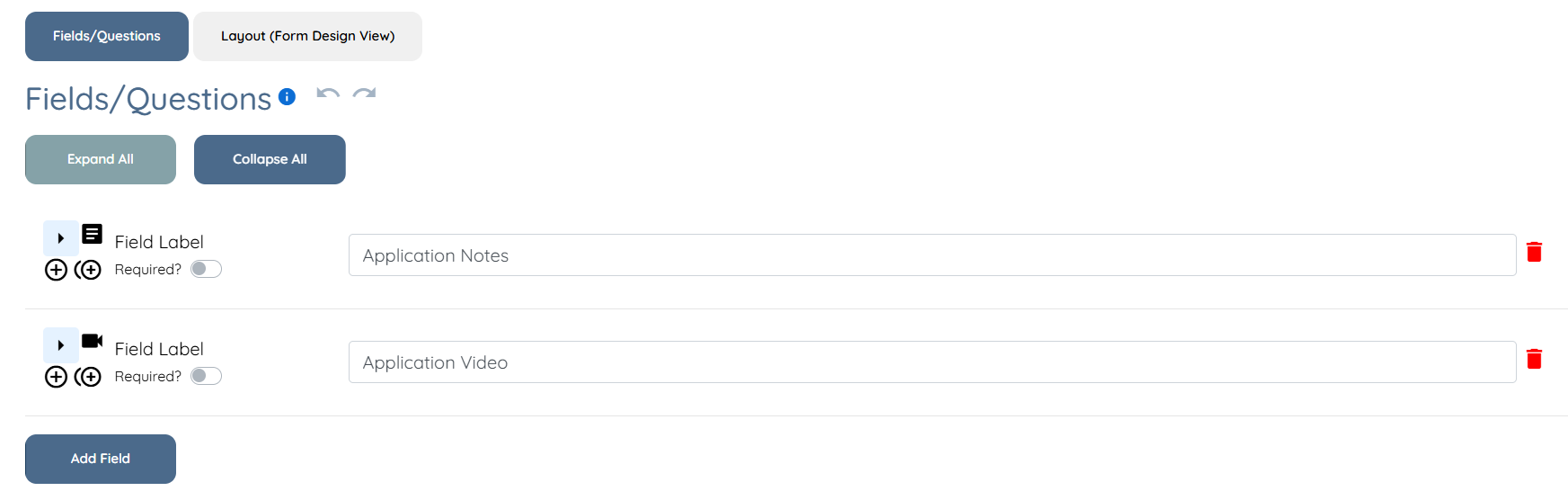
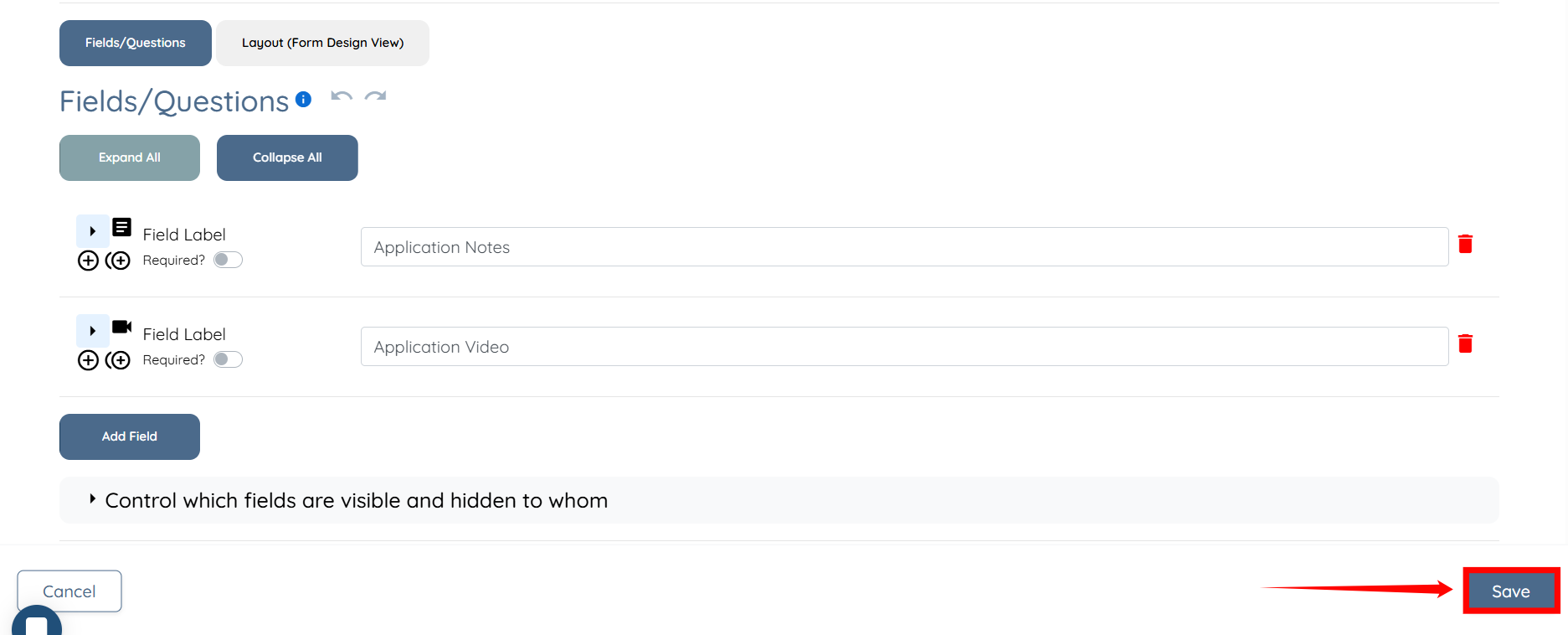
Step 7: After you customize the questions as required, click the Save button to confirm your changes.
If this doesn't answer your questions you can always contact us by clicking here
