Let’s get started 🚀
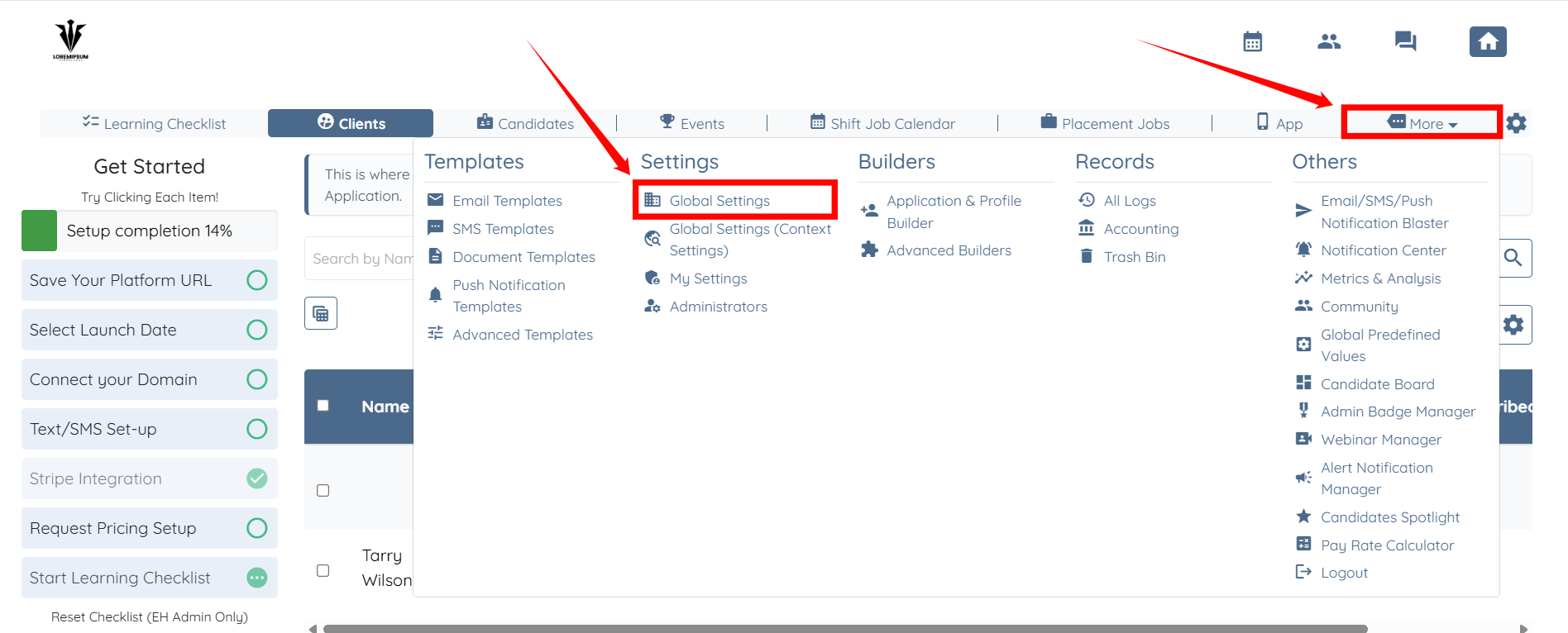
Step 1: Log in to your agent dashboard and click More > Global Settings, as shown in the screenshot below.
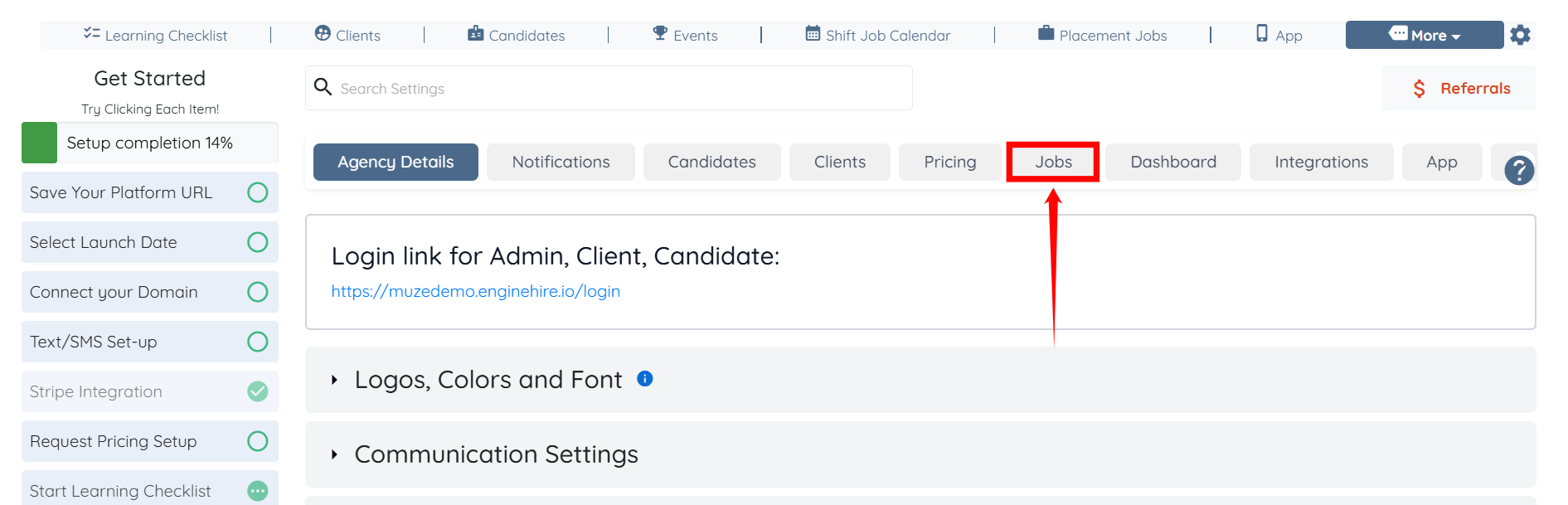
Step 2: Click the Jobs tab from the list of available tabs.
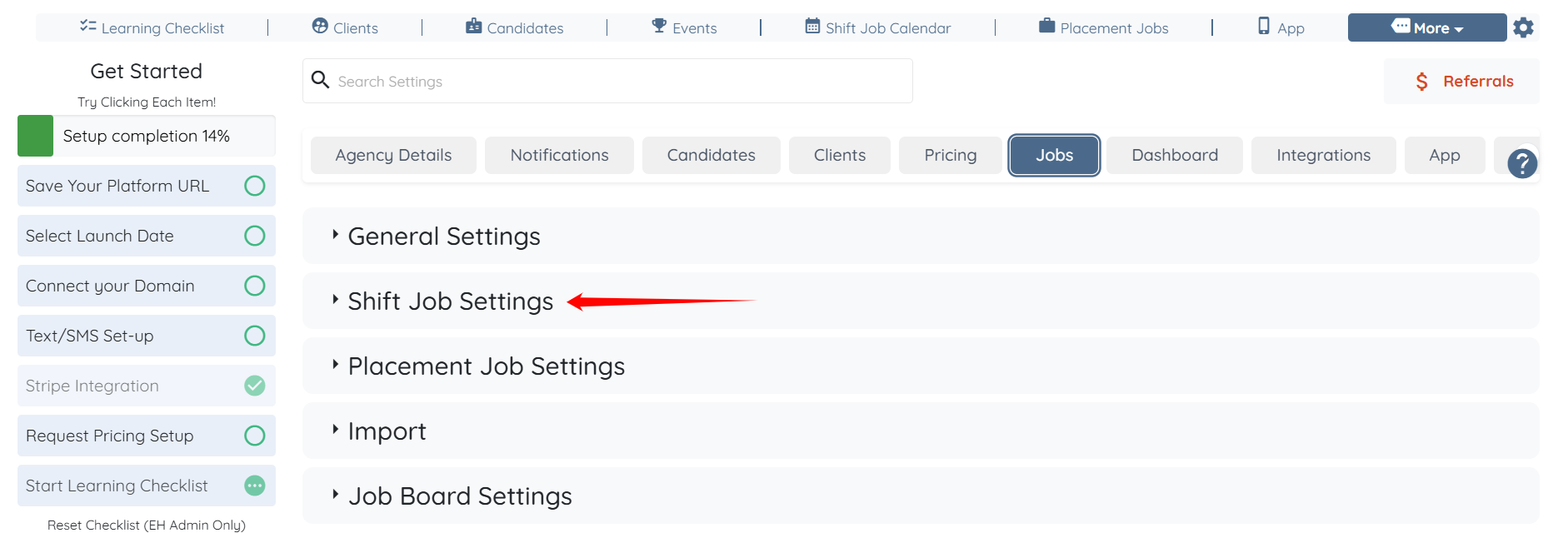
Step 3: Click the Shift Job Settings option to expand its details.
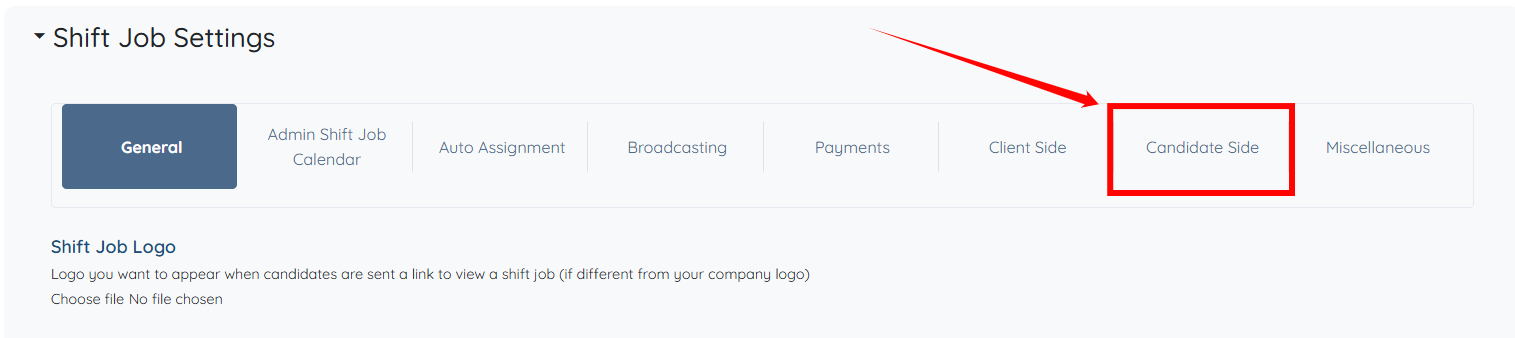
Step 4: Click the Candidate Side option from the list of available options.
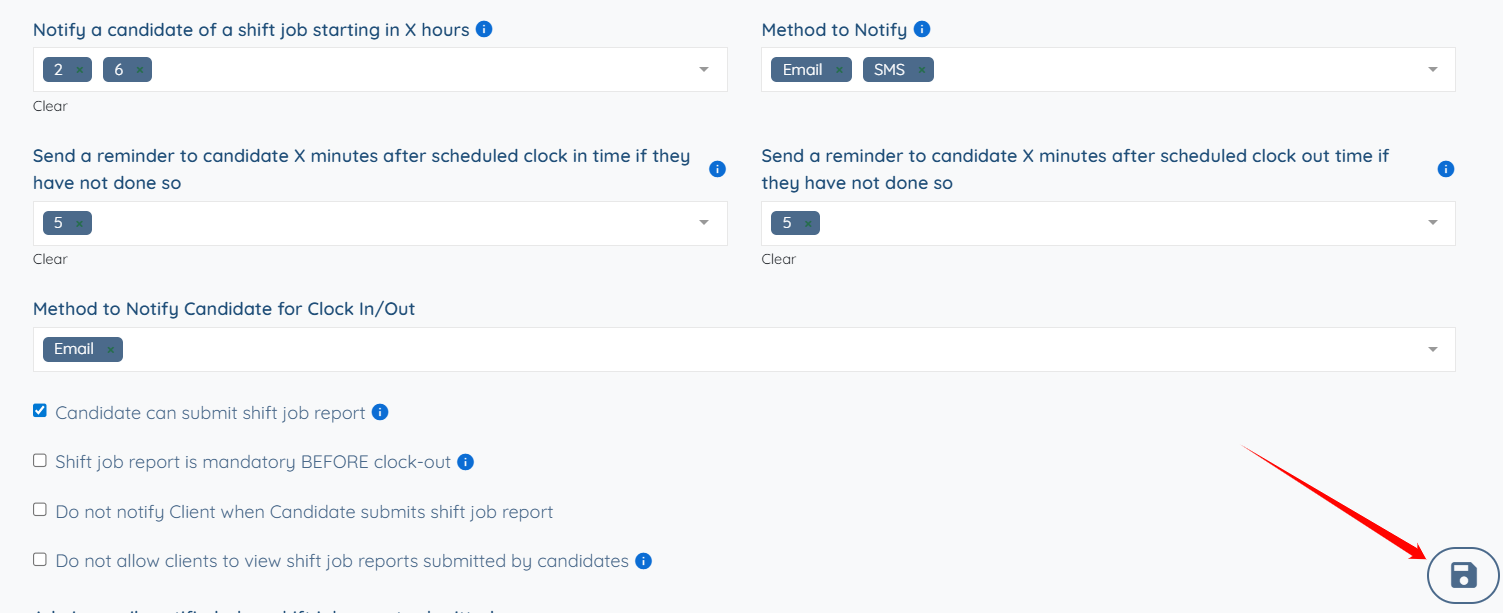
Step 5: Scroll down to the Notify a candidate of a shift job starting in X hours field, then click the box beneath it to open the dropdown list.
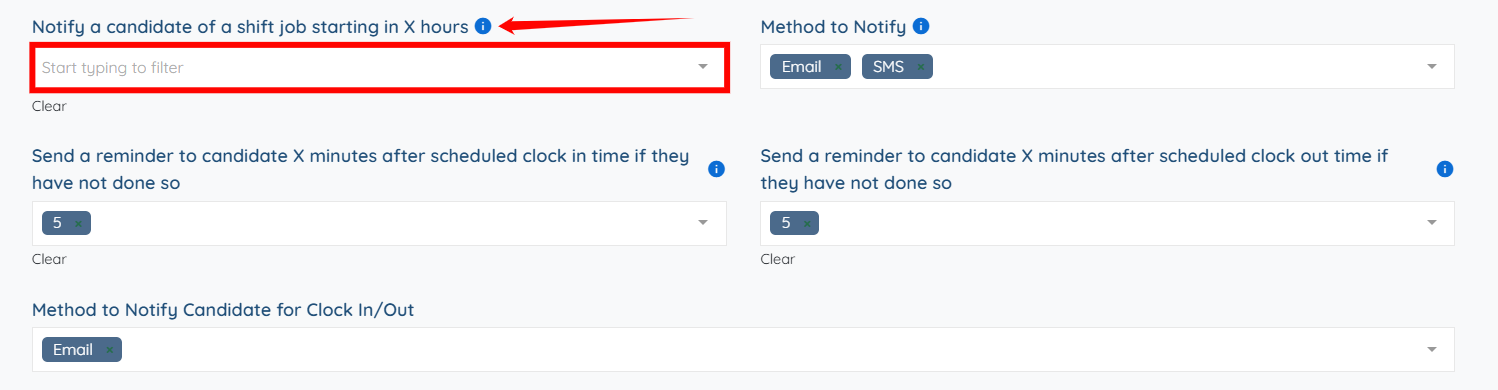
Step 6: Select the number of hours before the shift start time at which the candidate should receive the notification. For example, selecting 2 will notify the candidate 2 hours before the shift begins.

You can also add multiple entries as notifications if you want.

Step 7: Click the Save icon to confirm the changes.