
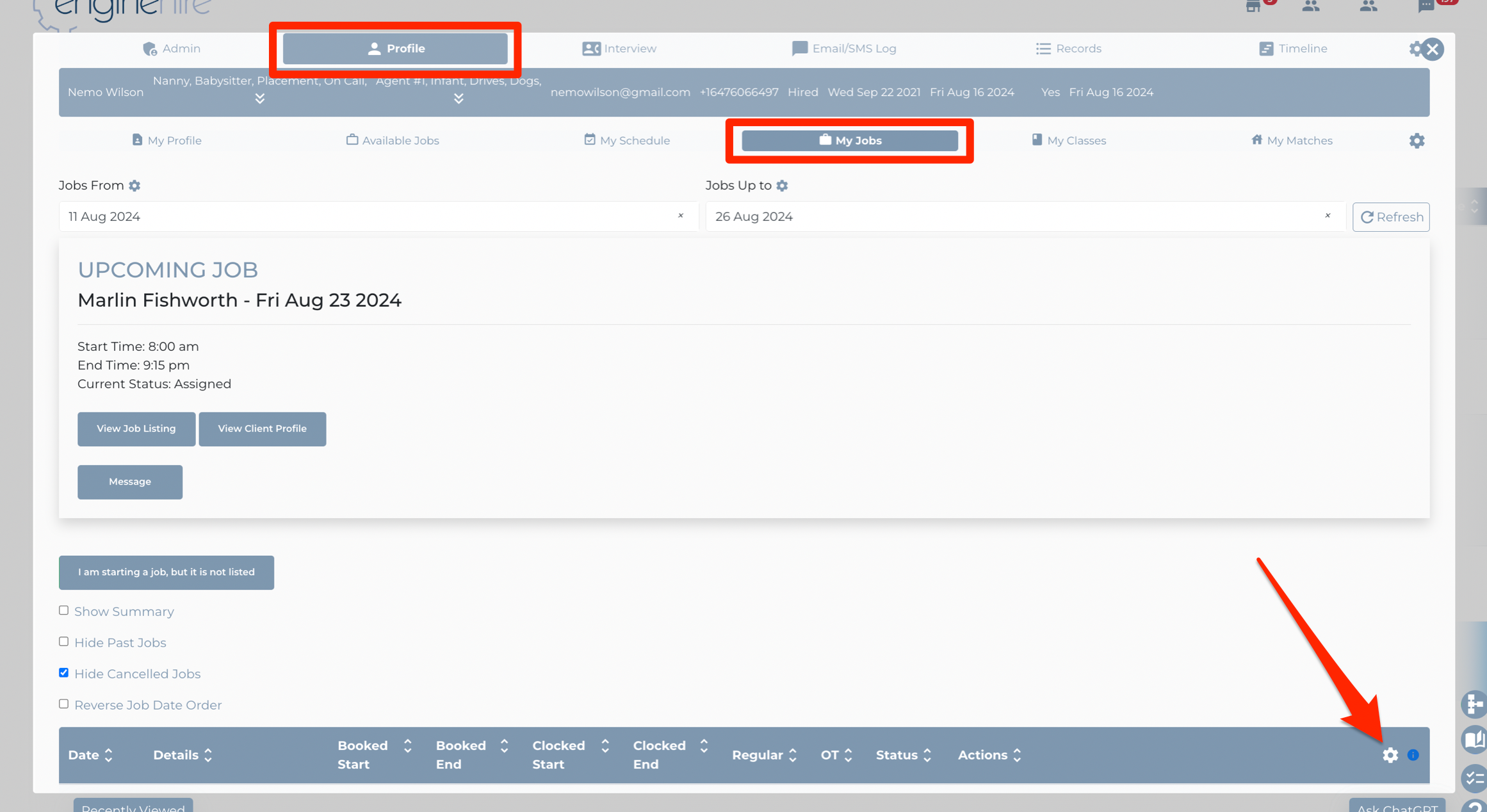
To access the client confirmation on clock out settings, from the admin dashboard click on any candidate (these settings will apply to all candidates, regardless of who you click on), go to the Profile tab, under the profile go to the My Jobs tab and click the gear icon on the table header:
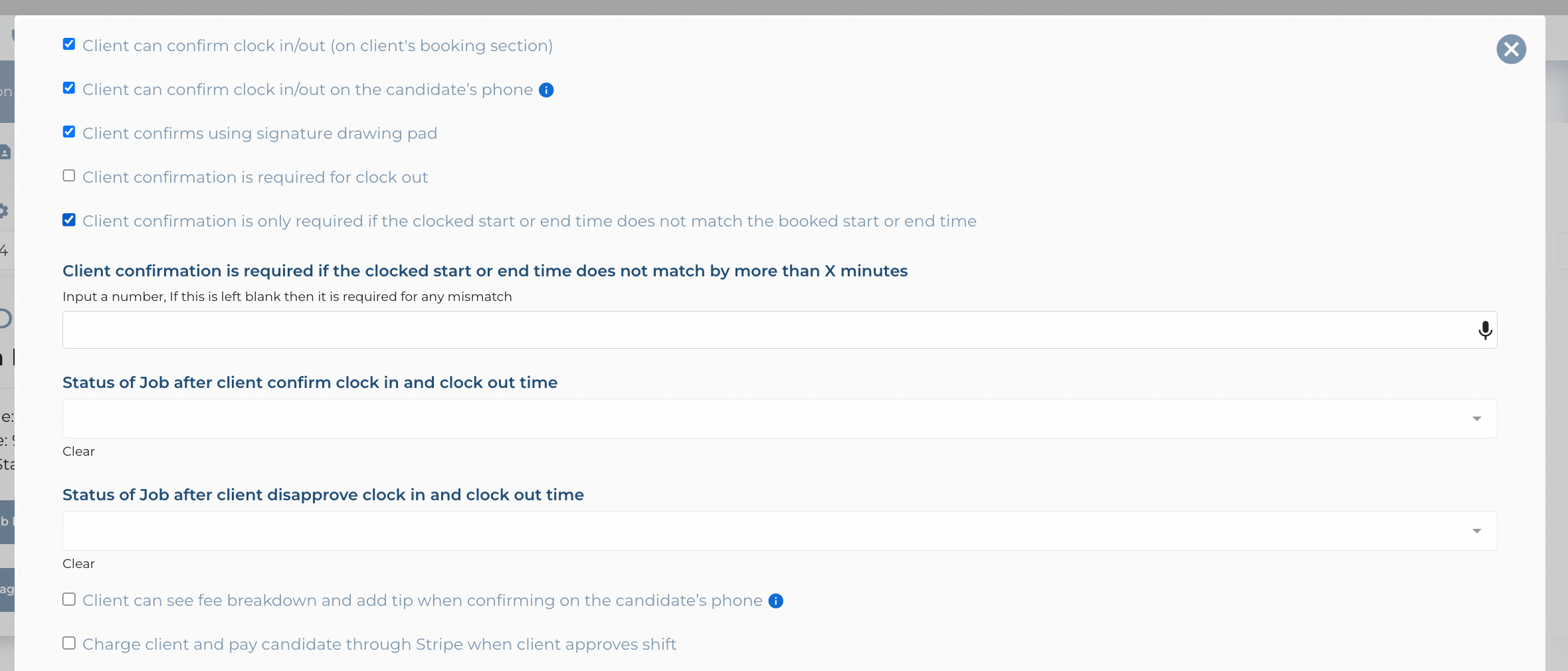
Here you will find various settings to control the experience when a candidate clocks out and the client confirms:
If this video doesn't answer your questions you can always contact us by clicking here