1. From the top Navigation bar, select Placement Jobs.
2. Select View Applicants on a select placement position.
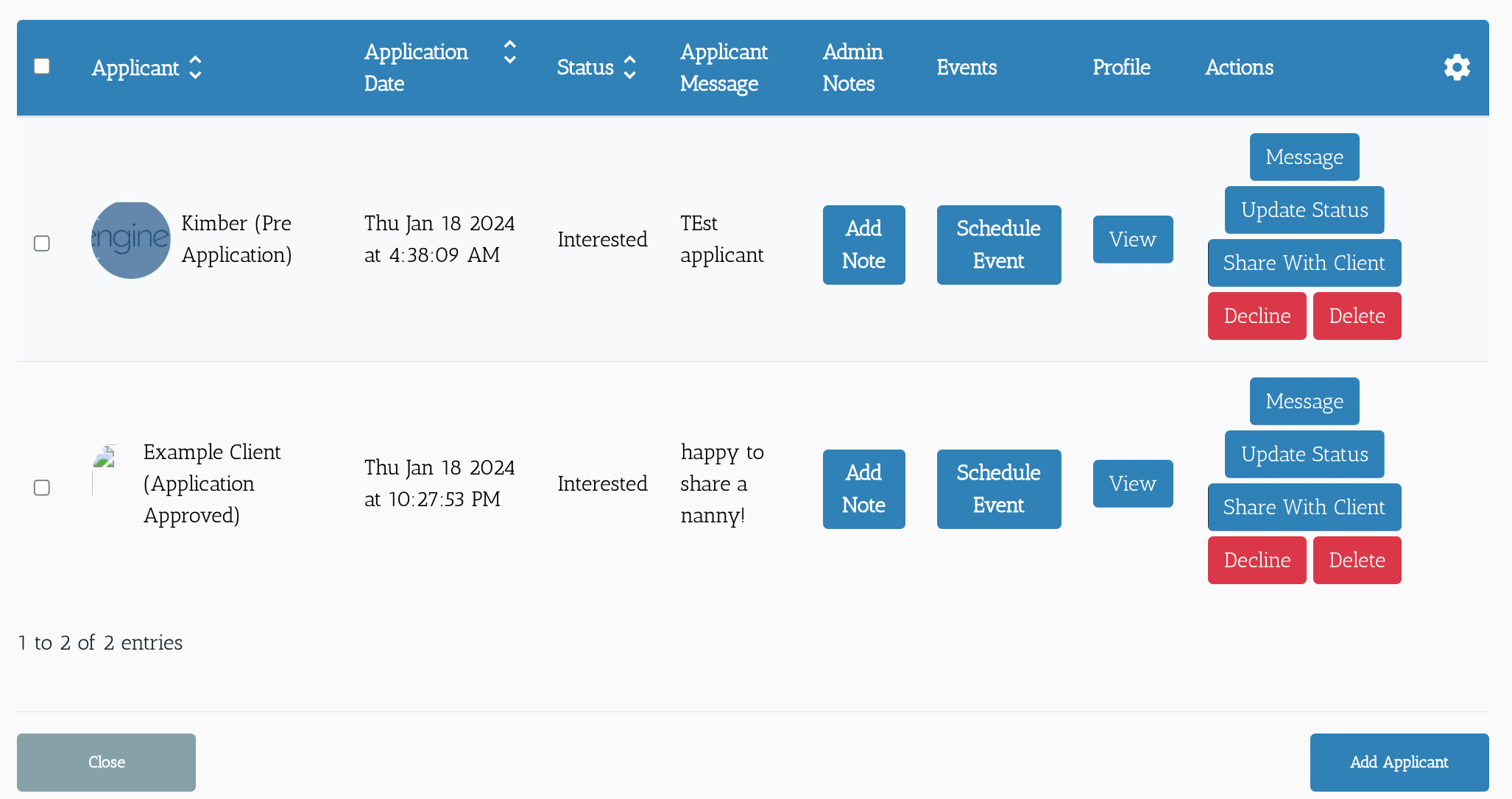
3. From here you can:
Message a candidate.
View their profile.
Add a Note about them.
Schedule an interview between them and a client.
Update their Placement status for this position.
Share them with a client.
Decline their application or delete their profile.
As a test candidate apply to a test position.
Use the features to further the test client in the process.
Remember to try every button to get used to using the options when needed.
Learn how a candidate can apply to a position through the job board.
If this doesn't answer your questions you can always contact us by clicking here
