
Let’s get started 🚀
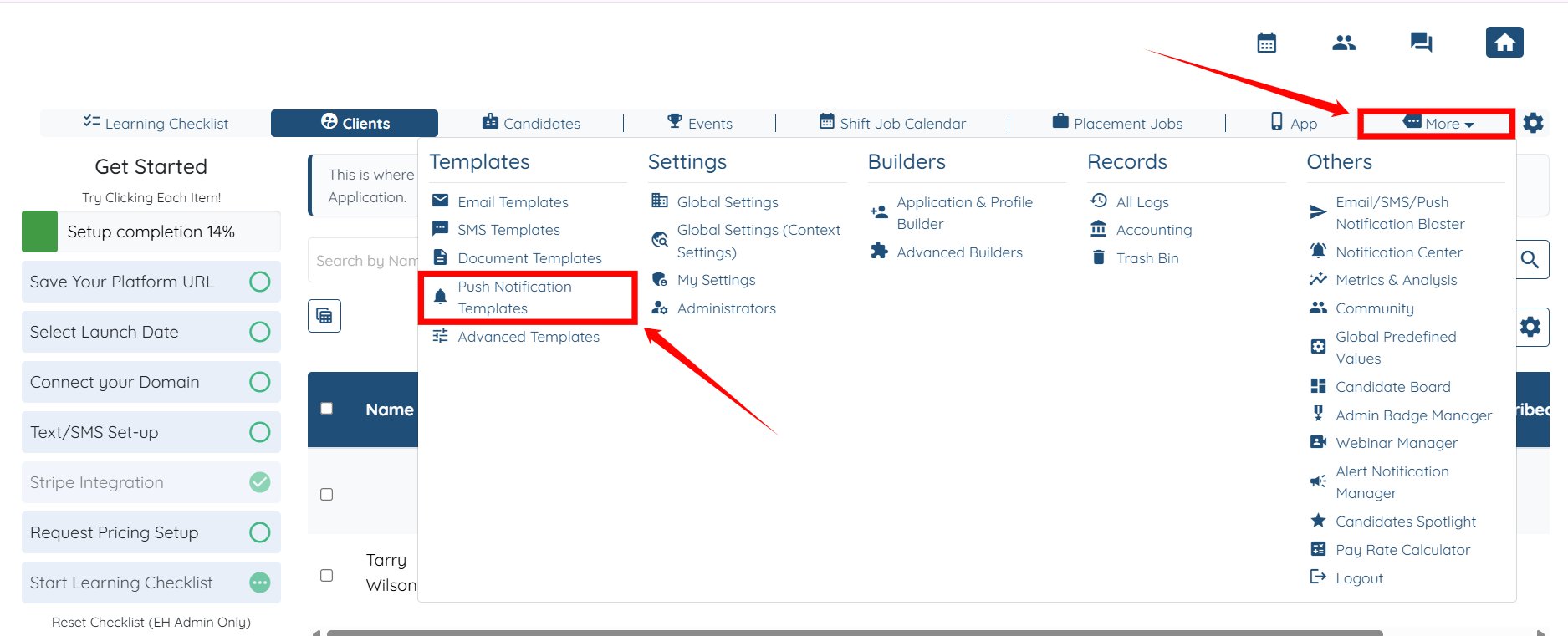
Step 1: Log in to your agent dashboard and click More > Push Notification Templates, as shown in the screenshot.
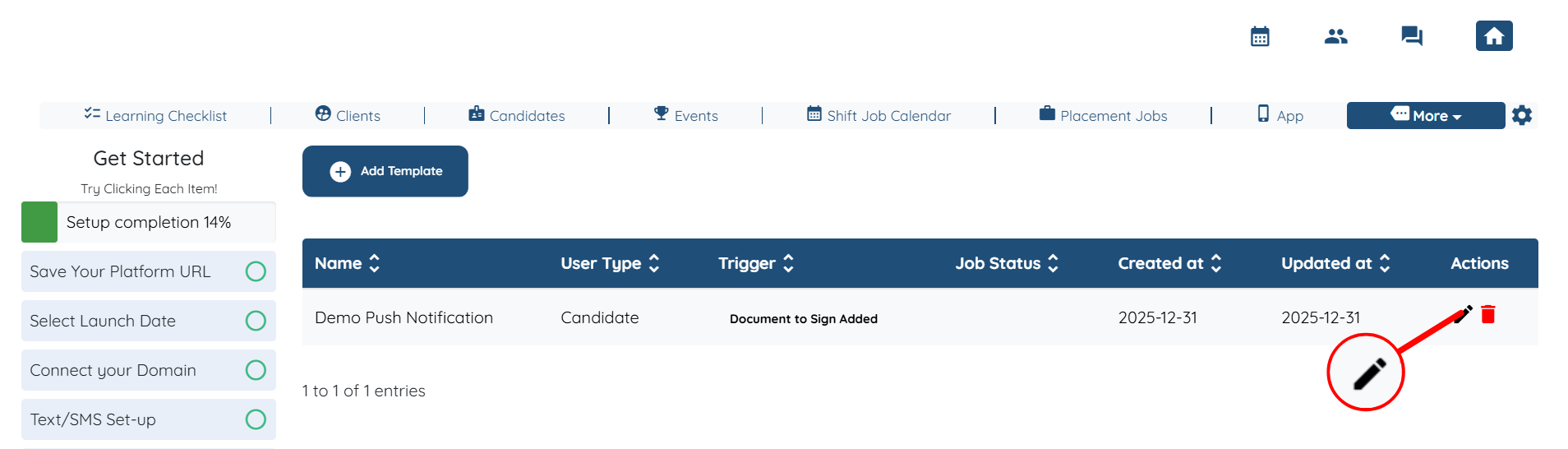
Step 2: Locate the template that you want to modify, and then click the corresponding pencil icon to open the template.
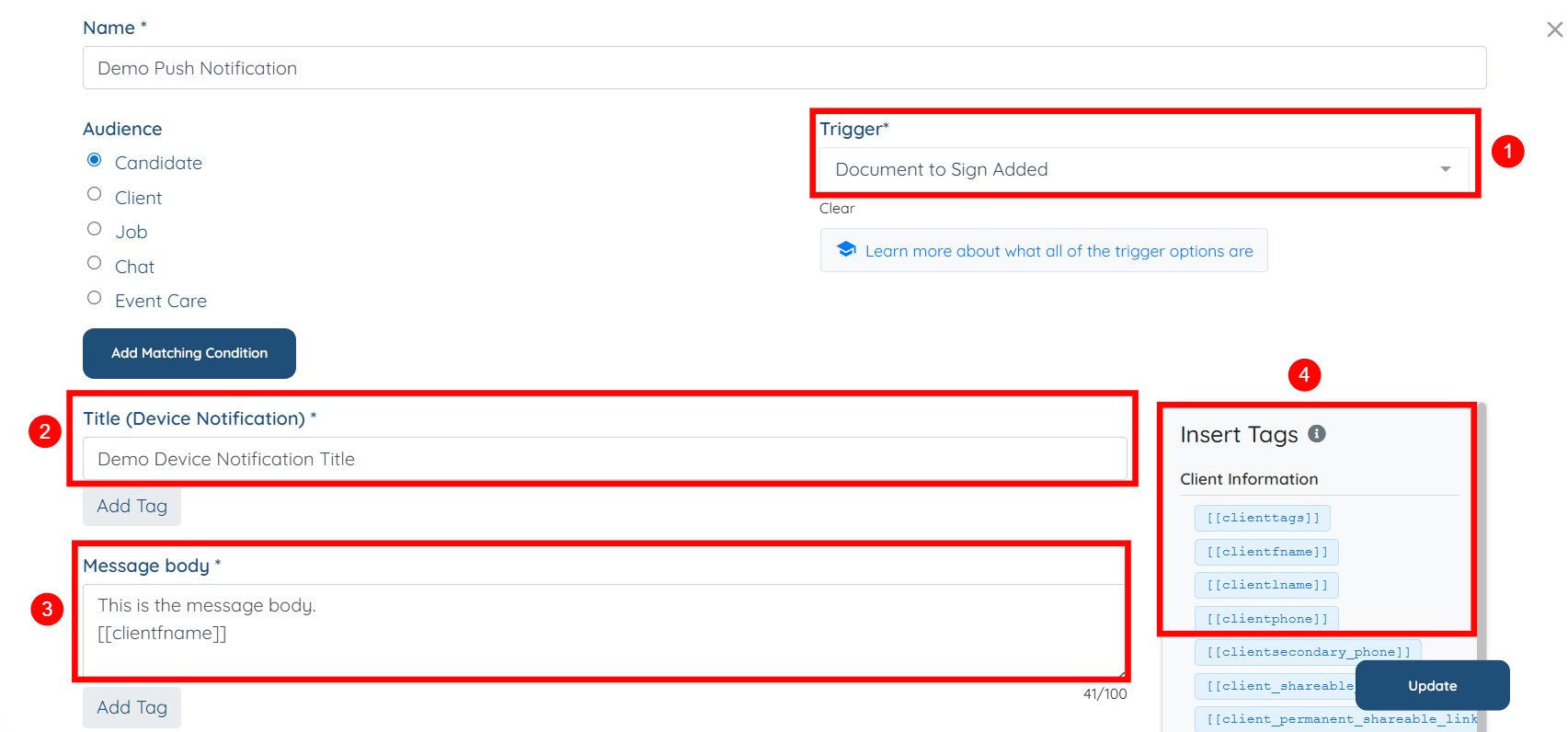
Step 3: You can customize the template based on your preferences. You may adjust the following:
S.no | Field | Description |
1 | Trigger | Select the event or action that will send the push notification. |
2 | Title | Enter the title that appears on the notification. |
3 | Message Body | Add the main content of the notification message. |
4 | Tags | Add tags to categorize or target notifications more effectively. |
For more guidance on push notifications, check out our instructional videos on:
Notify sitters before a job starts as push notifications on their mobile phones
How to broadcast available sitter jobs as push notifications to mobile phones
If this doesn't answer your questions you can always contact us by clicking here