Let’s get started 🚀
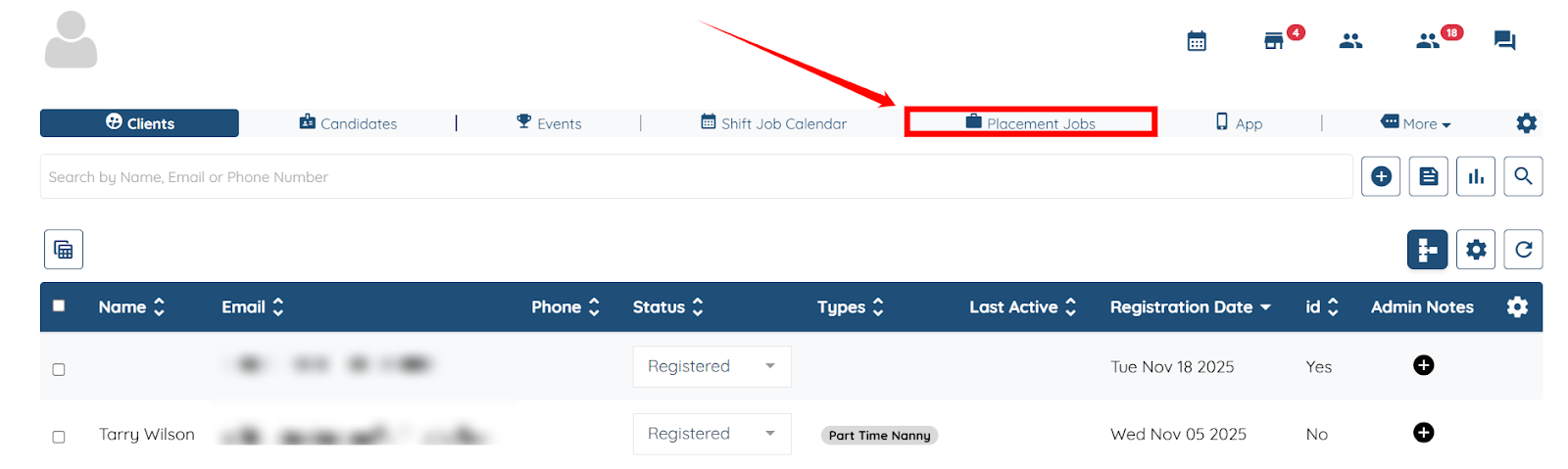
Step 1: Click the Placement Jobs from the top navigation bar.
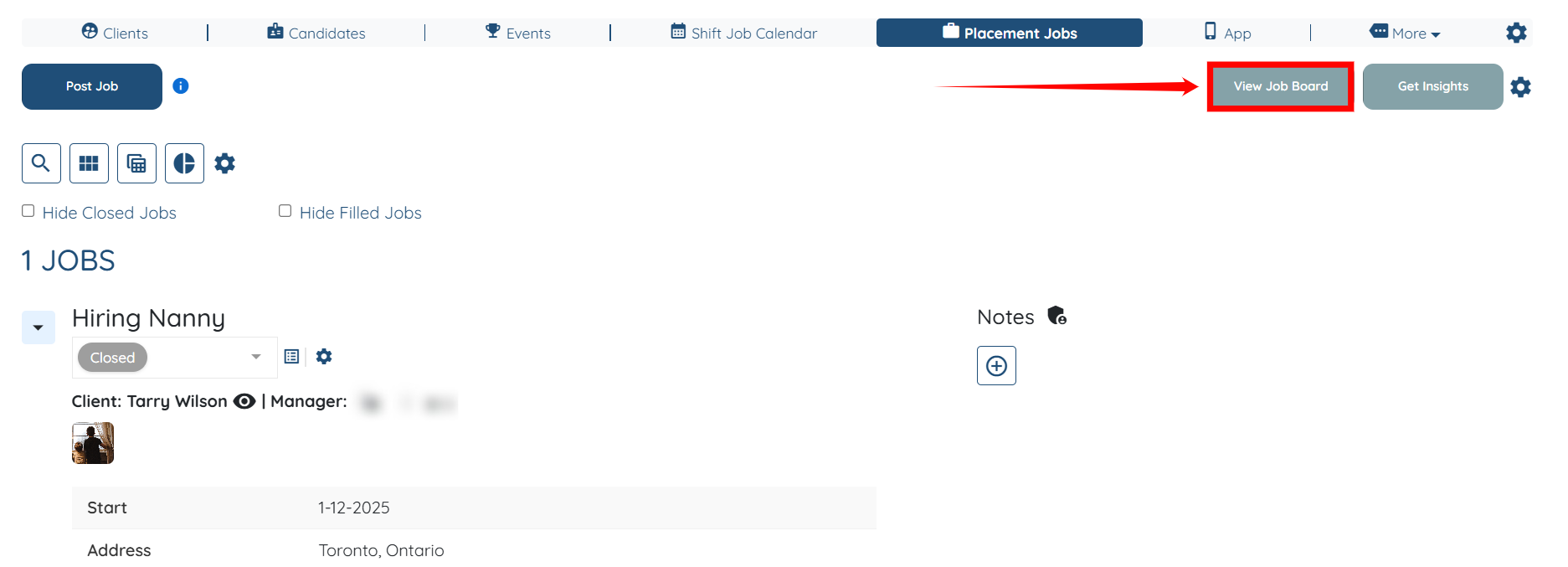
Step 2: Click the View Job Board on the right hand side of the screen.
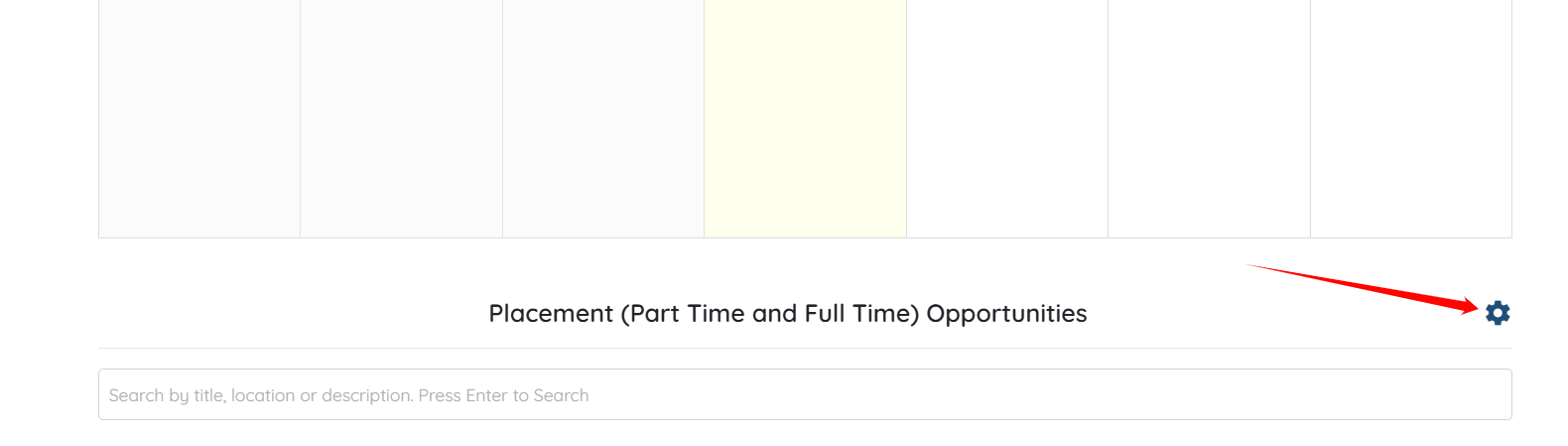
Step 3: Scroll down and click the Gear icon as shown in the screenshot.
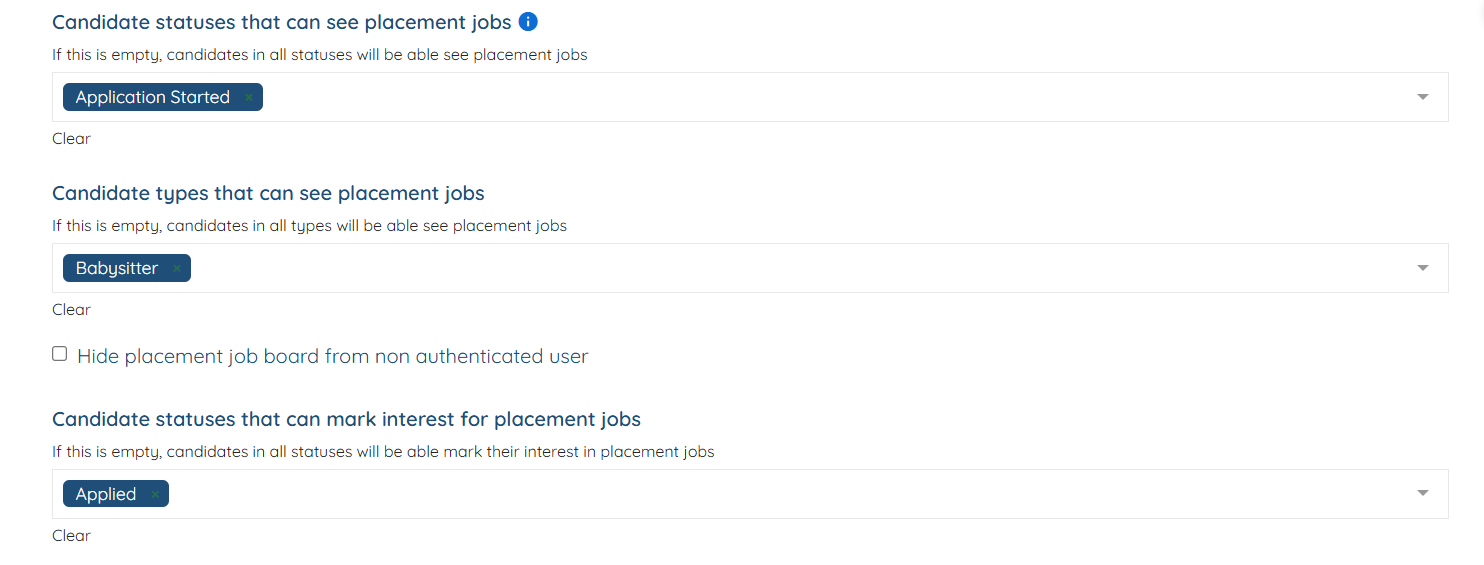
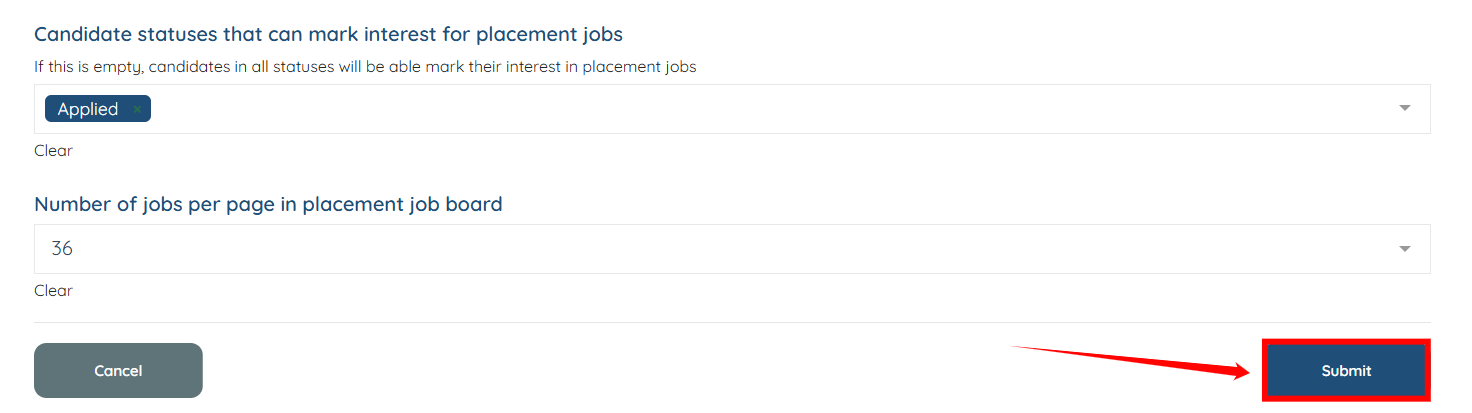
Step 4: Select the candidate statuses and types that can view placement jobs and that can mark their interest in placement jobs.
Step 5: Click the Submit button to save the changes.
If this video doesn't answer your questions you can always contact us by clicking here
