
Let’s get started 🚀
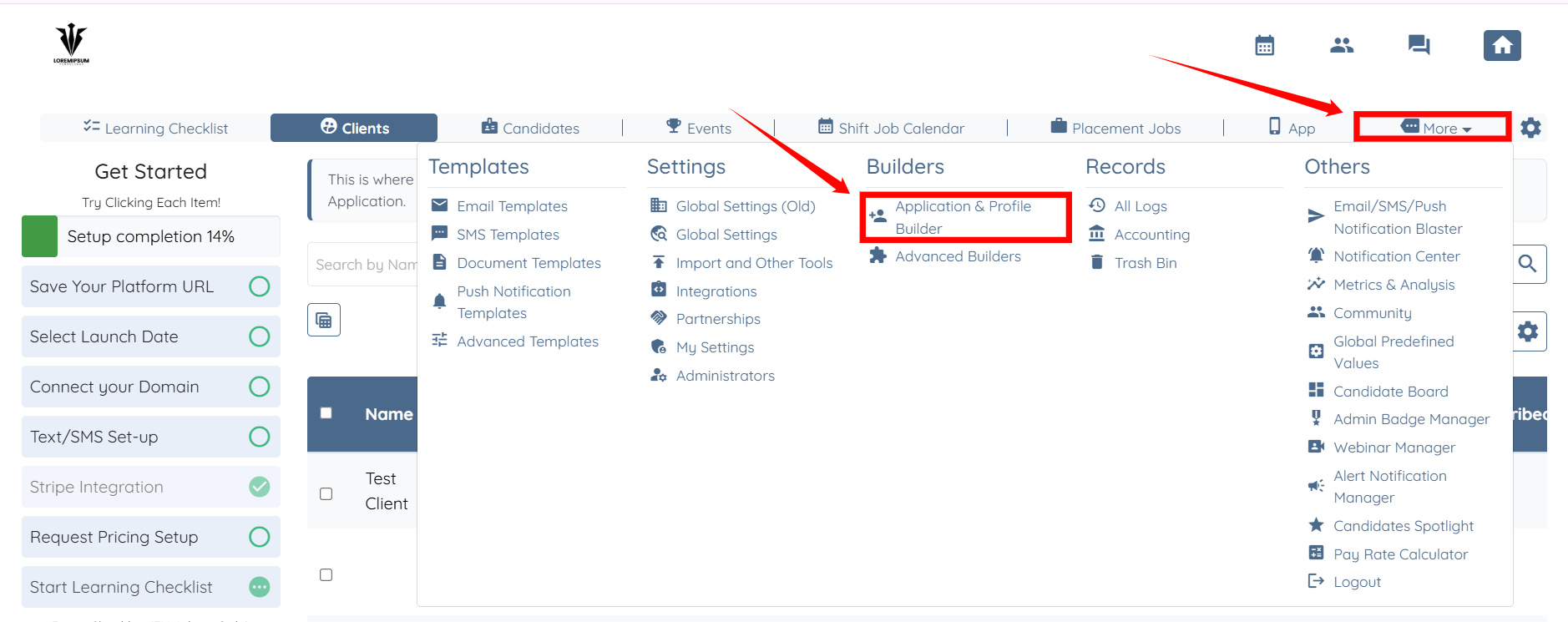
Step 1: Log in to your agent dashboard and click on More > Application & Profile Builder as shown in the screenshot below.
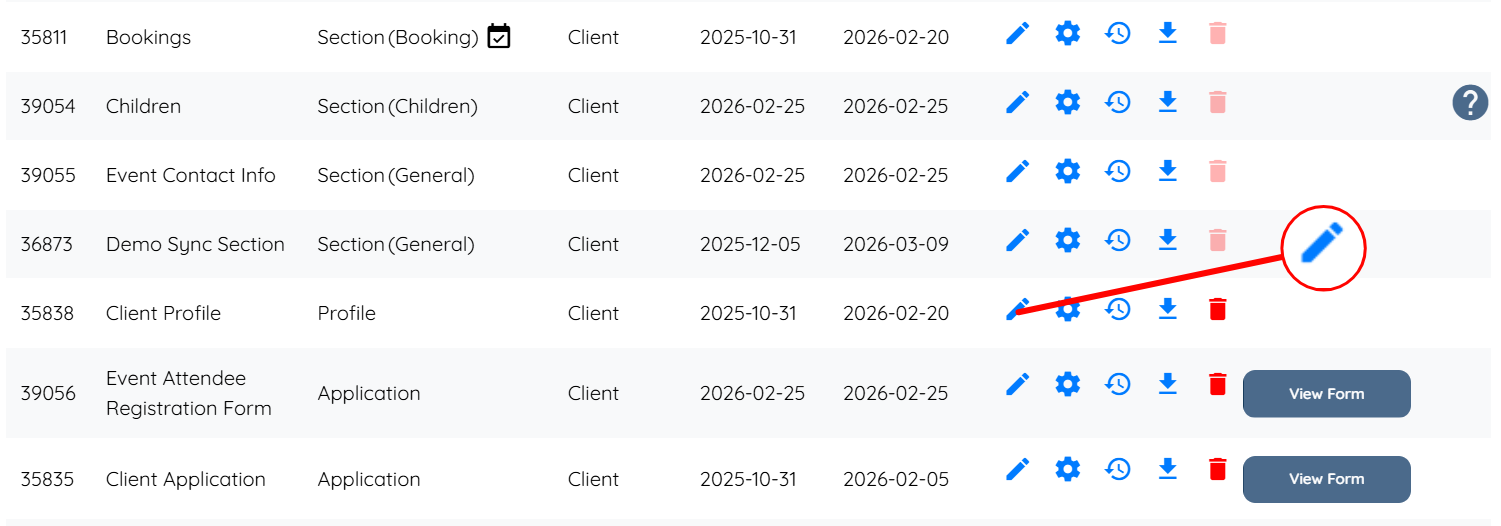
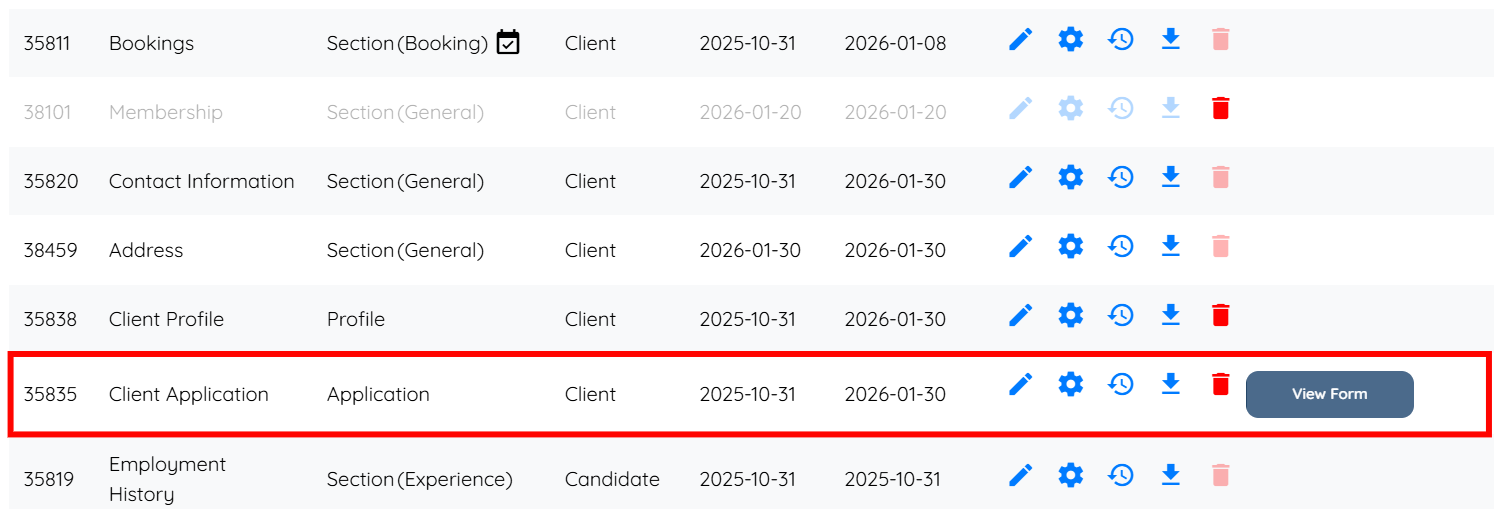
Step 2: Locate the Client Profile builder and then click the corresponding pencil icon to open it.
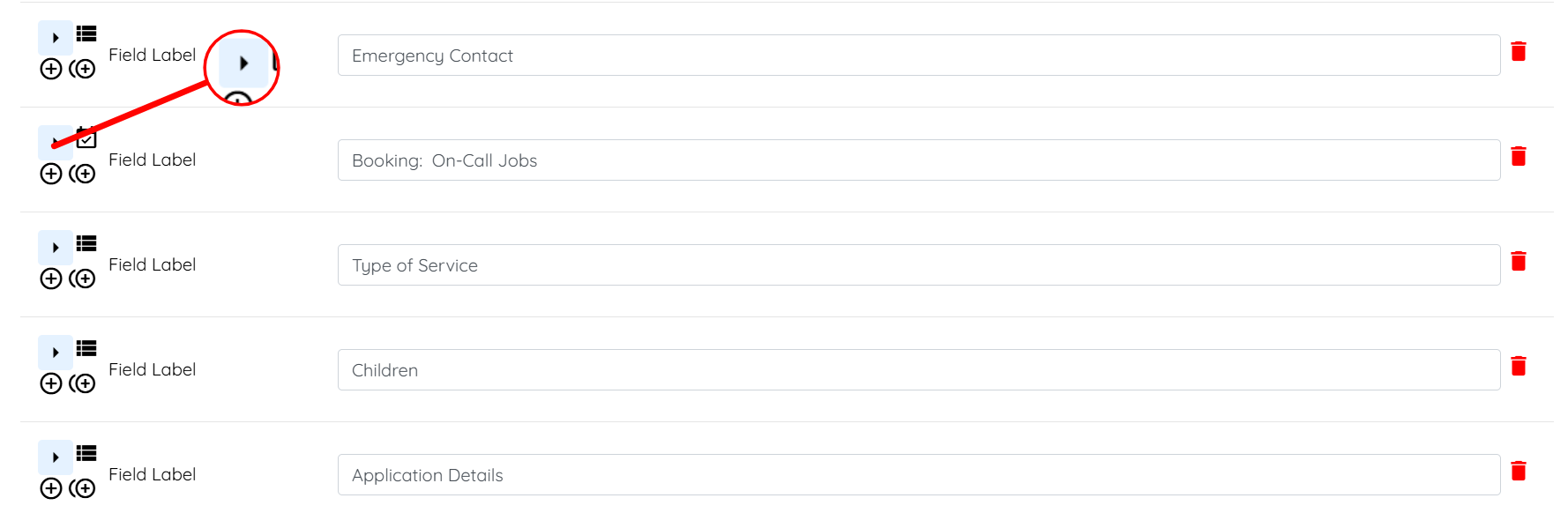
Step 3: Locate the booking field in the client profile. Then, click the arrow button to expand and view its details.
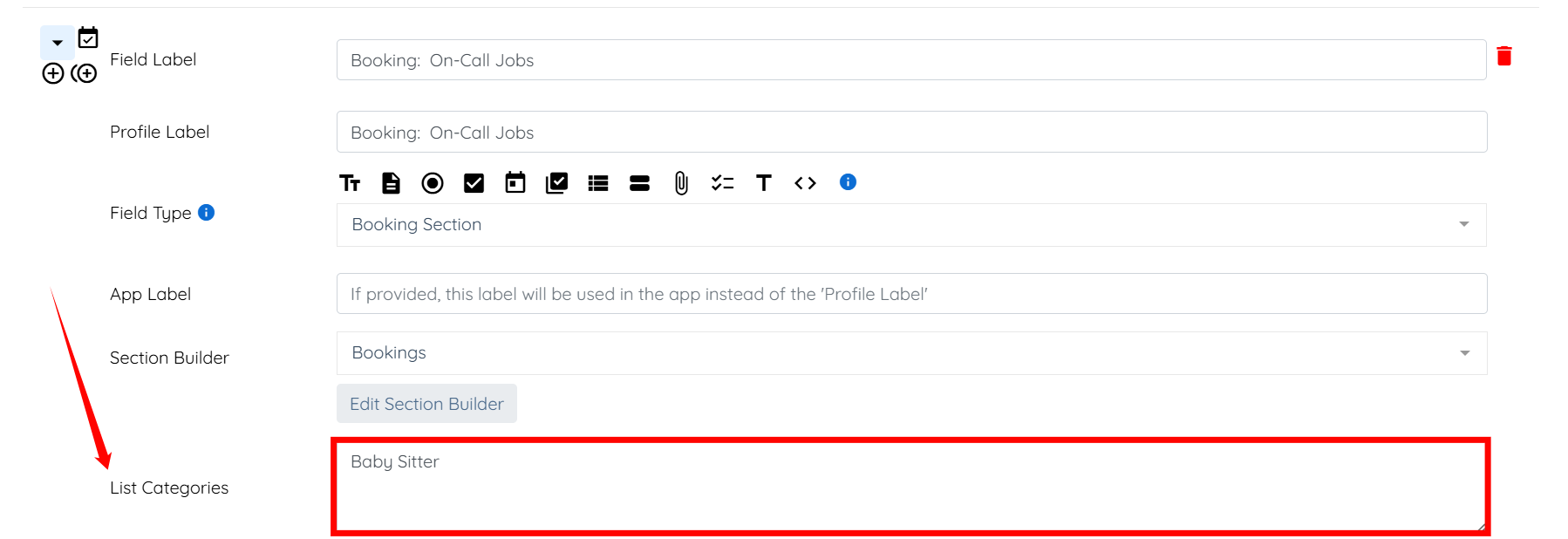
Step 4: Enter a new booking category in the List Categories field.
Step 5: Click the Save button to confirm the changes.
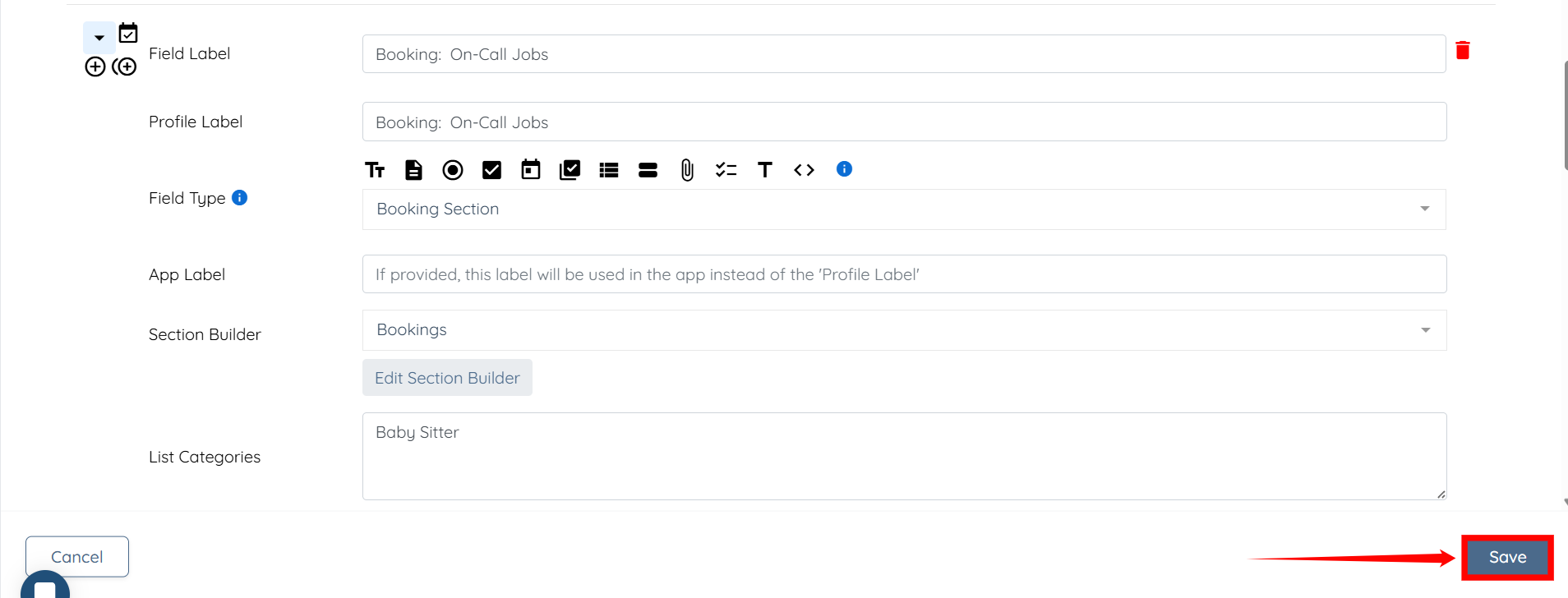
Step 6: Follow the same steps (step 3-5) for the Client Application builder.

You must add booking categories using the exact wording. When you add pricing in the Price Manager and want it to link to a category, you must ensure the wording matches exactly.
If this doesn't answer your questions you can always contact us by clicking here