1. From Mission Control select Builder.
2. Select Application and Profile Builder.
3. Select the Gear Icon on a booking section.
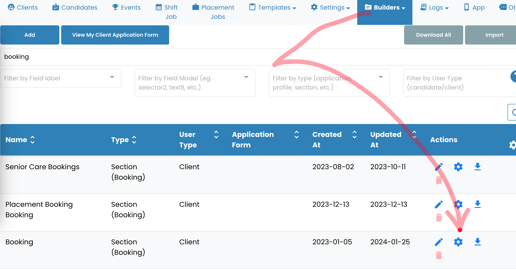
4. Scroll down and select Charge a deposit for booking.
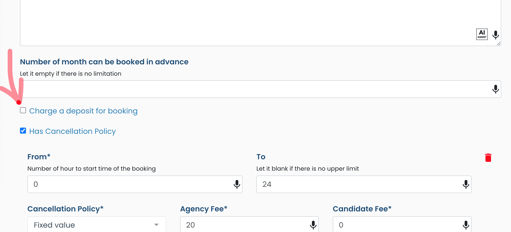
5. Select Charge deposit for booking X hours before it starts.
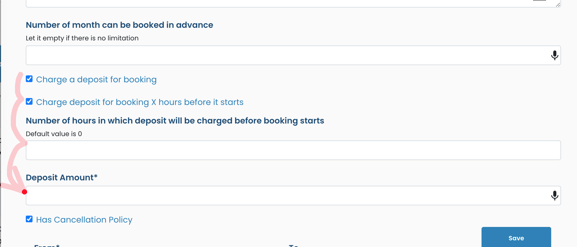
6. Fill in the necessary information and select Save.
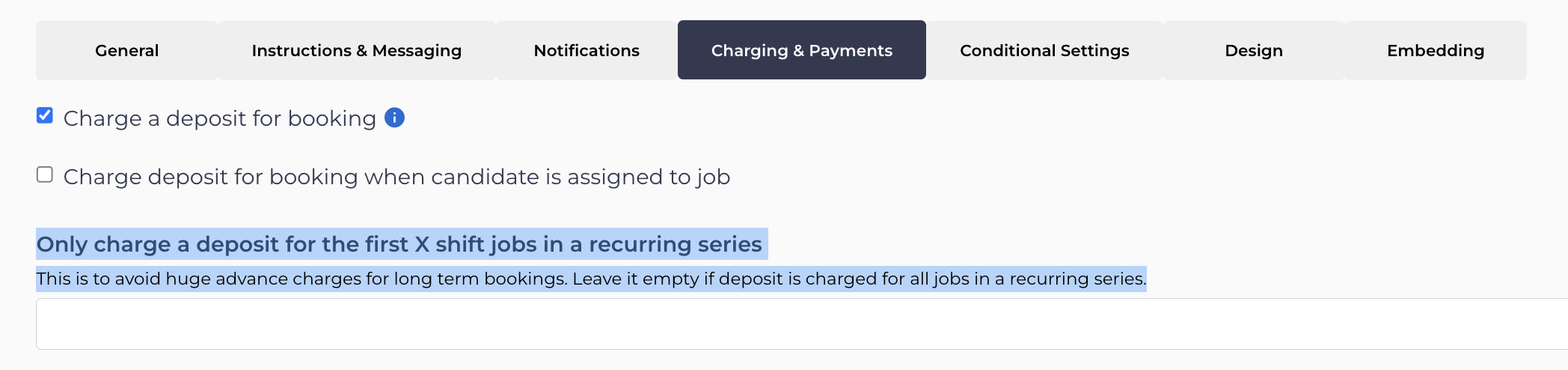
For recurring series of shift jobs you can limit the number of jobs for which the deposit is charged (this is to avoid charging clients a huge amount in advance if they are booking for the long term all at once) by using this setting "Only charge a deposit for the first X shift jobs in a recurring series":
If this doesn't answer your questions you can always contact us by clicking here
