

For demonstration purposes, this article uses a candidate profile to show how to view profile information. You can follow the same steps to view client profiles.
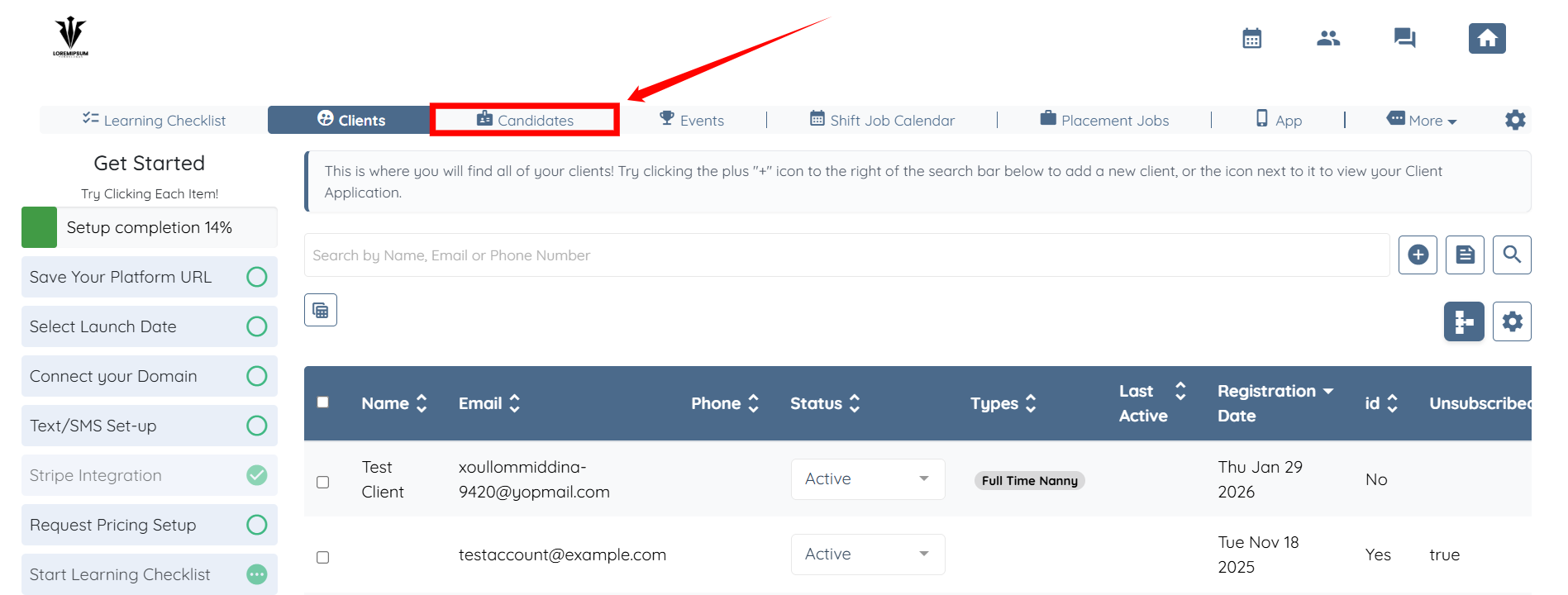
Step 1: Log in to the agent dashboard and click Candidates in the navigation bar.
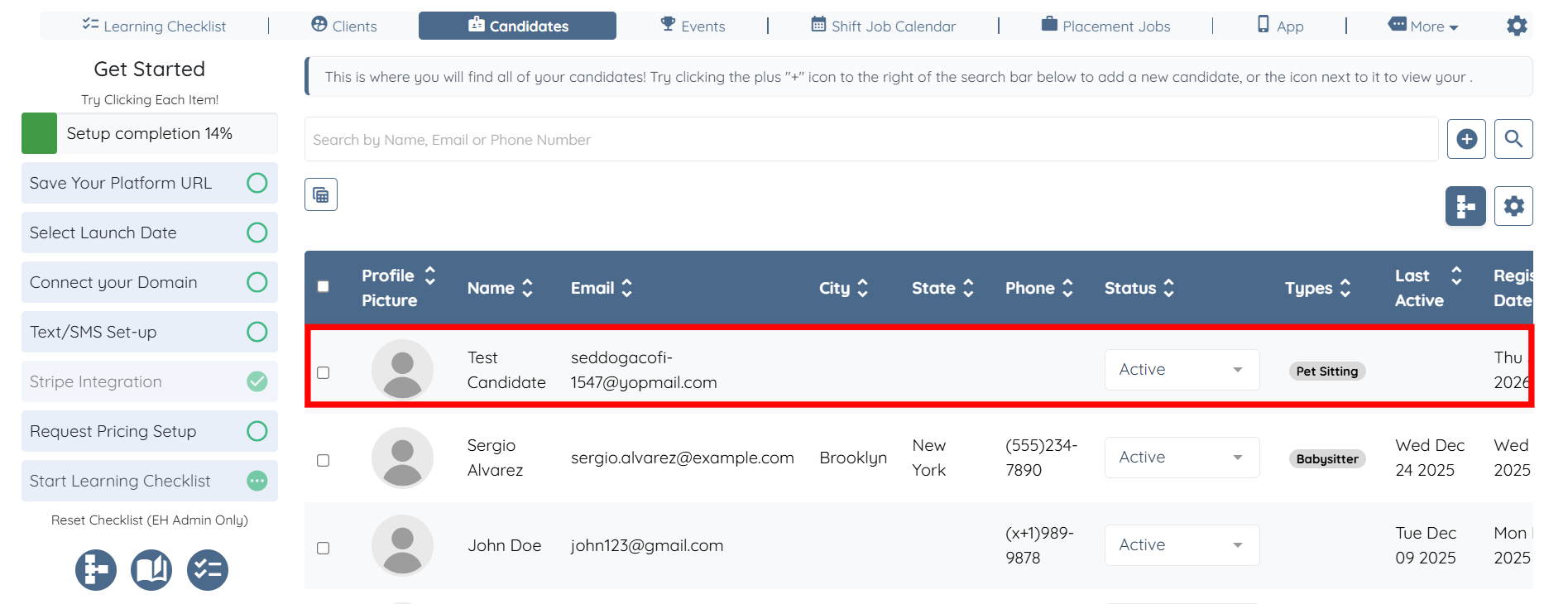
Step 2: Click any candidate from the list whose profile you want to view.
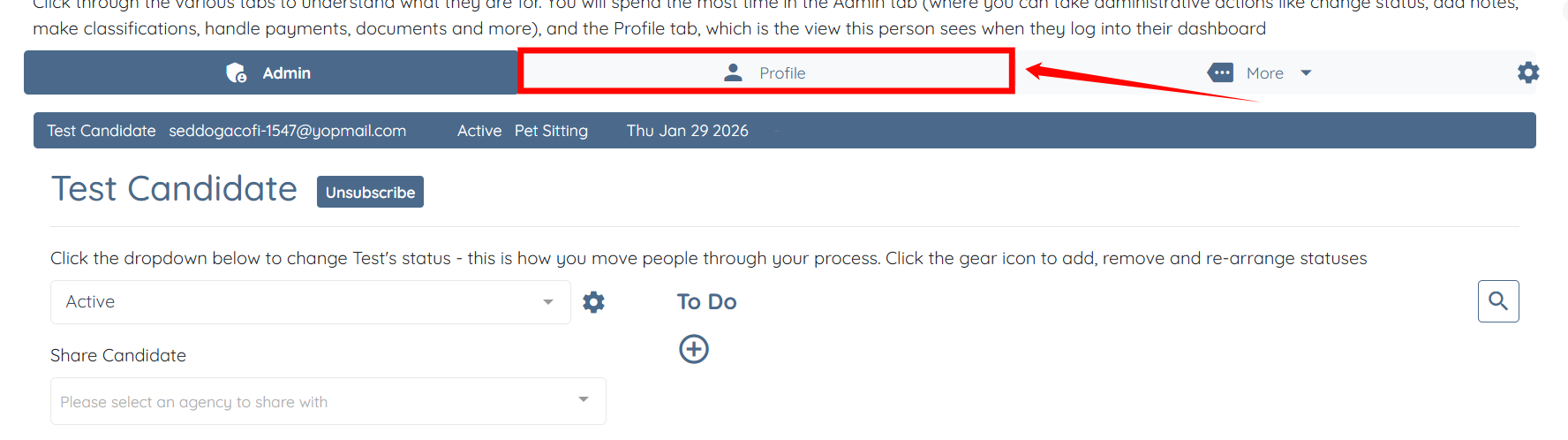
Step 3: Click the Profile tab to navigate to the candidate’s profile.
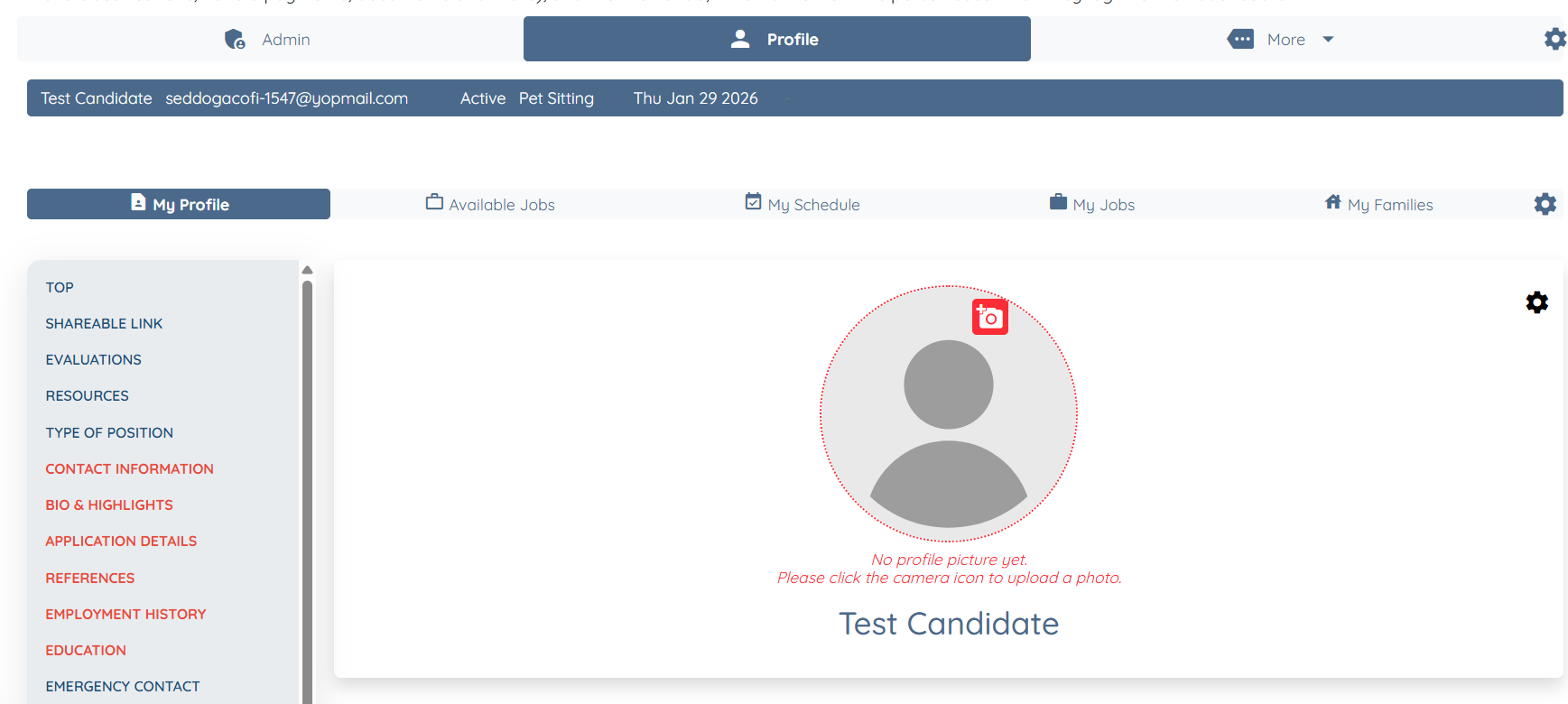
Here, you can view their profile along with all of their information.
If this doesn't answer your questions you can always contact us by clicking here