
Let’s get started 🚀
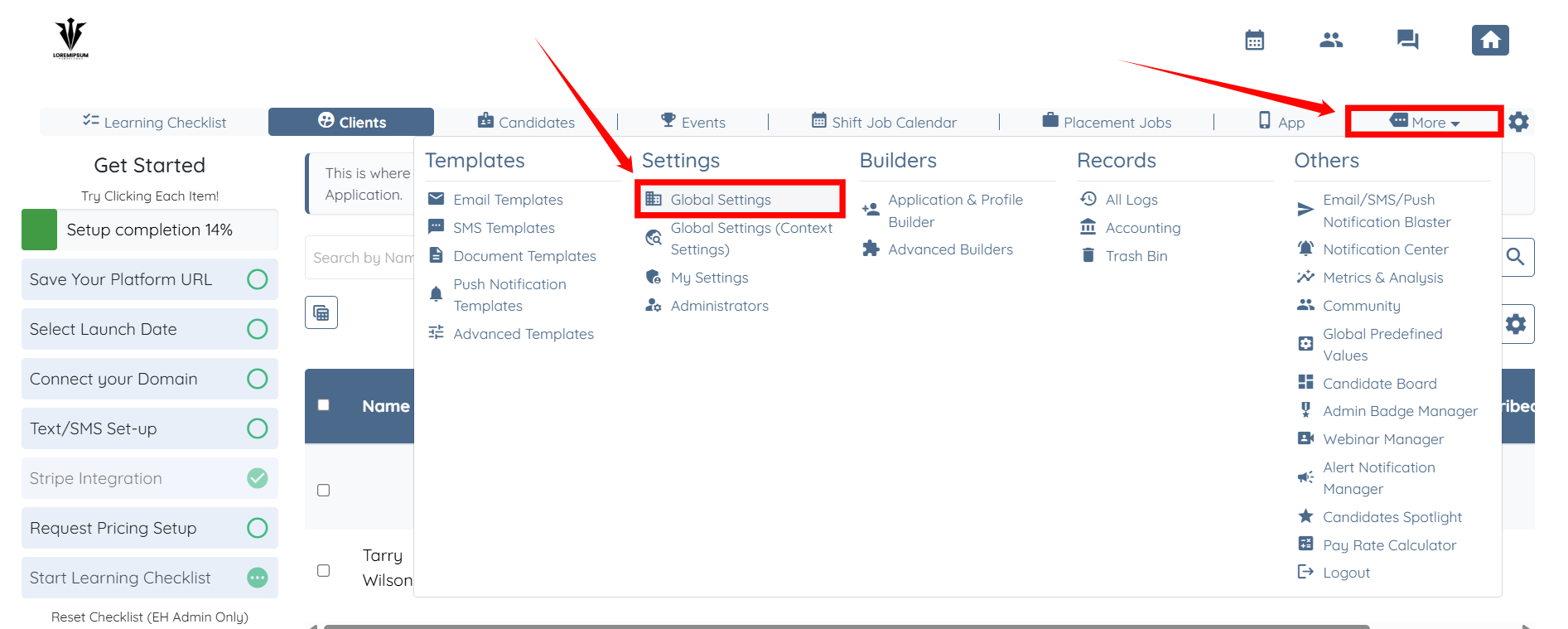
Step 1: Log in to your agent dashboard and click More > Global Settings, as shown in the screenshot below.
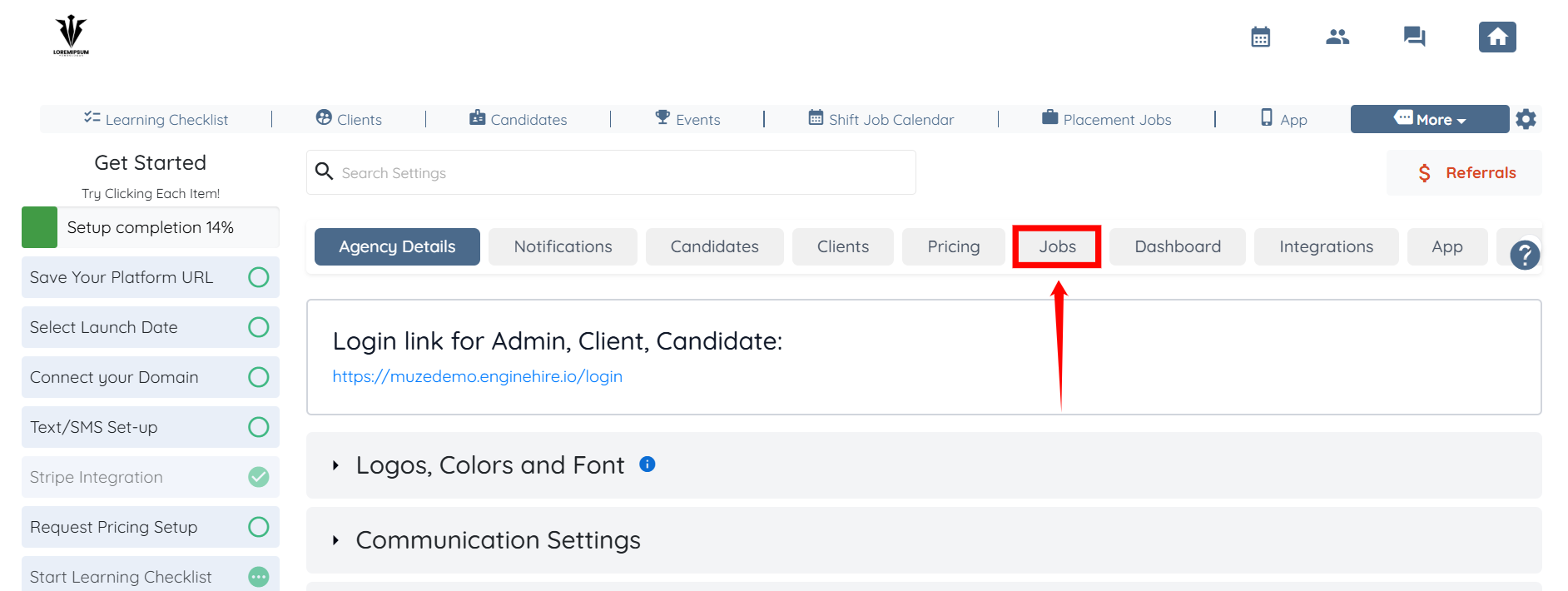
Step 2: From the list of available tabs, click the Jobs tab.
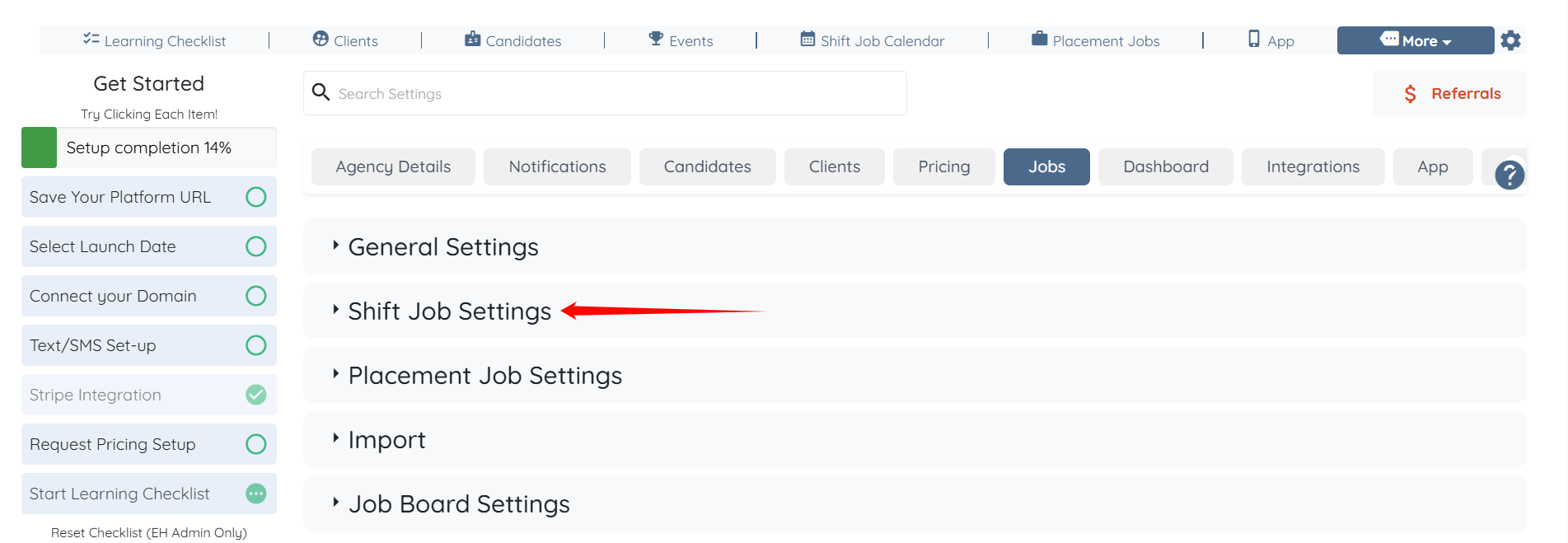
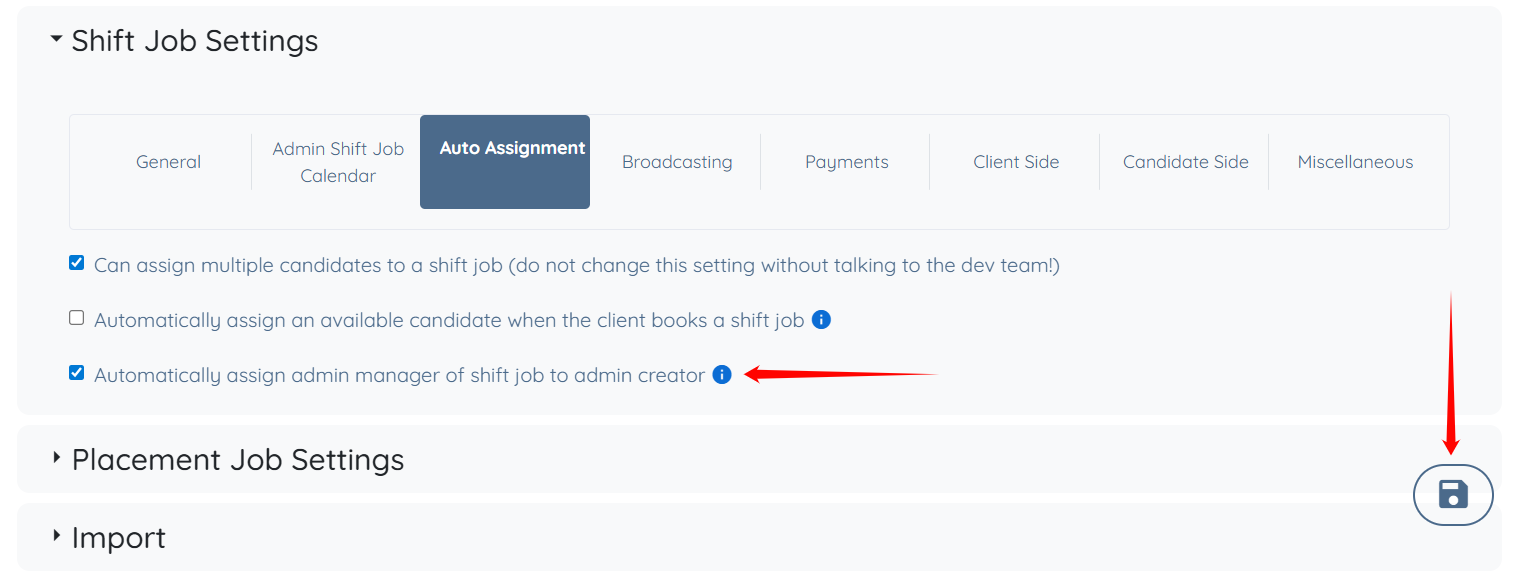
Step 3: Click the Shift Job Settings option to expand its details.
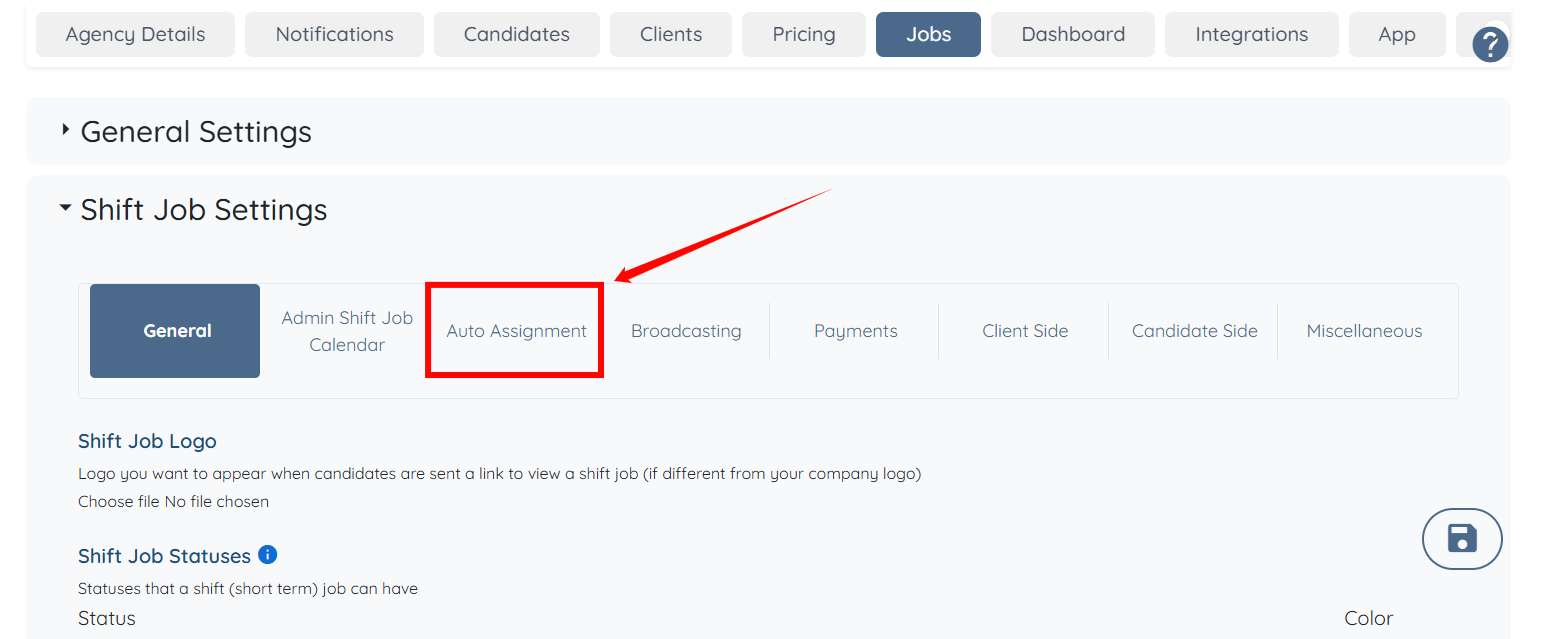
Step 4: Click the Auto Assignment option from the list of available options.
Step 5: Check the Automatically assign admin manager of shift job to admin creator checkbox. Then, click the Save icon to confirm the changes.
If this doesn't answer your questions you can always contact us by clicking here