
Step 1:
Go to the client's profile
Step 2:
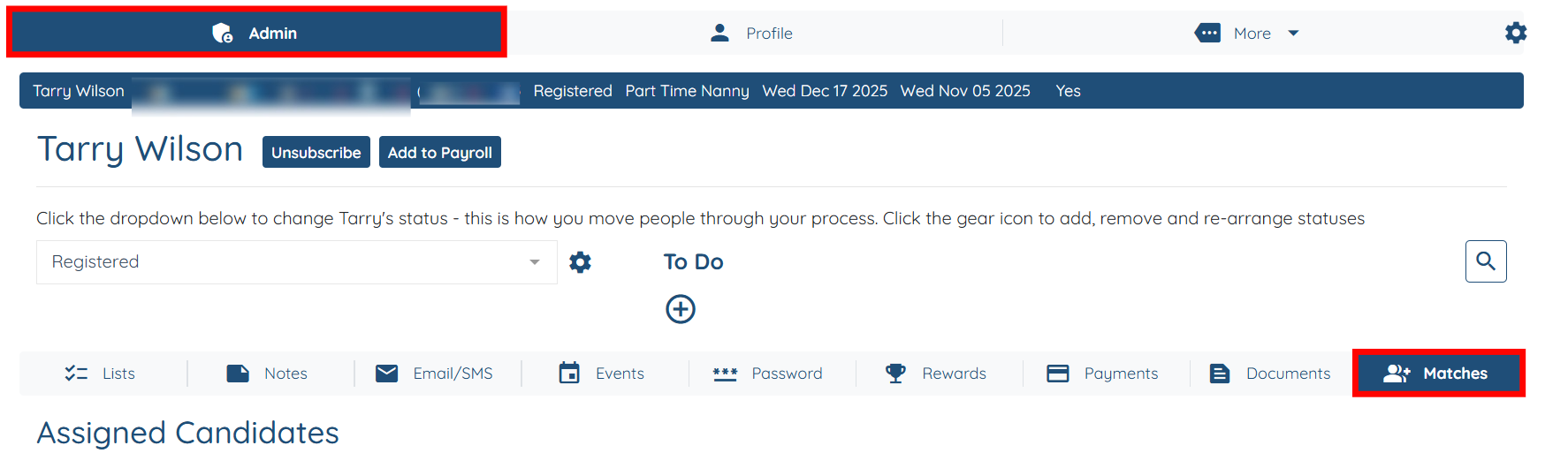
Stay on admin tab and click matches
Step 3
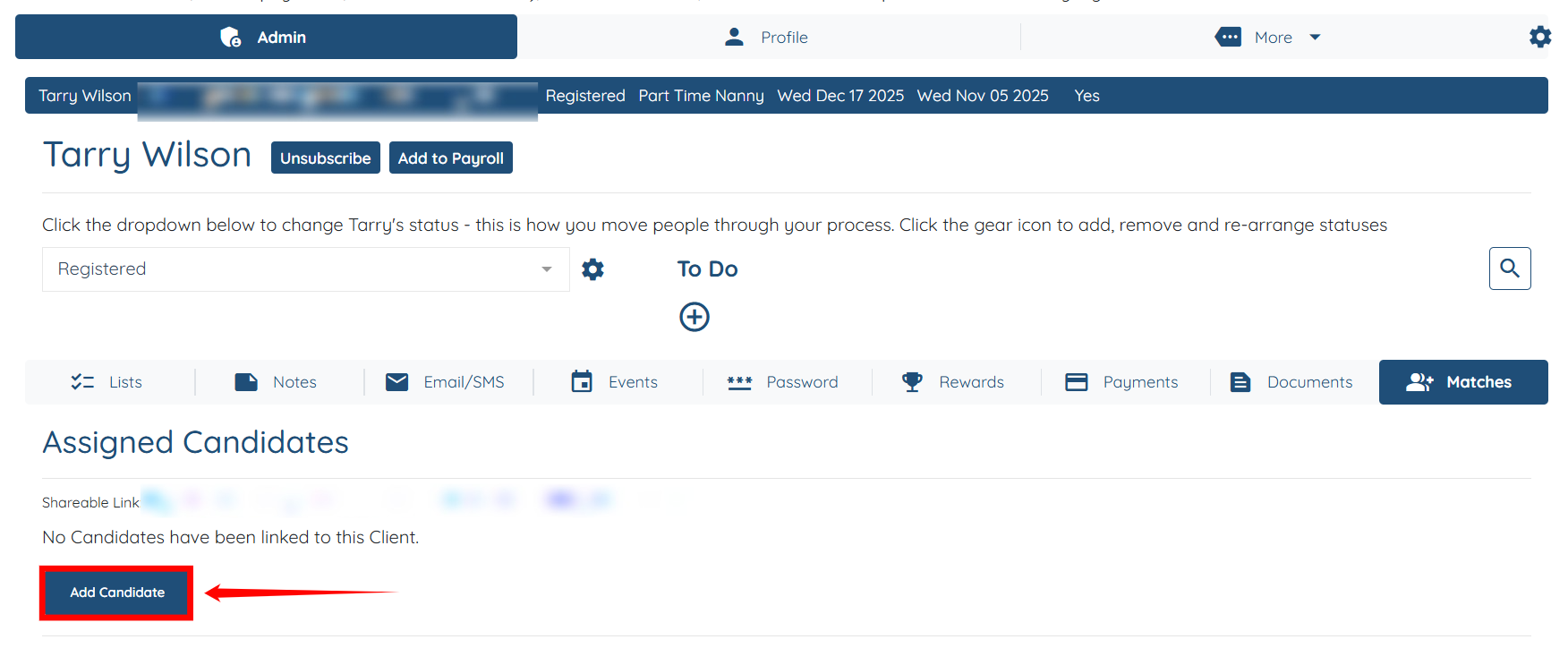
Click on add candidate
Step 4
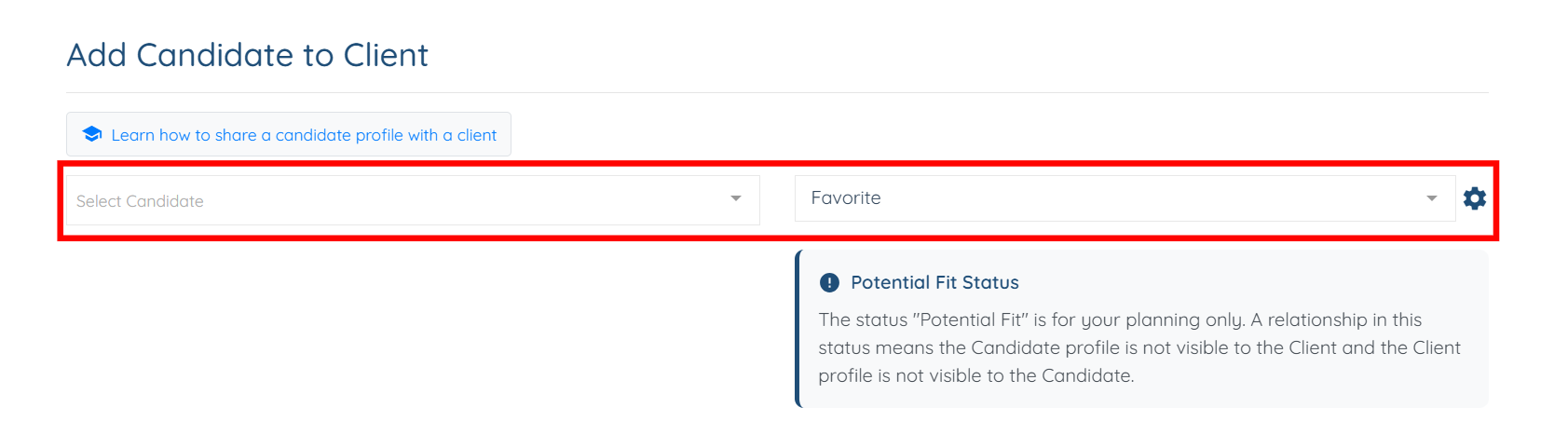
Pick the candidate from the drop down and then on the status click favorite or do not match
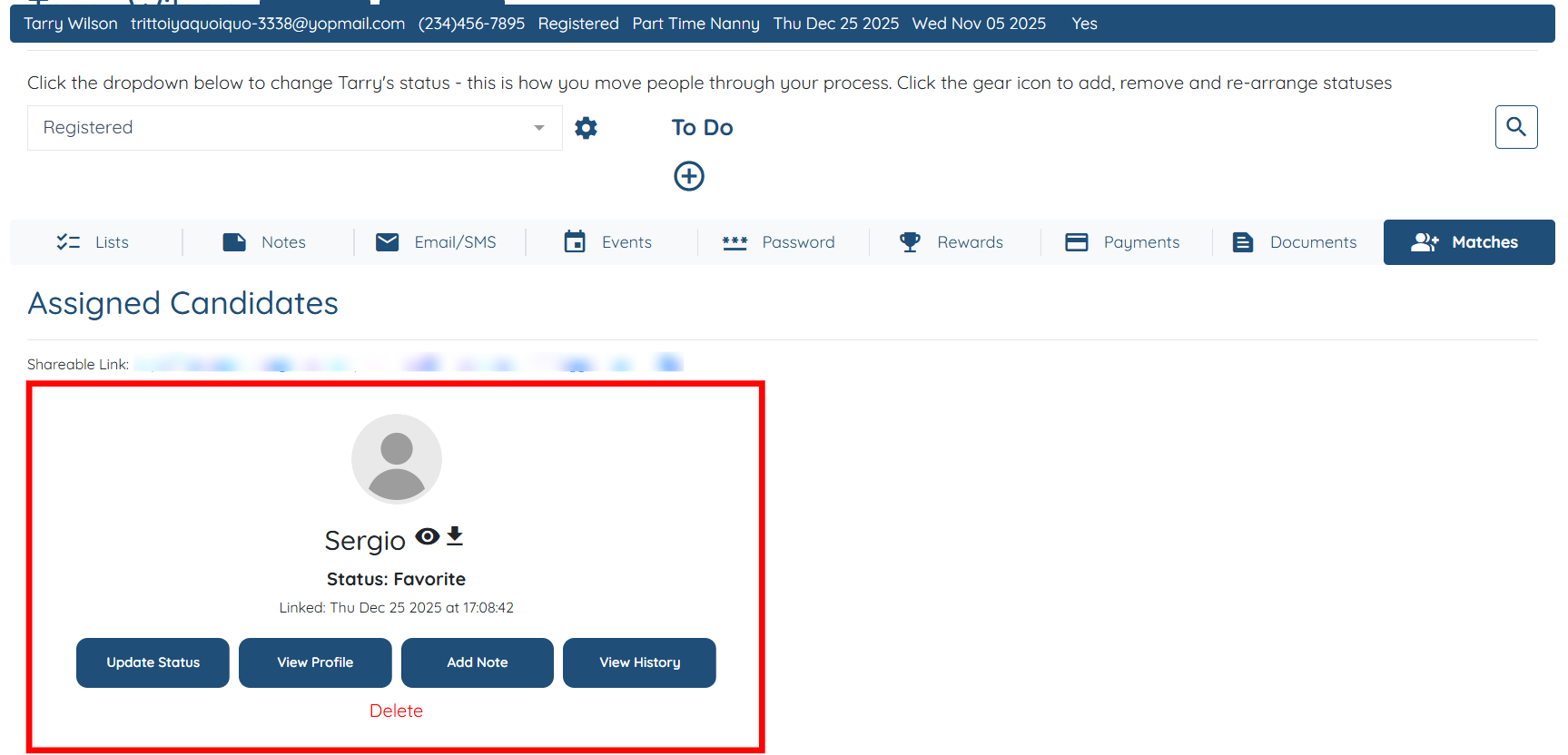
The candidate added as a favorite will appear in the client profile.
If this video doesn't answer your questions you can always contact us by clicking here