
This article will show you how to set or recalculate the rates for imported jobs or for shift jobs that don't have the correct rate calculation. To do that execute the following steps,
Login to agency mission control dashboard
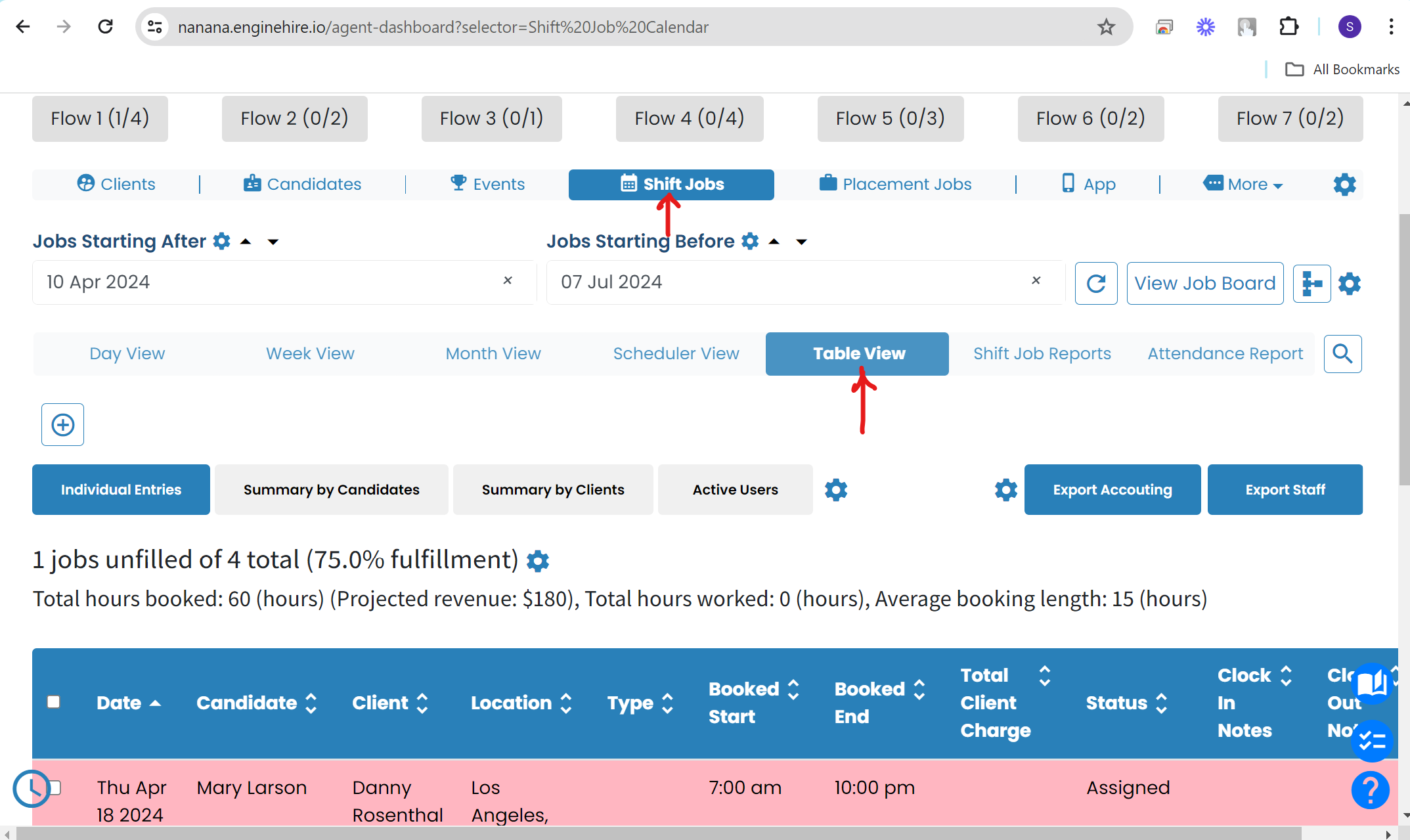
Select Shift Jobs - refer screenshot

Click on table view button - refer the screenshot
Now, adjust the date range using the fields Jobs Starting After and Jobs Starting Before
then select multiple jobs that you want to recalculate and hit the button "Bulk Recalculate Rates". Refer the screenshot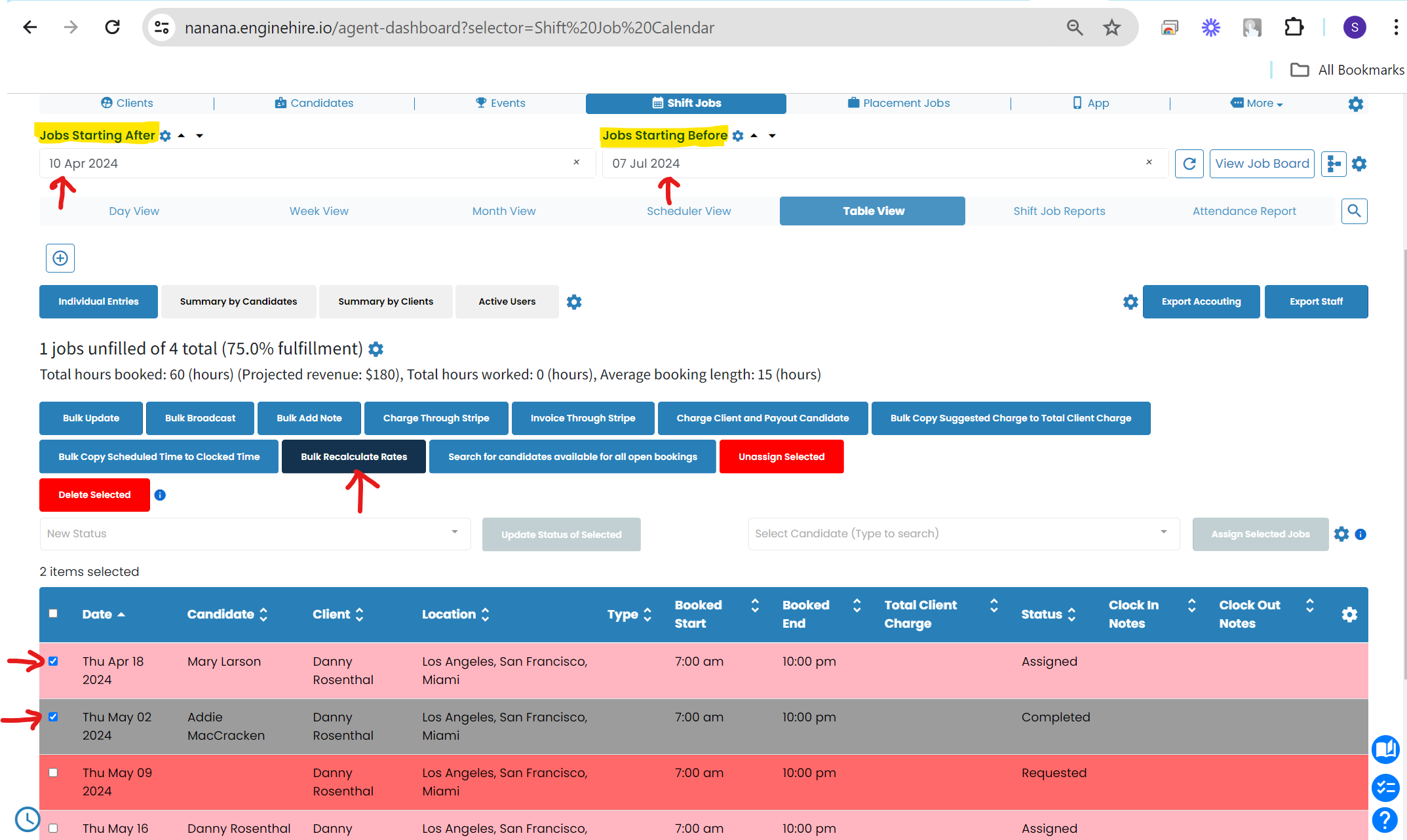
If this doesn't answer your questions you can always contact us by clicking here