
Let’s get started 🚀
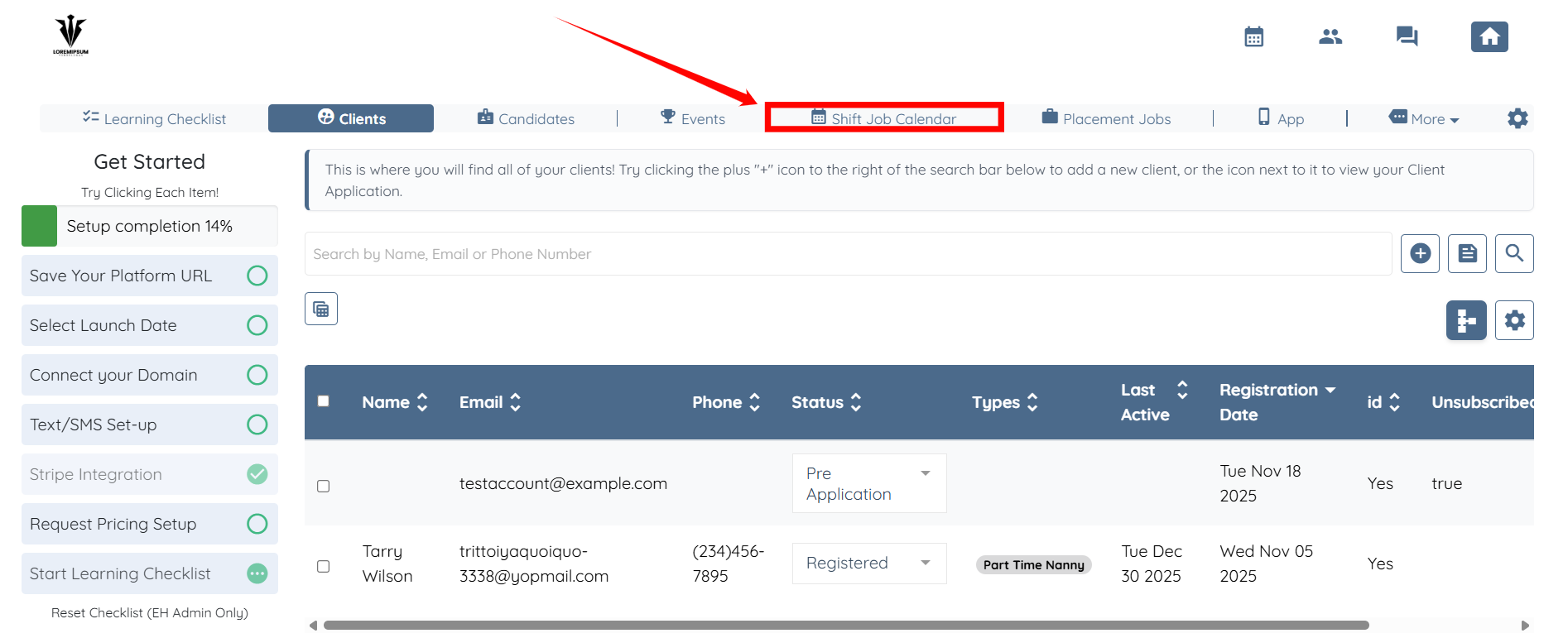
Step 1: Log in to your agent dashboard and click the Shift Job Calendar in the top navigation bar.
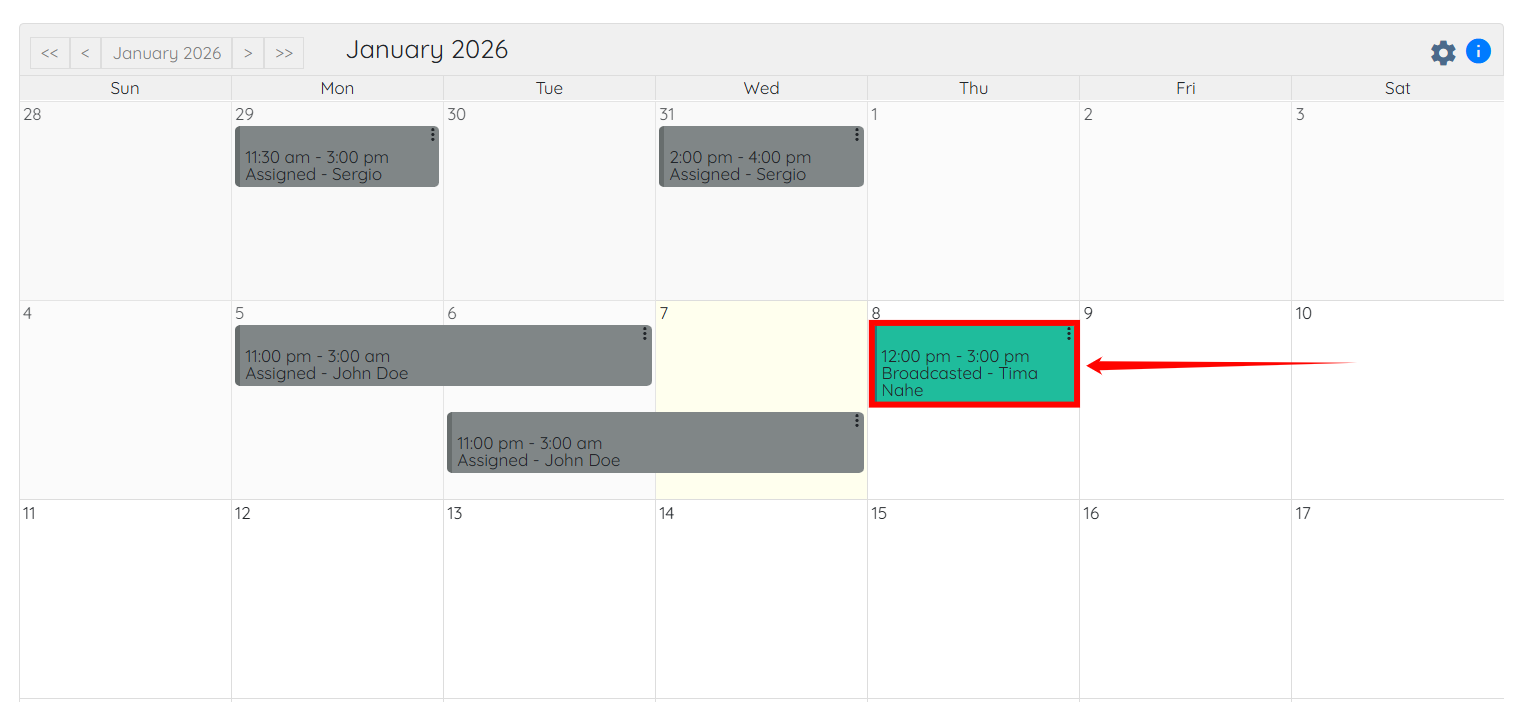
Step 2: Scroll down and click on the shift job for which you want to see the candidates to whom the job was sent as a broadcast.
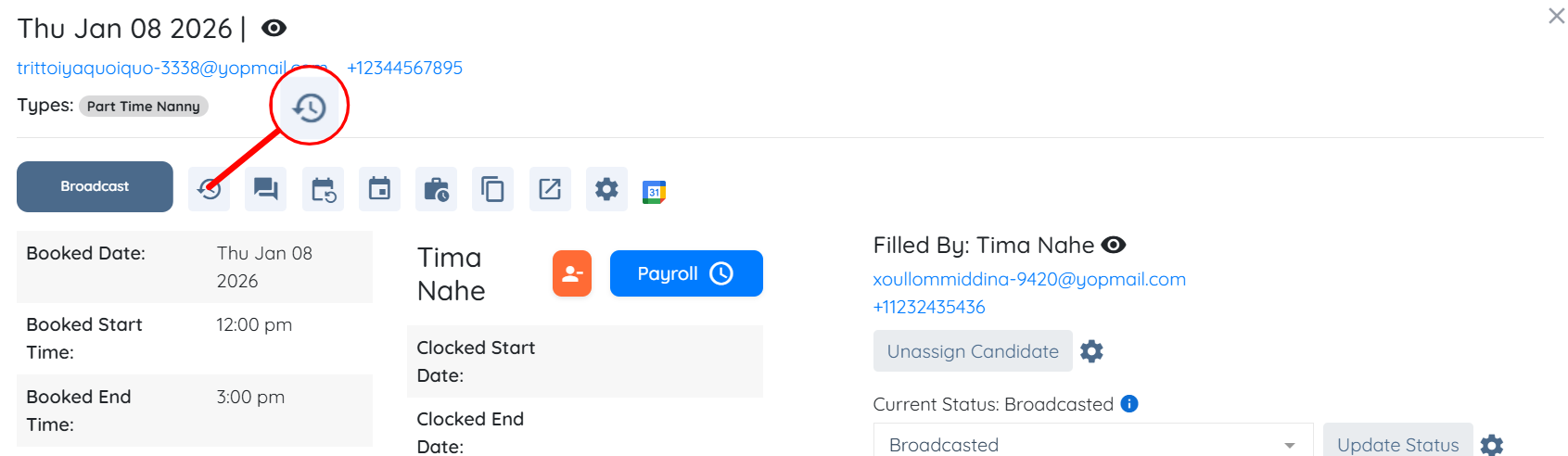
Step 3: Click the button shown in the screenshot below to view the broadcast record/history.
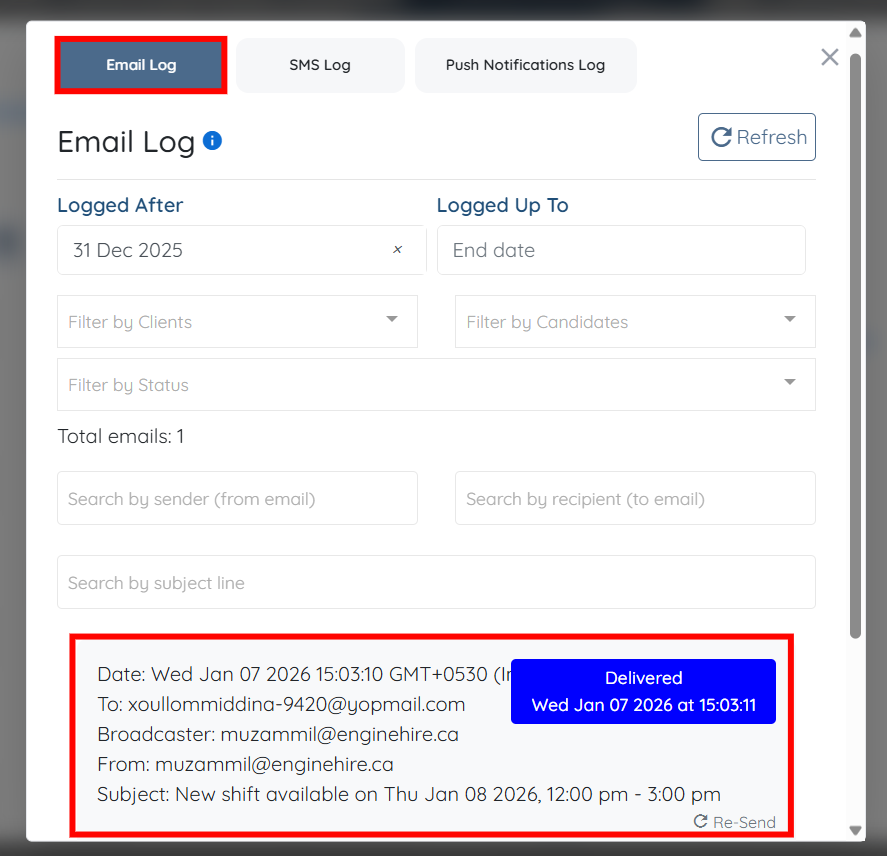
Under the Email Log option, you can view all broadcast records showing whom this job was broadcast to, along with the date, time, and current delivery status.
If this doesn't answer your questions you can always contact us by clicking here