Let’s get started 🚀
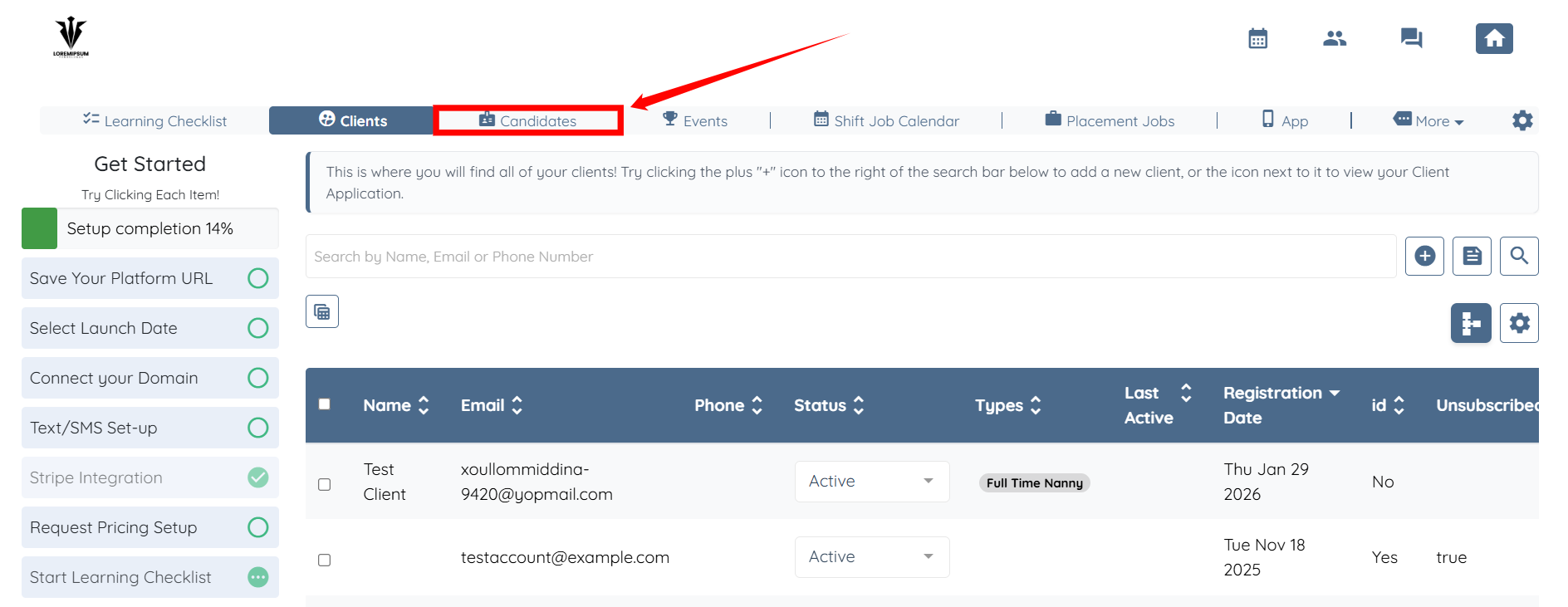
Step 1: Log in to your agent dashboard and click Candidates in the navigation bar.
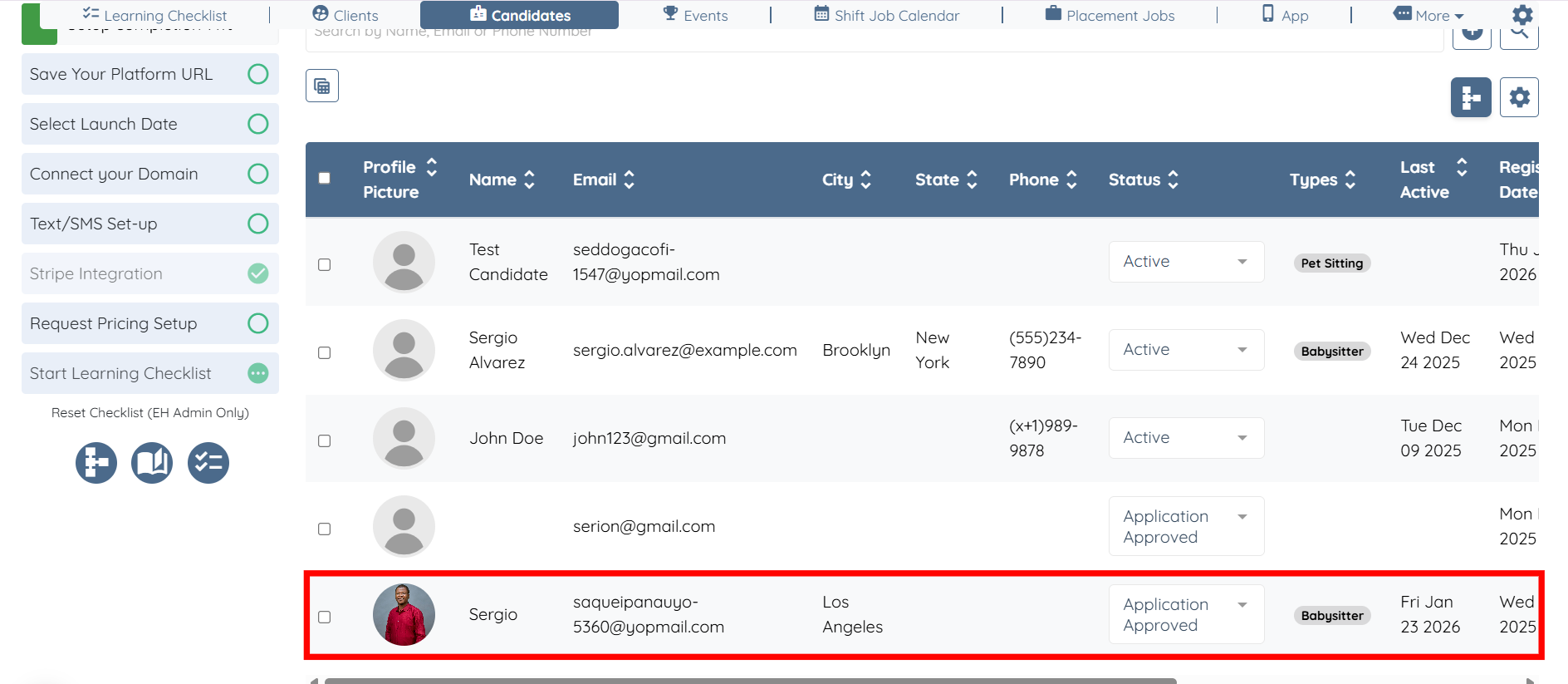
Step 2: Click the candidate from the list whose review you want to remove or hide.
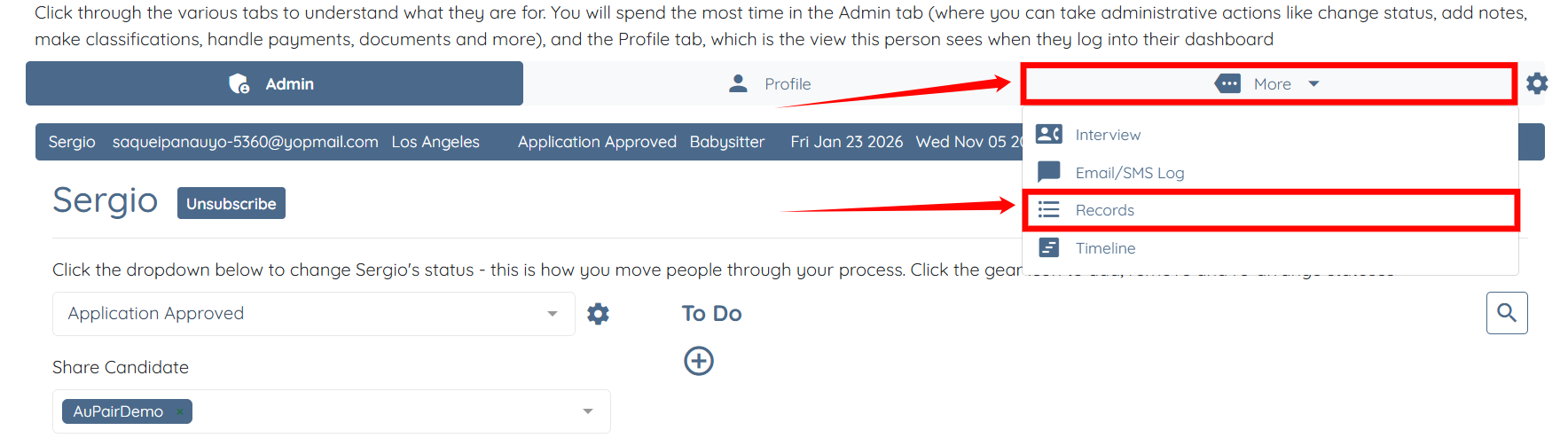
Step 3: Click on More > Records as shown in the screenshot below.
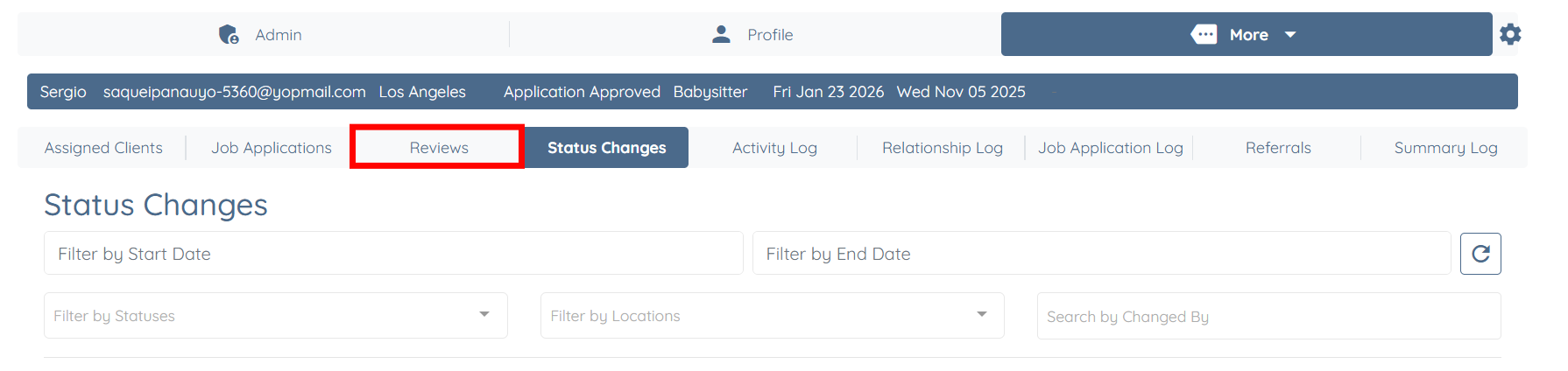
Step 4: From the list of available tabs, click the Reviews tab.
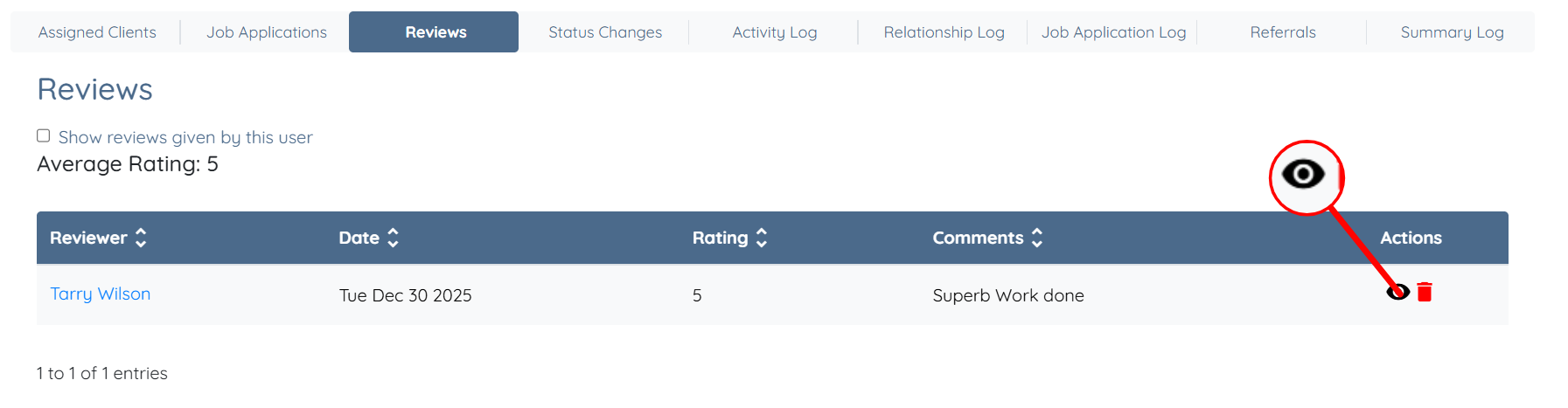
Step 5: Click the eye icon corresponding to the review you want to hide.
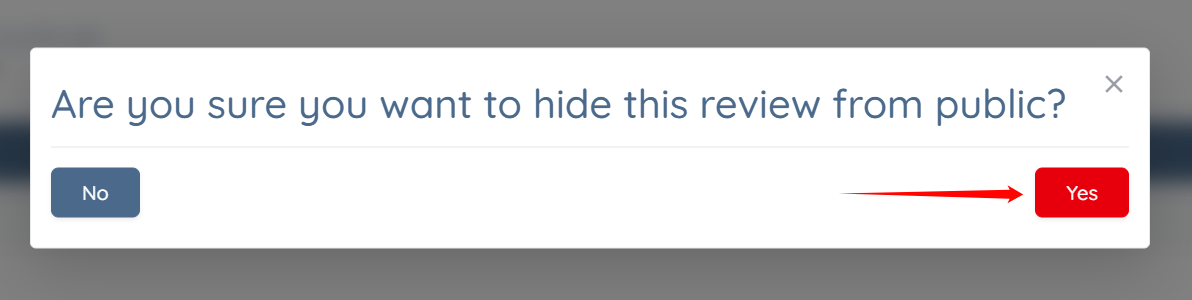
Step 6: Click the Yes button to continue.
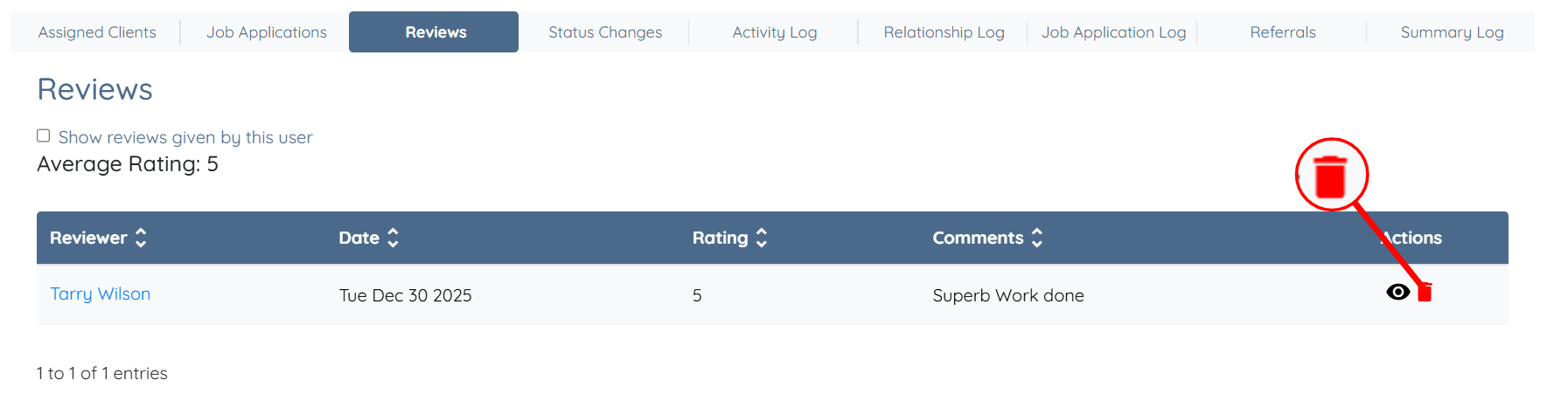
Step 7: If you want to remove the review, click the Trash icon.
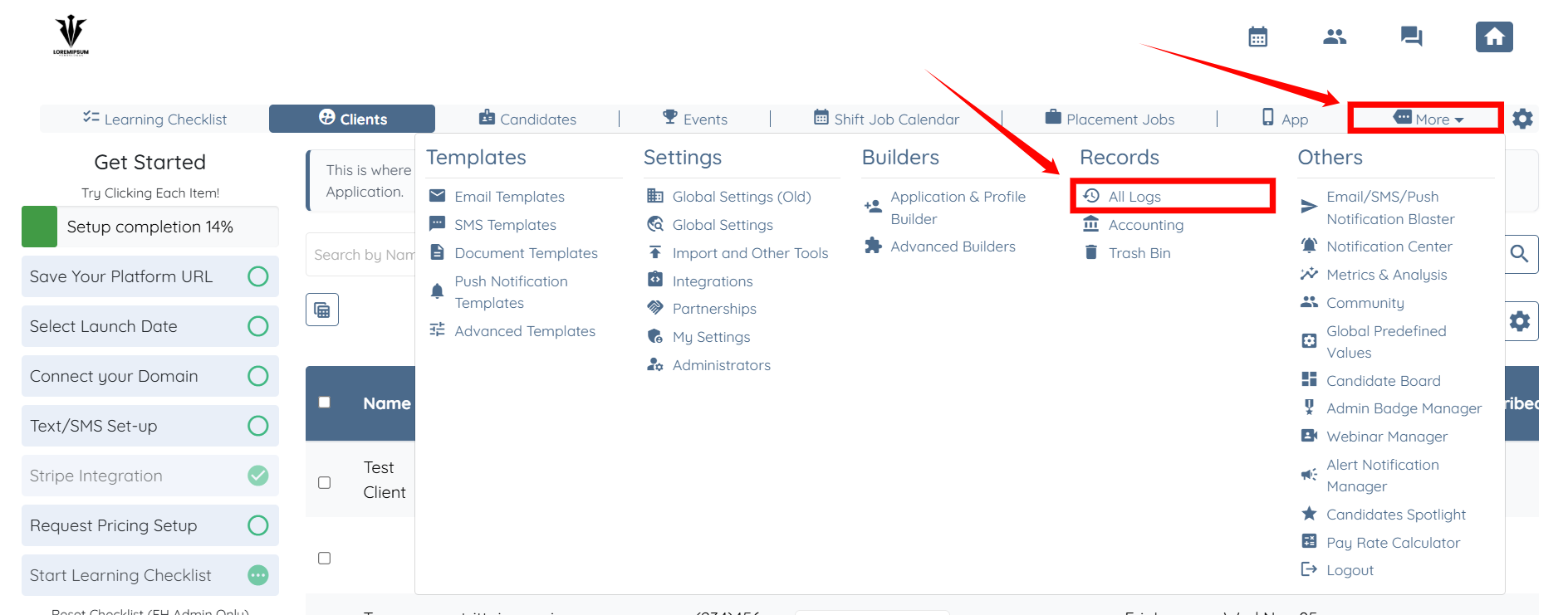
Step 1: Click on More > All Logs as shown in the screenshot below.
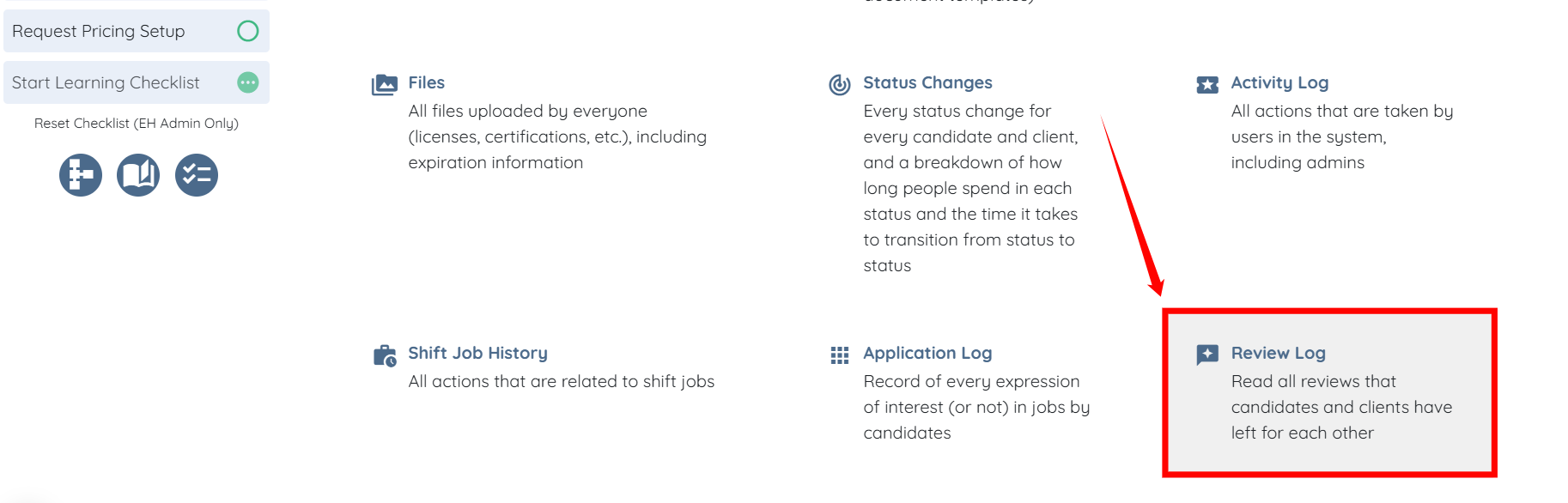
Step 2: Scroll down and click the Review Log option.
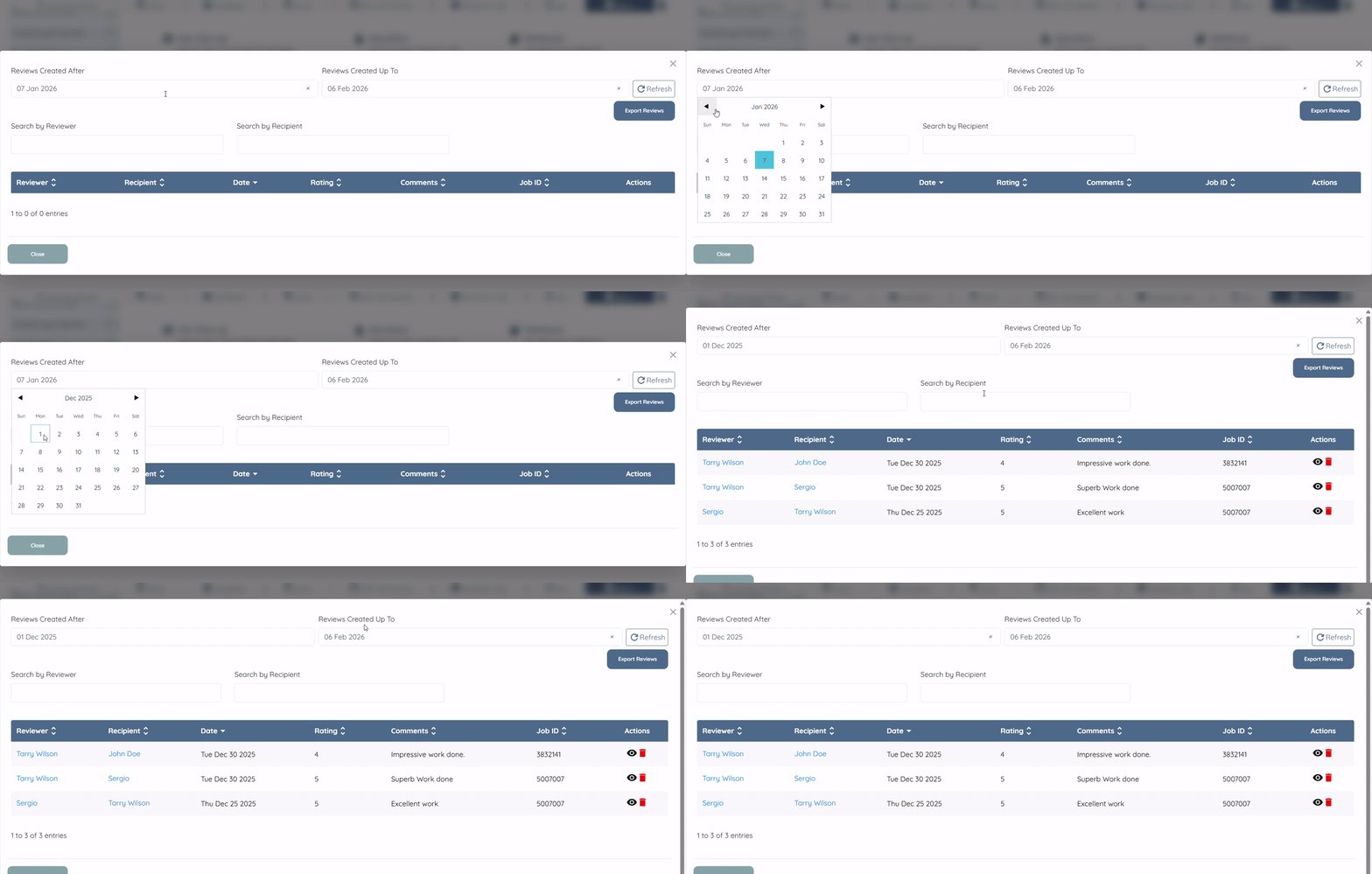
Step 3: Adjust the dates as needed to filter the reviews for the selected period.
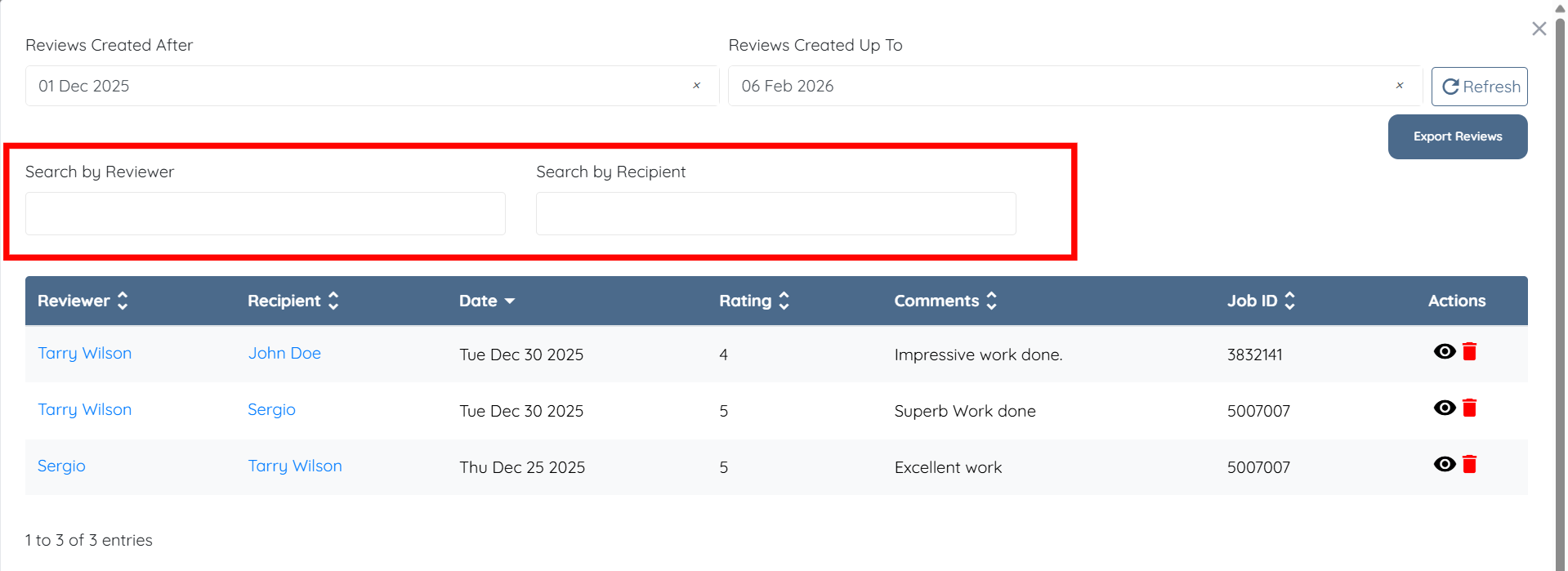
You can also narrow down the reviews by searching for a specific reviewer or recipient.
Step 4: Now, follow the same steps (Steps 5–7) from the section above to hide or remove the review as required.
If this article doesn't answer your questions you can always contact us by clicking here
