
Let’s get started 🚀
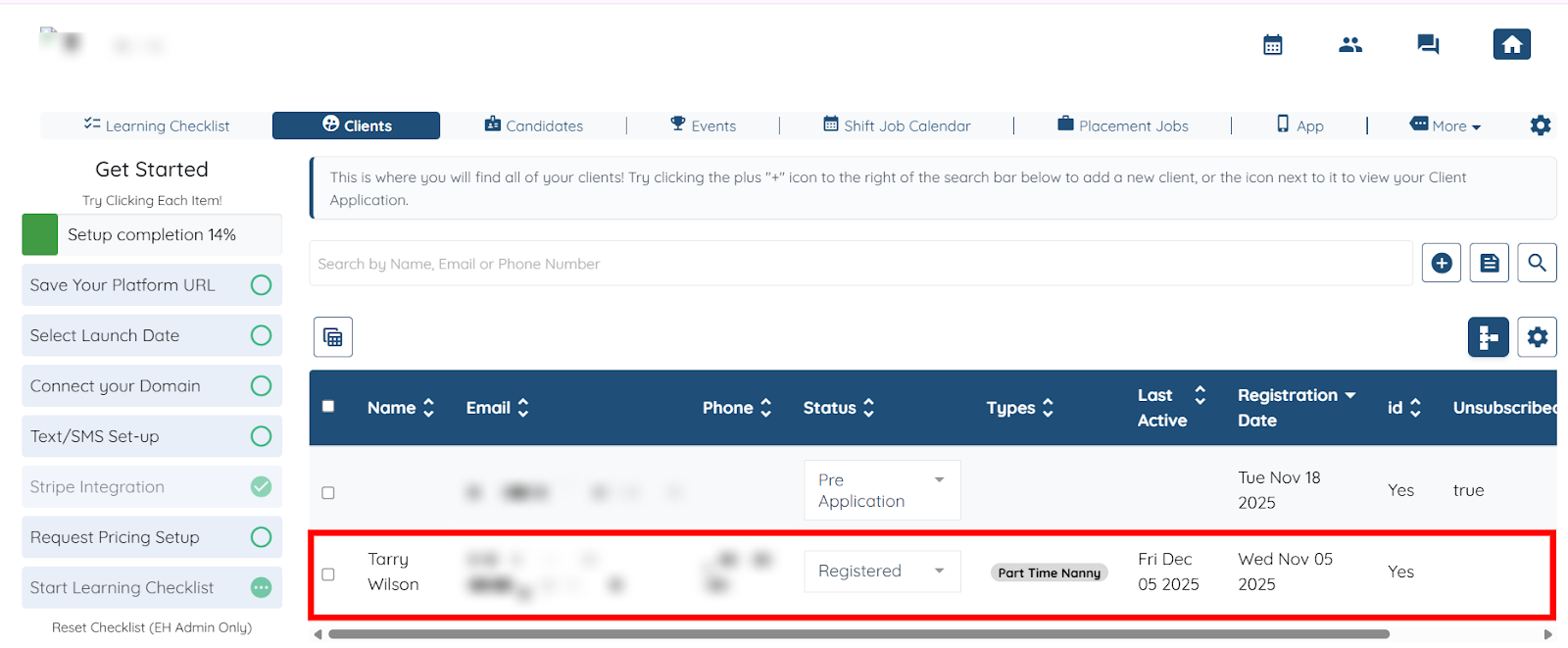
Step 1: Log in to your agent dashboard, and click the client in the list whose email logs you want to check.
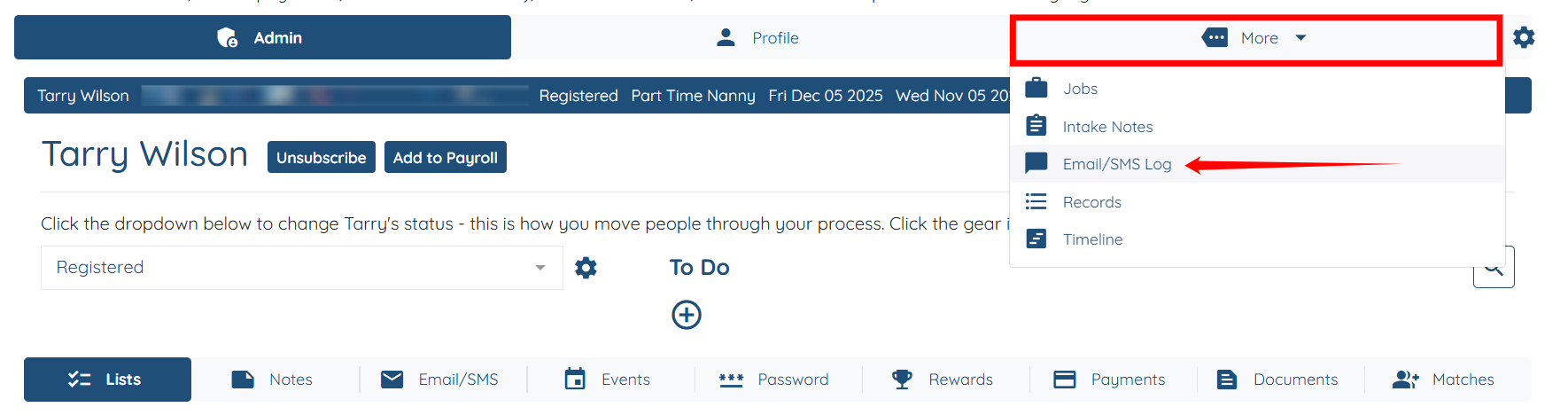
Step 2: Click More > Email/SMS Log as shown in the screenshot below.
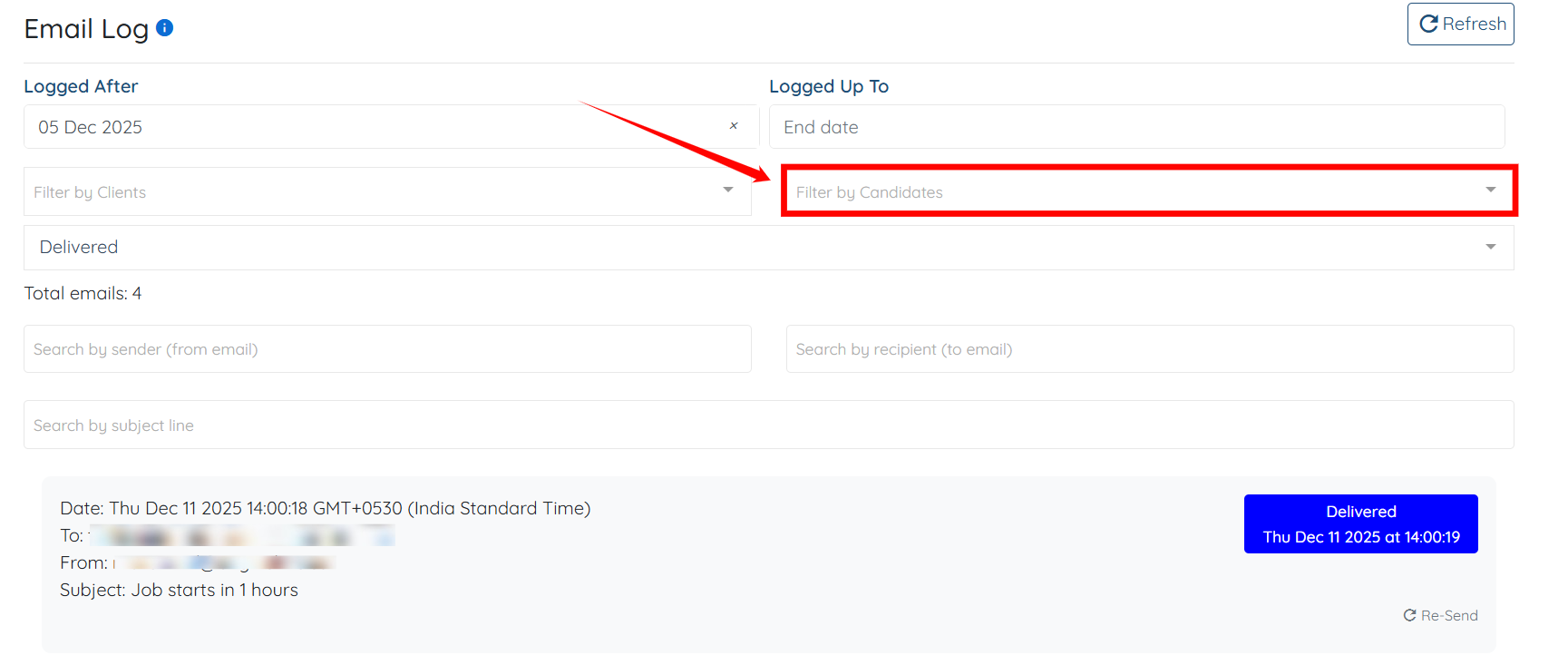
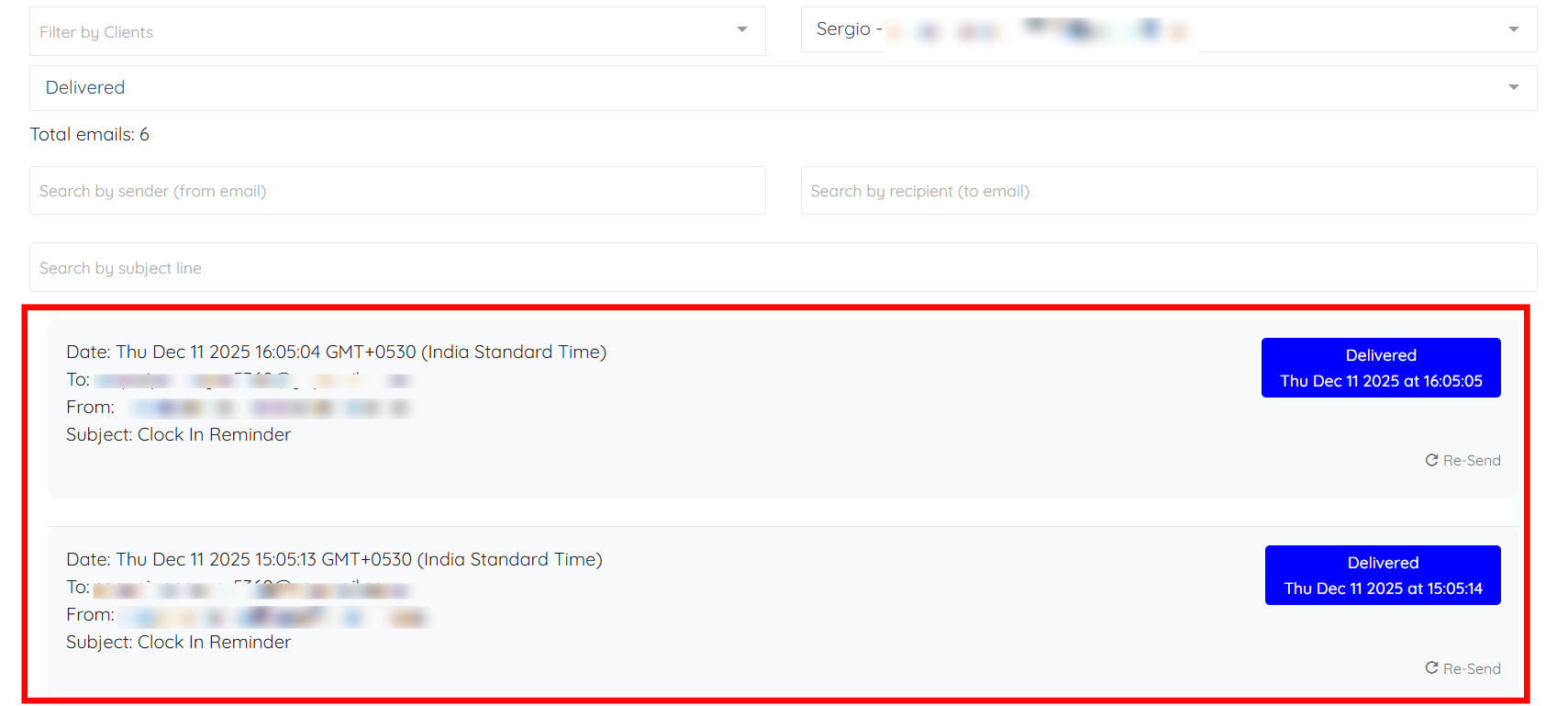
Step 3: You can view the logs here and use the available options to filter the results. For example, click the Filter by Candidates field to open the dropdown.
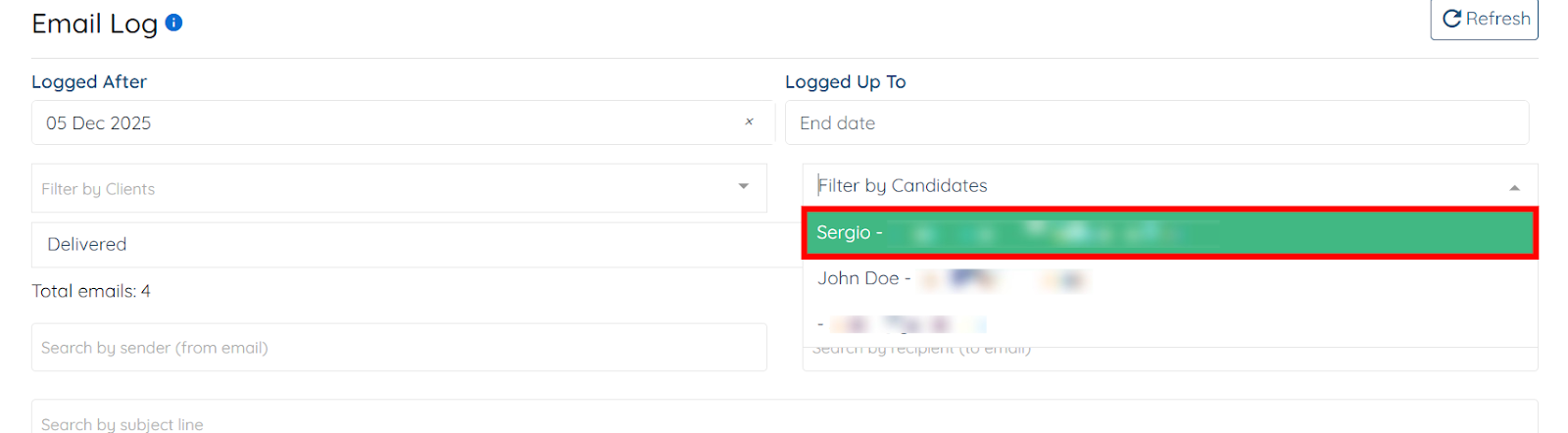
Step 4: Select the candidate for whom you want to filter the email log.
The email logs will be filtered successfully as per the selected candidate.
If this doesn't answer your questions you can always contact us by clicking here.