
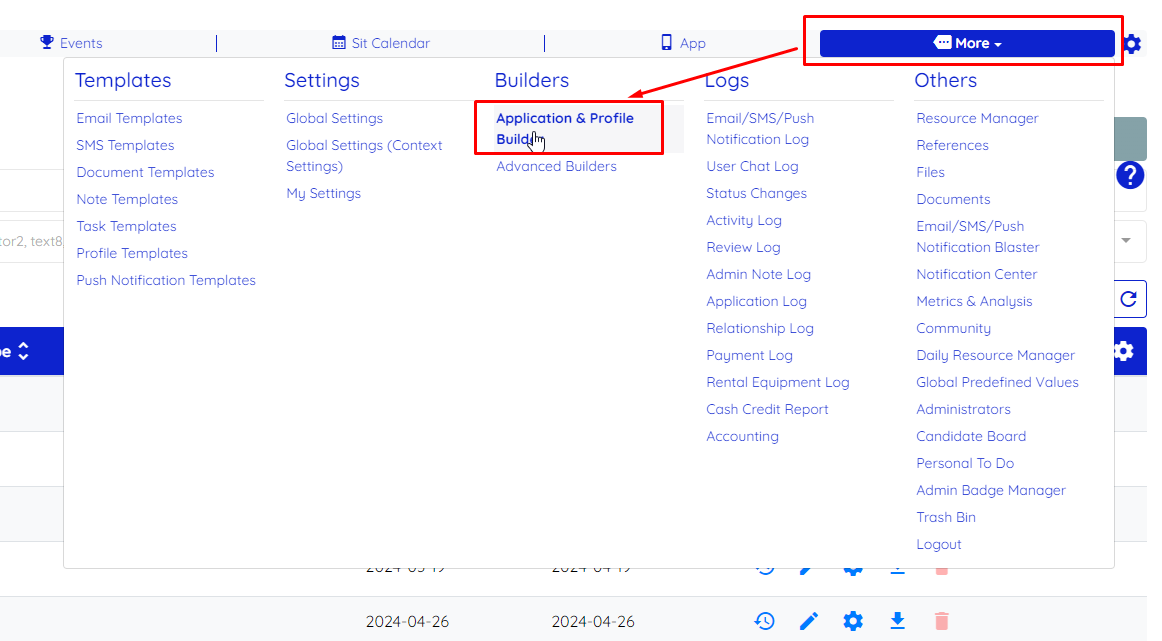
Navigate to More → Application & Profile Builder
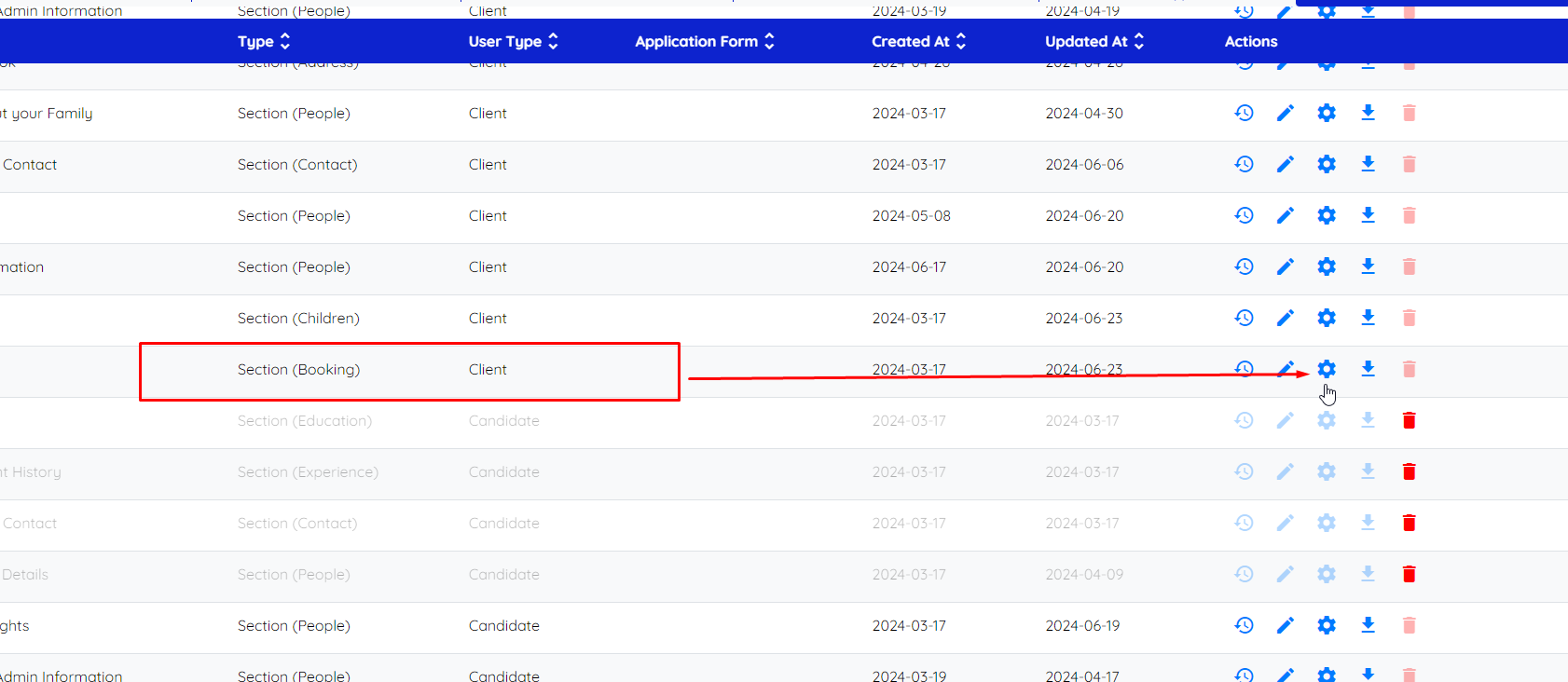
Find the Section (Booking) and click on the gear icon to enter into settings
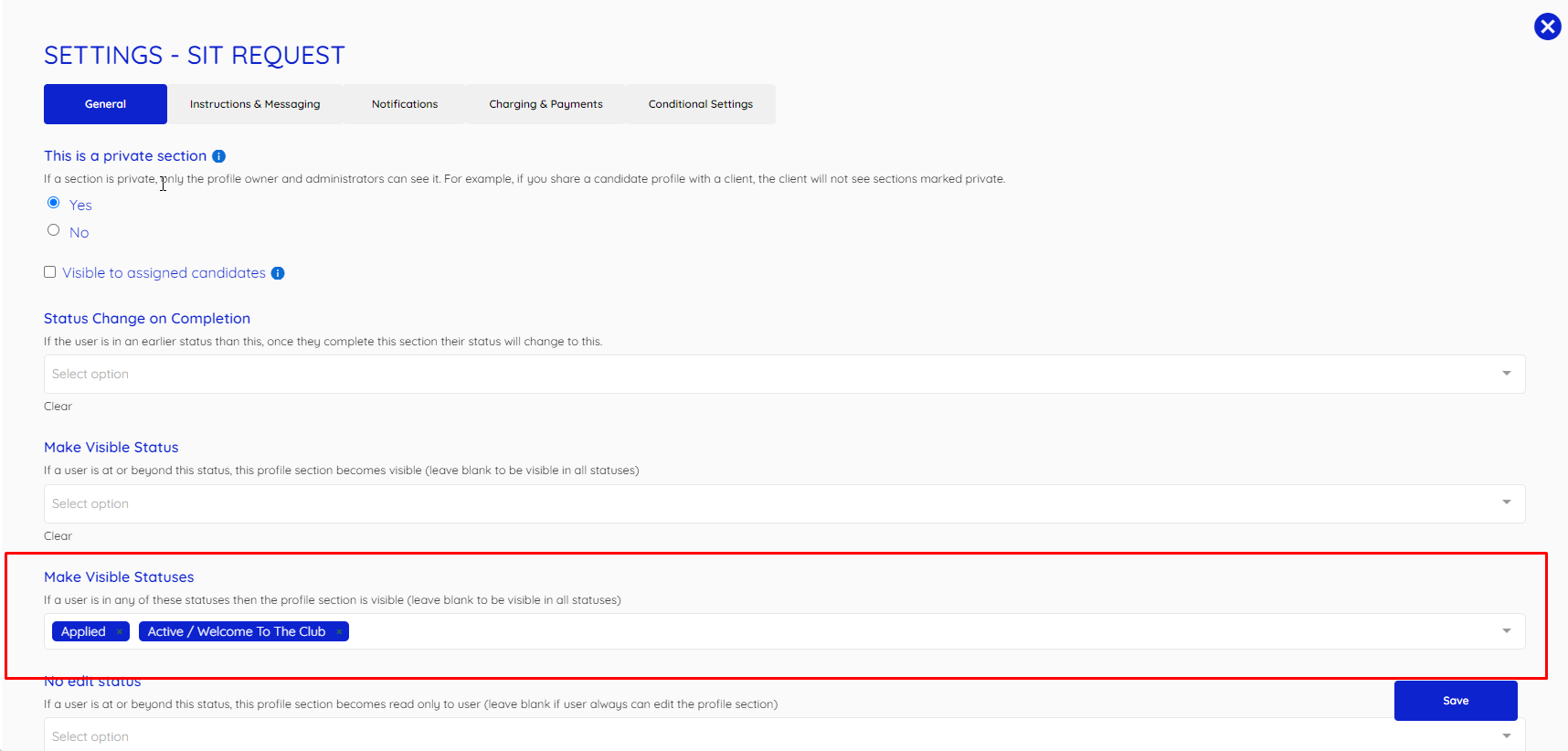
Under the General tab you can find the field "Make Visible Statuses" here you can add Client statuses that can make shift job requests
If this doesn't answer your questions you can always contact us by clicking here.