
Step 1:
Go to a candidate's profile. It can be any candidate. Even though we are making the adjustment in a candidate profile, it will be set for the entire dashboard.
Step 2:
In their profile, click on my jobs at the menu.
Note: Some agencies changed the verbiage. If you have changed the verbiage it will be where candidates are viewing their upcoming jobs.
Step 3:
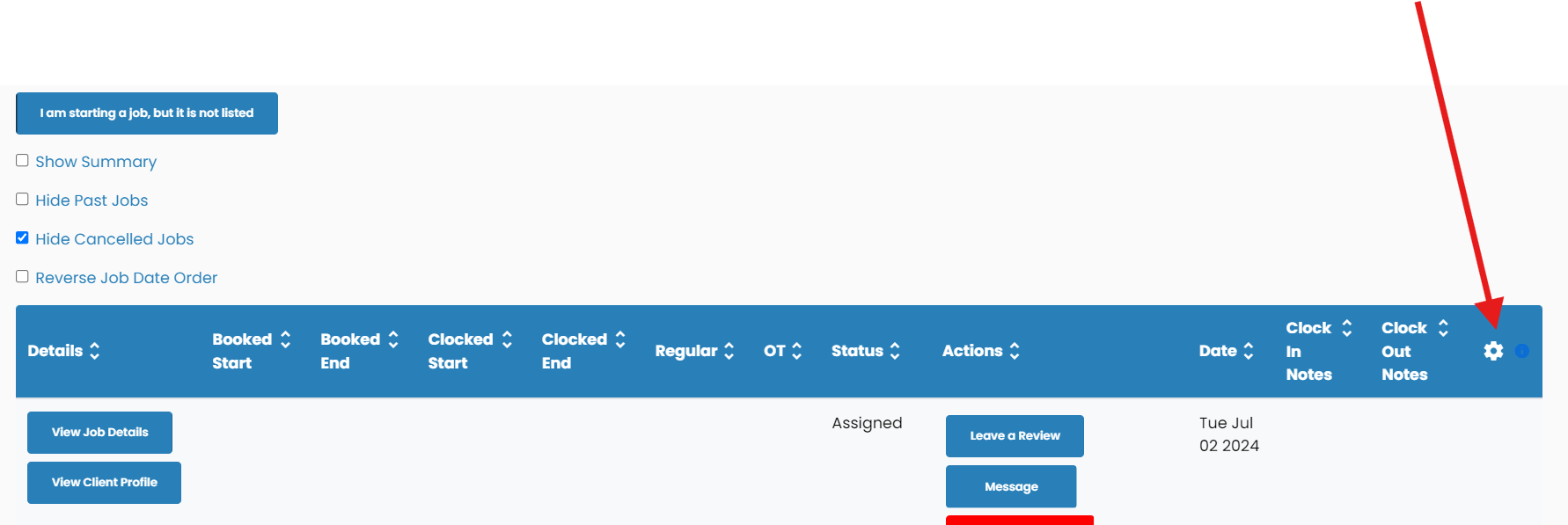
Click the gear icon on the table.
Step 4:
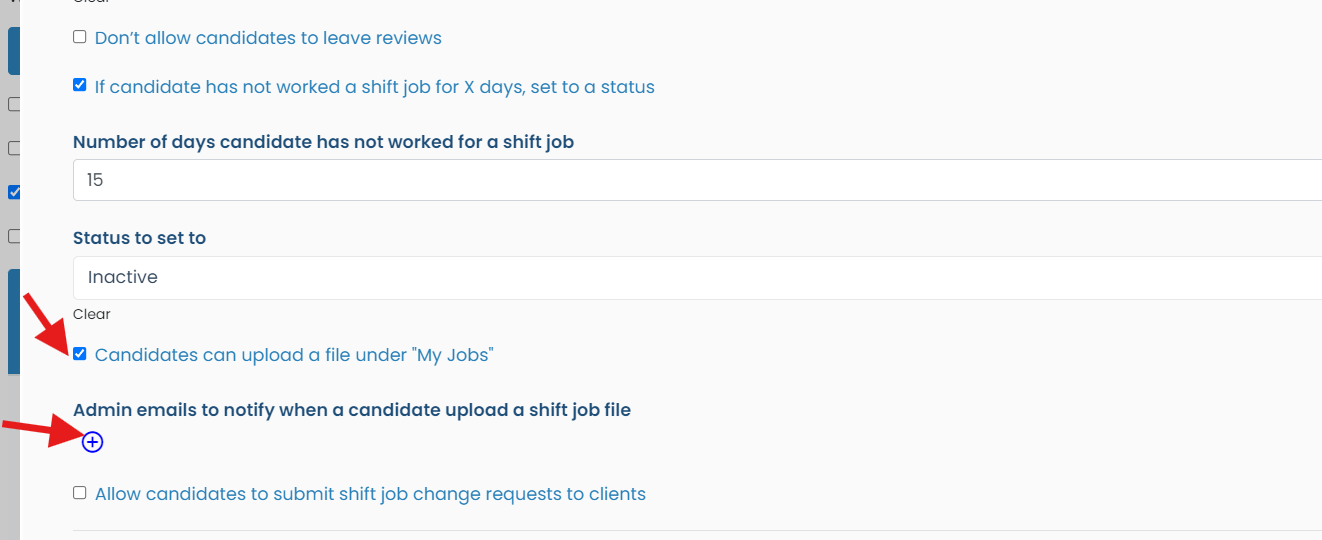
Scroll to the bottom, make sure it is checked off to be able to add a file.Then add emails for who needs to be notified when uploading a file
If this video doesn't answer your questions you can always contact us by clicking here