
Let’s get started 🚀
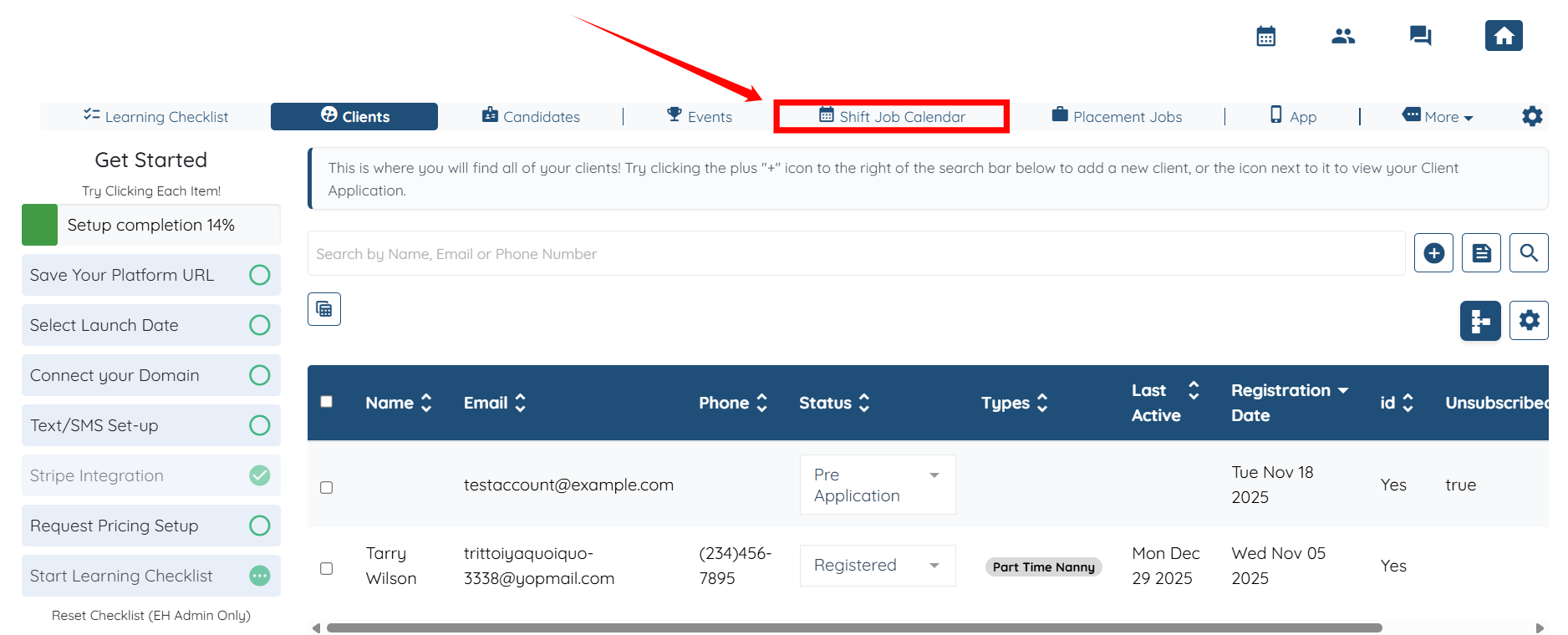
Step 1: Log in to your agent dashboard and click the Shift Job Calendar in the top navigation bar.
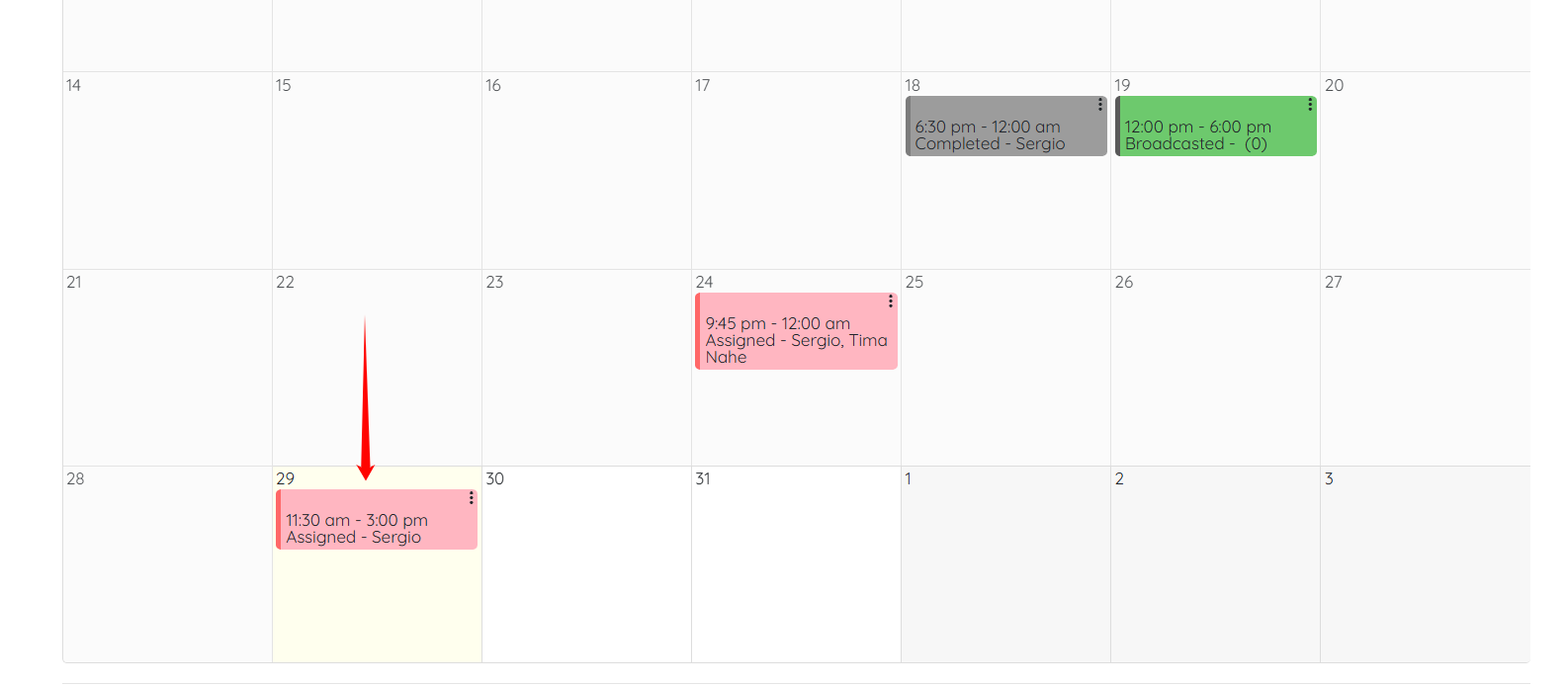
Step 2: Scroll down and click on any of the shift jobs.
Step 3: Scroll down and click the View Job Listing button.

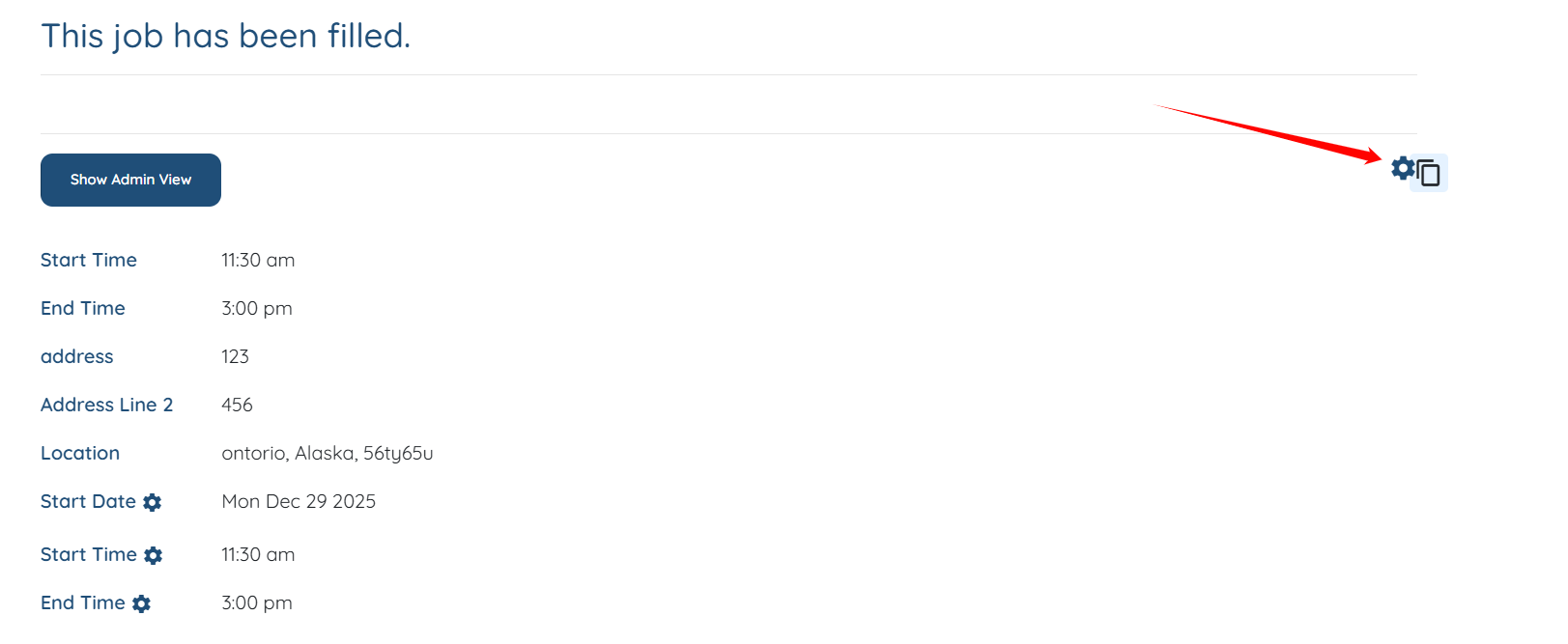
Step 4: Click the Gear icon, as shown in the screenshot.
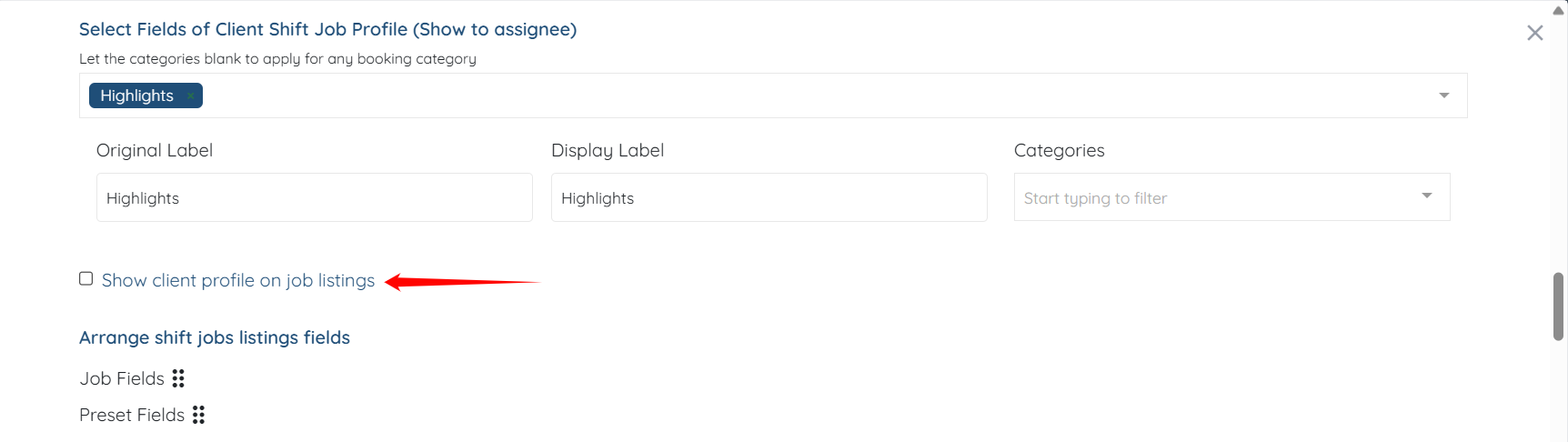
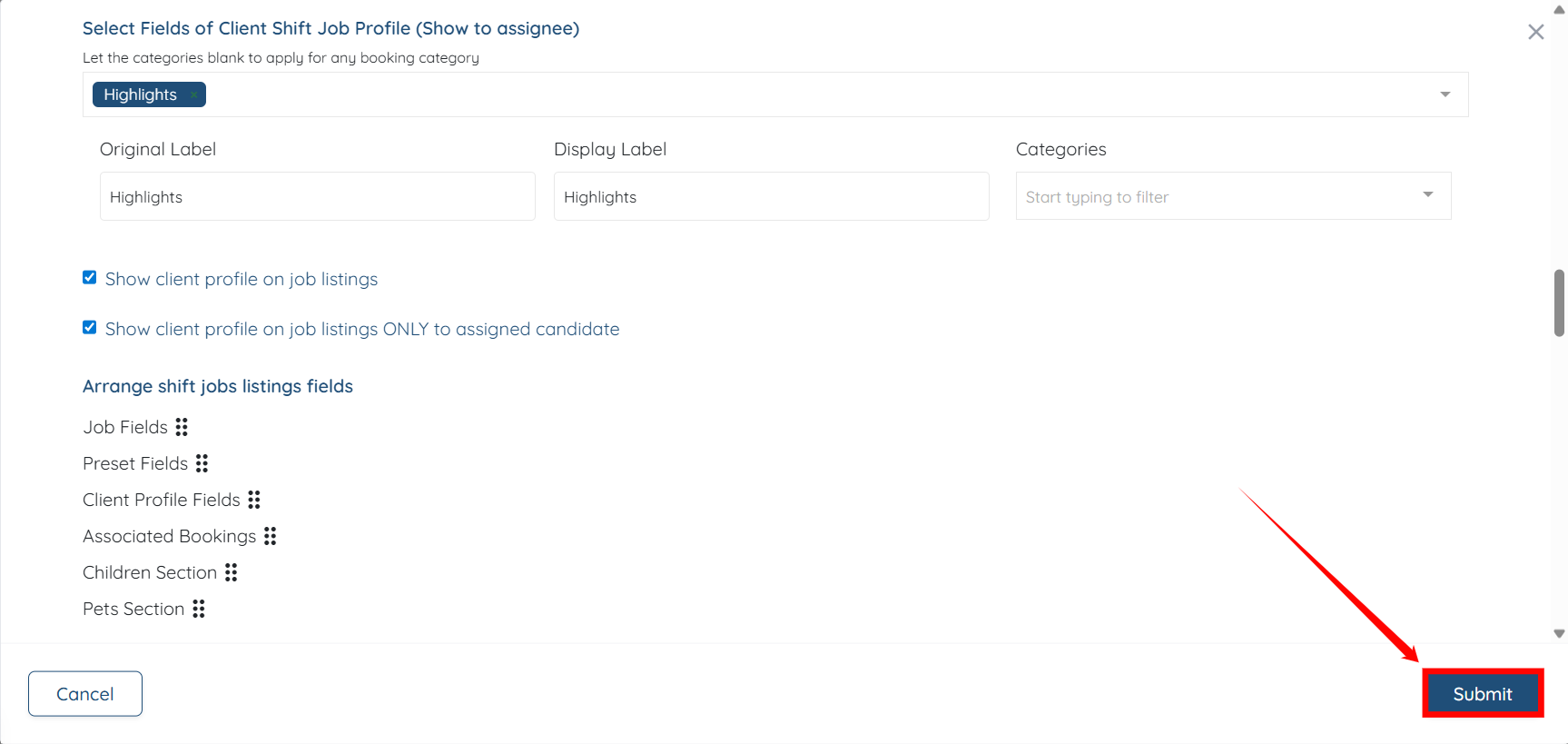
Step 5: Check the Show client profile on job listings checkbox.
Step 6: Click on Submit button to confirm the changes.
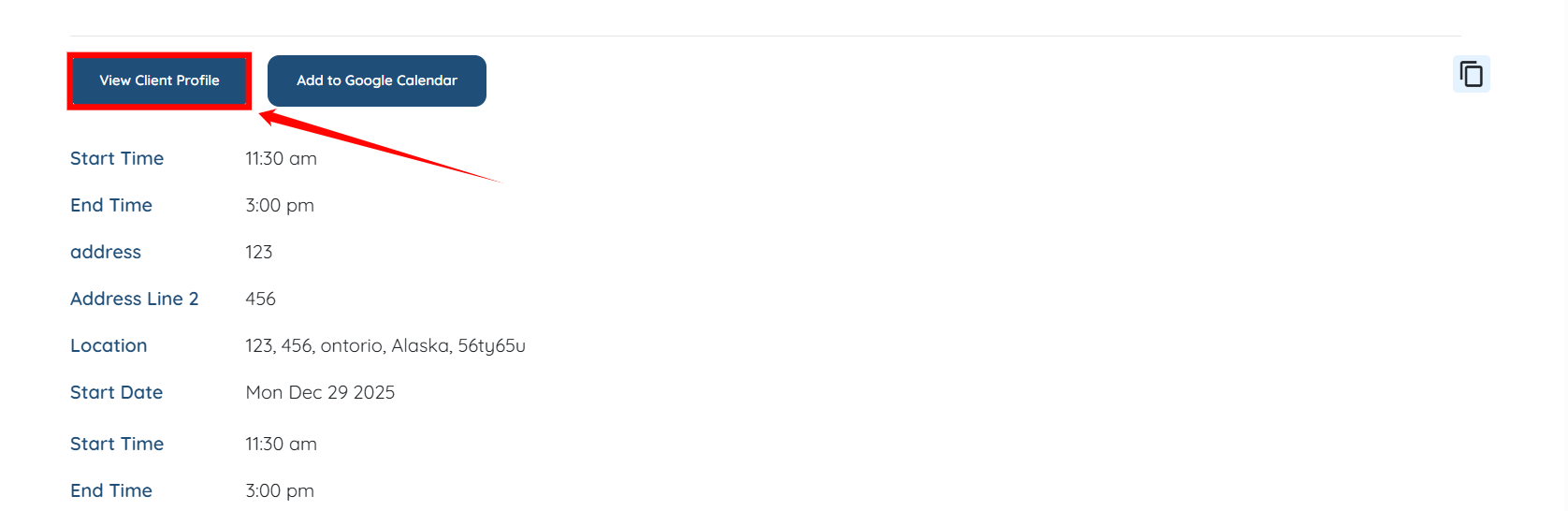
Step 7: You will see a View Client Profile button. Click it to open the client profile.
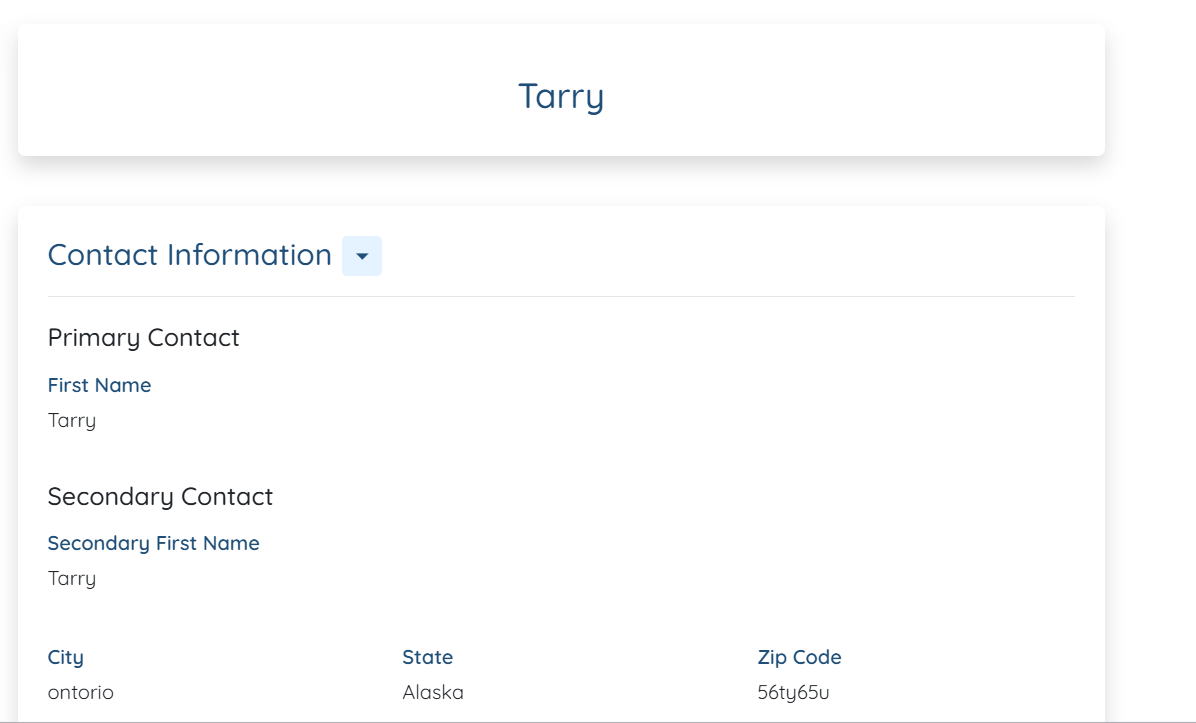
The client profile will be displayed successfully to the candidate.
If this doesn't answer your questions you can always contact us by clicking here