Let’s get started 🚀
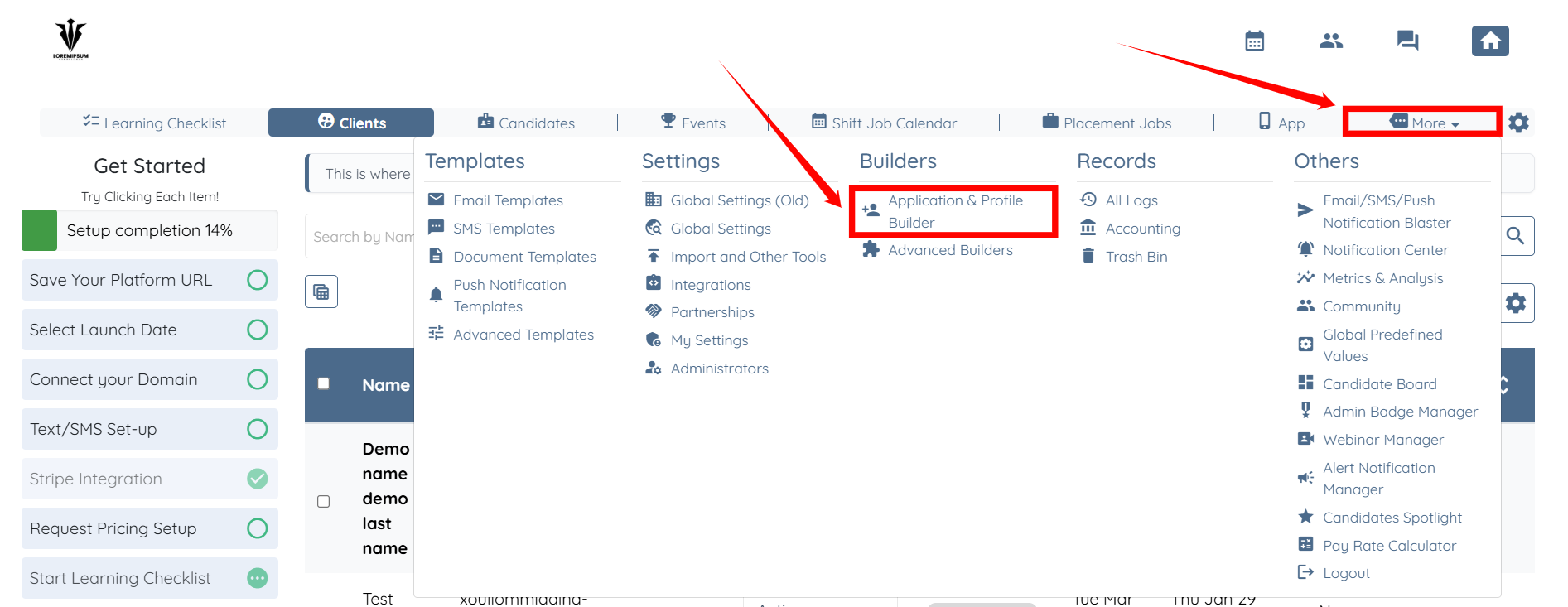
Step 1: Log in to your agent dashboard and click More > Application & Profile Builder as shown in the screenshot below.
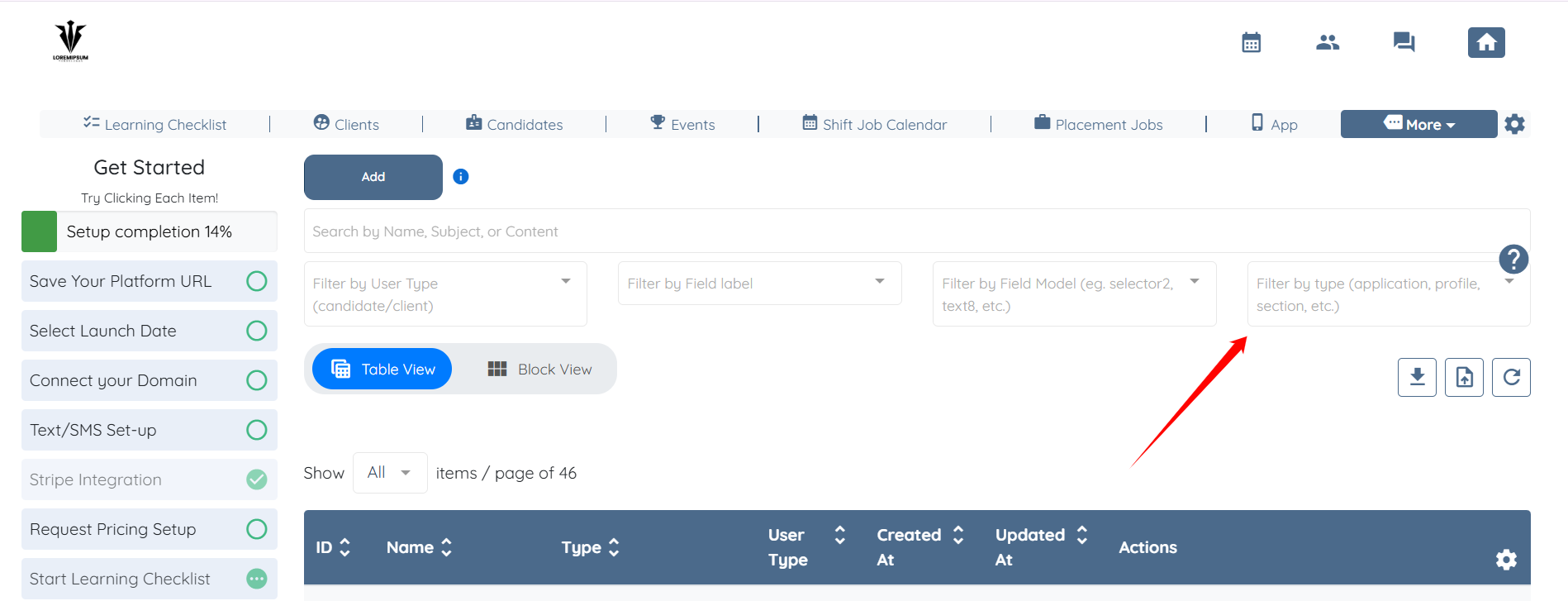
Step 2: Click the Filter by type (application, profile, section, etc.) box to open the dropdown list.
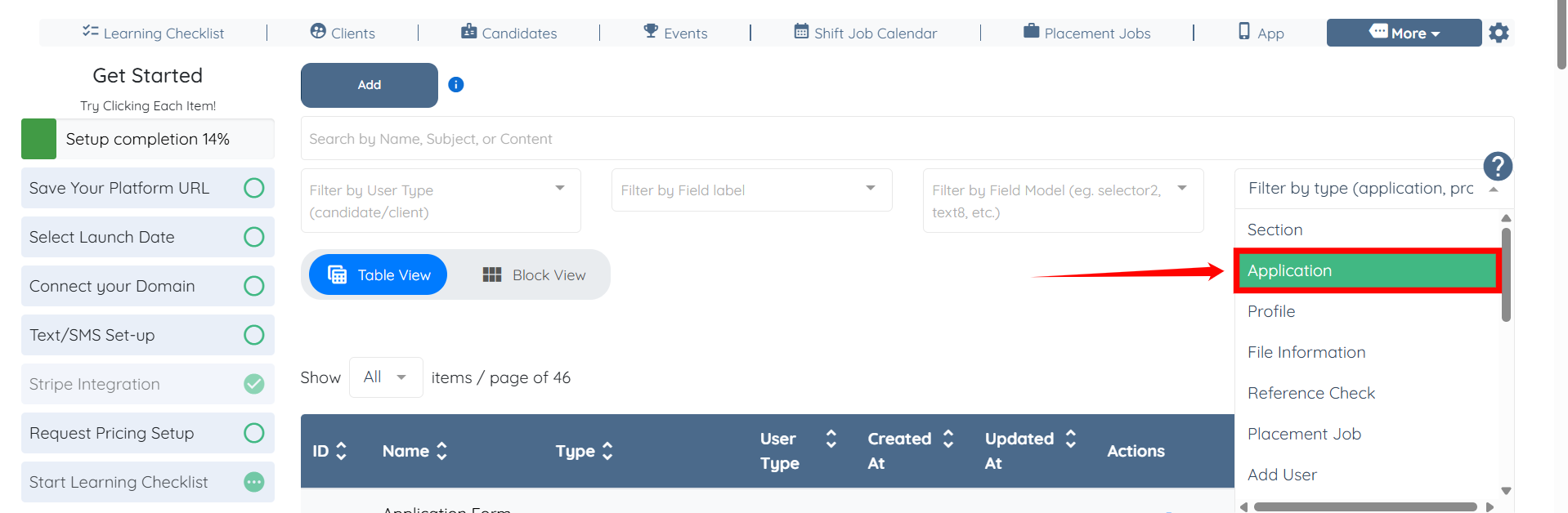
Step 3: Select the Application option to display only application forms.
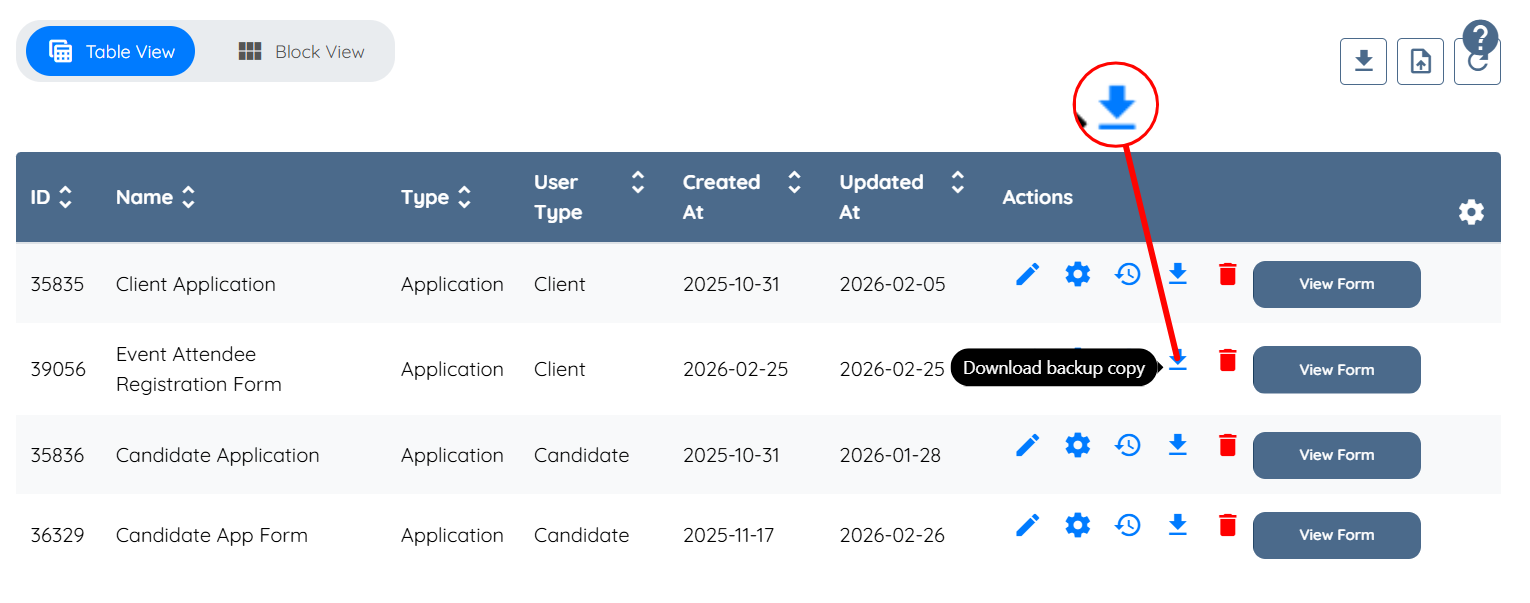
Step 4: Click the Download backup copy icon for the application form you want to duplicate.

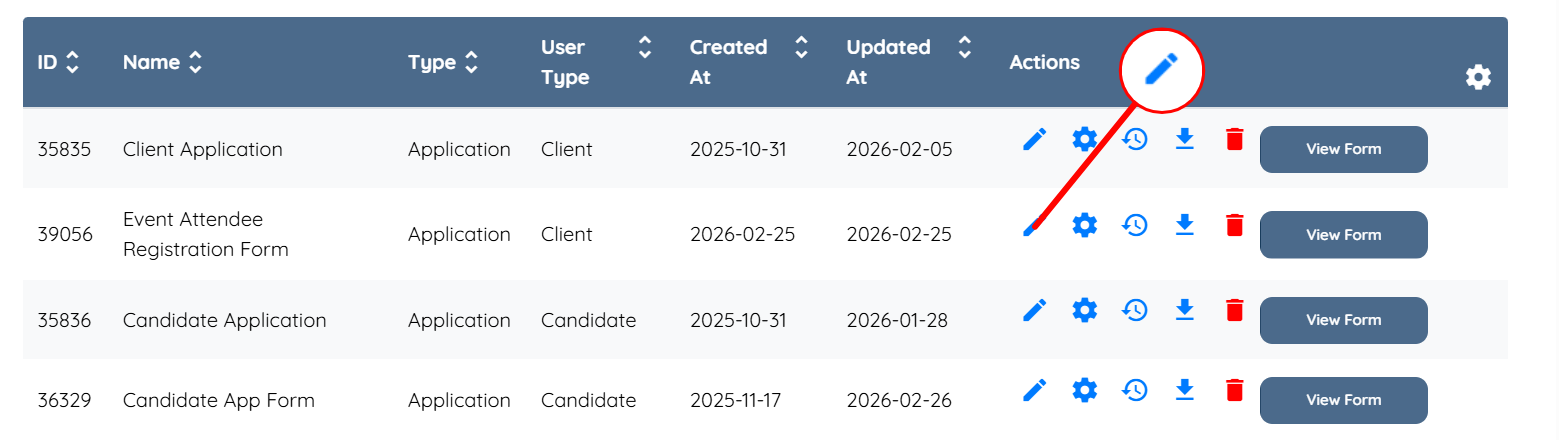
Step 5: Click the pencil icon for the application form.
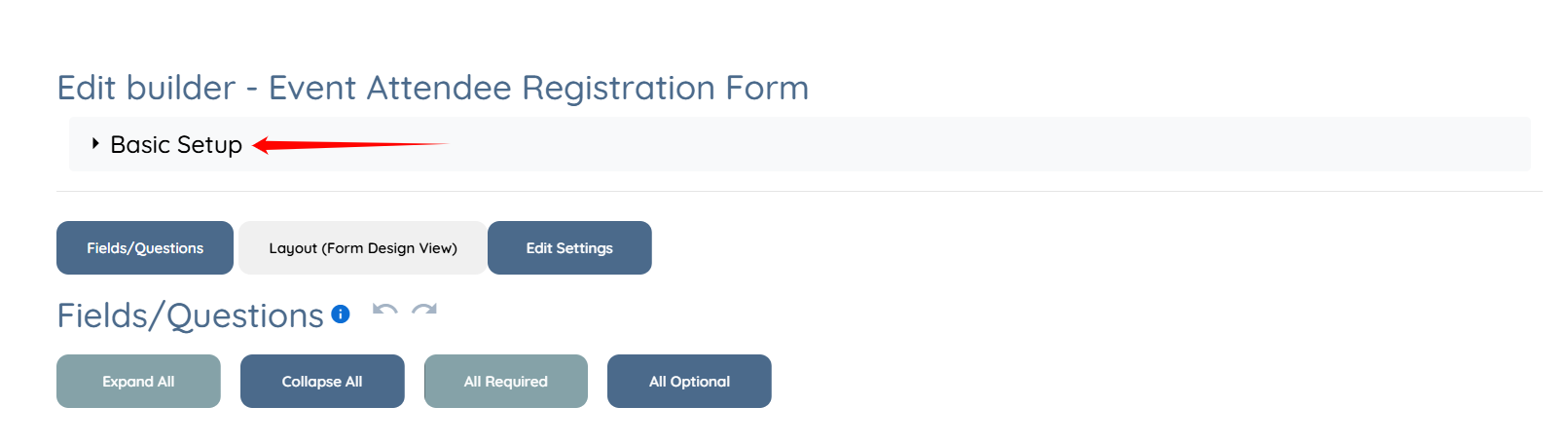
Step 6: Click the Basic Setup option to expand the details.
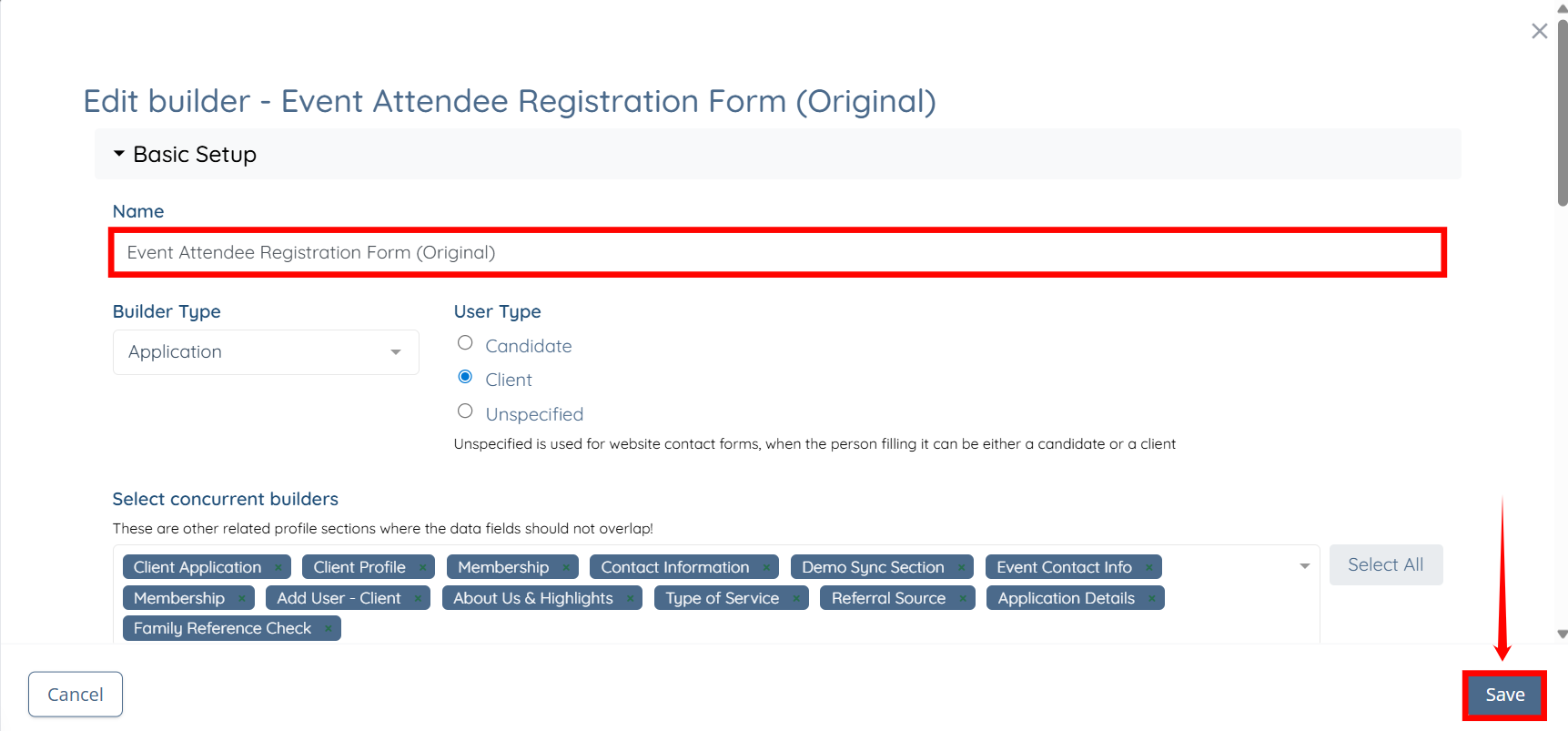
Step 7: Rename the Application Form to distinguish it from the duplicate, then click the Save button to confirm the changes.
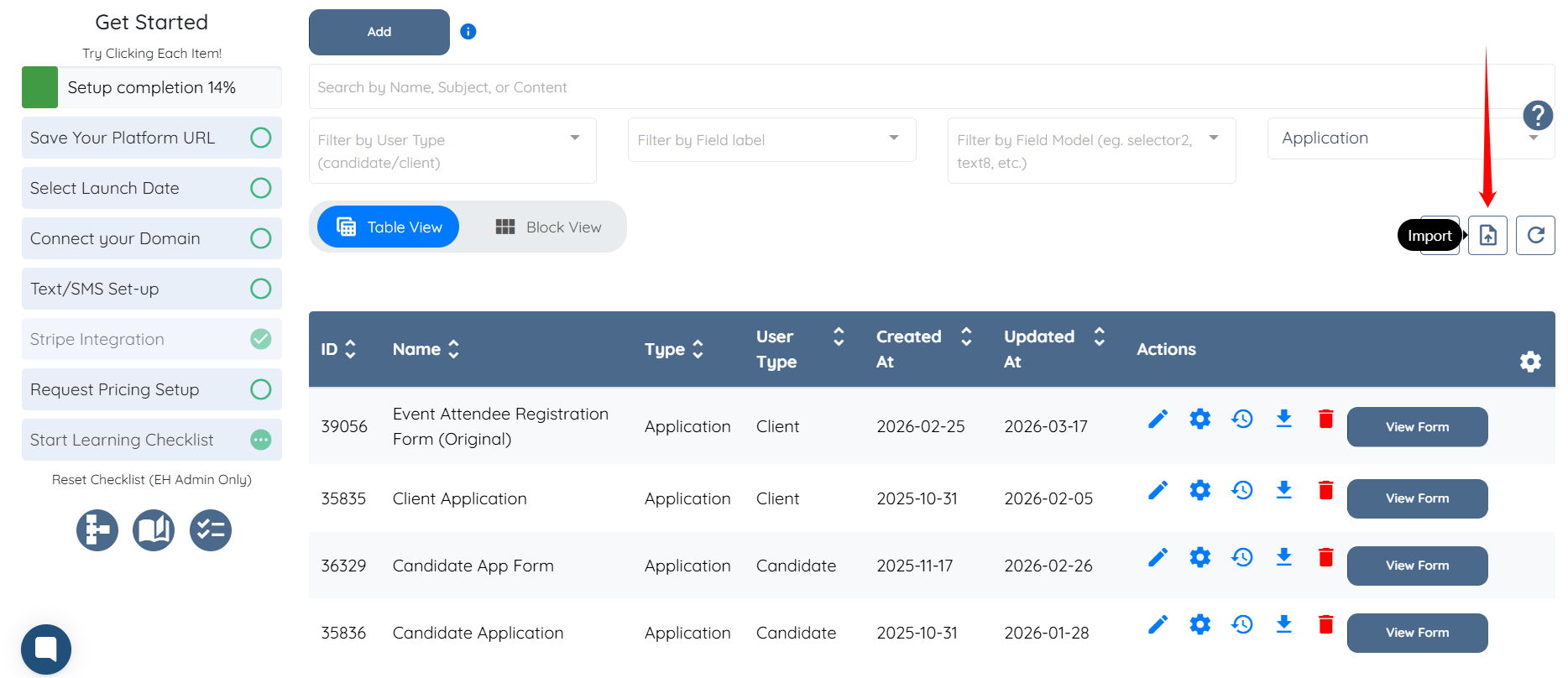
Step 8: Click the Import button, as shown in the screenshot below.
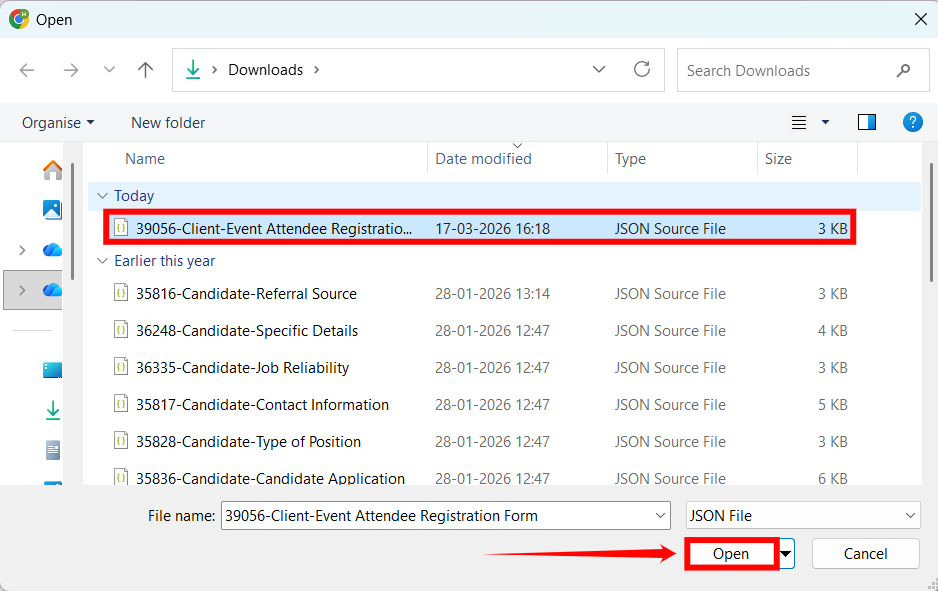
Step 9: Select the downloaded backup copy, then click the Open button to proceed.
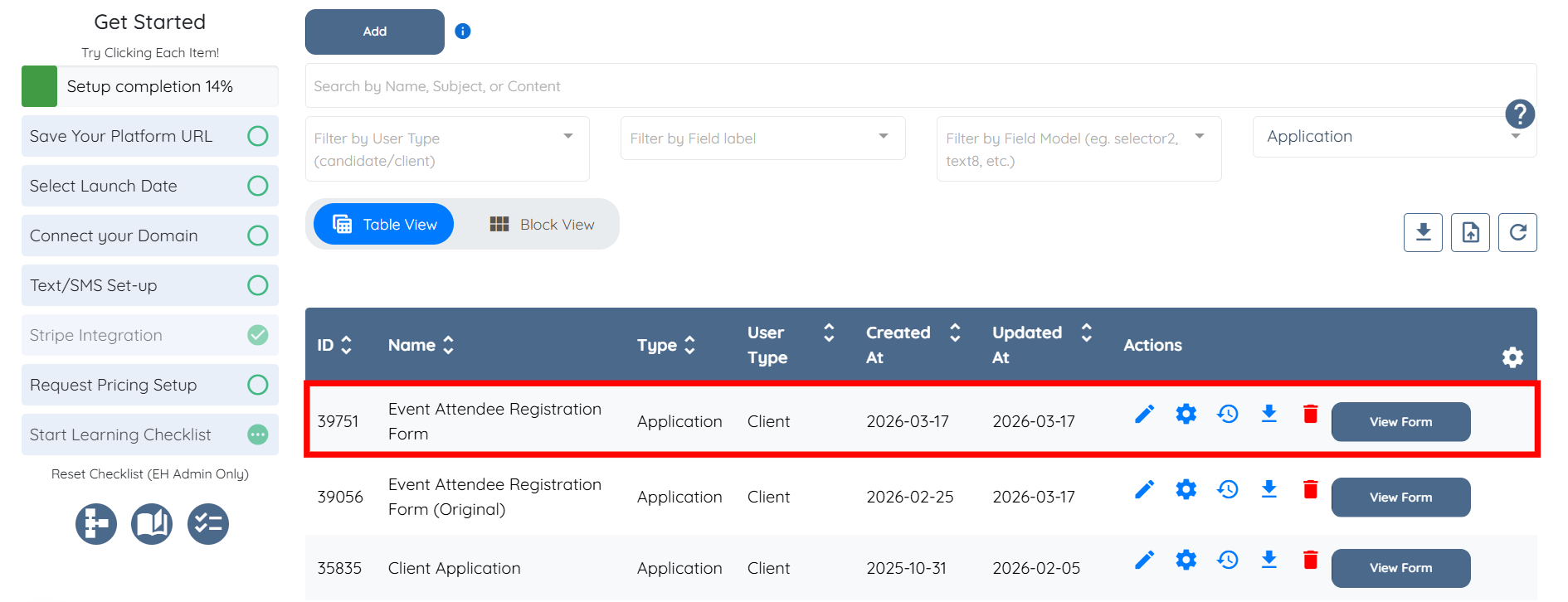
The application form will be duplicated successfully and will appear as a new form in the list.
If this doesn't answer your questions you can always contact us by clicking here.
