
Navigate to More → Global Settings → Candidates → Other Settings
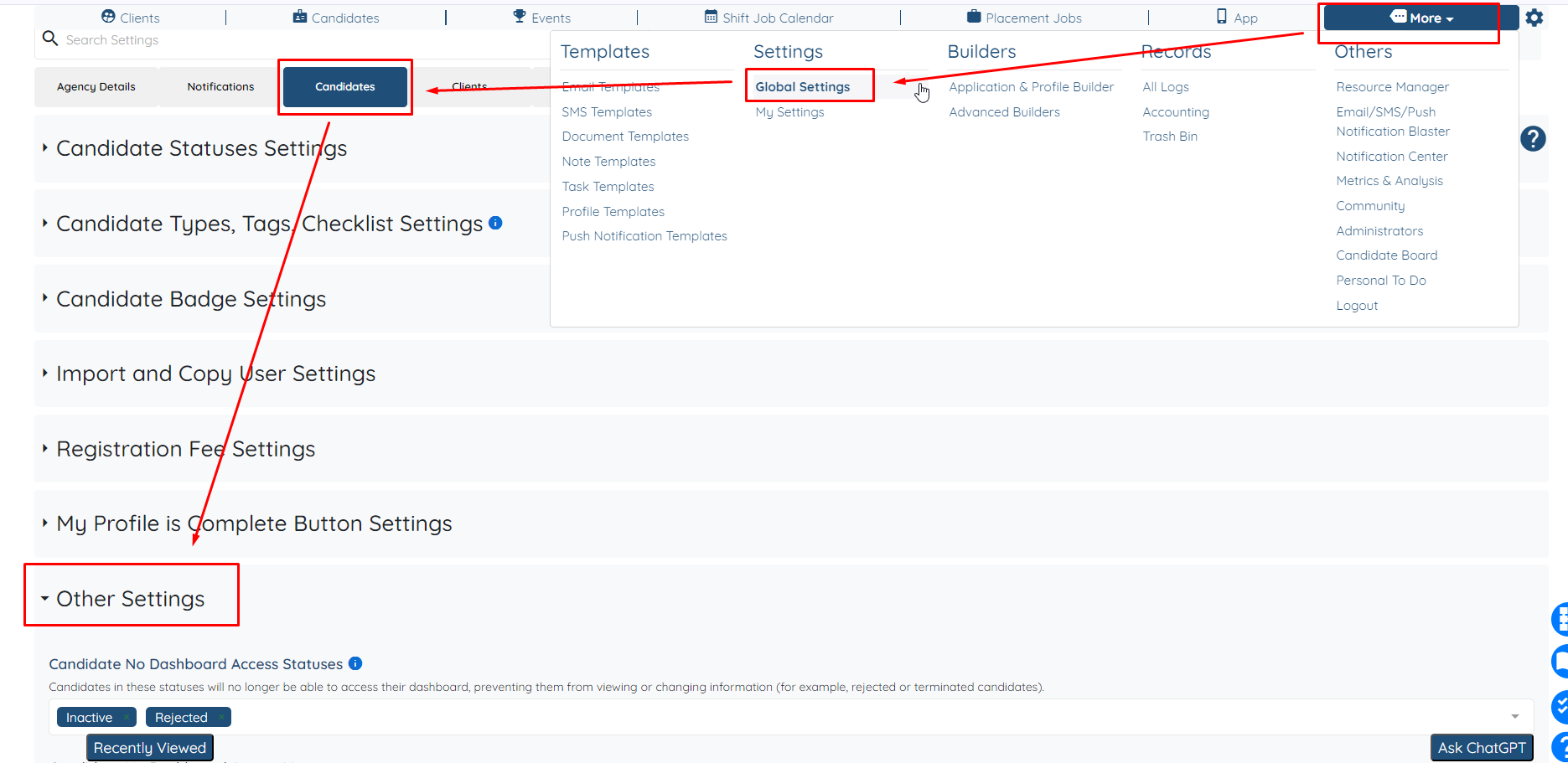
Scroll down to find the relevant settings
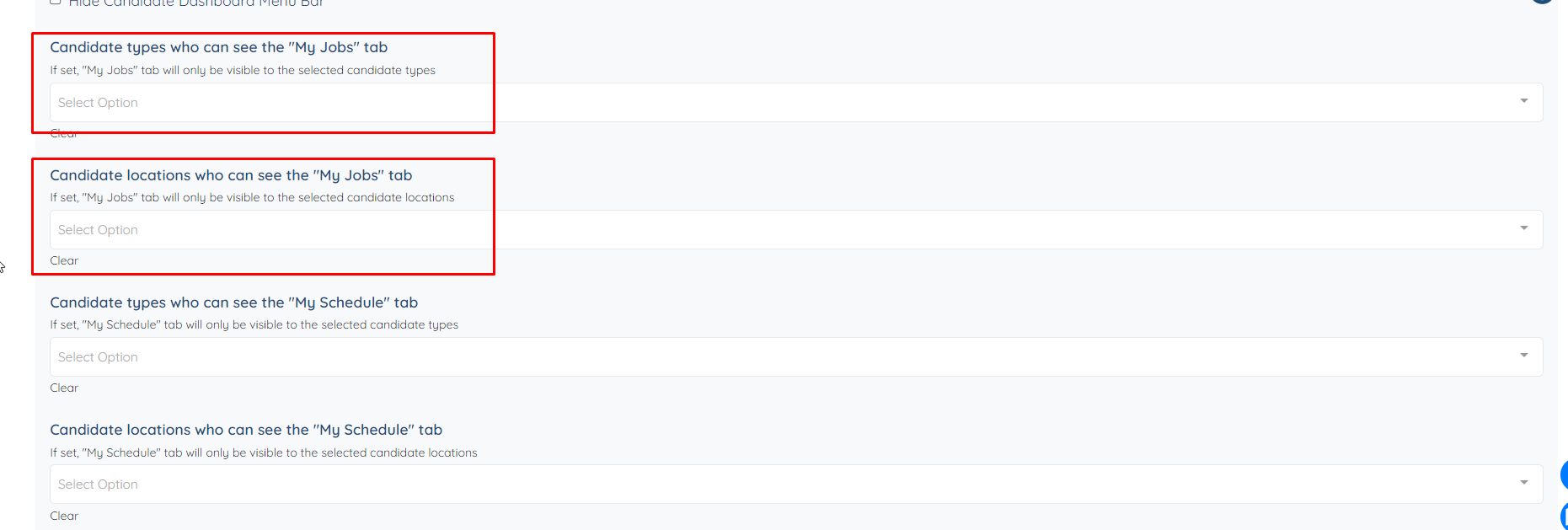
Here you can adjust which Candidates can see the "My Jobs" tab based on their types or location.
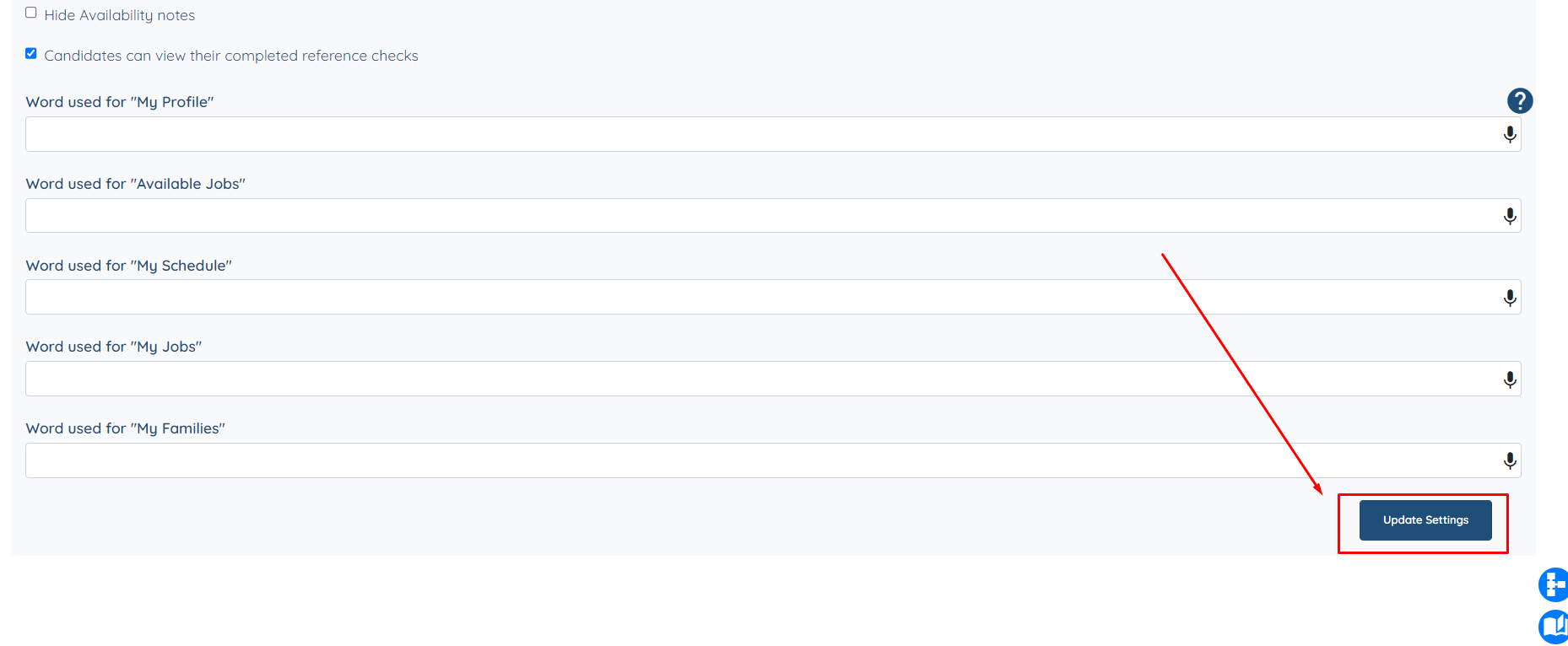
Once done, make sure to scroll all the way down and click "Update Settings".
If this doesn't answer your questions you can always contact us by clicking here.