
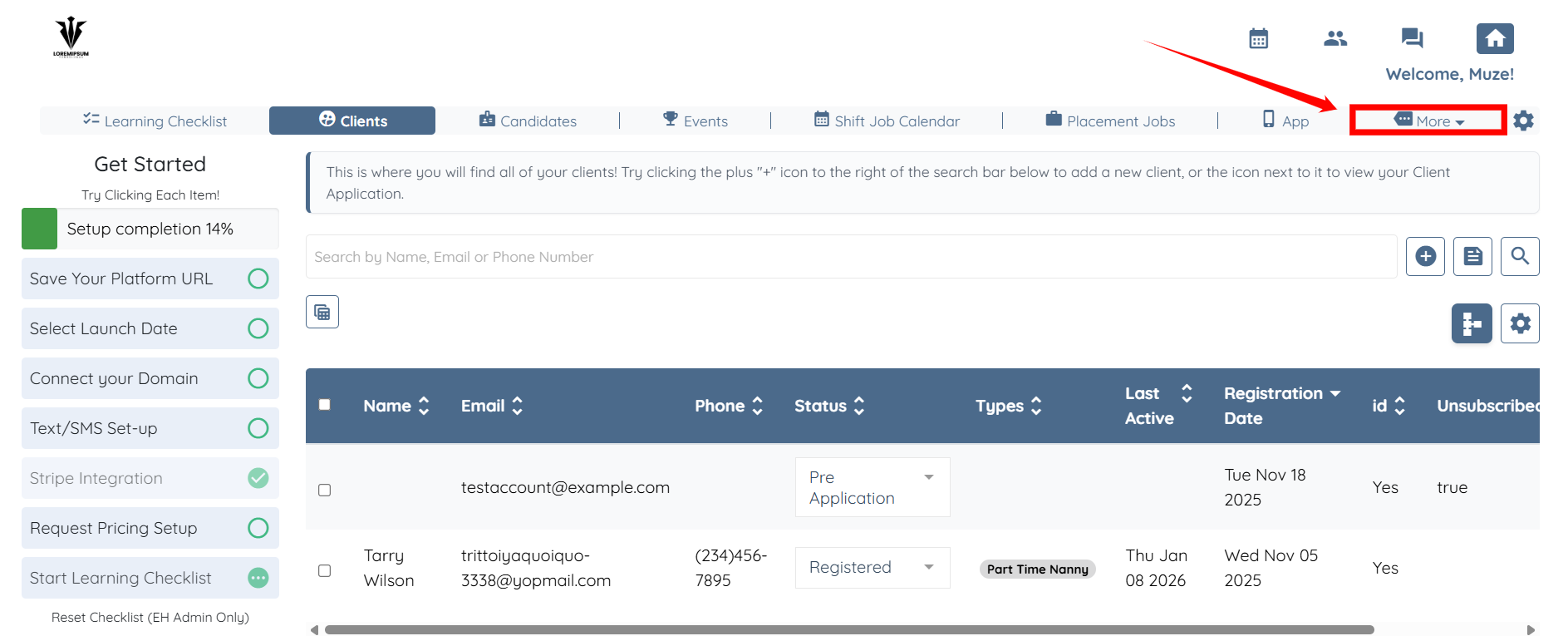
Step 1:
Go to More
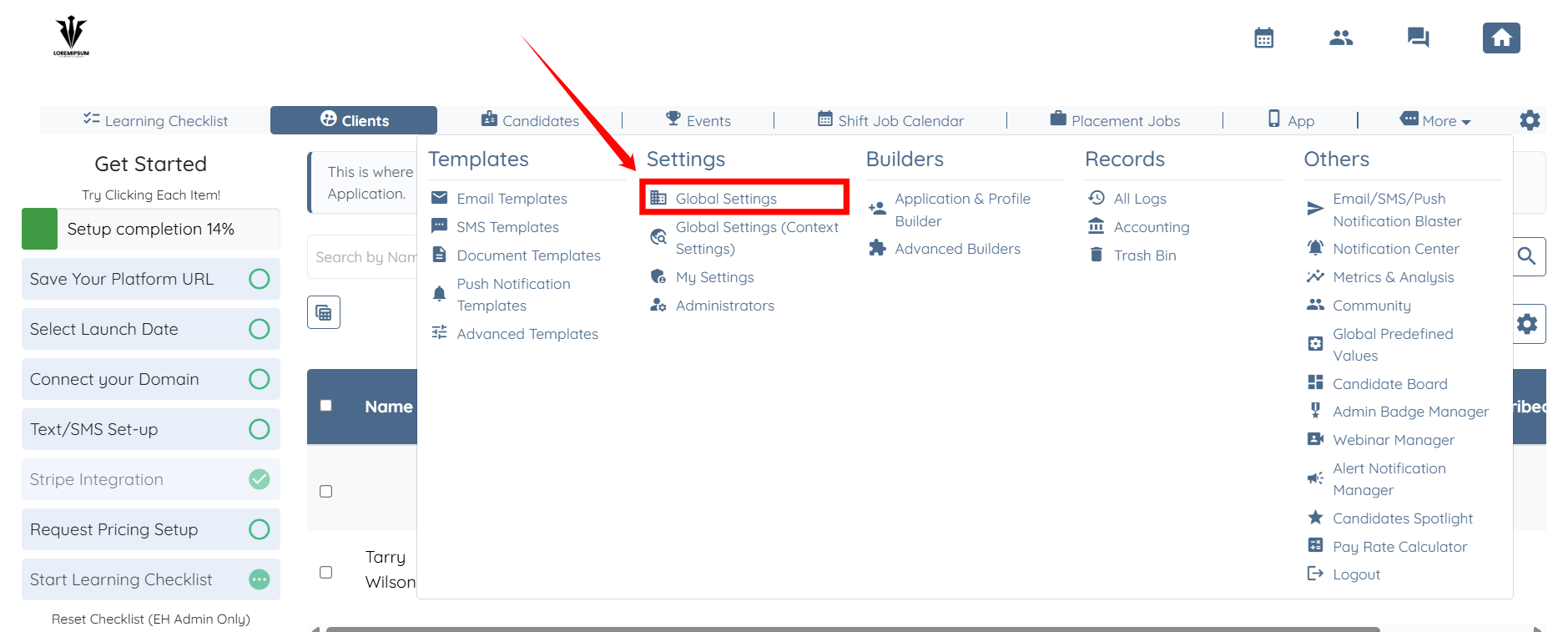
Step 2:
Go to Global Settings
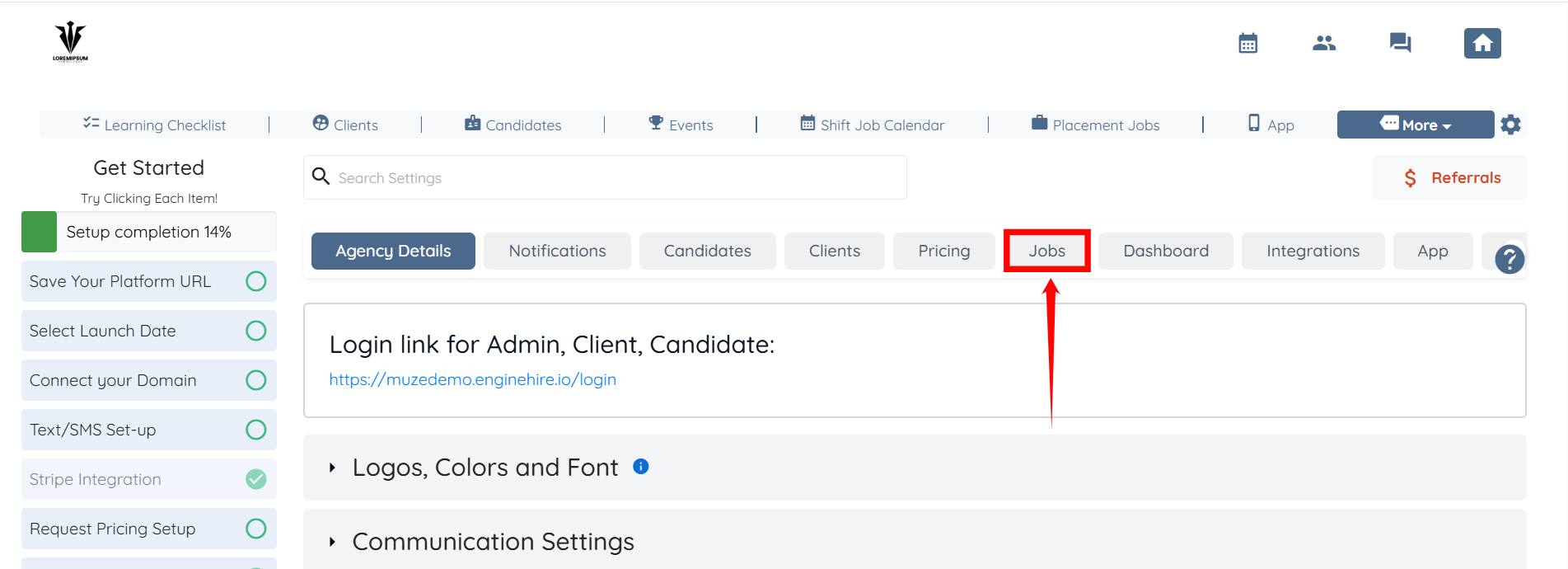
Step 3:
Click on Jobs
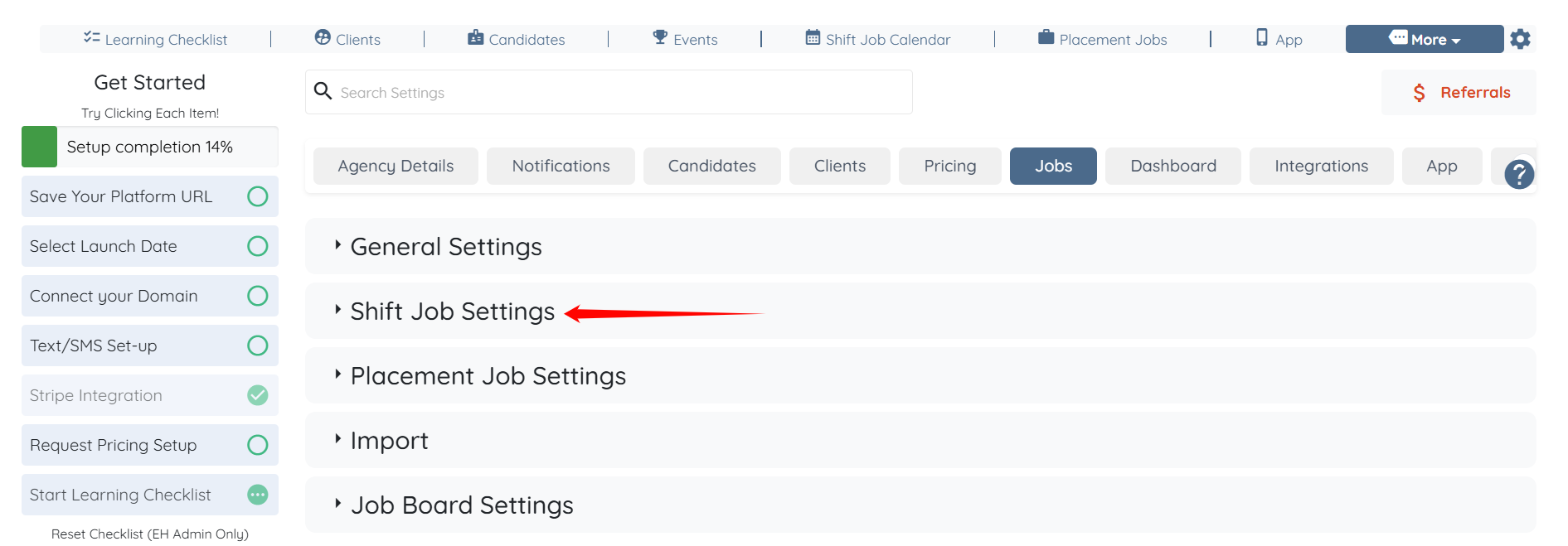
Step 4:
Click on shift jobs settings
Step 5:
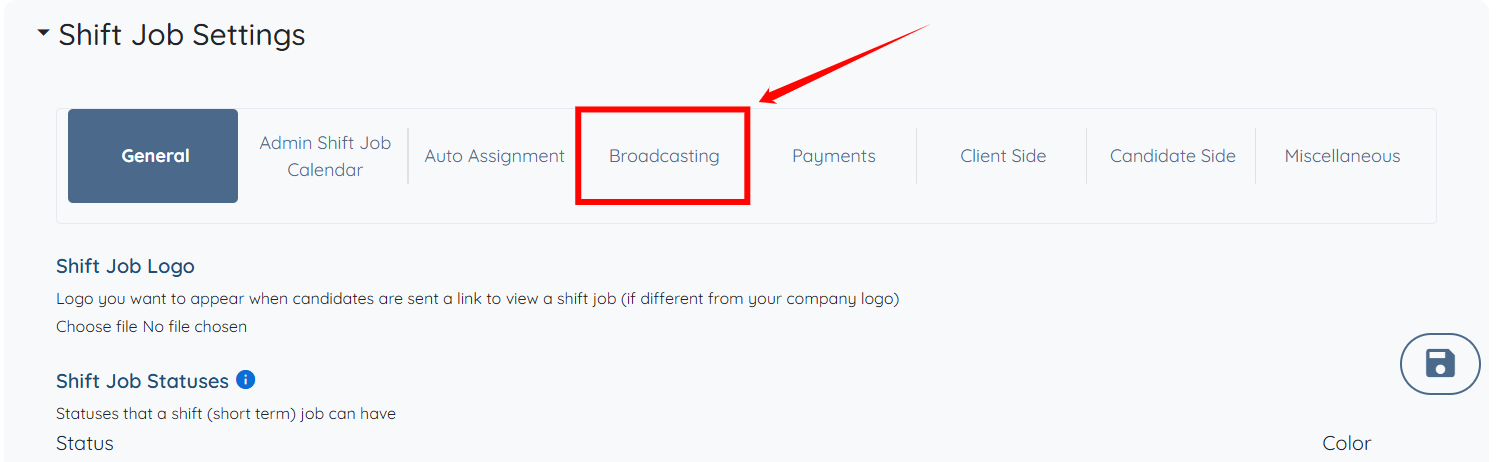
Click on Broadcasting
Step 6:
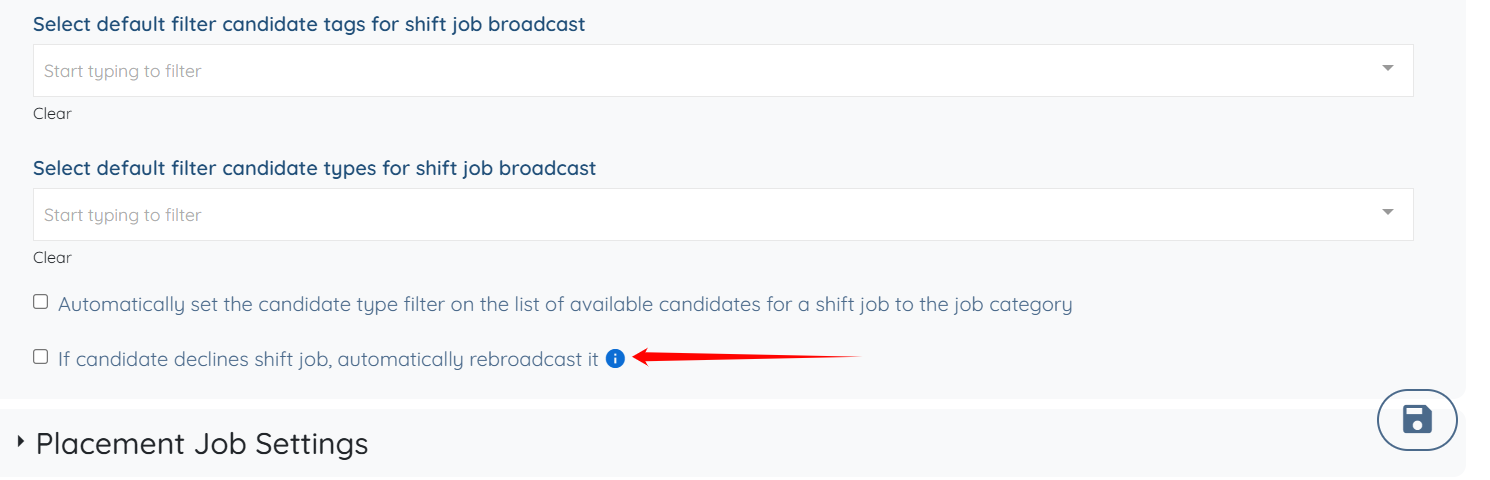
Turn on setting “If candidate declines shift job, automatically rebroadcast it“.
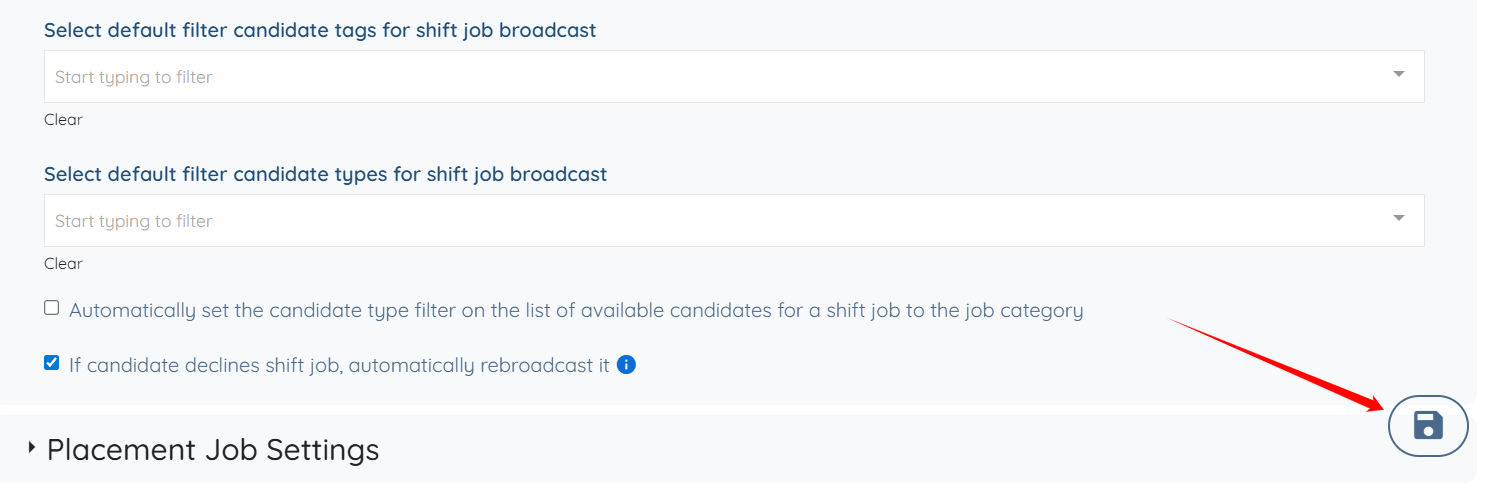
Step 7: Make sure to hit the save button located on the bottom right corner of the dashboard.
NOTE: Candidates should have the ability to decline a shift job otherwise this setting doesn't make sense hence it will not appear under Global Settings
If this doesn't answer your questions you can always contact us by clicking here