
Let’s get started 🚀
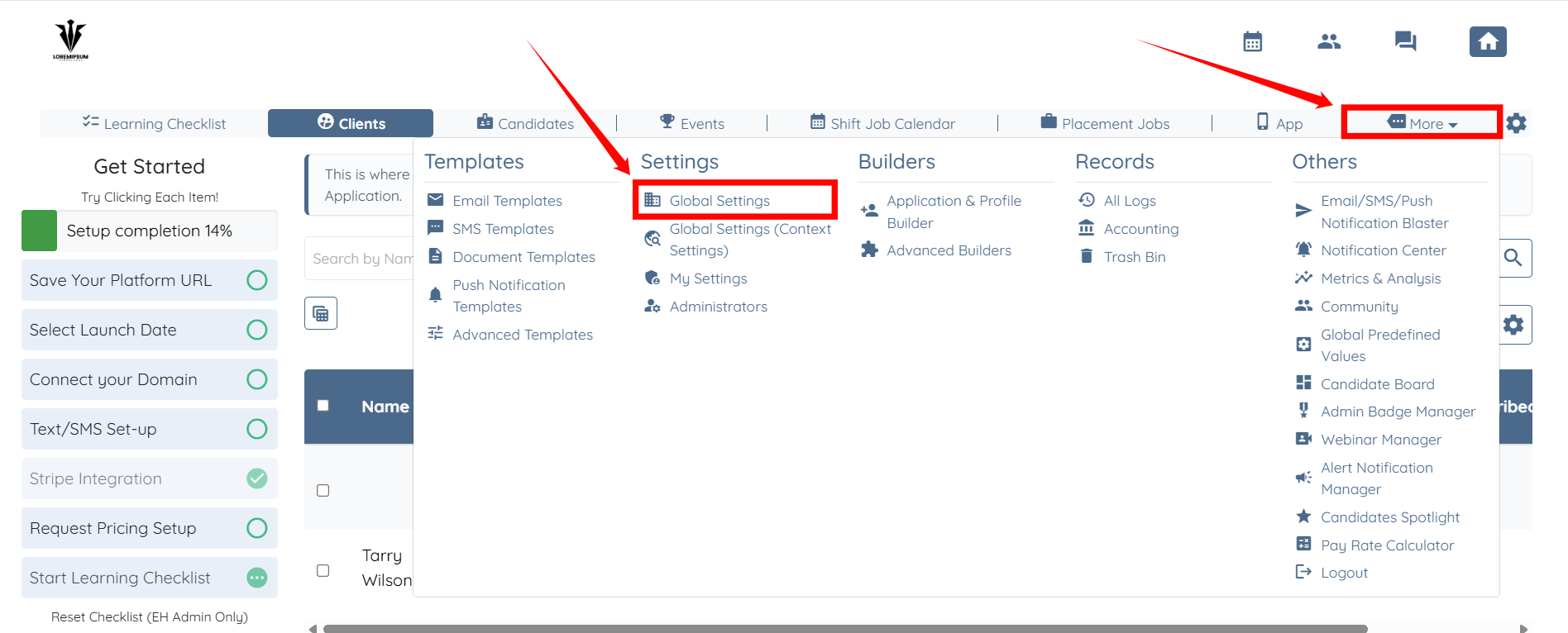
Step 1: Log in to your agent dashboard and click More > Global Settings, as shown in the screenshot below.
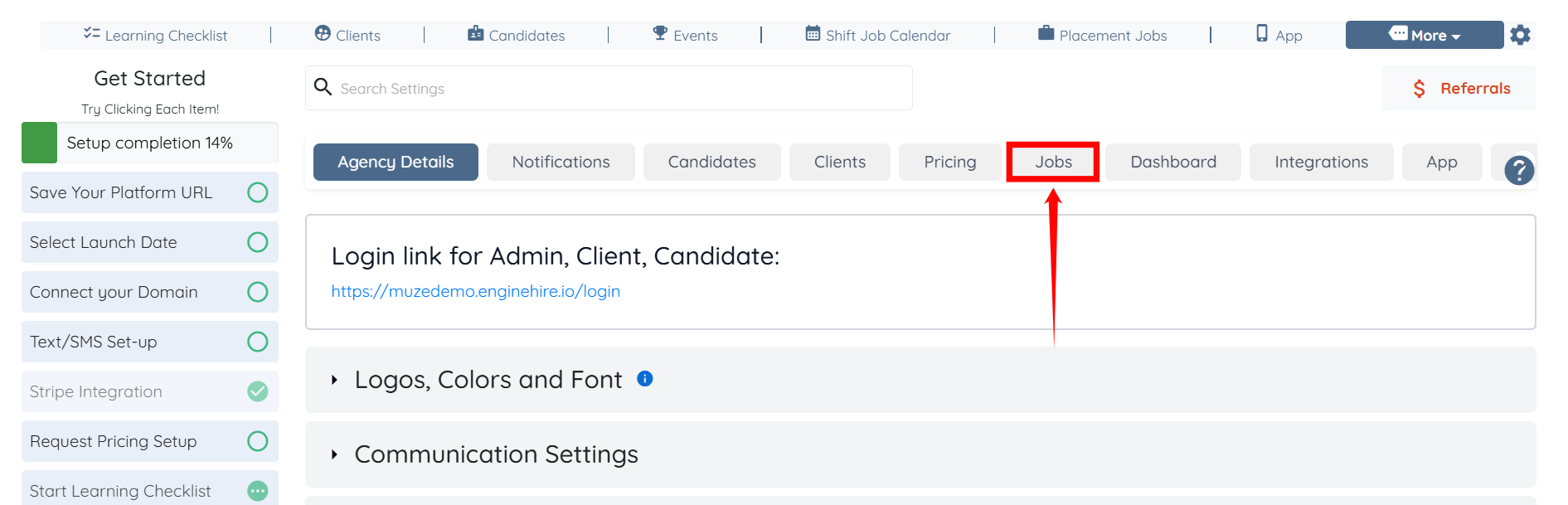
Step 2: Click the Jobs tab from the list of available tabs.
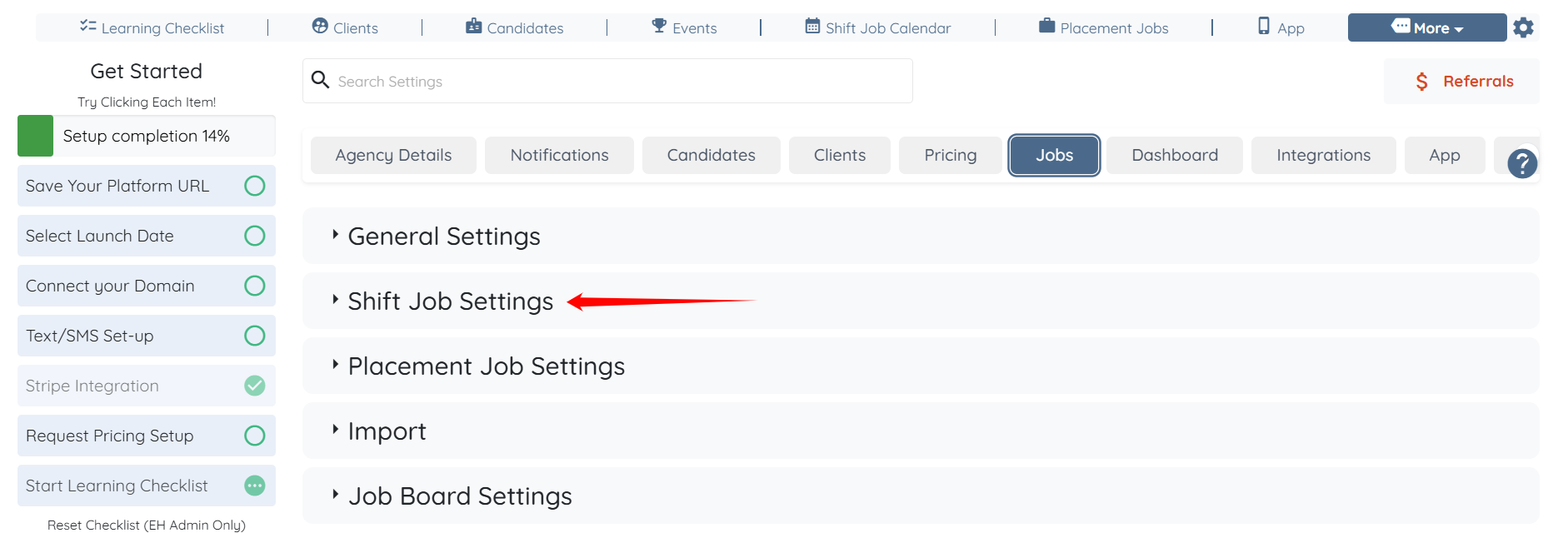
Step 3: Click the Shift Job Settings option to expand its details.
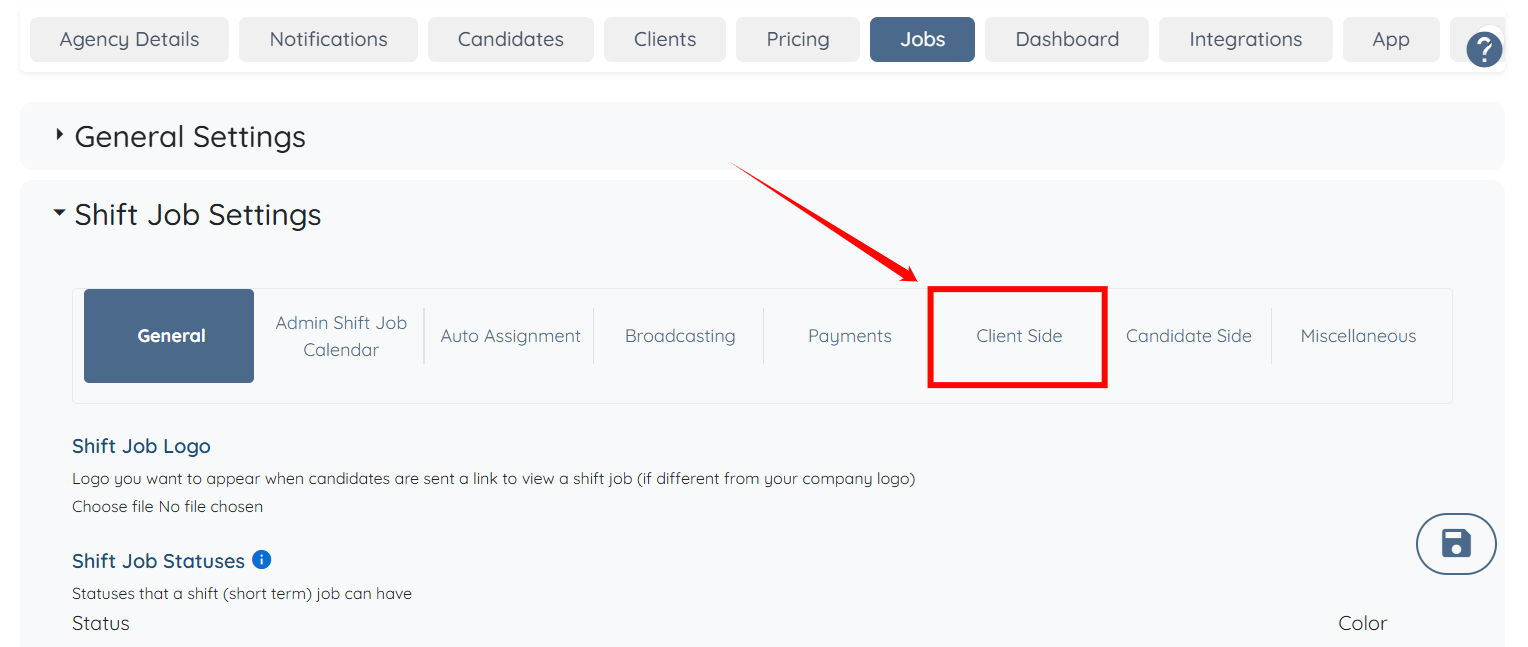
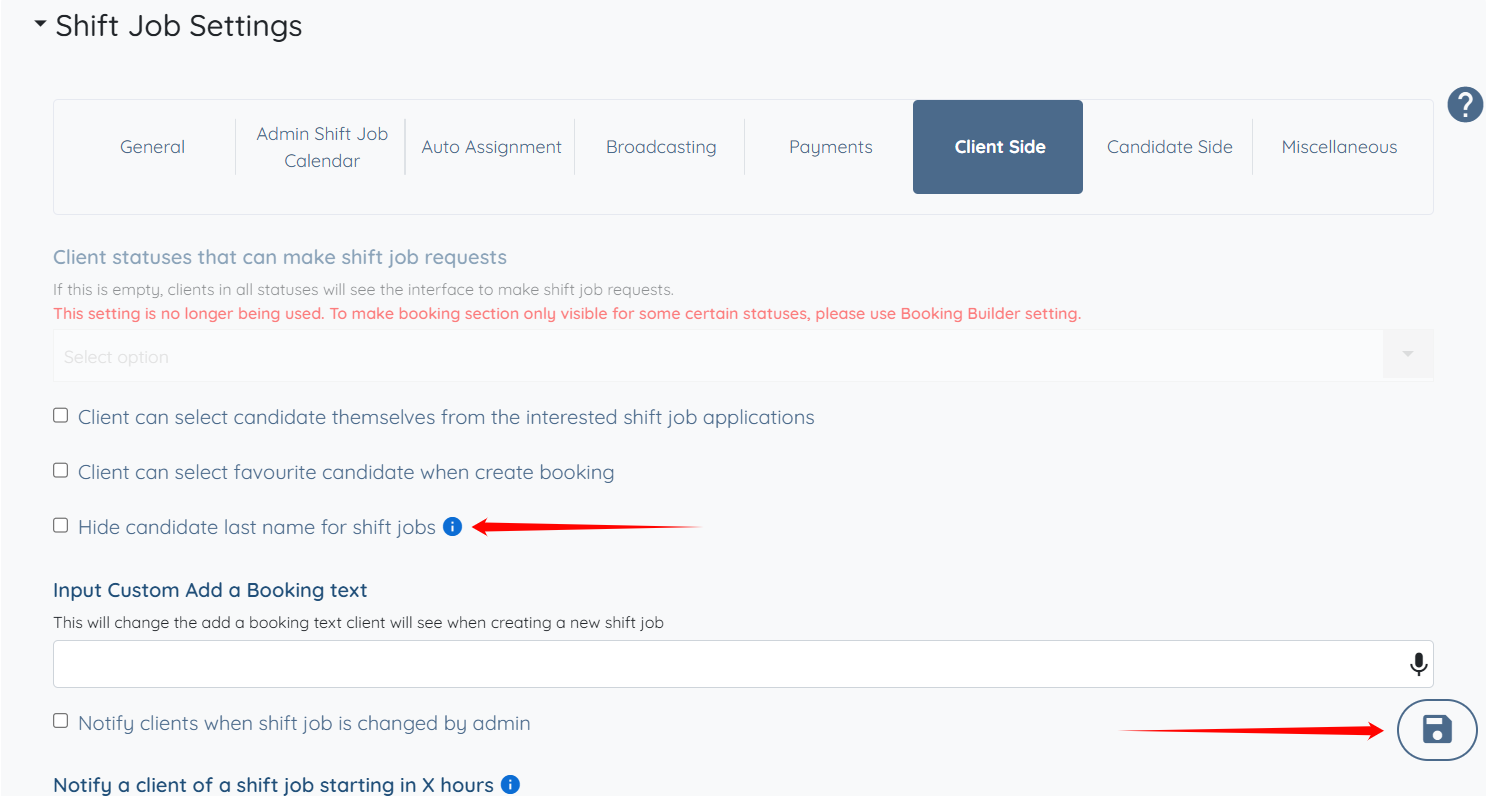
Step 4: Click the Client Side option from the list of available options.
Step 5: Check the Hide candidate last name for shift jobs checkbox, then click the Save icon to confirm the changes.
The candidate’s last name will now be hidden on the booking calendar.
