
In dashboard go to More -> Settings -> My Settings
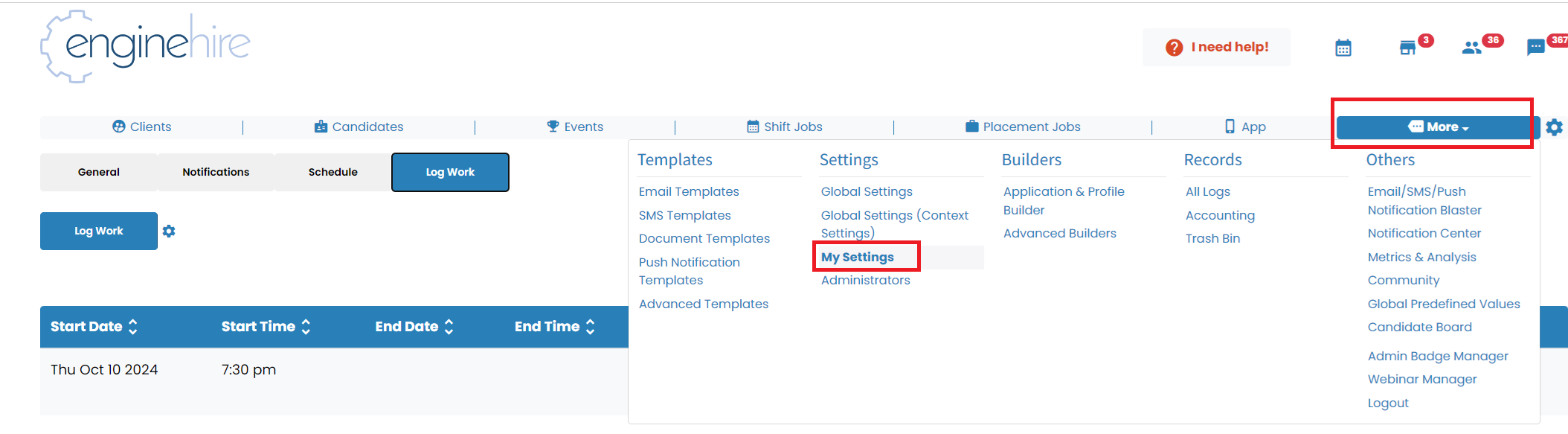
Select the tab "Log Work" and click the button "Log Work"

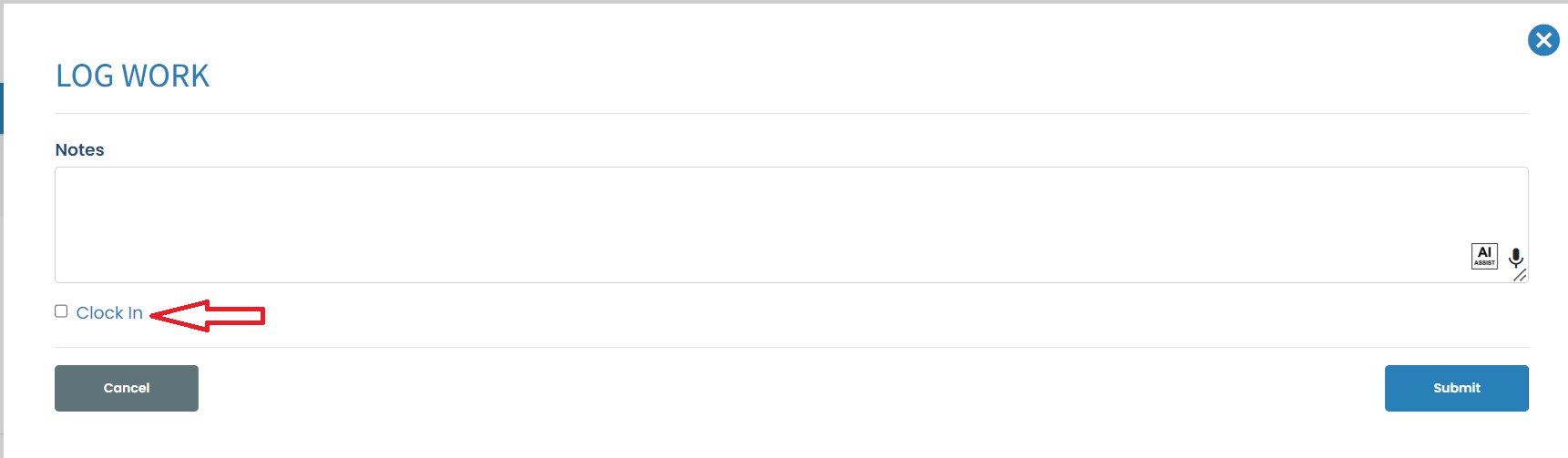
It will open a window - here you can add notes and need to check "Clock In"
In case of any breaks you can add them using a button "Add a Break"
Once the work is completed hit the button clock-out

Here is video going over admin work logs:
{% video_player "embed_player" overrideable=False, type='hsvideo2', hide_playlist=True, viral_sharing=False, embed_button=False, autoplay=False, hidden_controls=False, loop=False, muted=False, full_width=False, width='688', height='432', player_id='180691084569', style='' %}
If this doesn't answer your questions you can always contact us by clicking here