
From the top navigation bar:
1. Select More → Application & Profile Builder → Locate your Booking section and click the gear icon.
2. Click on Charging & Payments → click the box next to "Has Cancellation Policy"
3. Once the box is selected, click the + icon to enter your policy.
Here you can edit the number of hours before the start time of the booking where you would like to charge a fee.
Choose from the list of options in the Cancellation Policy dropdown and adjust the Agency/Candidate Fee accordingly.
Adjust whether the fee will apply under all circumstances, only if the client cancels, only if the candidate cancels, etc.
Lastly, you can choose to only apply a cancelation fee if a candidate was assigned to a job
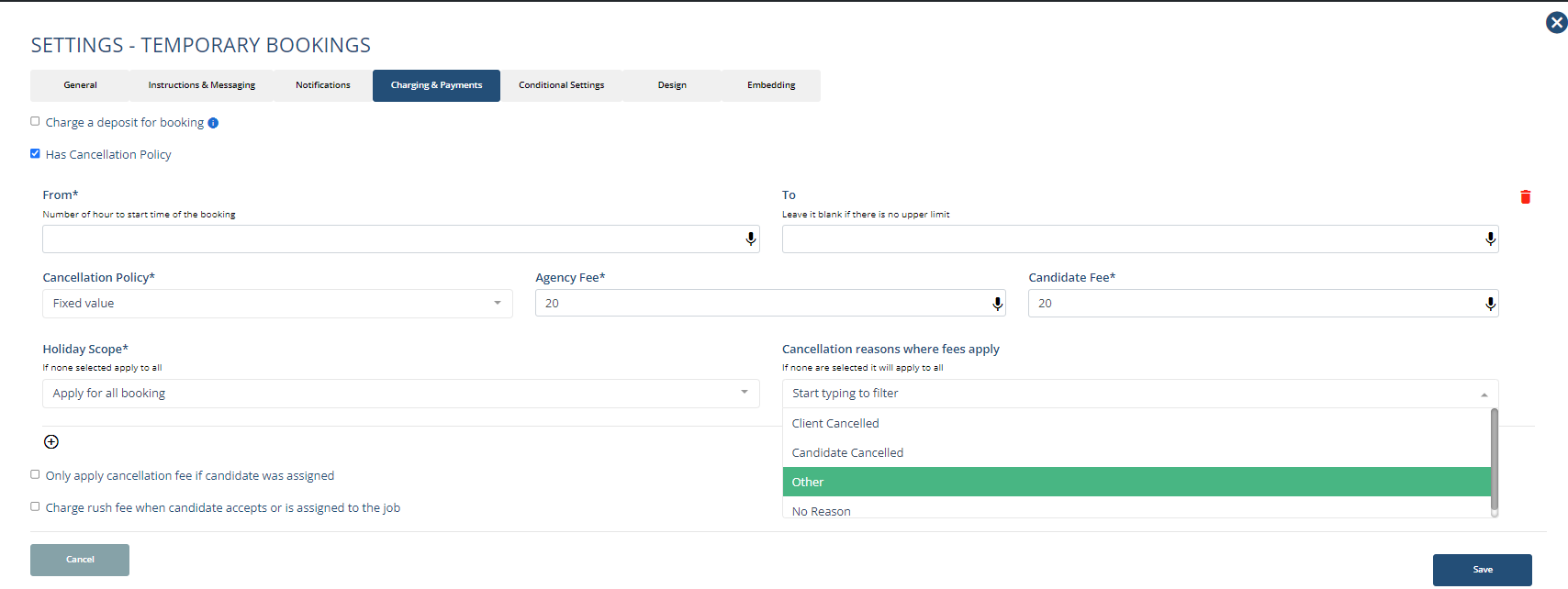
4. When you're satisfied with your policy, click Save.
If this video doesn't answer your questions you can always contact us by clicking here