
Let’s get started 🚀
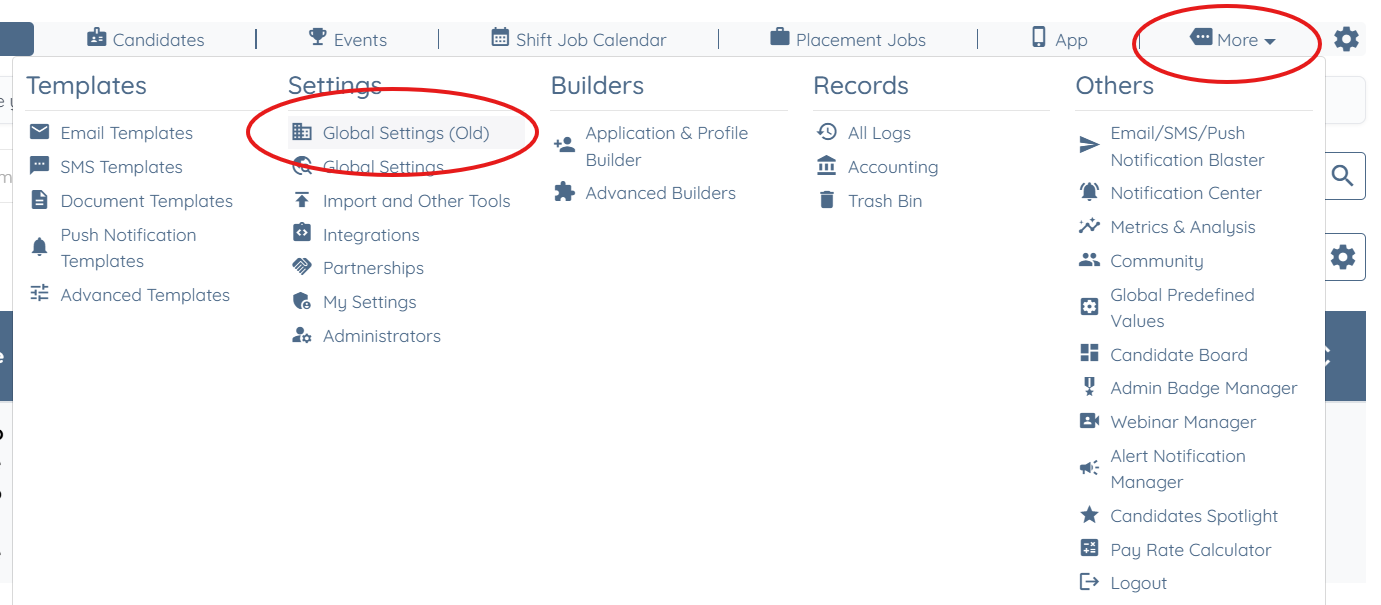
Step 1: Log in to your agent dashboard, then navigate to More > Global Settings (old), as shown in the screenshot below.
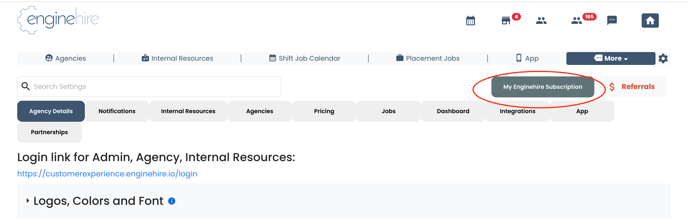
Step 2: Click the My Enginehire Subscription button to download invoices or update your payment information.
If this doesn't answer your questions you can always contact us by clicking here