
Let’s get started 🚀
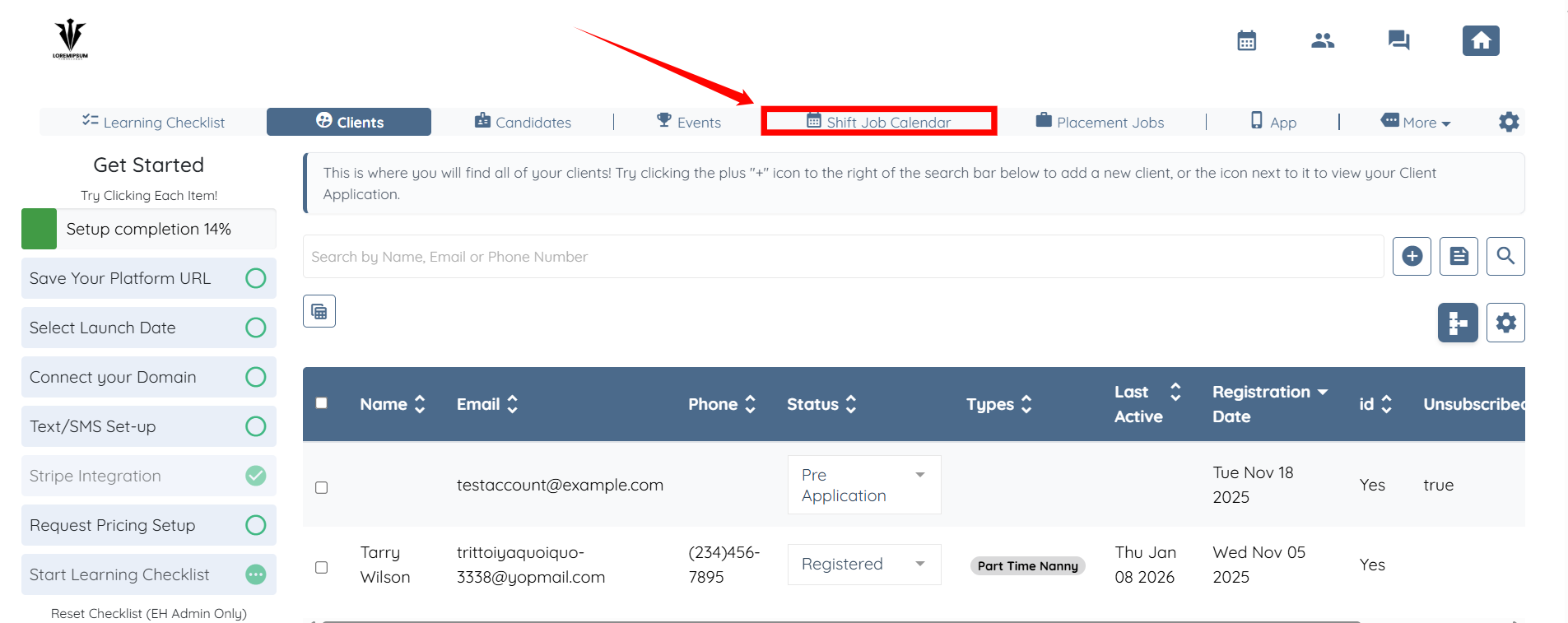
Step 1: Log in to your agent dashboard, then click Shift Job Calendar from the top navigation bar.
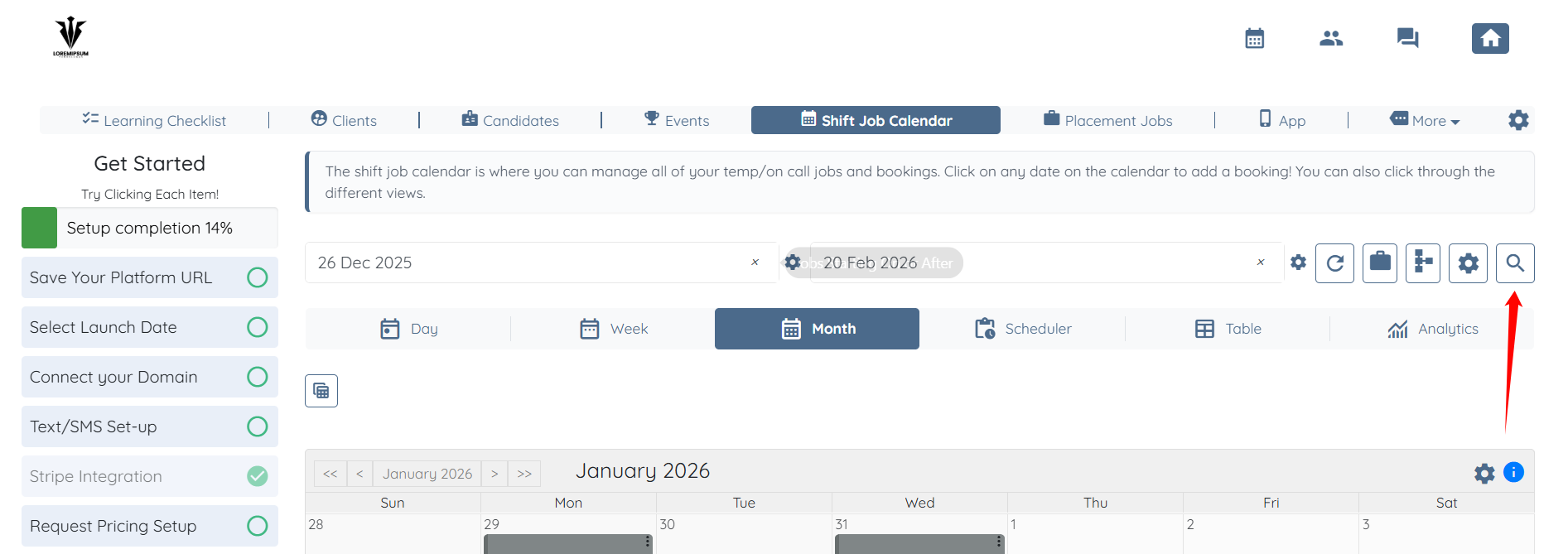
Step 2: Click the icon shown in the screenshot below to open the Search and Filter tools.
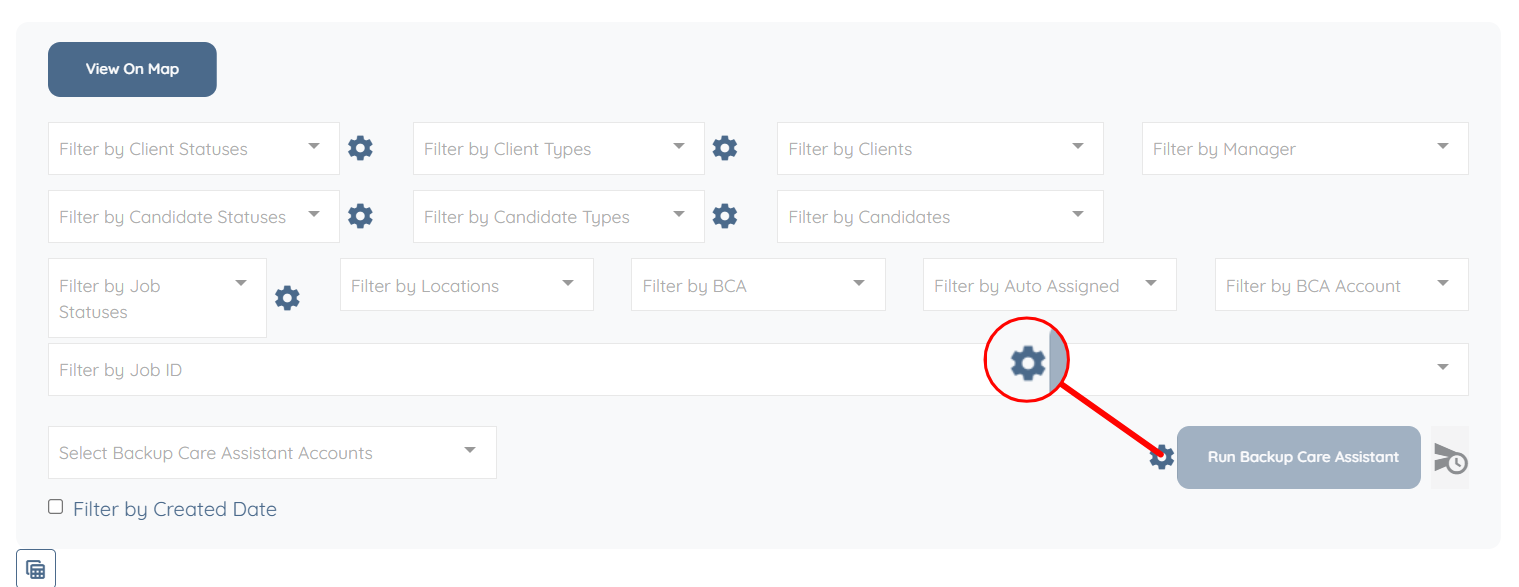
Step 3: Click the Gear icon as shown in the screenshot below.
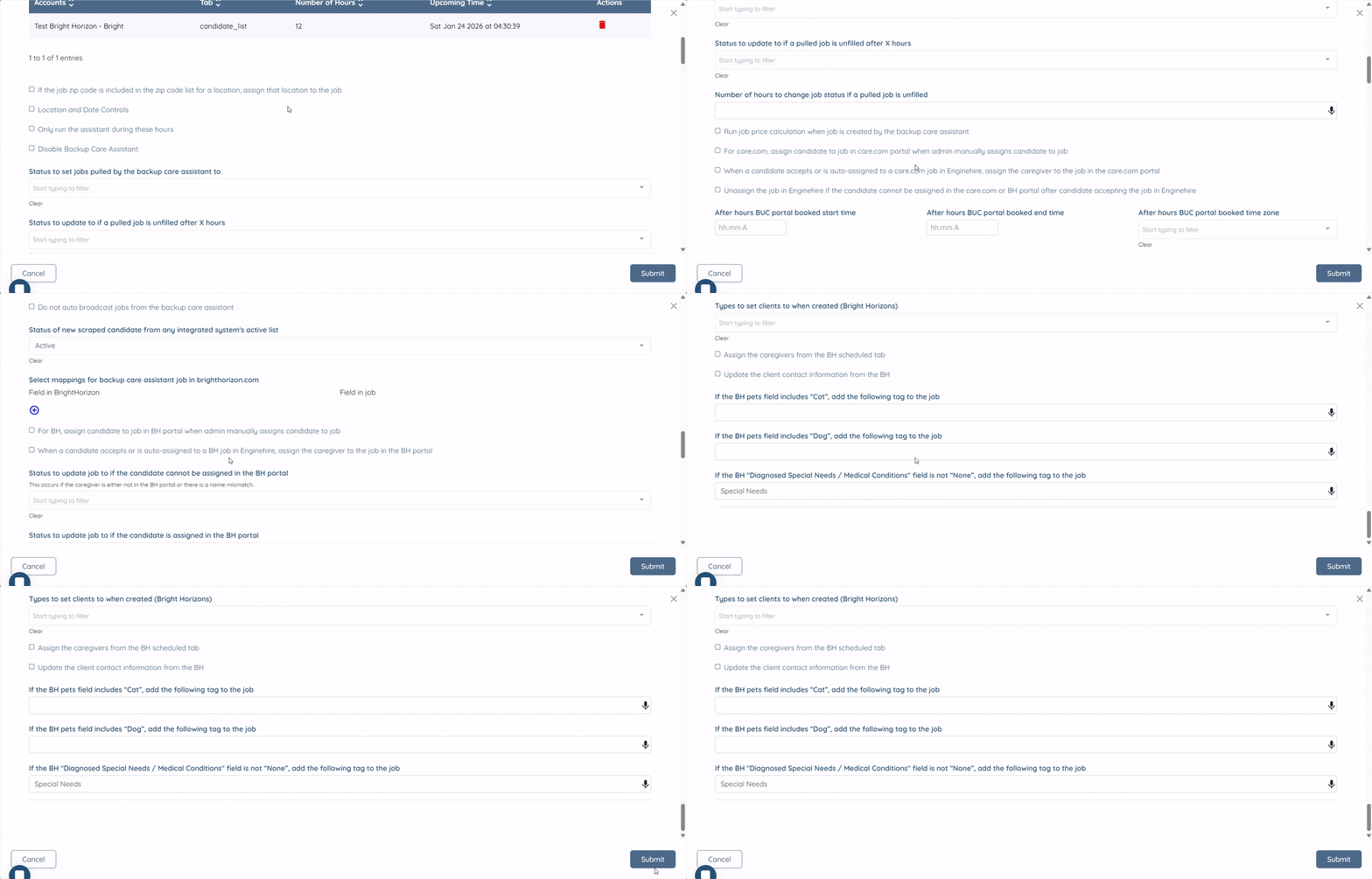
Here, you can view all Backup Care Assistant accounts that are connected to your agency.
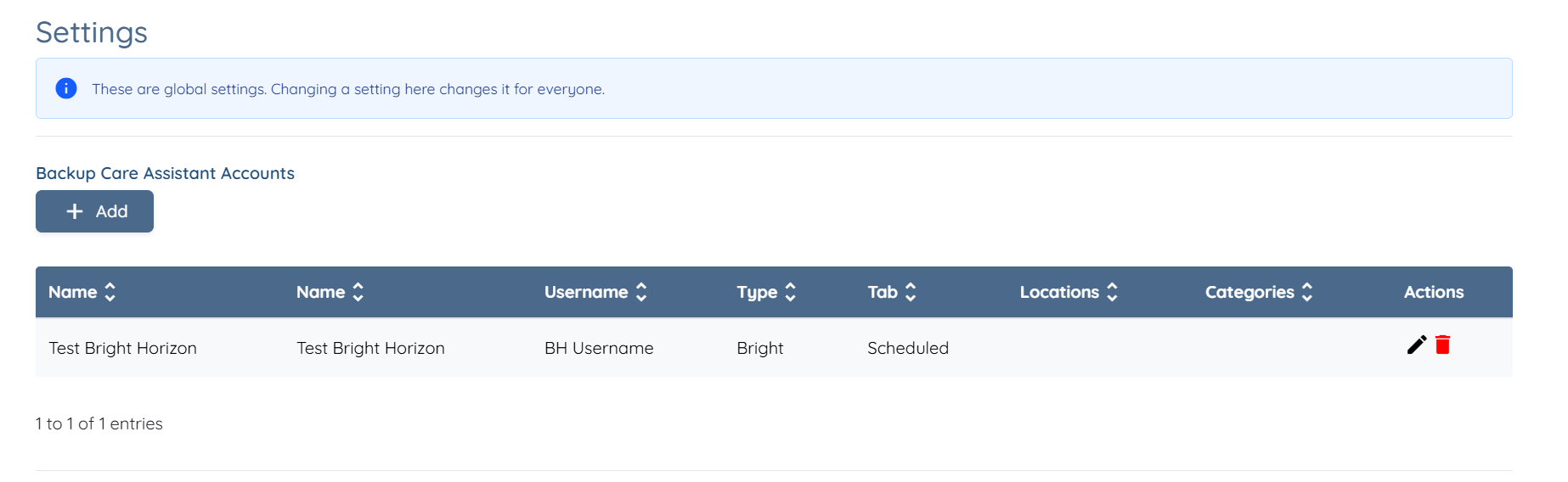
And all the required backup care assistant settings to edit. After making the necessary adjustments, click the Submit button to save the changes.
If this doesn't answer your questions you can always contact us by clicking here