Let’s get started 🚀
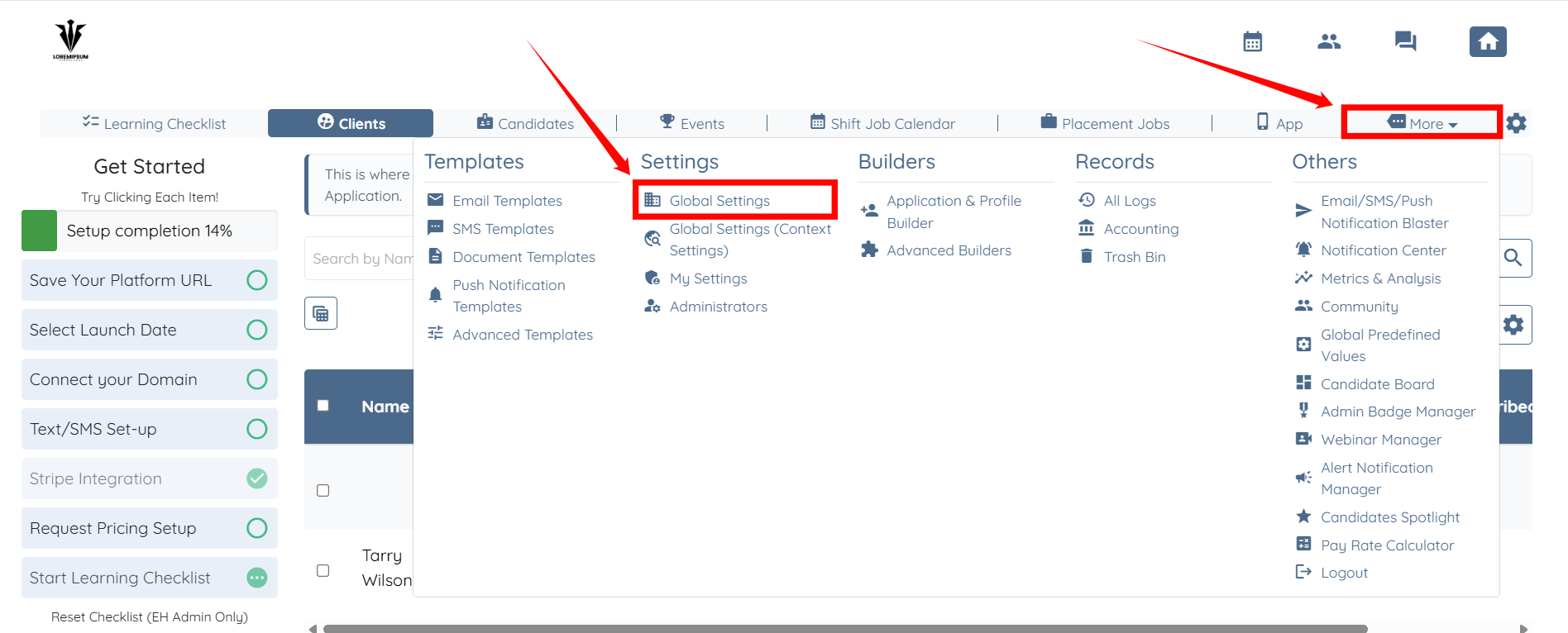
Step 1: Log in to your agent dashboard and click More > Global Settings, as shown in the screenshot below.
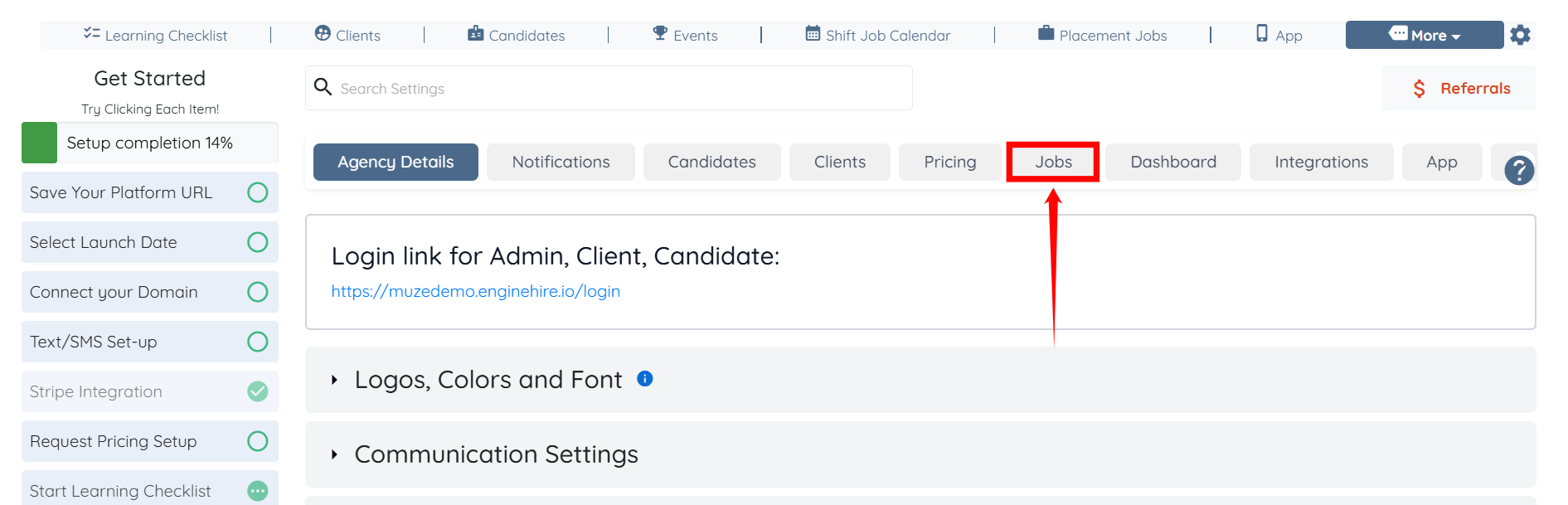
Step 2: Click the Jobs tab from the list of available tabs.
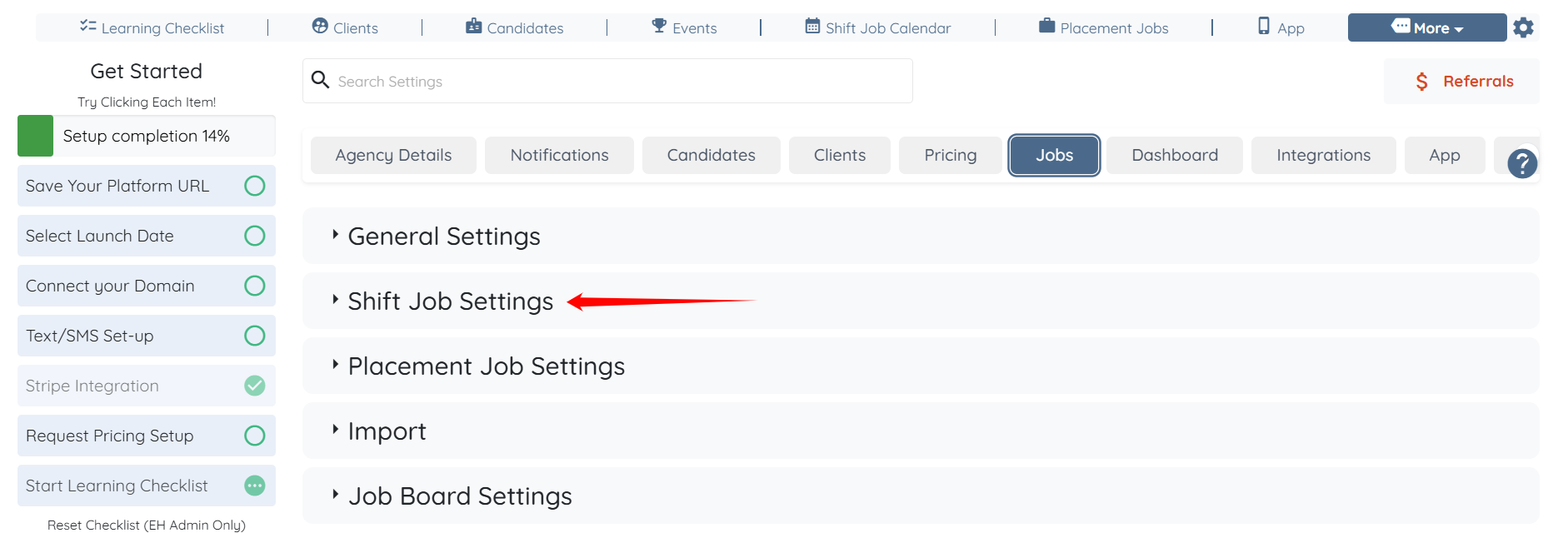
Step 3: Click the Shift Job Settings option to expand its details.
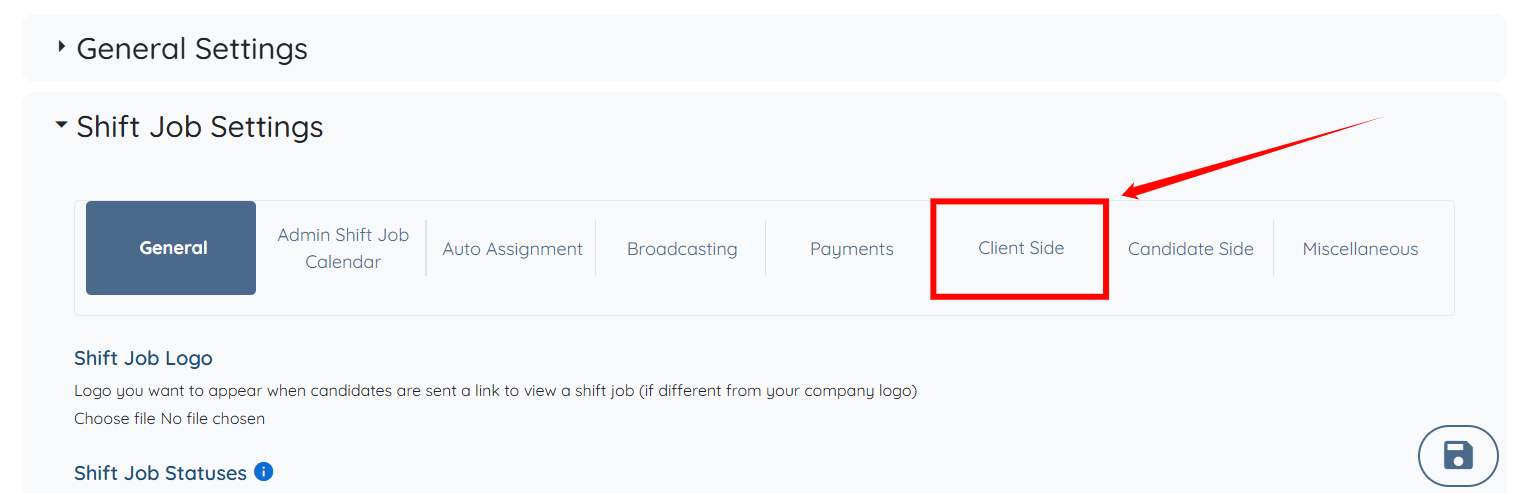
Step 4: Click the Client Side option from the list of available options.
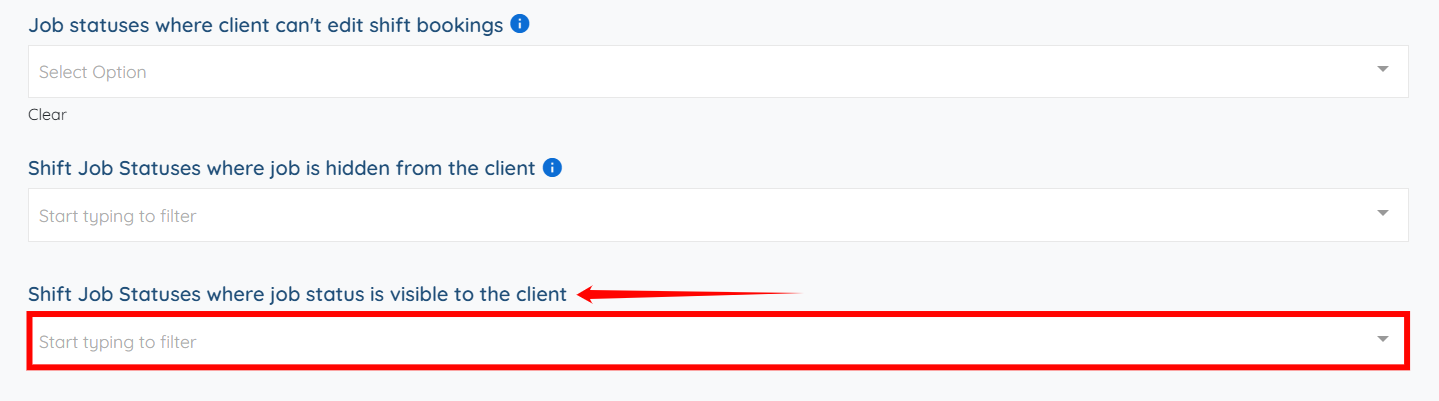
Step 5: Scroll down to the Shift Job Statuses where job status is visible to the client field and click the box below it to activate the dropdown list.
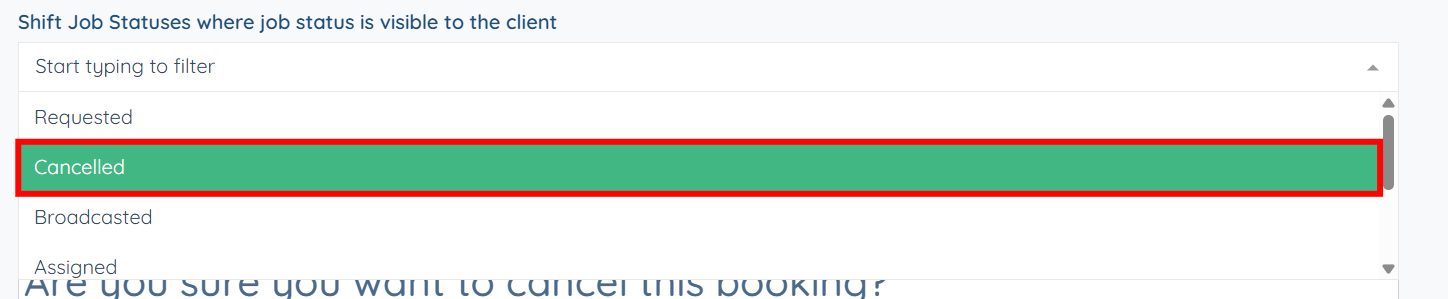
Step 6: Select the shift job status from the dropdown list that you want to display as a label with the job for the client.

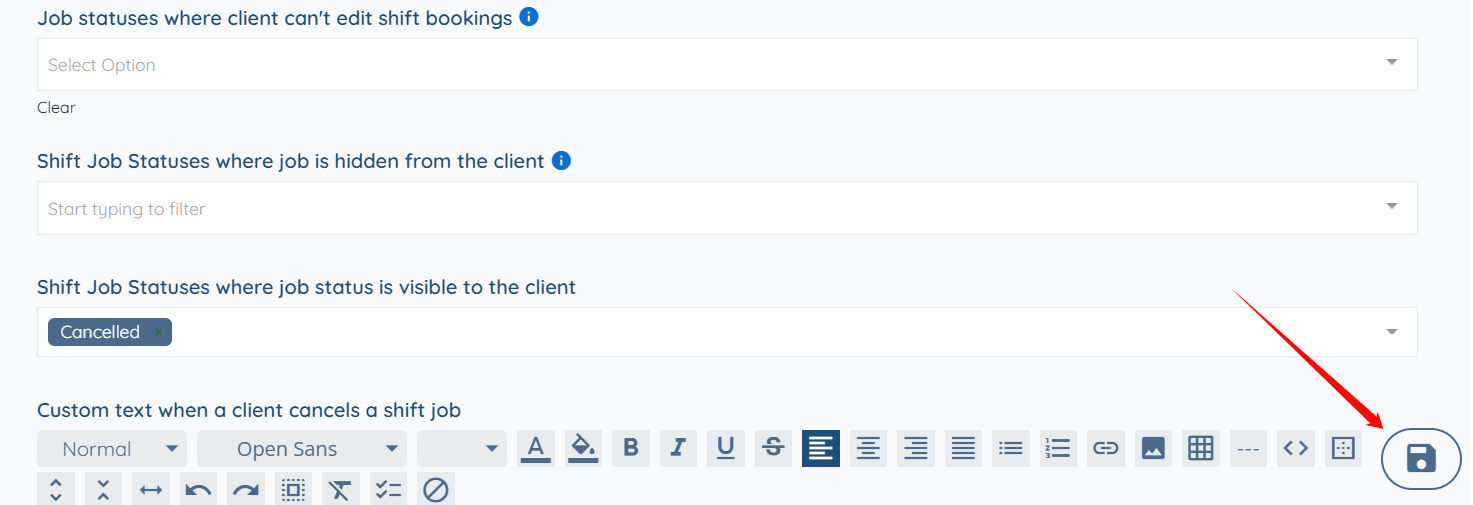
Step 7: Click the Save icon to confirm the changes.
If this doesn't answer your questions you can always contact us by clicking here.
