Let’s get started 🚀
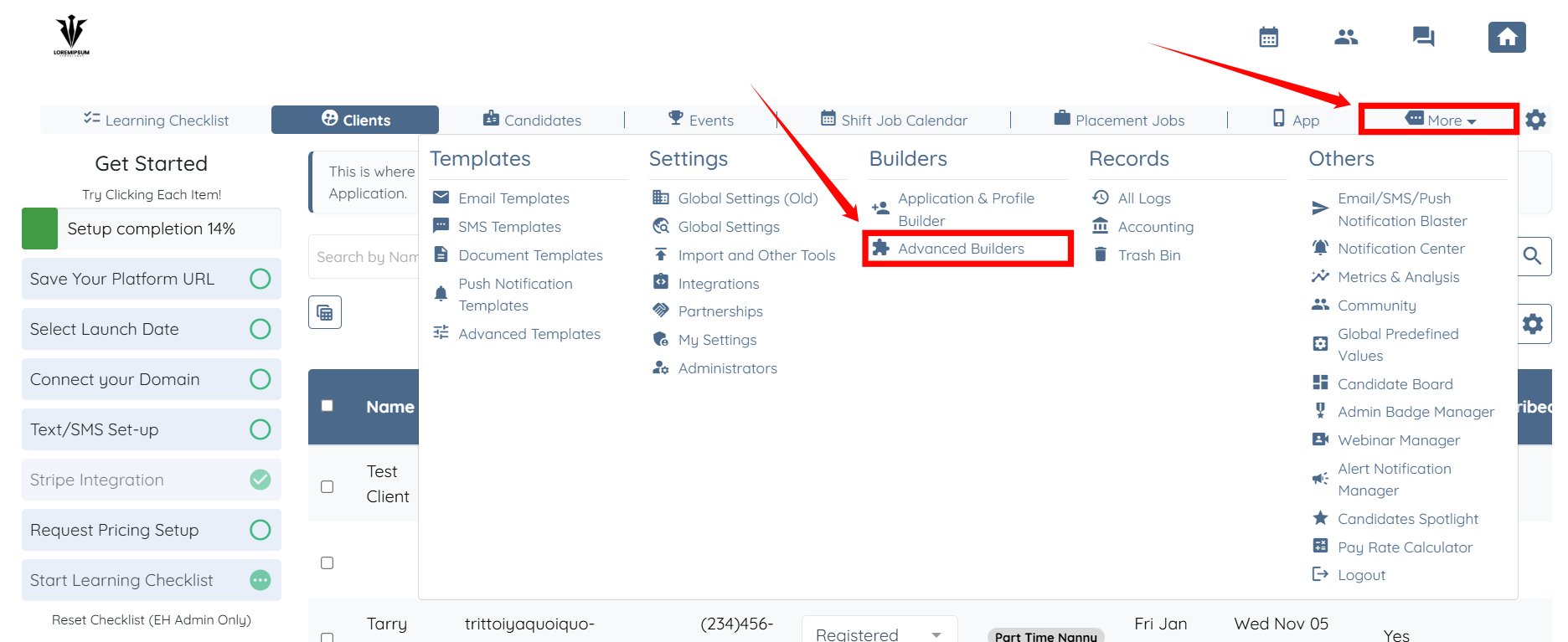
Step 1: Log in to your agent dashboard and click More > Advanced Builders, as shown in the screenshot below.
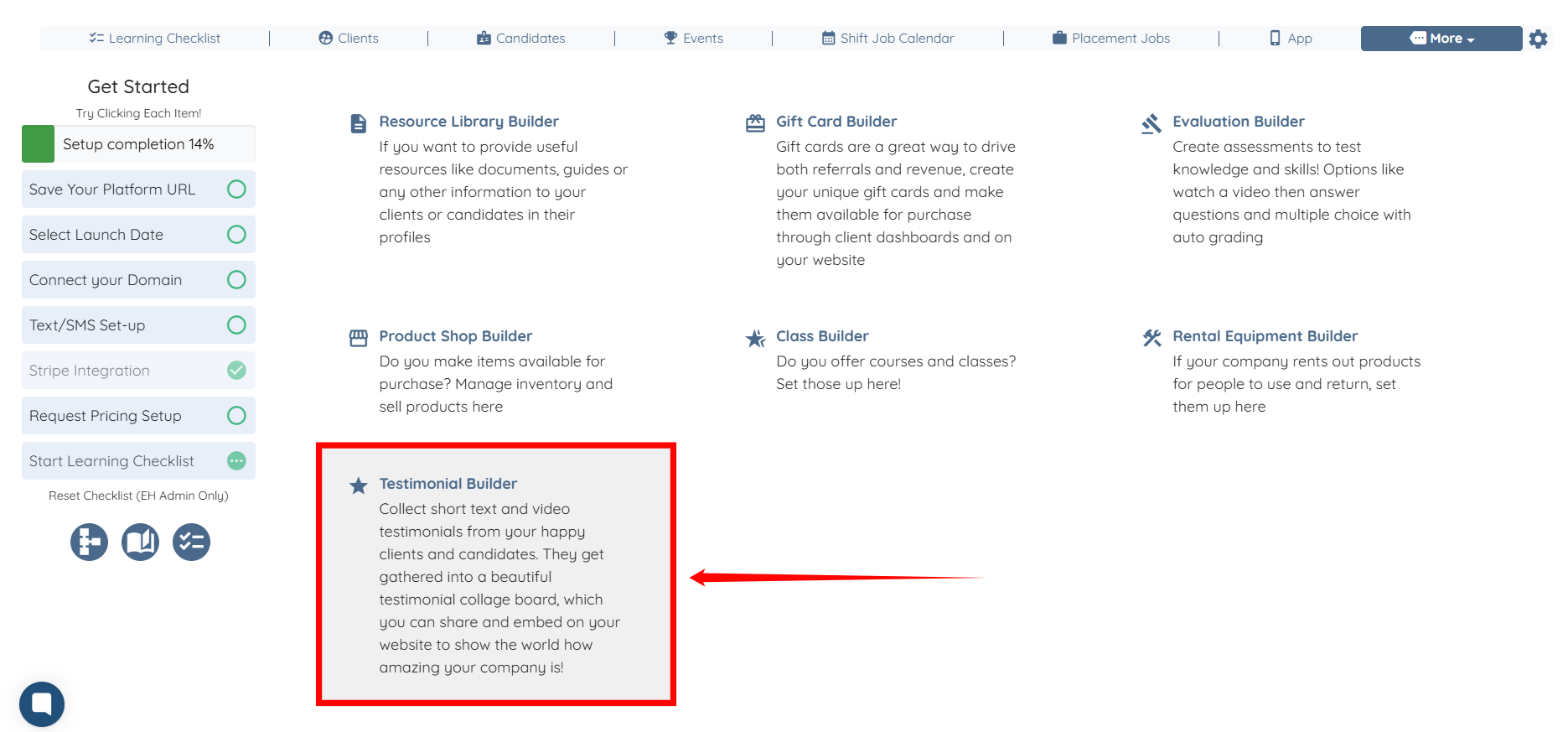
Step 2: Select Testimonial Builder option.
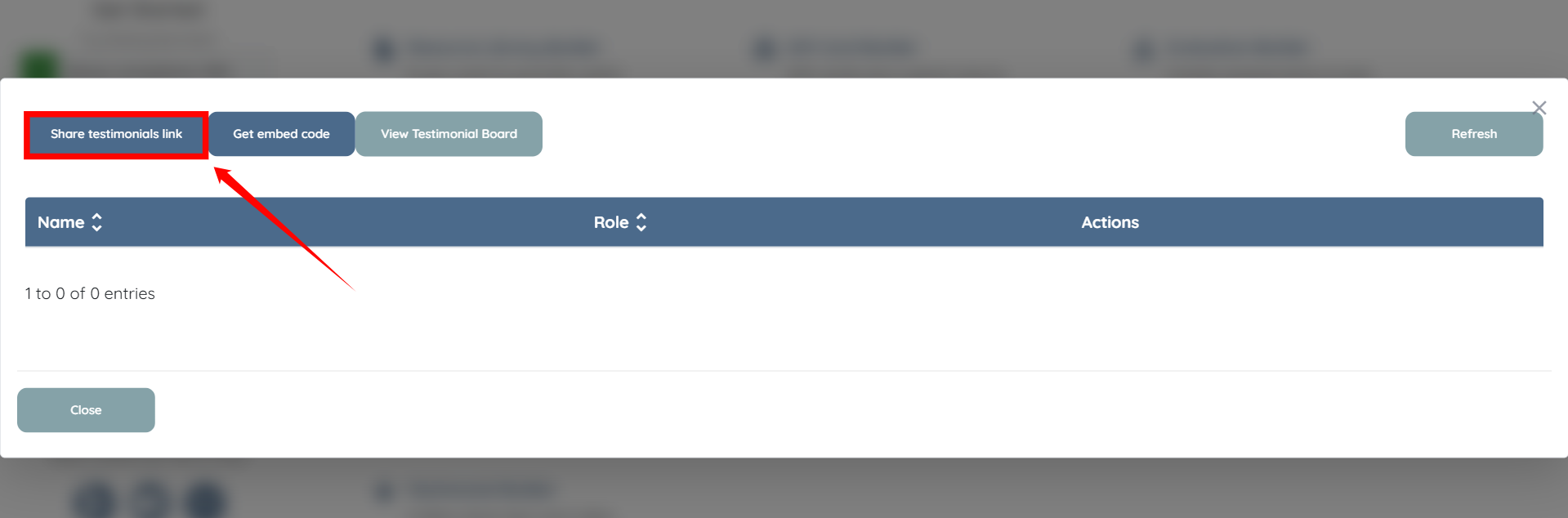
Step 3: Click Share testimonials link button.
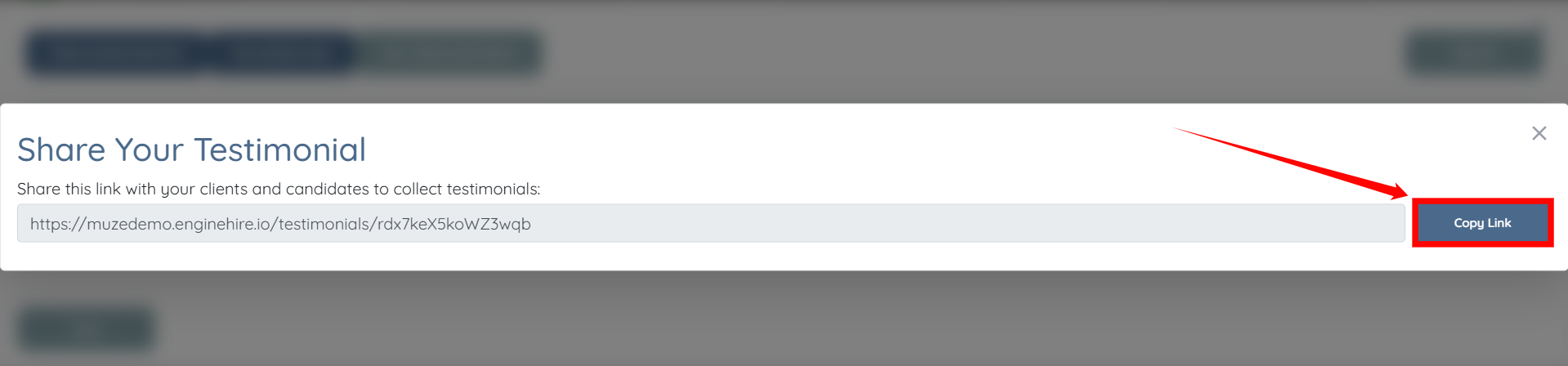
Step 4: Click the Copy Link button and share the link with the person from whom you want to receive a testimonial.

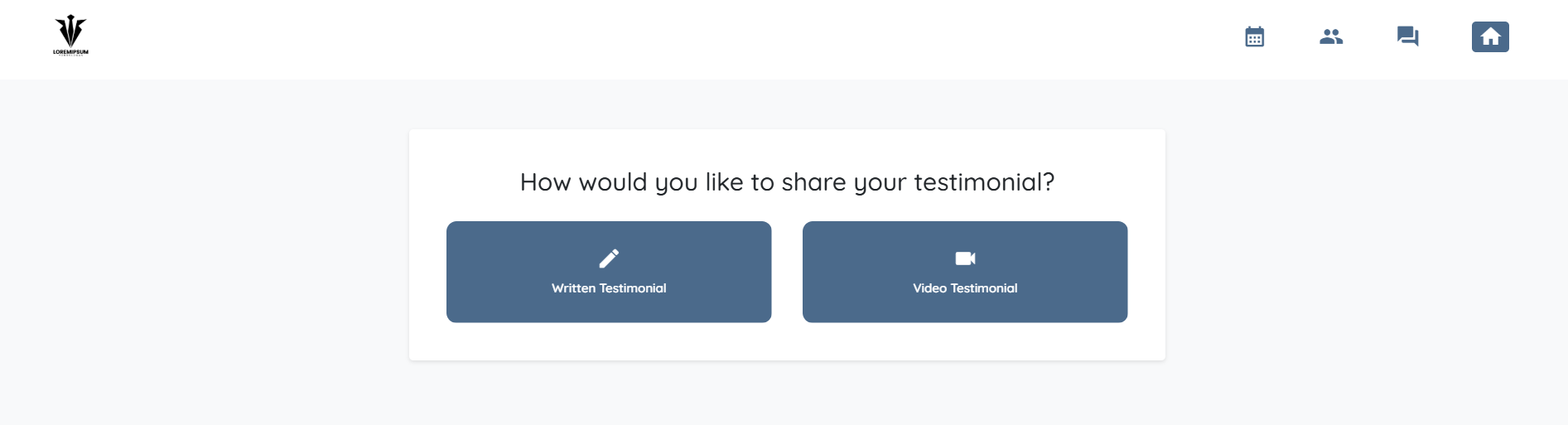
Step 5: Once opened, your client or candidate can select if they would like to add a written review or record a video.
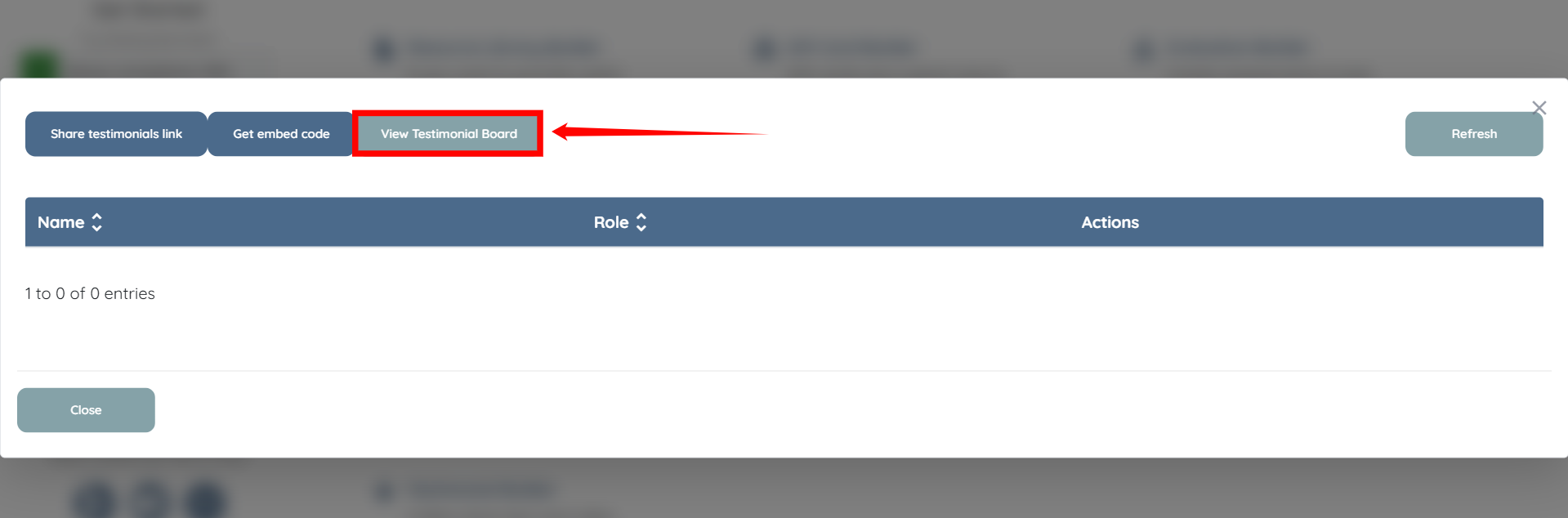
Click the View Testimonial Board button to see how the testimonials will appear when they are embedded on your site.
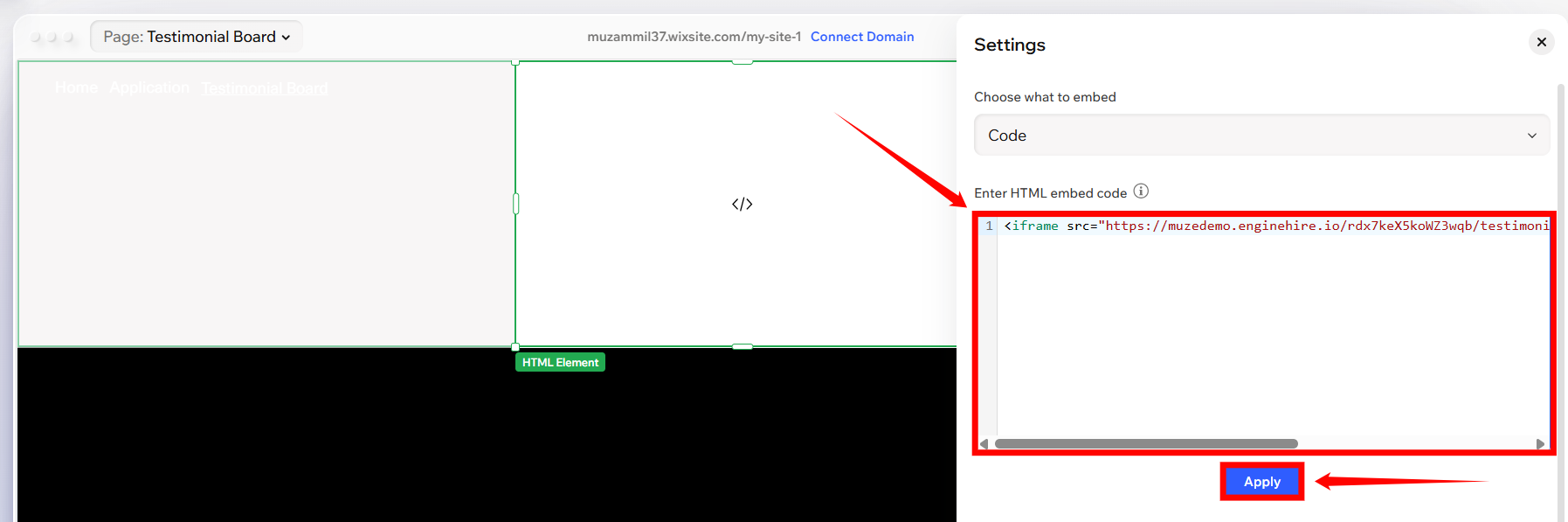
The embed code works on all website platforms, including Wix, GoDaddy, Squarespace, WordPress, and others.
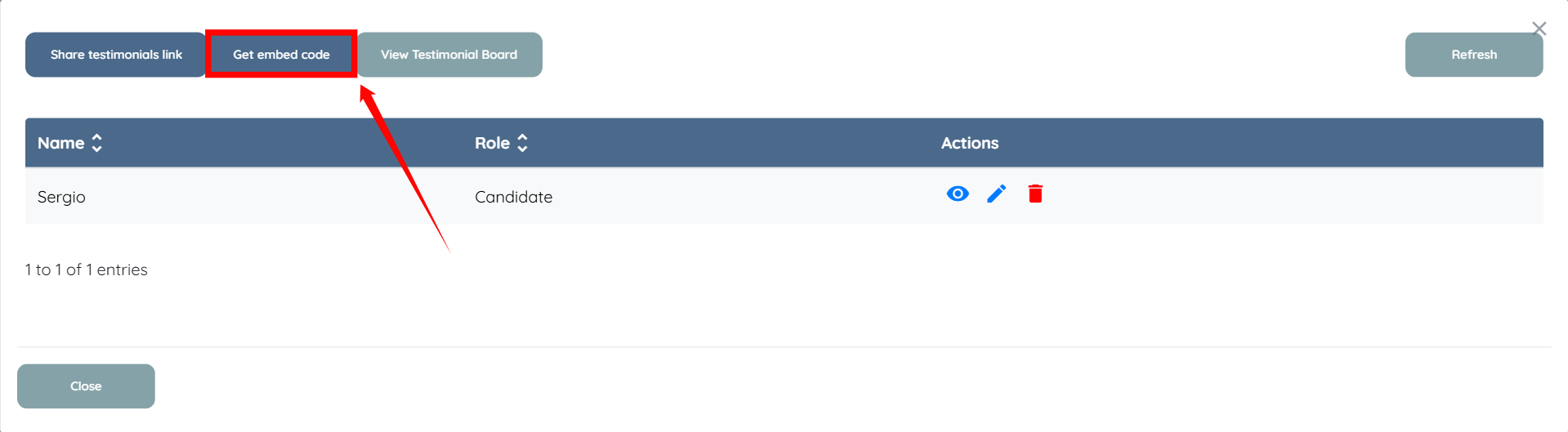
Step 1: Click Get embed code button.
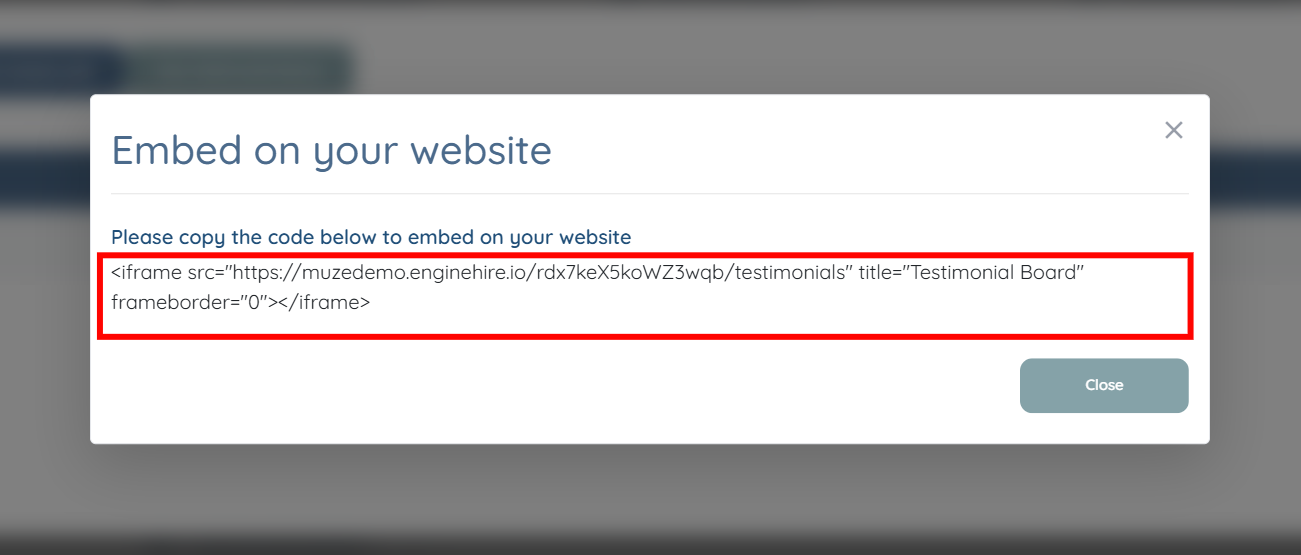
Step 2: Copy the code below to embed it on your website.
Step 3: Open your website builder and paste the code you copied in the previous step into a code block or an embed block, depending on your platform. Then, click the Apply button to confirm the changes.
If this doesn't answer your questions you can always contact us by clicking here.
