
Let’s get started 🚀
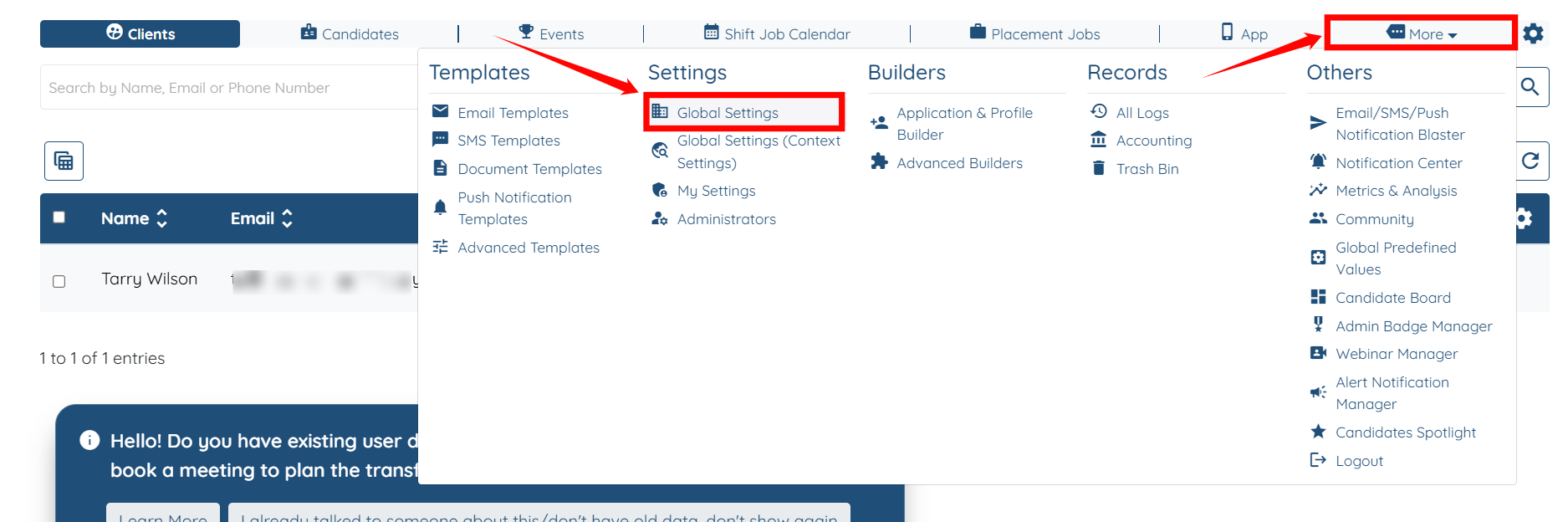
Step 1: Log in to your agent dashboard, then navigate to More > Global Settings, as shown in the screenshot below.
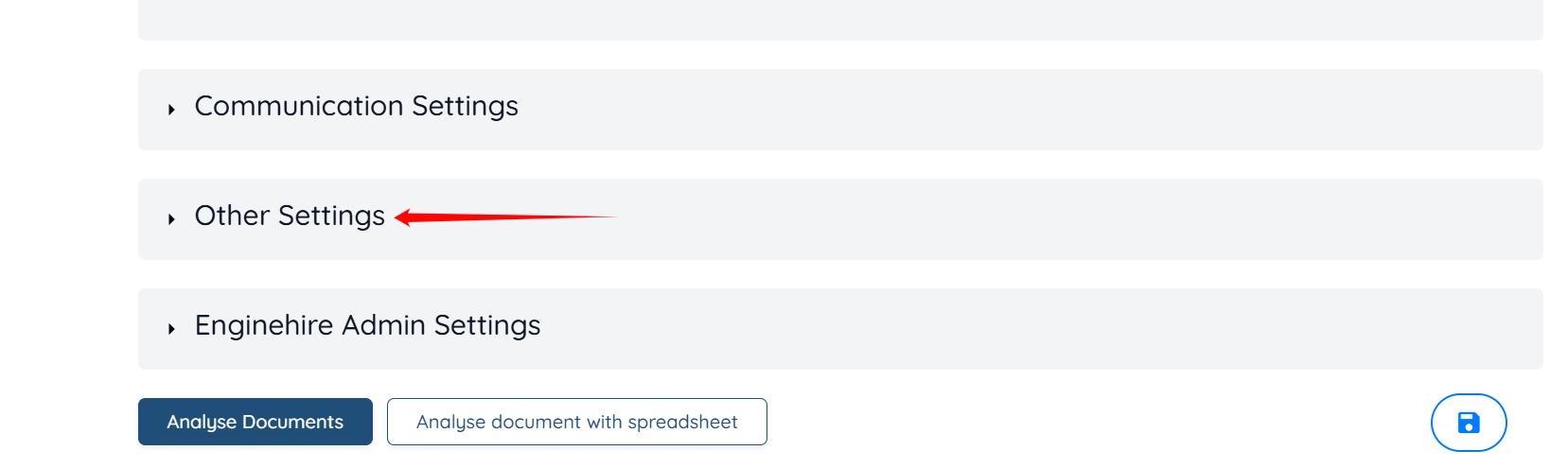
Step 2: Scroll down and click the Other Settings option to expand the details.
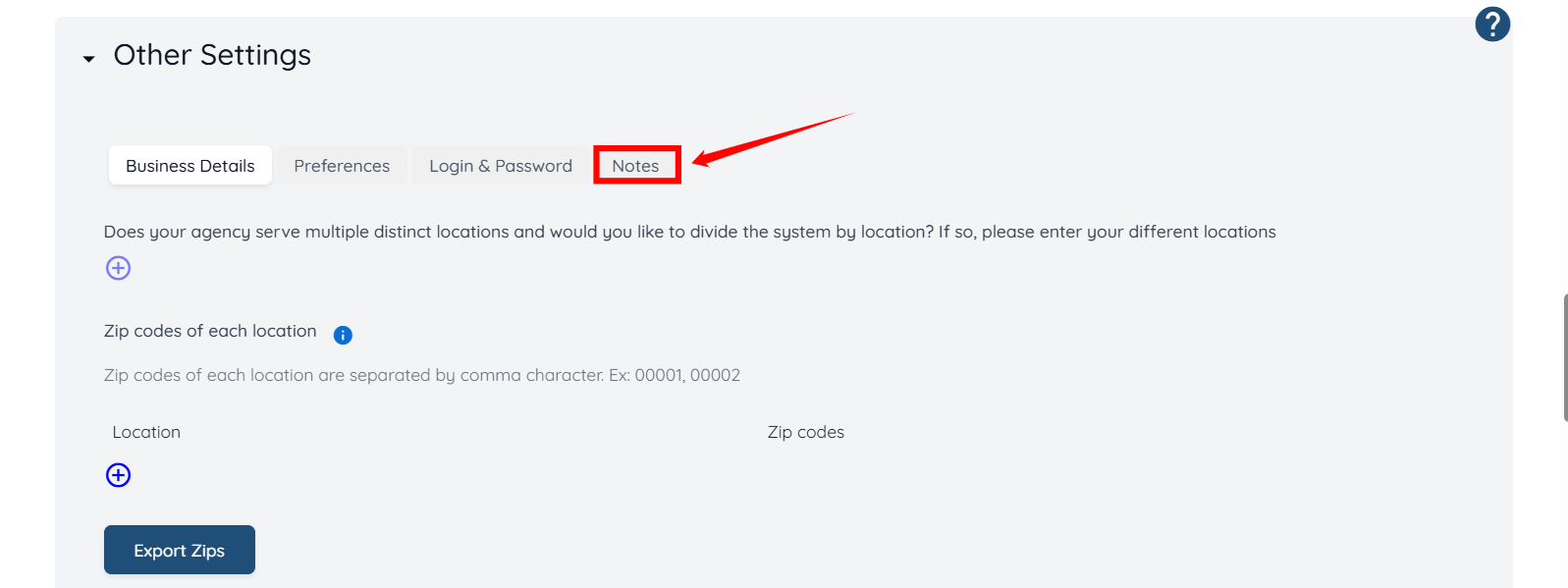
Step 3: Click the Notes button as shown in the screenshot below.
Step 4: Scroll down, type the tag name you want to add to the list, and then click the tag name that appears as a suggestion below to add it.
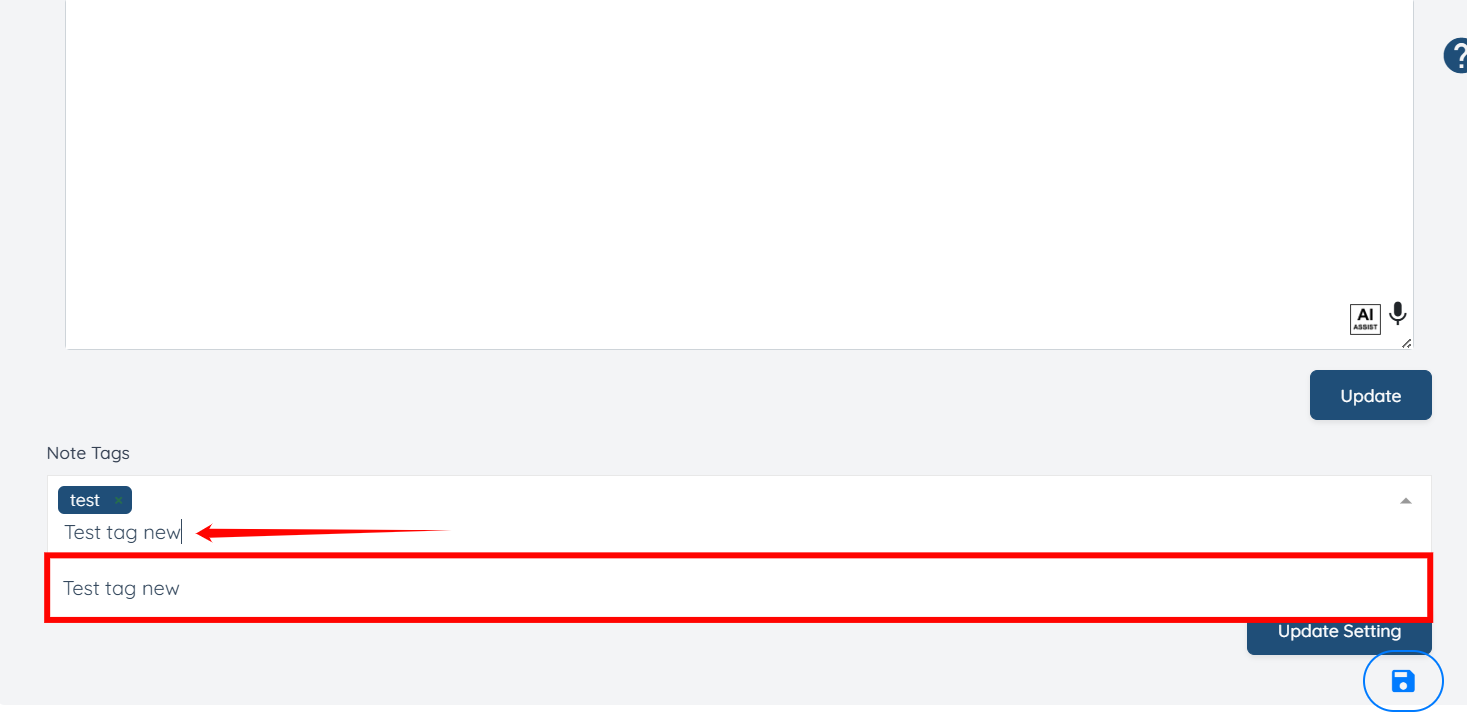
Step 5: Click the Update Settings button to save the changes.

You can now view the tag that you newly added in the Tags field while adding a note.
